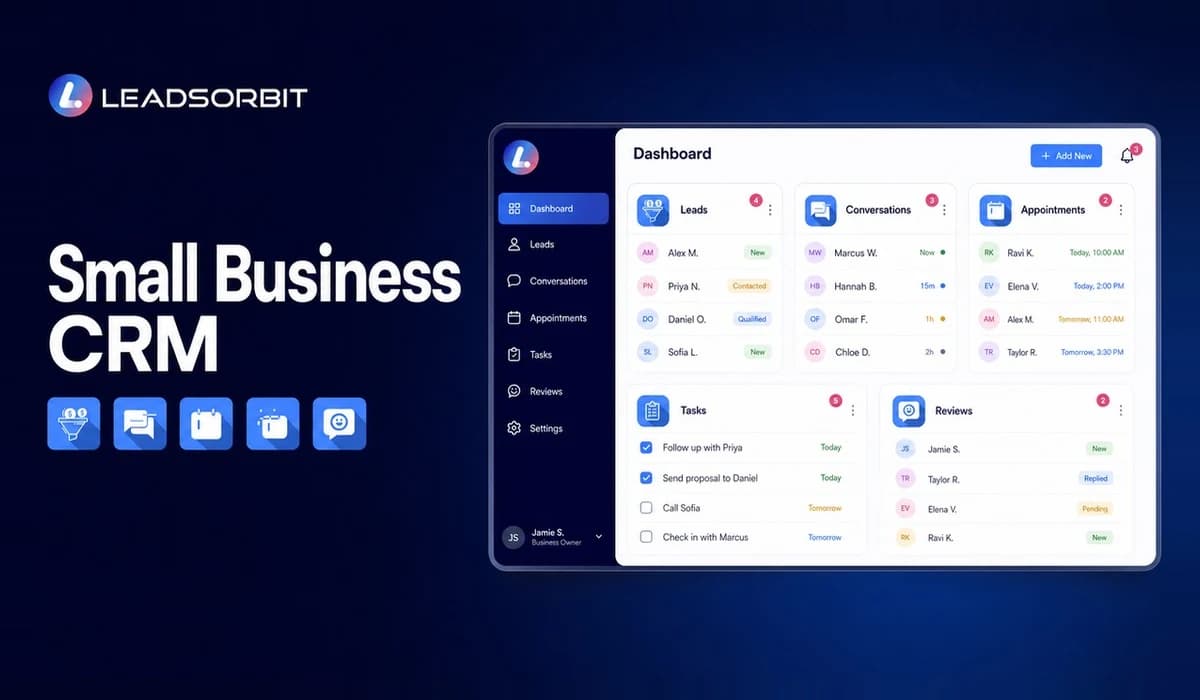

Growth creates a simple but uncomfortable problem for many small businesses: the team starts receiving more calls, forms, messages, appointments, and customer requests than it can reliably manage. A lead may be written on a notepad, copied into a spreadsheet, mentioned in a group chat, and then forgotten because no one owns the next step.
A small business CRM gives the team one connected place to organize leads, customer details, conversations, tasks, appointments, reviews, and follow up. The goal is not to add another complicated tool. The goal is to make daily work easier to see, assign, and complete.
This guide explains what a practical CRM should do, where manual tracking usually breaks down, which features matter, how to think about cost and value, and how an AI powered CRM can connect the customer journey from first inquiry to repeat business.
What Is a Small Business CRM?
A small business CRM is customer relationship management software designed to help a smaller team manage leads, customers, communication, and next actions. It creates a shared record of who contacted the business, what happened, who is responsible, and what should happen next.
The contact record is only the foundation. A useful CRM also connects that record to conversations, pipeline stages, tasks, booking activity, reminders, review requests, and reporting. That connection is what turns a contact database into an operating system for customer facing work.
The U.S. Small Business Administration has described CRM systems as tools that can help businesses track sales leads and customer support activity. For a local service business, that idea becomes very practical: every inquiry should enter a visible process instead of depending on memory.
Why Small Businesses Need a CRM System
Small teams often delay CRM adoption because their current process still feels manageable. One person knows the customers, another watches the inbox, and the owner keeps important details in their head. That can work at low volume, but it becomes fragile as the business adds leads, employees, locations, or communication channels.
A CRM creates continuity. When someone is busy, absent, or handling a customer, another team member can see the record and continue the conversation without asking the customer to repeat everything. It also helps the owner see whether leads are being contacted, appointments are being booked, and follow up is actually happening.
- Keep lead and customer information in one shared place.
- Give every new inquiry an owner and a next action.
- See conversations across calls, SMS, email, chat, and other connected channels.
- Use reminders and workflows so routine follow up does not rely on memory.
- Track appointments, review requests, customer status, and pipeline movement.
- Create visibility for the owner without requiring constant manual updates.
The value is not simply "better organization." The real value is fewer hidden gaps between marketing, sales, booking, service, and retention.
What Problems a Small Business CRM Should Solve
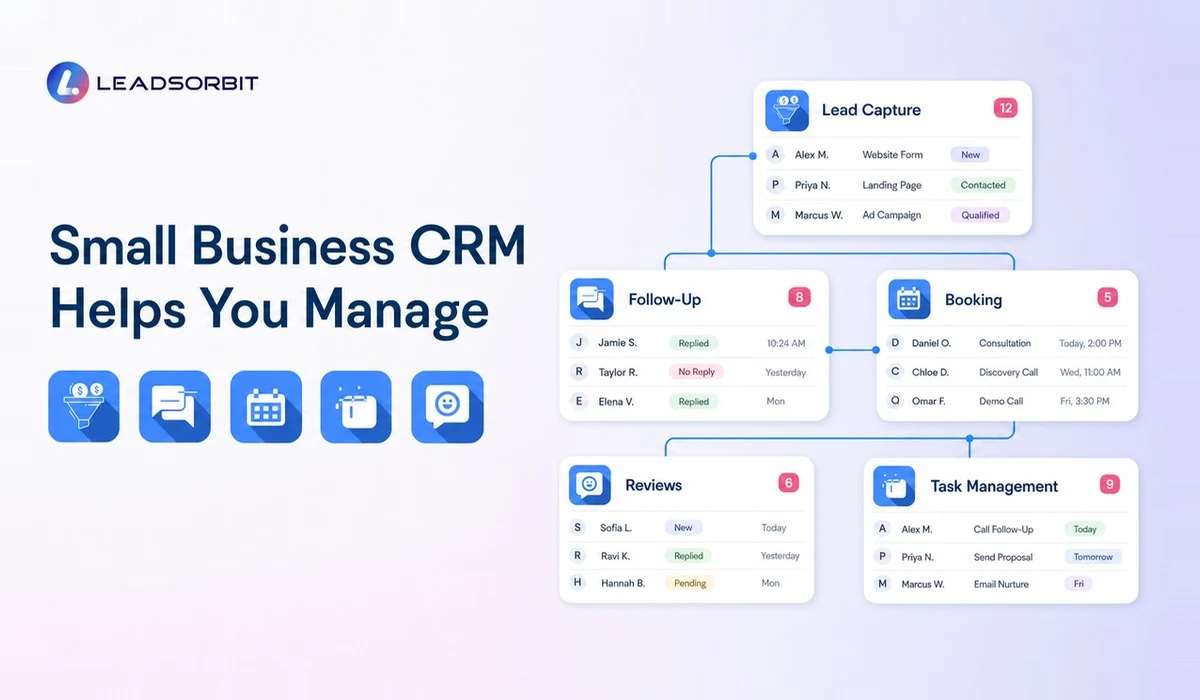
A good CRM should solve operational problems that the business already feels. It should not require the team to invent artificial processes just to justify the software. Start with the points where leads or customers are currently waiting, repeating information, or getting lost.
- Missed calls or website inquiries that do not receive a timely response.
- Lead details scattered across phones, email accounts, spreadsheets, and personal notes.
- No clear pipeline showing whether a lead is new, contacted, booked, won, lost, or waiting.
- Follow up tasks that depend on one person remembering to send a message.
- Appointment confirmations and reminders handled manually.
- Review requests sent inconsistently or not sent at all.
- Customer history that is difficult to find when someone returns.
- Limited visibility into team activity and next actions.
Not every business needs the same workflow. A dental office, home service company, pet groomer, med spa, and consulting firm may use different stages. The CRM should be flexible enough to reflect the real customer journey while keeping the structure simple for the team.
Lead Capture and Contact Management
Lead capture is the first job of a CRM. New inquiries from forms, calls, messages, funnels, and other touchpoints should create or update a contact record instead of sitting in isolated tools. The record should preserve the source, contact details, conversation history, assigned owner, and current status.
This matters because follow up quality depends on context. A team member should be able to see what the lead asked for, when the inquiry arrived, and whether another person already responded. Duplicate records, missing notes, and disconnected messages create confusion at exactly the moment a prospect expects a clear answer.
LEADSORBIT's Conversation AI and connected inbox approach are designed to help teams keep customer communication organized around the contact record. The practical outcome is a clearer handoff from inquiry to response, booking, and service.
Lead Follow Up Automation
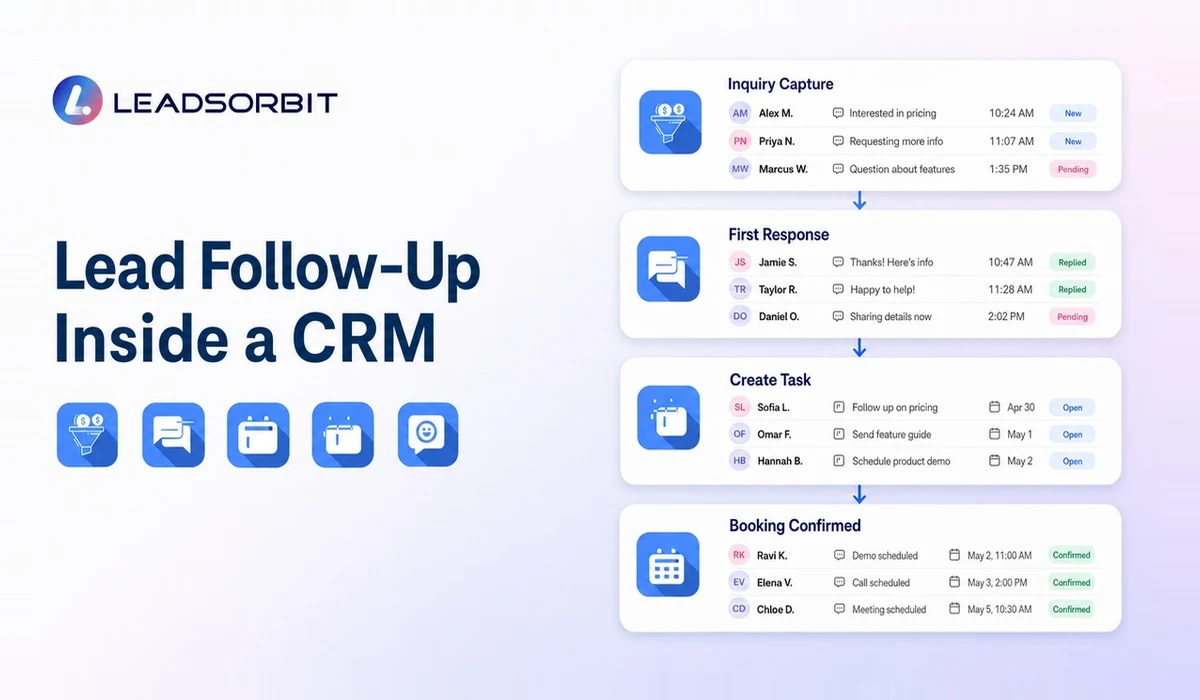
Most small businesses understand that follow up matters. The problem is consistency. A busy day, an urgent customer issue, or a staff absence can push a new lead to the bottom of the list. A CRM can use tasks, reminders, pipeline triggers, SMS, and email workflows to keep the next step visible.
Automation should support the team, not create robotic conversations. A useful workflow might acknowledge an inquiry, notify the assigned person, create a follow up task, and send a reminder if the lead has not moved. The team can then step in with context instead of starting from zero.
For a deeper look at this process, see the guide to lead follow up automation and how Workflow AI can help connect triggers, reminders, and customer communication.
Appointment Booking and Reminders
For appointment based businesses, the CRM should connect the conversation to the calendar. A lead who is ready to book should not have to wait for repeated back and forth when an approved time can be offered or a booking link can be shared. Once booked, confirmations and reminders should remain connected to the same customer record.
This creates a cleaner experience for the customer and better visibility for the team. Staff can see whether the appointment is confirmed, rescheduled, completed, or missed, then trigger the appropriate next action. The system becomes more useful when booking data can also update pipeline stages and follow up workflows.
Businesses that depend heavily on scheduling should also review the appointment booking CRM guide and the AI Appointment workflow.
Customer Review and Reputation Management
The customer journey does not end when the service is completed. A well timed review request can help a satisfied customer share their experience, while a clear monitoring process helps the team notice and respond to feedback. These activities should connect to the customer record instead of being managed as a separate campaign with no context.
Review workflows must remain honest and policy aware. Google provides official guidance for requesting and responding to reviews, and the FTC publishes business guidance related to reviews and endorsements. A CRM can support timing and consistency, but it should not be used to create fake reviews, suppress genuine feedback, or promise a specific rating.
LEADSORBIT's Reviews AI supports review request and monitoring workflows, while the online reputation management guide covers the wider reputation process.
Pipeline and Task Management
A pipeline shows where each lead or customer stands in the process. The stages should match the business, such as New Inquiry, Contacted, Qualified, Estimate Sent, Booked, Completed, Follow Up, and Closed. Simple, meaningful stages are more useful than a complicated pipeline that the team avoids updating.
Tasks add accountability to those stages. Every active opportunity should have a next action, an owner, and a due date when appropriate. Managers can then review exceptions, such as leads with no activity or overdue tasks, instead of asking for status updates one by one.
The strongest CRM process combines automation with human ownership. The system can create reminders and move routine information, but the team still makes judgment calls, builds relationships, and handles sensitive conversations.
Customer Retention and Repeat Business
A CRM is useful after the first sale or appointment because it preserves the relationship history. The business can see prior services, conversations, preferences, review activity, and follow up notes before contacting the customer again. That context helps communication feel relevant rather than random.
Retention workflows can include service reminders, rebooking messages, check ins, renewal tasks, or reactivation campaigns for customers who have not returned. The key is to use accurate records and appropriate permission settings so outreach reflects the customer's real relationship with the business.
For businesses that want to go deeper into lifecycle use cases, the supporting guides on customer management software and customer relationship management for small business focus on retention, trust, and repeat business.
Small Business CRM vs Spreadsheet Tracking
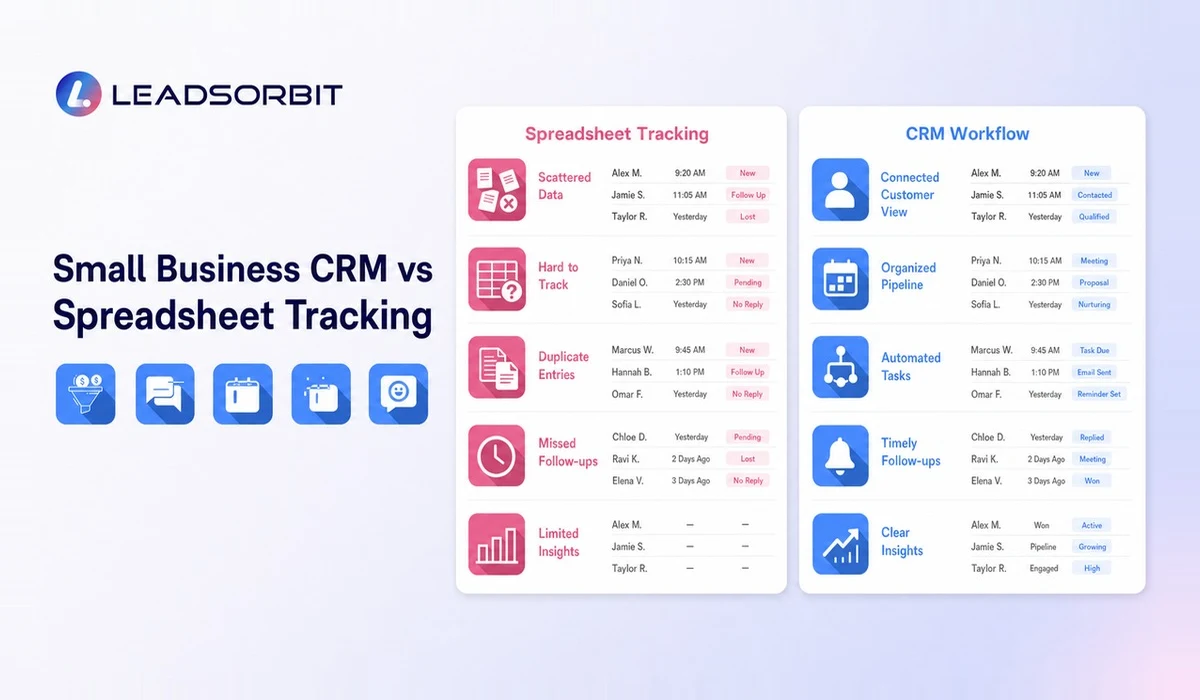
Spreadsheets are useful for lists, calculations, and simple reporting. They are not designed to manage live conversations, automated tasks, appointment events, or customer histories across a team. As activity grows, the spreadsheet often becomes a snapshot that is already out of date.
| Area | Spreadsheet Tracking | Connected CRM |
|---|---|---|
| Customer record | Rows and columns | Contact profile with history and activity |
| Follow up | Manual notes or dates | Tasks, reminders, and automated workflows |
| Conversations | Stored elsewhere | Connected to the customer record |
| Ownership | Often unclear | Assigned user and visible next action |
| Appointments | Separate calendar | Booking activity linked to the record |
| Reporting | Manual formulas | Pipeline and activity visibility |
A spreadsheet may still support finance, analysis, or migration work. The decision is not whether spreadsheets are "bad." It is whether the team needs a live customer workflow rather than a static list.
Small Business CRM vs Separate Tools
Many businesses build a stack one problem at a time: one inbox, one booking tool, one review tool, one automation tool, and another place for contacts. Each tool may work well on its own, but the team becomes responsible for moving information between them and checking several dashboards.
An all in one approach can reduce those handoff gaps when the platform fits the business. The most important question is not how many features appear on a pricing page. It is whether lead capture, communication, follow up, booking, reviews, and reporting share enough context to support the customer journey.
A connected LEADSORBIT CRM platform is designed around that practical workflow: capture the inquiry, organize the conversation, automate routine next steps, support booking, and maintain visibility after the customer is served.
Features to Look for in CRM Software for Small Businesses
Feature lists can become overwhelming, so evaluate software by the work your team needs to complete. A smaller set of connected features is often more useful than a long list of tools that are difficult to configure or adopt.
- Lead capture from the channels your business actually uses.
- Contact records with communication and activity history.
- A unified inbox or connected conversation view.
- Custom pipeline stages and clear opportunity ownership.
- Tasks, reminders, and workflow automation.
- Appointment booking, confirmations, reminders, and rescheduling support.
- Review request and reputation monitoring workflows.
- Simple reporting for leads, activity, appointments, and outcomes.
- Role based access, mobile access, and practical team usability.
- Integration or migration options for essential existing systems.
The supporting buyer guide on CRM software for small businesses explains how to turn these features into a practical selection process.
Small Business CRM Cost and Value
CRM cost can include the subscription, user seats, messaging or calling usage, setup, data migration, integrations, training, and ongoing administration. A low monthly price can become expensive if the software requires several additional tools or significant manual work.
Value should be evaluated against operational friction. How much time does the team spend copying information, checking multiple inboxes, chasing updates, or rebuilding customer context? How many active leads have no clear next action? The answers help the business compare software cost with the cost of an unreliable process.
Do not rely on invented "average loss" figures or guaranteed return calculations. Use your own lead volume, booking value, team time, and current tool costs. The guide to the cost of CRM software for small business provides a structured way to compare pricing and value.
How to Choose the Right CRM for Your Business
The right CRM is the one the team can use consistently and the business can maintain. Start by mapping the current process before scheduling demos. Write down where leads arrive, who responds, how appointments are booked, how follow up is assigned, and where customer history is stored.
- Define the business problems the CRM must solve in the first 90 days.
- Identify the channels, calendars, forms, and records that must connect.
- Choose a small number of pipeline stages with clear definitions.
- List the routine follow up steps that could be automated safely.
- Ask how data will be migrated, cleaned, and protected.
- Test the daily experience for front desk staff, sales users, managers, and owners.
- Confirm what support, onboarding, training, and usage charges are included.
- Plan adoption with one owner, clear responsibilities, and regular process reviews.
A good demo should follow a real use case rather than a generic feature tour. Bring a common lead scenario and ask the provider to show how the inquiry moves from capture to response, booking, task ownership, service completion, and follow up.
CRM Data Quality and Team Adoption
A CRM can only create visibility when the information inside it is reasonably accurate. Duplicate contacts, unclear stages, incomplete ownership, and old tasks make the system harder to trust. Data quality should therefore be treated as an operating habit rather than a one time cleanup.
Start with a small set of required fields and stage rules. Make it easy for users to update the record during the work instead of asking them to complete a large form later. Managers should review exceptions, such as leads with no owner, opportunities with no next action, and records that have remained in one stage too long.
- Assign one person to own CRM standards and coordinate changes.
- Create simple definitions for leads, customers, stages, and closed outcomes.
- Merge duplicates and document how new records should be created.
- Remove fields that no one uses or understands.
- Train each role on the actions it performs, not every feature in the platform.
- Use a short weekly review to correct gaps before they become normal.
- Ask users where the workflow creates extra clicks or missing context.
- Update automations only after testing how the change affects active records.
Adoption improves when the CRM gives something back to the user: a clearer task list, faster access to conversations, easier booking, or fewer manual updates. If the system only creates reporting work for management, employees will naturally look for shortcuts.
CRM Reporting for Practical Decisions
Small business reporting should answer practical questions. How many new inquiries arrived? Which leads have not received a response? Where are opportunities stalling? Which appointments were booked, completed, rescheduled, or missed? Which tasks are overdue?
Avoid building dashboards simply because the platform can display them. Start with a small number of measures connected to a management action. For example, a list of leads with no activity is useful because a manager can assign follow up immediately.
- New leads by source and period.
- Leads without an assigned owner.
- Time since the last recorded activity.
- Pipeline count and value by stage where values are reliable.
- Appointments booked, completed, rescheduled, and missed.
- Overdue tasks by owner or team.
- Review requests sent and feedback requiring attention.
- Customers due for relevant rebooking or follow up.
Reports should be interpreted with operational context. A stage may look large because the definition is unclear, not because the team has a performance problem. Use reporting to ask better questions and improve the process, not to create pressure from incomplete data.
Security, Access, and Responsible Customer Data Use
Customer data should be available to the people who need it and protected from unnecessary access. Small businesses should define user roles, remove access when responsibilities change, and understand how records can be exported or deleted. Sensitive industries may have additional requirements that need qualified legal, compliance, or security review.
A CRM selection process should include questions about account security, permissions, backups, data ownership, integrations, and vendor support. The blog is not legal or compliance advice, but these questions belong in a responsible buying decision.
- Use individual accounts rather than shared logins.
- Apply role based access where the platform supports it.
- Review connected applications and permissions regularly.
- Document who can export customer data.
- Create an offboarding process for employees and contractors.
- Train users not to place unnecessary sensitive information in free text notes.
- Confirm how the provider handles backups, incidents, and support access.
A Practical 90 Day CRM Rollout Plan
A CRM rollout is easier when the business treats it as a sequence of operational improvements rather than one large software project. The first 90 days should focus on the workflows that create the clearest value and the least confusion.
Days 1 to 30: Map and Clean
Document where leads arrive, who responds, which stages are meaningful, and where customer history currently lives. Clean duplicate records, decide which fields are truly required, and identify one accountable CRM owner. Do not automate a process that the team has not agreed on.
Days 31 to 60: Configure and Test
Build the first pipeline, connect the most important lead sources, and create a small number of templates, tasks, and reminders. Test the journey with internal records before moving real customers through it. Ask front desk and customer facing users to complete the process themselves.
Days 61 to 90: Adopt and Improve
Review missing owners, overdue tasks, stalled stages, and user feedback. Improve the workflow where it creates unnecessary steps, but avoid changing the structure every week. Once the first process is stable, add the next high value workflow, such as appointment reminders, review requests, or customer reactivation.
This phased approach helps the team build confidence and gives management evidence about what is working. It also reduces the risk of launching dozens of automations that no one is prepared to monitor.
How LEADSORBIT Works as an AI Powered CRM for Small Businesses
LEADSORBIT brings lead capture, conversations, follow up automation, appointment booking, reviews, tasks, pipeline activity, and customer management into one connected platform. It is positioned for small businesses and local service teams that need practical workflows rather than disconnected tools.
The platform's solution areas support different parts of the journey: Conversation AI for organized customer communication, Workflow AI for automated next steps, AI Appointment for booking and reminders, and Reviews AI for review request and monitoring workflows.
The aim is not to remove people from customer relationships. It is to help the team respond faster, stay organized, and complete routine work more consistently. Human judgment remains essential for sales conversations, service recovery, complex questions, and relationship building.
Small Business CRM Checklist
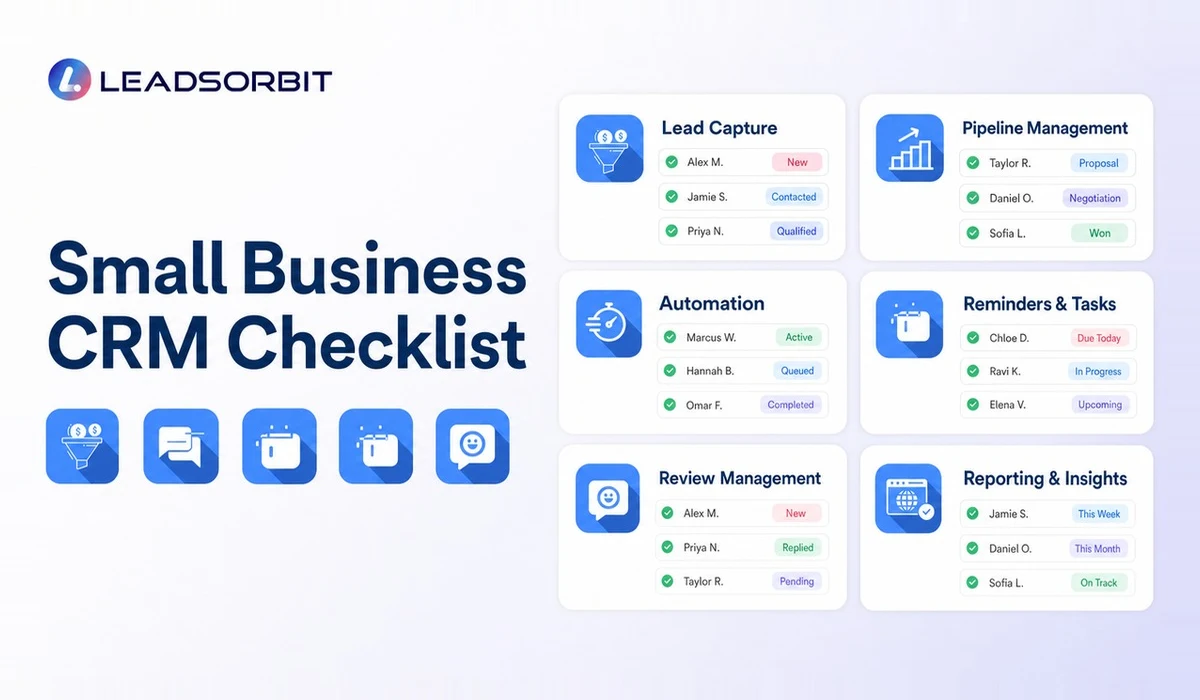
Use this checklist before choosing or implementing a CRM. A "yes" should mean the workflow is clear in practice, not merely listed as a feature.
- New inquiries create or update a usable contact record.
- The team can see conversation history without checking several tools.
- Every active lead can have an owner, stage, and next action.
- Routine follow up can be triggered without removing human control.
- Appointments and reminders connect to the customer record.
- Review requests can be sent consistently and ethically.
- Managers can identify overdue tasks and stalled opportunities.
- Customer history supports retention and reactivation.
- The interface is simple enough for the team to use daily.
- Pricing, onboarding, support, usage charges, and migration are understood.
- Data access, permissions, and export options are documented.
- The CRM can grow with the business without forcing unnecessary complexity.
Try LEADSORBIT free for 14 days
FAQs About Small Business CRM
CRM means customer relationship management. For a small business, it is the process and software used to organize leads, customers, conversations, follow up, appointments, tasks, and relationship history.
The Practical Standard for a Small Business CRM
The practical standard is simple: the CRM should help the team see the customer, understand the current status, and complete the next action without searching across several tools. It should also give the owner enough visibility to improve the process without turning every employee into a data entry specialist.
When evaluating a system, return to that standard. Features are useful only when they create clearer ownership, better context, more consistent follow up, or a smoother customer experience.
Final Thoughts
A small business CRM should make the customer journey easier to manage. It should show who contacted the business, what happened, who owns the next action, and how the relationship is progressing. When lead capture, conversations, follow up, booking, reviews, tasks, and reporting are connected, the team spends less time searching for information and more time serving customers.
LEADSORBIT helps small businesses manage those workflows from one AI powered CRM.

Start Your Free 14 Day Trial
Try LEADSORBIT and see how it captures missed calls, follows up instantly, and turns leads into booked appointments for your business.
Personal Message From Faisal Zulfiqar
What I often see in small businesses is not a lack of effort. The team is working hard, but important customer information is spread across too many places. One person knows about the call, another sees the message, and the owner is still trying to work out whether anyone followed up.
The better approach is to build a simple system where the team can see what happened, what needs to happen next, and which lead or customer needs attention. That is the kind of clarity a good CRM should provide. Start with the real process, keep it simple, and improve it as the team builds confidence.