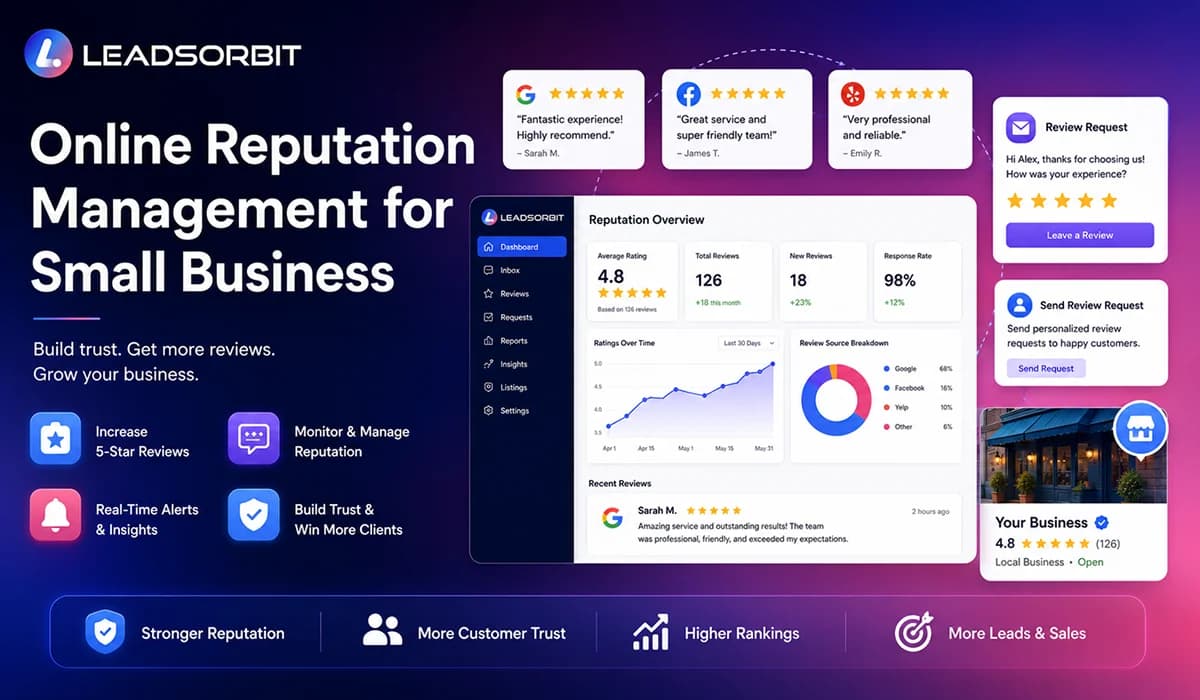

Online reputation management for small business is the process of monitoring what customers say about your business online, requesting honest reviews, responding to feedback, and using that feedback to build stronger customer trust.
For local and appointment based businesses, reputation is not only a marketing topic. It directly affects whether someone calls, books, visits your location, or chooses another provider. A strong reputation can make the buying decision feel easier. A weak or unmanaged reputation can create doubt before your team ever speaks with the customer.
The challenge is that most small businesses do not have a clean system for reputation management. Reviews may appear on Google, Facebook, industry directories, or other public platforms, while the team is still busy handling calls, appointments, customers, and daily work.
This guide explains what online reputation management means, why it matters for small businesses, how reviews influence trust, what to monitor, how to request reviews properly, how to respond to negative feedback, and how LEADSORBIT helps connect reputation management with your CRM and follow up process.
What Is Online Reputation Management for Small Business?
Online reputation management is the ongoing process of managing how your business appears to customers when they search, compare, read reviews, and decide whether to contact you. For a small business, this usually starts with reviews, ratings, public replies, customer feedback, and local search visibility.
A small business does not need to treat reputation management like a large corporate PR program. The first goal is simpler: know what customers are saying, respond in a professional way, ask happy customers for honest feedback, and use review signals to improve customer experience.
A practical online reputation management system should help your team manage these activities:
- Monitor new reviews and ratings across important platforms.
- Request honest reviews from customers after meaningful service moments.
- Respond to positive and negative reviews in a timely, professional way.
- Identify repeated complaints or service gaps.
- Keep review activity visible inside the CRM or customer record.
- Use review insights to improve follow up, service, and retention.
The goal is not to control every opinion online. The goal is to build a trustworthy public presence and show customers that your business listens, improves, and cares about the experience it provides.
Why Online Reputation Matters for Local Businesses
Local businesses depend heavily on trust. A customer may not know your team personally, but they can see what other people have said about your service. That public feedback can shape the first impression before the customer visits your website or speaks with your staff.
This is especially important for clinics, dental practices, med spas, pet care businesses, home services, and other local providers. These businesses often involve personal care, appointments, home access, health questions, or repeat visits. Customers want confidence before they take the next step.
Online reputation matters because it can influence:
- Whether someone clicks your business in search results.
- Whether a website visitor feels confident enough to call or book.
- Whether a lead compares you favorably against nearby competitors.
- Whether a past customer returns or recommends your business.
- Whether your team can identify service issues early.
The strongest businesses do not wait until reputation becomes a problem. They make review management part of the normal customer journey, just like appointment reminders, follow up messages, and customer support.
How Reviews Influence Calls, Bookings, and Customer Trust
Reviews act like public proof. A potential customer may read your service page, but reviews often help them decide whether your promises feel believable. A business with recent, authentic, and well managed reviews usually feels more active and trustworthy than a business with little feedback or unanswered complaints.
This does not mean every review must be perfect. In fact, a mix of positive and negative feedback can feel more realistic when the business responds professionally and shows care. Google's own guidance notes that honest and balanced reviews can help potential customers decide, and it recommends replying to reviews in a helpful way.
Reviews can support calls and bookings in a few practical ways:
- They reduce uncertainty before a first appointment or visit.
- They help customers understand what kind of experience to expect.
- They show that real people have interacted with the business.
- They give searchers confidence when comparing options.
- They create another reason for people to choose your business instead of waiting.
A good reputation system does not only collect reviews. It turns feedback into a visible trust signal and gives the team a process for responding when customers share concerns.
The Main Parts of Online Reputation Management
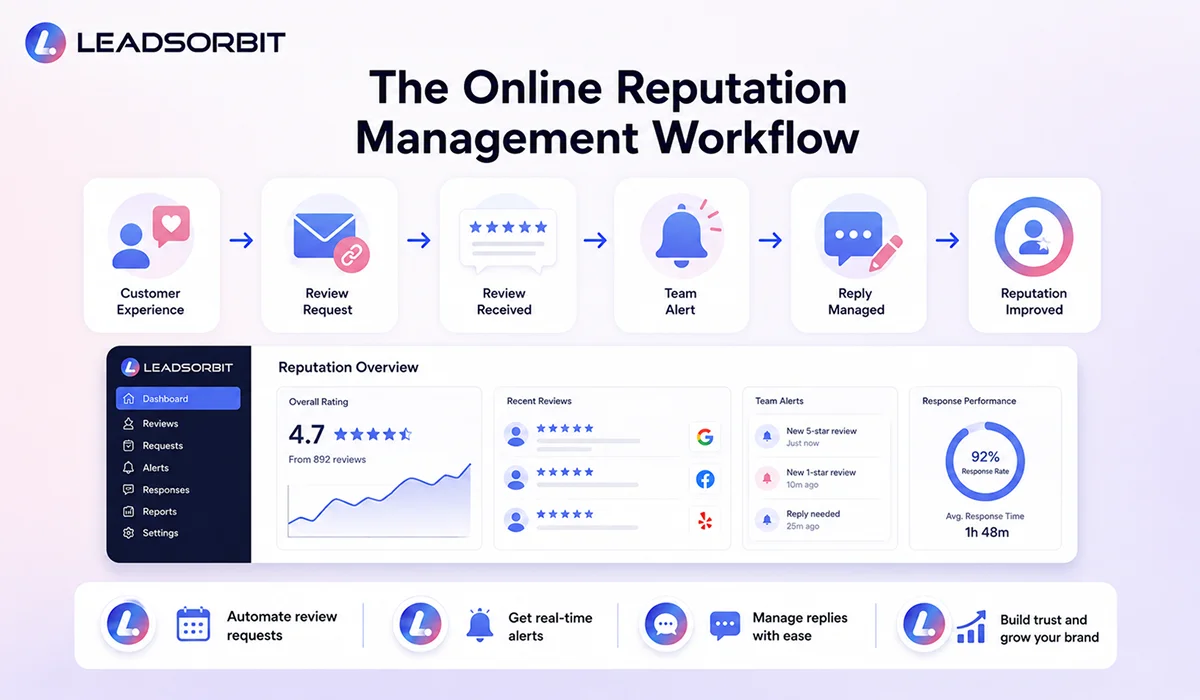
Online reputation management can feel broad, but small businesses can make it easier by breaking it into a few clear parts. When each part has an owner and a workflow, reputation becomes manageable instead of random.
The main parts of a practical online reputation management system are:
- Review monitoring: Know when new reviews appear and where they appear.
- Review requests: Ask customers for honest feedback after the right service moment.
- Review response: Reply professionally to positive, neutral, and negative feedback.
- Reputation insights: Watch for repeated themes, questions, or complaints.
- Customer follow up: Move sensitive issues into a private conversation where appropriate.
- Team visibility: Keep review tasks and status visible instead of relying on memory.
When these parts work together, the business gets a better view of customer sentiment. The team can thank happy customers, address concerns faster, and improve the customer experience over time.
Google Reviews and Local Search Visibility
For many small businesses, Google reviews are one of the most visible parts of online reputation. They can appear next to a Business Profile in Google Search and Maps, which means they may be seen before a customer clicks through to your website.
Google's Business Profile Help says reviews can help a business stand out and provide helpful information to potential customers. It also warns that reviews must reflect genuine experiences and that incentives in exchange for posting, changing, or removing reviews are prohibited.
This is why a small business should focus on honest review generation rather than shortcuts. The process should be simple and respectful:
- Ask real customers after a completed service, appointment, or purchase.
- Make the review link easy to access through SMS, email, or QR code where appropriate.
- Do not pressure customers to leave only positive reviews.
- Do not offer discounts or free items in exchange for reviews.
- Reply to reviews in a professional and helpful way.
A good review strategy helps the customer share feedback easily, but it should always protect trust. Reputation management becomes stronger when it is built on real experiences, not forced or fake signals.
How Reputation Monitoring Helps Small Businesses Respond Faster
Reputation monitoring means keeping track of new reviews, ratings, and customer feedback so your team can respond before small issues become bigger trust problems. Without monitoring, a negative review can sit unanswered for days or weeks while potential customers keep seeing it.
For a busy small business, the issue is rarely that the owner does not care. The issue is that reviews are easy to miss when the team is managing calls, appointments, customers, messages, and operations at the same time.
A simple monitoring workflow should answer these questions:
- Where did the review appear?
- Is the review positive, neutral, or negative?
- Does the review need a public reply?
- Does the customer need private follow up?
- Who on the team is responsible for the response?
- Was the issue resolved or closed?
When reputation monitoring connects to a CRM or workflow system, the team can get alerts, assign response tasks, and keep the customer record organized. This turns review management from a manual habit into a repeatable process.
How Review Requests Help Build a Stronger Reputation
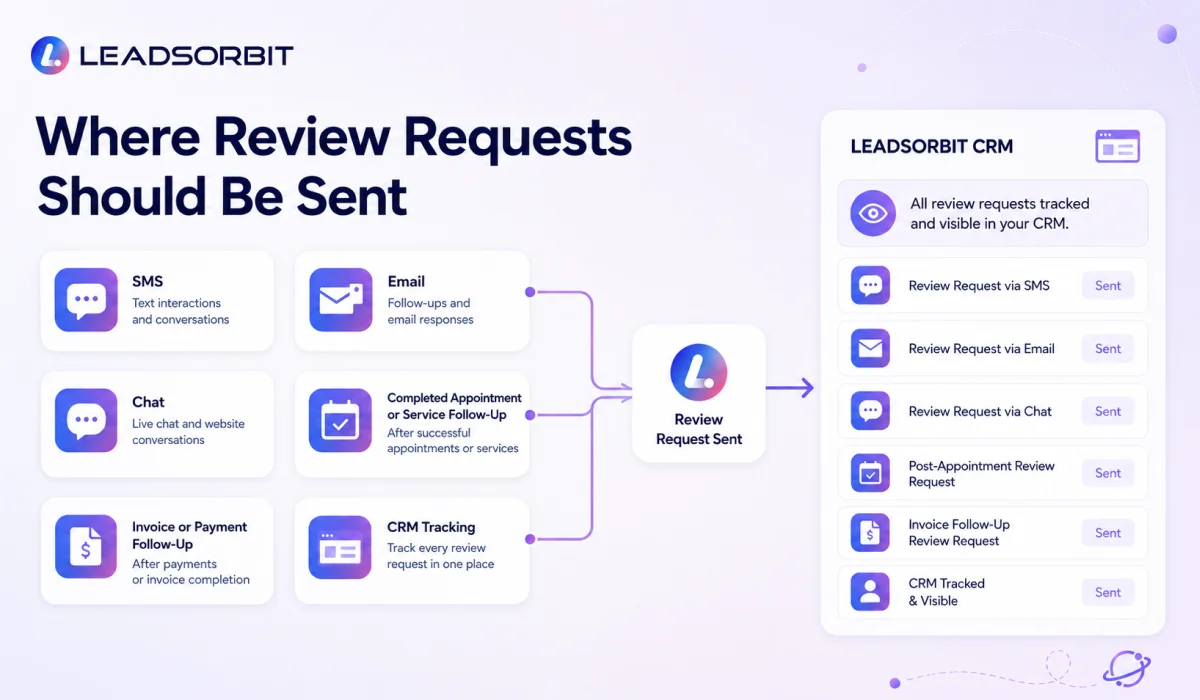
Many happy customers are willing to leave a review, but they may not think about it unless the business asks at the right time. Review requests help make that process simple, especially after a completed appointment, successful service, positive interaction, or resolved support moment.
The best review request is not pushy. It is short, respectful, and easy to act on. It should ask for honest feedback and give the customer a clear link or next step.
A practical review request process can include:
- A review request sent after an appointment or service is completed.
- A short SMS or email with a direct review link.
- A follow up only if it is appropriate and not excessive.
- A clear message that feedback is appreciated.
- A CRM note showing whether the request was sent.
The goal is not to chase every customer aggressively. The goal is to build a consistent habit of asking for feedback when the customer experience is still fresh.
How to Respond to Negative Reviews Without Damaging Trust
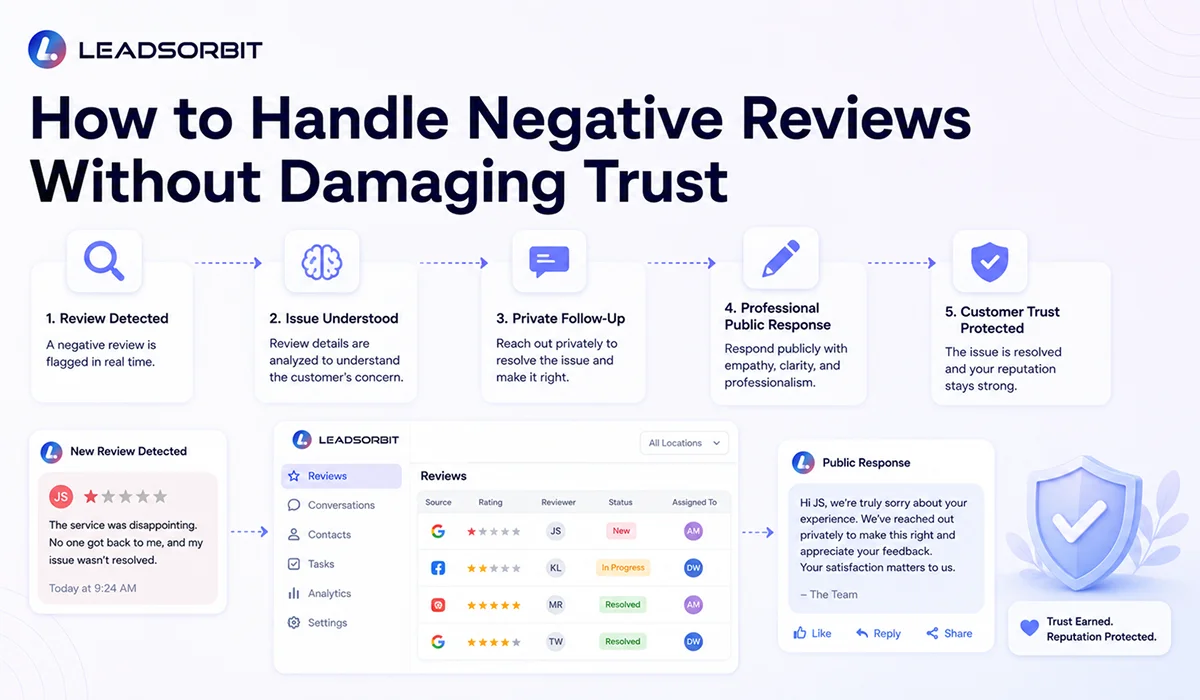
A negative review can feel uncomfortable, but it does not have to damage trust if the response is handled properly. In many cases, the way a business responds tells future customers as much as the review itself.
Google recommends that replies stay professional, polite, short, simple, and relevant. For negative reviews, its guidance also recommends protecting privacy, avoiding personal attacks, being honest, apologizing when appropriate, personalizing the reply, and responding in a timely manner.
A good negative review response should usually follow this structure:
- Acknowledge the feedback without arguing publicly.
- Show empathy and professionalism.
- Avoid sharing private details or sensitive customer information.
- Invite the customer to continue the conversation privately where needed.
- Explain the next step if the business can help resolve the issue.
- Keep the reply short and calm.
A simple response could look like this:

The purpose of the response is not to win an argument. The purpose is to show that the business listens, respects customers, and handles concerns with care.
Online Reputation Management Software vs Manual Review Management
Manual review management can work when a business is very small and only receives occasional reviews. The owner may check Google manually, reply when they remember, and send review links one by one.
But as the business grows, manual management becomes harder. Reviews may come in from different platforms. Staff members may forget to request feedback. Negative reviews may be missed. There may be no clear record of who responded, what was promised, or whether the issue was handled.
This is where online reputation management software becomes useful. It does not replace good customer service. It gives the team a more organized way to manage review requests, monitoring, responses, and follow up.
| Area | Manual Review Management | Connected Reputation Management Software |
|---|---|---|
| Review requests | Sent one by one when someone remembers | Triggered through workflows after key service moments |
| Monitoring | Owner checks platforms manually | Alerts or task visibility when new feedback appears |
| Responses | Replies may be delayed or inconsistent | Team follows a clear response process |
| CRM visibility | Review activity is usually separate | Review requests and follow up can connect to the contact record |
| Team ownership | Often unclear | Tasks and responsibilities can be assigned |
| Reporting | Limited or manual | Trends and review activity can be easier to track |
The better choice depends on the business stage, but most growing local businesses eventually need a system. Once reviews start affecting calls, bookings, and customer trust, reputation management should not depend only on memory.
How LEADSORBIT Helps Small Businesses Manage Reviews and Reputation
LEADSORBIT is built as an AI powered CRM for small businesses that need customer communication, follow up, booking, reviews, and reputation activity connected in one place. Reputation management becomes easier when it is not separated from the rest of the customer journey.
With Reviews AI and supporting workflows, LEADSORBIT can help businesses build a cleaner review management process around real customer interactions. The goal is to make it easier to ask for feedback, monitor activity, respond faster, and keep the team aware of reputation related tasks.
LEADSORBIT can support reputation management by helping teams:
- Send review requests after completed appointments, services, or customer interactions.
- Keep review related activity connected to customer communication.
- Use Workflow AI to remind the team when a review needs attention.
- Support timely replies and follow up after customer feedback.
- Connect reviews with broader customer retention and follow up efforts.
- Help managers see reputation activity more clearly inside the CRM.
This matters because reputation is not a separate department for most small businesses. It is part of daily operations. When reviews, conversations, workflows, and customer records are connected, the business can manage reputation with more confidence and less manual confusion.
Try LEADSORBIT free for 14 days
Online Reputation Management Checklist
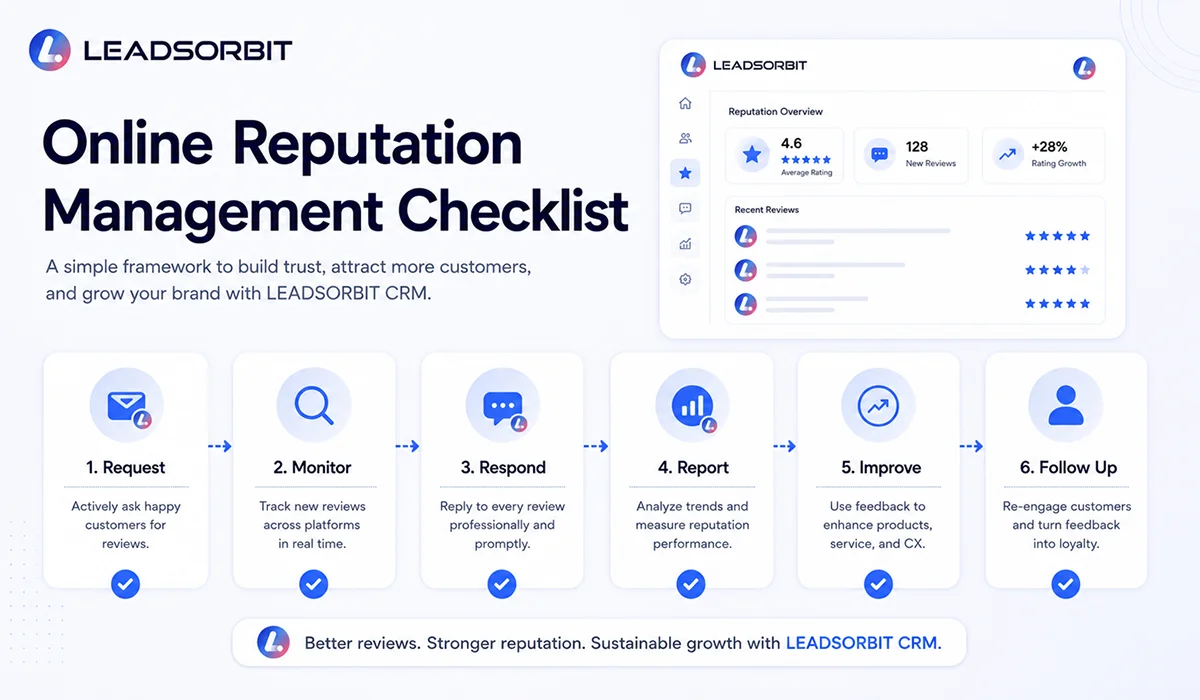
Use this checklist to review whether your business has the basic parts of a strong online reputation management system. The goal is not to create a complicated process. The goal is to make reputation management consistent, honest, and visible.
- Claim and keep your Google Business Profile updated.
- Make sure customers can easily find your review link when appropriate.
- Ask for honest reviews after meaningful customer interactions.
- Do not offer incentives in exchange for reviews.
- Monitor new reviews on important platforms.
- Reply to positive reviews with a short and personal thank you.
- Reply to negative reviews professionally and protect privacy.
- Move sensitive issues into private follow up when needed.
- Track review requests and response tasks inside your CRM.
- Watch for repeated feedback themes that may show service gaps.
- Use review insights to improve the customer experience.
- Review reputation activity weekly or monthly with the team.
If your team can follow these basics consistently, your reputation management will already be stronger than most small businesses that only react when something goes wrong.
FAQs About Online Reputation Management for Small Business
Online reputation management is the process of monitoring reviews and feedback, requesting honest reviews, responding to customers, and improving how a business appears online. For small businesses, it usually focuses on Google reviews, local trust, review requests, and customer response workflows.
Final Thoughts
Online reputation management for small business is not about controlling every public comment. It is about building a steady system for listening, responding, requesting honest feedback, and improving the customer experience over time.
For local businesses, reputation can influence calls, bookings, appointments, and customer trust before a conversation even begins. That is why reviews should not be left to chance or handled only when there is a problem.
Start with the basics. Monitor your reviews. Ask real customers for honest feedback. Reply in a professional way. Protect privacy. Track review activity inside your CRM. Use feedback to improve your process.
When reputation management is connected to your customer journey, it becomes easier to manage. LEADSORBIT helps small businesses connect reviews, conversations, workflows, and follow up so reputation management can become part of a cleaner growth system.
To see how LEADSORBIT can help your business manage reviews, reputation, customer communication, and follow up in one AI powered CRM.

Start Your Free 14 Day Trial
Try LEADSORBIT and see how it captures missed calls, follows up instantly, and turns leads into booked appointments for your business.
Personal Message from Faisal Zulfiqar
Reputation is one of those things business owners often think about only when something goes wrong. My recommendation is to treat it as part of the daily customer journey, not as an emergency task.
If a customer had a good experience, make it easy for them to share honest feedback. If a customer had a bad experience, respond with calmness, respect, and a clear next step. The way your business handles both sides says a lot about your brand.
For small businesses, reputation management does not need to be complicated. It just needs to be consistent, visible, and connected to the same system your team already uses to manage leads, conversations, appointments, and follow up.