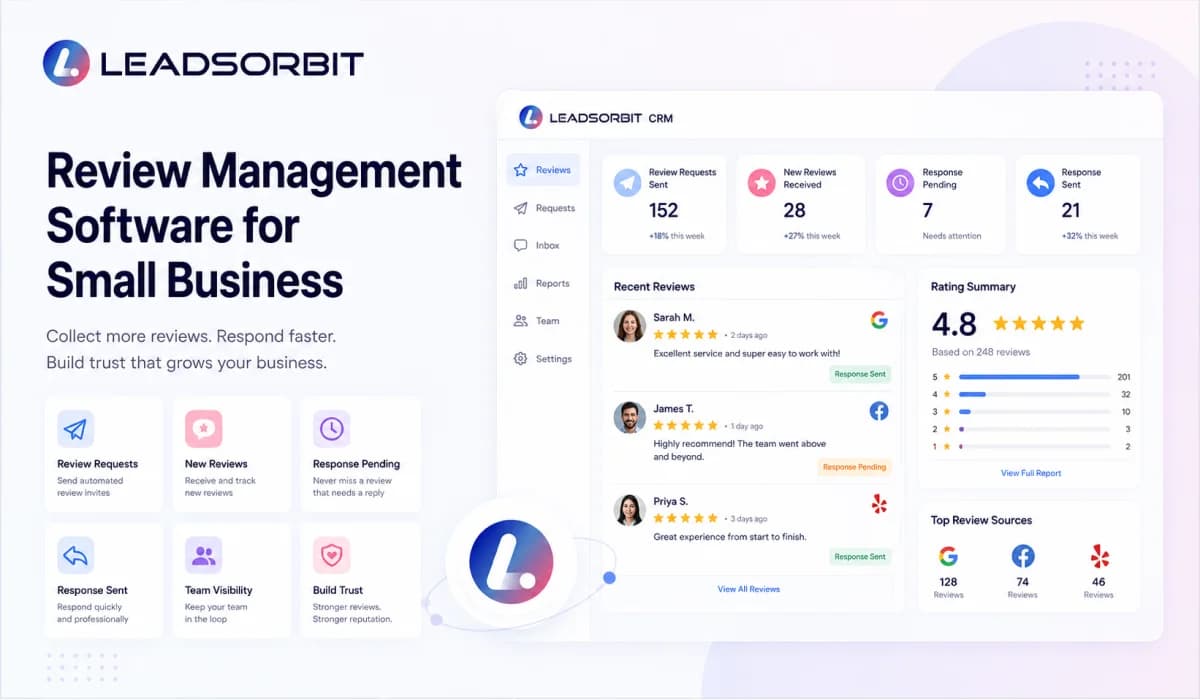

Review management software helps small businesses collect customer feedback, request reviews, monitor public reviews, respond faster, and keep reputation related activity organized in one place. For a local business, this matters because reviews are often one of the first things a potential customer checks before they call, book, or visit.
The challenge is that review management is rarely handled in one clean system. A review request may be sent from one tool. A Google review may appear somewhere else. A customer complaint may come through SMS or chat. A team member may reply manually, while the owner has no clear view of what has been handled and what still needs attention.
That is why small businesses should not think of review management software as only a get more reviews tool. The real value is building a repeatable reputation process where review requests, review monitoring, response management, and follow up stay connected to the customer journey.
For the broader reputation strategy, read Online Reputation Management for Small Business.
What Is Review Management Software?
Review management software is a tool that helps a business manage customer reviews across the review journey. It can help the team ask customers for reviews, track new reviews, respond to feedback, and understand how customer sentiment is changing over time.
For small businesses, the best review management setup should feel simple. The owner or team should be able to see what reviews came in, where they came from, who needs a reply, and which customers may need personal follow up.
A strong system should not create fake demand or manipulate feedback. It should make it easier to ask real customers for honest reviews and respond to feedback in a professional way.
- Send review requests by SMS, email, or chat after a real customer interaction.
- Monitor new reviews and feedback from important platforms.
- Help the team respond to reviews without losing context.
- Track which customers were asked for feedback and which reviews need attention.
- Connect reputation activity with the CRM so the business can see the full customer relationship.
In simple words, review management software gives your business a structured way to manage trust. It turns reviews from a random task into a repeatable customer experience process.
Why Small Businesses Need Review Management Software
Small businesses depend heavily on trust. A customer may not know your team personally yet, so they look for proof from other people. Reviews help them understand whether your business is active, reliable, responsive, and worth contacting.
The problem is that most small teams are busy serving customers. They may forget to ask for reviews after a good experience. They may miss a negative review until days later. They may reply inconsistently because there is no clear owner or process.
Review management software helps reduce those gaps. It gives the team a system for asking, tracking, replying, and learning from customer feedback.
- A clinic can ask patients for feedback after completed appointments.
- A pet grooming business can send review requests after successful visits.
- A home service company can request feedback after the job is completed.
- A med spa can monitor customer sentiment and respond before small issues become public problems.
When the process is organized, the business does not have to depend only on memory or manual reminders. The system helps the team stay consistent.
What Review Management Software Should Help You Do
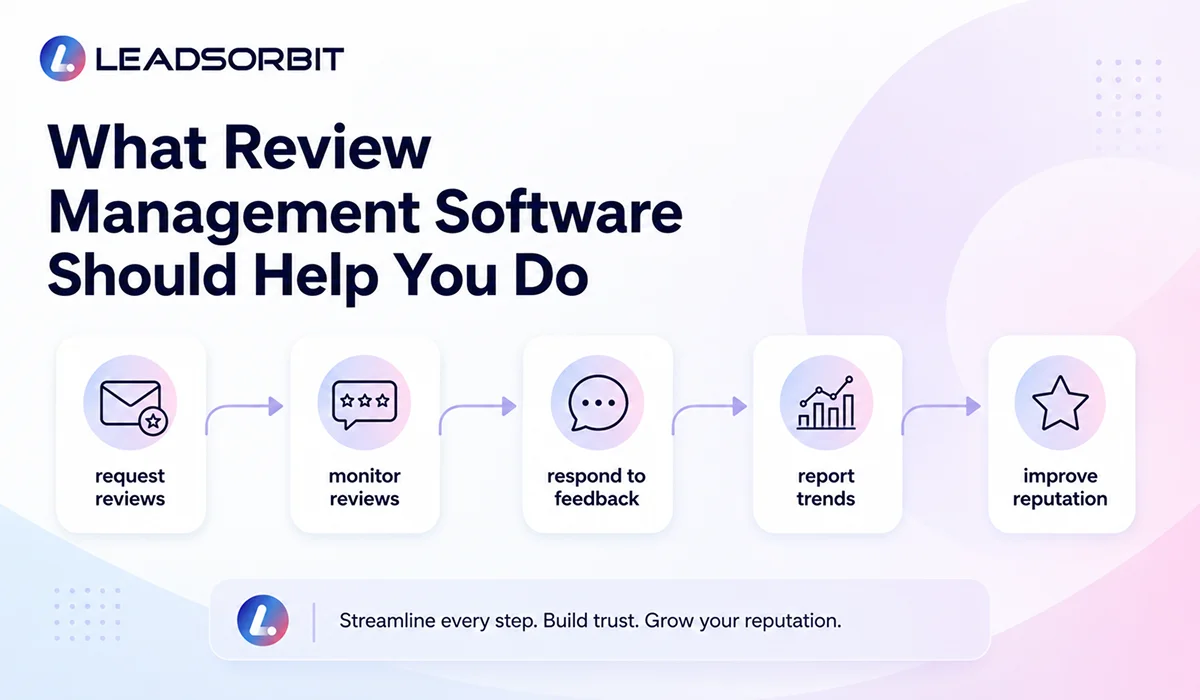
A practical review management system should support the full review process. It should not only help you send a request. It should help your team manage what happens before, during, and after the review is received.
| Function | What It Should Do |
|---|---|
| Request Reviews | Send review requests to real customers after a completed appointment, service, or positive interaction. |
| Monitor Feedback | Track new reviews, ratings, and review activity from important review channels. |
| Respond Faster | Make it easier for the team to reply professionally and on time. |
| Track Status | Show whether a review request was sent, opened, completed, or still needs follow up. |
| Improve Service | Use recurring feedback themes to improve the customer experience. |
| Connect to CRM | Keep review activity connected with customer history and team follow up. |
The best review management software is not the tool with the most complicated dashboard. It is the tool that makes your team more consistent, more responsive, and more aware of customer sentiment.
Google Review Requests and Follow Up
Google reviews are especially important for many local businesses because customers often see them in Search and Maps before they visit your website. Google says reviews can help a business stand out and give potential customers helpful information. Google also explains that businesses can remind customers to leave reviews using a Google link or QR code, and that replies show customers their feedback matters.
This does not mean a business should pressure people or ask only for positive reviews. Google also states that reviews should reflect a genuine experience and that offering incentives in exchange for posting, changing, or removing reviews is considered fake and misleading content.
A good review management process should therefore focus on timing, clarity, and honesty. Ask after a real interaction. Make the review link easy to access. Keep the message respectful. Then monitor responses and reply professionally.
- Send the review request after the appointment, service, or completed customer interaction.
- Keep the message short and simple.
- Make the review link easy to click from mobile.
- Do not promise rewards for positive reviews.
- Track who received a request so the team does not over message the customer.
Review follow up should feel helpful, not aggressive. The goal is to make it easier for real customers to share honest feedback.
Review Monitoring and Response Management
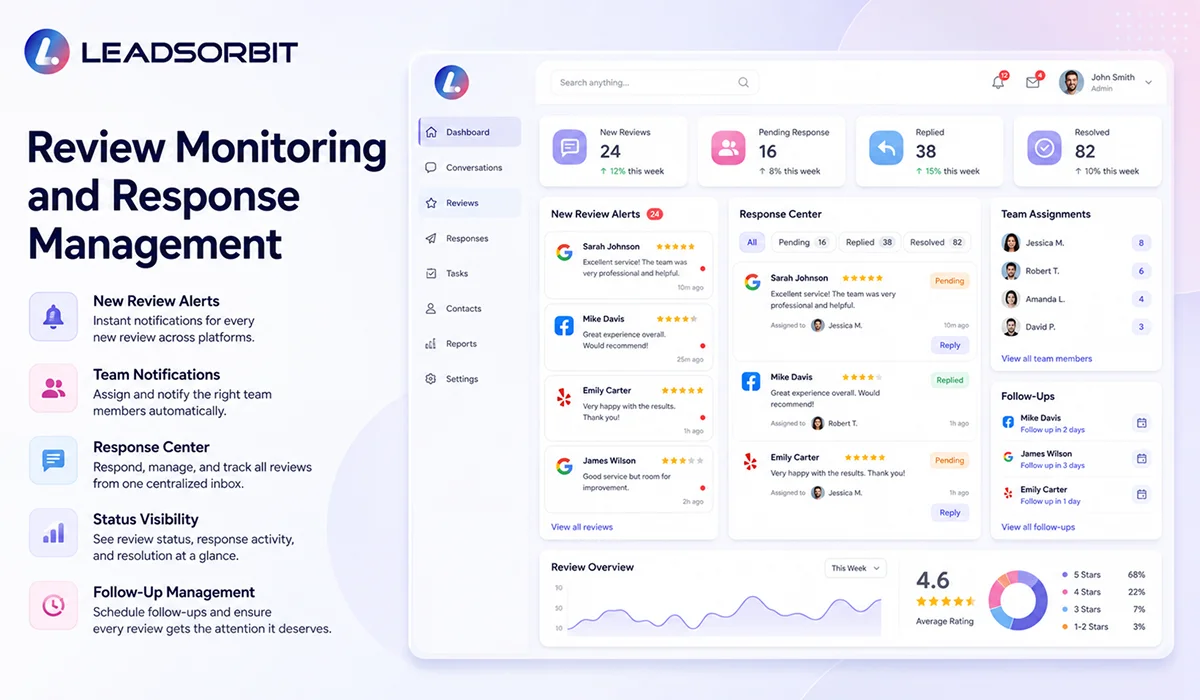
Review monitoring helps the team see new reviews quickly. This matters because a delayed response can make a business look less attentive, especially when the review includes a concern or complaint.
Response management is the next step. Once a review is found, the team should know whether it needs a simple thank you, a more detailed public response, or a private follow up to understand and resolve the issue.
Google recommends keeping review replies professional, polite, short, simple, and relevant. It also encourages helpful responses to negative reviews, including protecting privacy, avoiding personal attacks, apologizing when appropriate, personalizing replies, and responding in a timely manner.
| Review Type | Recommended Team Action |
|---|---|
| New positive review | Reply with a short, personalized thank you and reinforce the customer experience. |
| Detailed positive review | Acknowledge the specific service or team experience mentioned. |
| Neutral review | Thank the customer and invite them to share more detail if needed. |
| Negative review | Stay calm, acknowledge the concern, avoid private details, and offer a path to resolve. |
| Policy violating review | Review platform rules and flag only when there is a legitimate reason. |
The CRM should make these actions visible. If a review needs a response, the team should not have to search across platforms or depend on memory.
Review Management Software Features to Look For
When comparing review management software, small businesses should look for practical features that help the team work better. The goal is not to buy a tool that creates more dashboards. The goal is to create a cleaner reputation workflow.
- Review request workflows for SMS, email, and chat.
- Google review link or review request link support.
- Review monitoring and alerts for new feedback.
- Response management or response tracking.
- CRM connection so review activity stays tied to the customer record.
- Team task creation when a review needs attention.
- Reporting that shows review volume, rating trends, and response activity.
- Templates that help replies stay professional without sounding robotic.
- Controls that help avoid over messaging customers.
- Multi location support if the business operates across locations.
A good question to ask is simple: will this software help the team ask at the right time, respond faster, and keep customer feedback connected to the rest of the business? If the answer is yes, it is more than a review tool. It becomes part of the customer relationship system.
How LEADSORBIT Supports Review Management
LEADSORBIT is built as an AI powered CRM for small businesses that need customer communication, follow up, appointments, and reputation activity connected in one place. For review management, this means the business can move from manual review chasing to a more organized review workflow.
Reviews AI can support review request and reputation related workflows. Workflow AI can help automate timing, follow up, team alerts, and status updates. Conversation AI can help keep customer messages connected when a review or feedback conversation needs attention.
This is especially useful for local and appointment based businesses where the best time to ask for a review is often after a completed service, visit, consultation, or appointment.
- Send review requests after completed appointments or service milestones.
- Keep review request activity visible inside the CRM.
- Create reminders or tasks when a review needs a response.
- Use review trends to understand what customers appreciate or complain about.
- Connect reputation management with follow up, appointments, and customer communication.
If you want to see how review management can connect with customer follow up inside LEADSORBIT, you can Book a Demo.
Try LEADSORBIT free for 14 days
FAQs About Review Management Software
Review management software helps a business request reviews, monitor public feedback, respond to reviews, and track reputation activity in one place.
Final Thoughts
Review management software should help a small business build trust in a consistent and organized way. It should make it easier to ask real customers for honest reviews, monitor feedback, respond professionally, and learn from what customers are saying.
The strongest review system is not only about collecting more stars. It is about managing the full reputation process with care. Ask at the right time. Make the review link easy. Respond quickly. Handle negative feedback with respect. Track everything inside the CRM so the team knows what happened and what still needs attention.
For small businesses, that kind of system can protect trust, improve customer experience, and support long term growth.

Start Your Free 14 Day Trial
Try LEADSORBIT and see how it captures missed calls, follows up instantly, and turns leads into booked appointments for your business.
Personal Message From Faisal Zulfiqar
Review management should never feel fake or forced. A business should not chase reviews just to look better online. The better approach is to create a good customer experience, ask at the right time, and make it simple for customers to share honest feedback.
My recommendation is to treat reviews as part of the full customer journey. When your review requests, replies, follow up, and CRM records are connected, your team can protect trust with more confidence and less manual work.