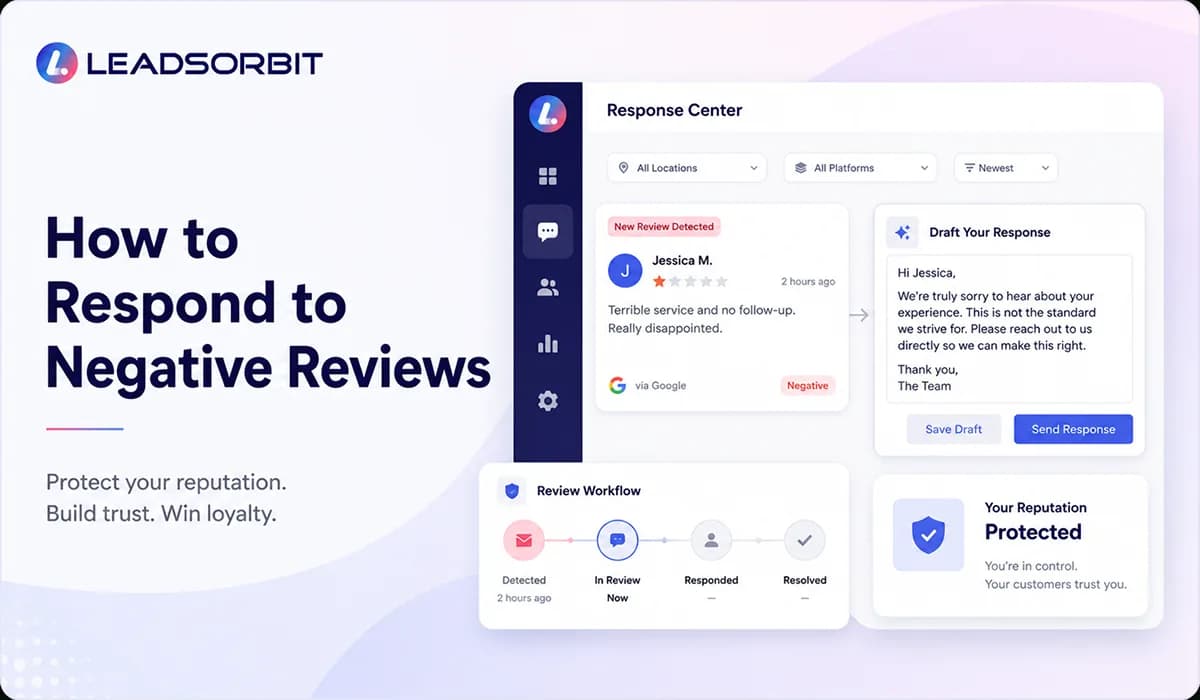

Negative reviews are never enjoyable, but they are not always a disaster. For a small business, a negative review can become a moment where future customers see how seriously you take feedback, service, and follow up.
The mistake many businesses make is responding too quickly, too defensively, or too emotionally. A public review response is not only written for the unhappy customer. It is also read by every future customer who wants to understand how your business handles problems.
This guide explains how to respond to negative reviews professionally, what to check before replying, when to move the conversation offline, and how a connected review system can help your team stay consistent. For the broader strategy, read Online Reputation Management for Small Business.
Why Negative Review Responses Matter
A negative review response matters because it gives your business a chance to show maturity in public. You may not be able to change every customer’s opinion, but you can show future customers that your team listens, responds, and tries to make things right where possible.
Google’s review guidance says negative reviews can be an opportunity to understand customer expectations and improve future experiences. It also recommends being professional, polite, timely, and careful with privacy when replying. You can review the official Google Business Profile review guidance for platform specific details.
For local businesses, this is important because many people read negative reviews first. They want to know whether the complaint sounds serious, whether the business responded, and whether the response feels respectful or defensive.
- A good response can reduce the damage of a bad experience.
- A professional reply can build confidence with future customers.
- A calm response can show that your team takes service seriously.
- A tracked follow up process can help prevent the same issue from repeating.
The goal is not to win an argument in public. The goal is to protect trust, learn from feedback, and guide the next step in a respectful way.
What to Do Before Responding
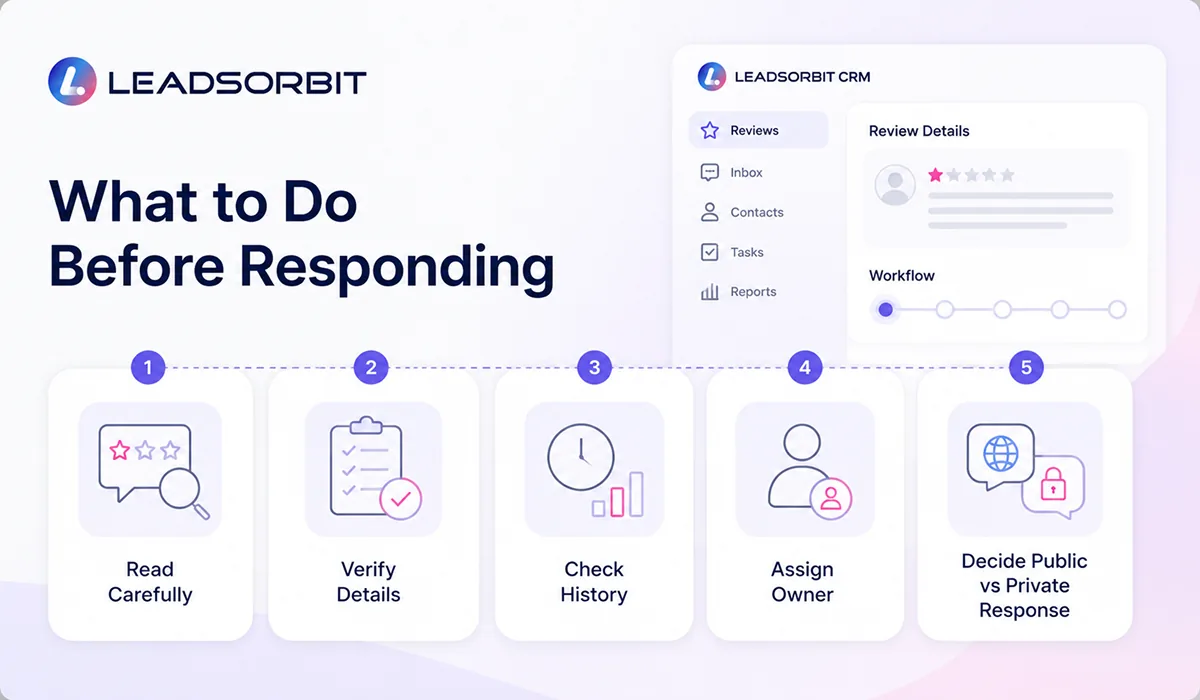
Before replying to a negative review, slow down and review the situation. A rushed response can create more damage than the original review, especially if the reply sounds angry, dismissive, or too detailed.
Start by checking the customer record, appointment notes, call history, messages, and team comments. The person responding should understand what happened before writing anything public.
- Read the full review carefully before drafting a reply.
- Check the customer record and conversation history.
- Ask the team member involved for context if needed.
- Confirm whether the review includes private or sensitive details.
- Decide whether the issue should be handled publicly, privately, or both.
- Assign one clear owner for the response and follow up.
This preparation keeps the response calmer and more accurate. It also helps your team avoid making promises that cannot be kept or sharing details that should not be public.
How to Respond Professionally
A professional negative review response should be short, respectful, and focused on the next step. It should acknowledge the concern without turning the reply into a long debate.
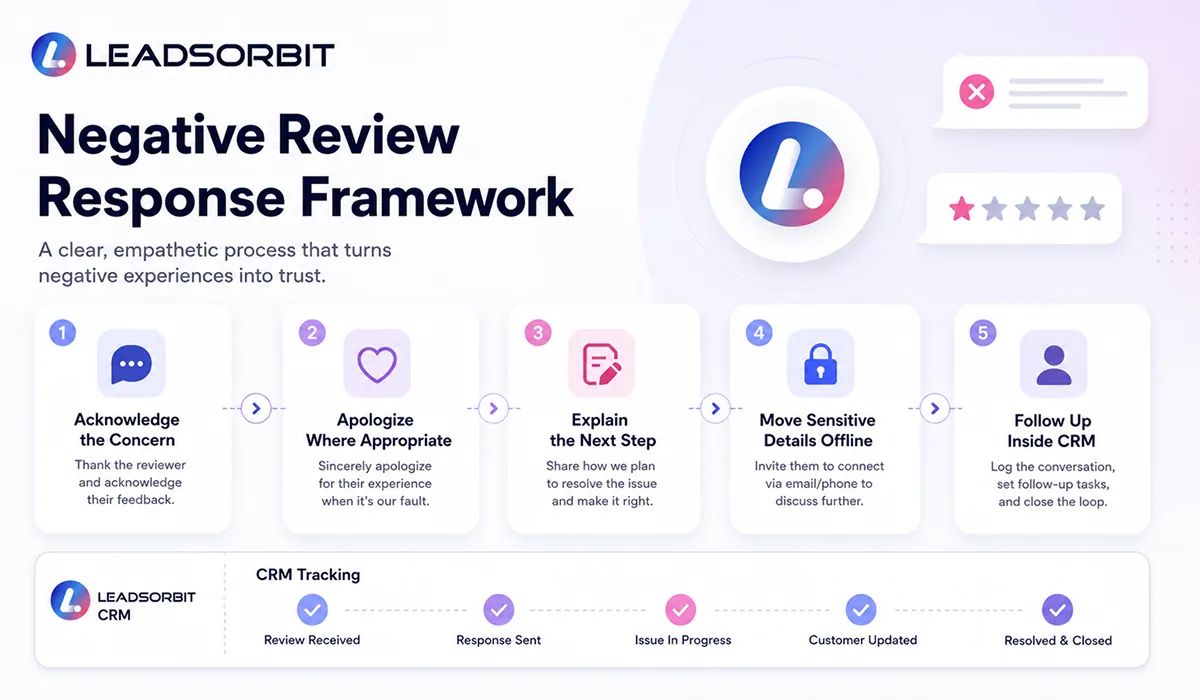
A good response usually has four parts: acknowledge the experience, show empathy, avoid private details, and invite the customer to continue the conversation through a private channel when needed.
- Thank the customer for sharing feedback.
- Acknowledge the concern without arguing.
- Apologize where appropriate and avoid blaming the customer.
- Keep private details out of the public reply.
- Offer a clear next step, such as calling or emailing the office.
- Sign off with a real team name, manager name, or business name.
The tone should feel human, not scripted. Even when you use templates, the final response should be adjusted to the situation so the customer feels heard.
Negative Review Response Templates
Templates are useful because they give your team a starting point. They should not be copied blindly. The best approach is to use a template for structure, then personalize the response based on what actually happened.
Template 1: General Negative Review

Template 2: Service Delay or Wait Time
Template 3: Miscommunication
Template 4: Healthcare or Appointment Based Business
These templates are intentionally simple. They avoid private details, stay professional, and move sensitive conversations to the right channel.
When to Take the Conversation Offline
Not every negative review should be resolved in the public reply. If the issue involves private details, customer records, appointment history, payment details, treatment concerns, or staff specific situations, the public reply should stay brief and invite a private conversation.
Taking the conversation offline does not mean hiding the issue. It means respecting privacy and giving the business a better place to understand the concern properly.
- Move the conversation offline when personal or sensitive details are involved.
- Move it offline when the customer needs account, appointment, or payment help.
- Move it offline when the issue requires a manager or owner to review details.
- Move it offline when a long public back and forth would make the situation worse.
A good public reply can say enough to show that your business cares, while keeping the actual resolution process private and respectful.
How Review Management Software Helps
Negative review response becomes harder when reviews, team messages, and follow up tasks are scattered across different places. A review might appear on Google, a related message might come through SMS, and a team member may not know who is responsible for replying.
Review Management Software for Small Business can help by keeping reviews, alerts, response status, and follow up tasks in one organized system. This gives the owner or manager a clearer view of what needs attention.
A strong review management process should help your team:
- See new reviews quickly.
- Assign the right person to respond.
- Track which reviews are pending, replied to, or resolved.
- Keep response templates available for the team.
- Connect review follow up with customer conversations.
- Use feedback trends to improve service over time.
This is also where Reputation Monitoring Service connects with review response. Monitoring helps your team see the issue faster. Response management helps your team handle it properly.
How LEADSORBIT Supports Negative Review Response Management
LEADSORBIT helps small businesses manage reviews and reputation as part of the customer journey. Instead of treating a negative review as a separate problem, the system can help your team connect the review to the customer record, response status, team follow up, and future improvement.
With Reviews AI, teams can organize review requests, review alerts, response visibility, and reputation activity in one place. With Workflow AI, follow up tasks and internal notifications can be triggered when a review needs attention.
This helps the team respond with more confidence. The owner can see what happened, the team can avoid duplicated work, and the business can protect trust with a calmer process.
To see how LEADSORBIT connects reviews, follow up, and customer conversations inside an AI powered CRM, you can Book a Demo.
Try LEADSORBIT free for 14 days
FAQs
In most cases, yes. A short, professional reply shows that the business listens and cares. The response should be respectful and should avoid private customer details.
Final Thoughts
Responding to negative reviews is not about being perfect. It is about being professional, respectful, and organized when something goes wrong or when a customer feels disappointed.
A strong response should acknowledge the concern, protect privacy, avoid arguments, and guide the customer toward a helpful next step. When your team has a clear process, negative reviews become easier to manage and less likely to damage trust.
The best small businesses do not ignore negative feedback. They use it to improve service, strengthen follow up, and show future customers that they take every experience seriously.
To see how LEADSORBIT can help your business manage review alerts, response workflows, and customer follow up inside one CRM:

Start Your Free 14 Day Trial
Try LEADSORBIT and see how it captures missed calls, follows up instantly, and turns leads into booked appointments for your business.
Personal Message From Faisal Zulfiqar
Negative reviews can feel personal, especially when your team works hard to serve customers. But the best response is not emotional. It is calm, clear, and focused on what can be improved.
My recommendation is simple: do not reply just to defend your business. Reply to show that your business listens, cares, and has a process. That is what future customers notice.