
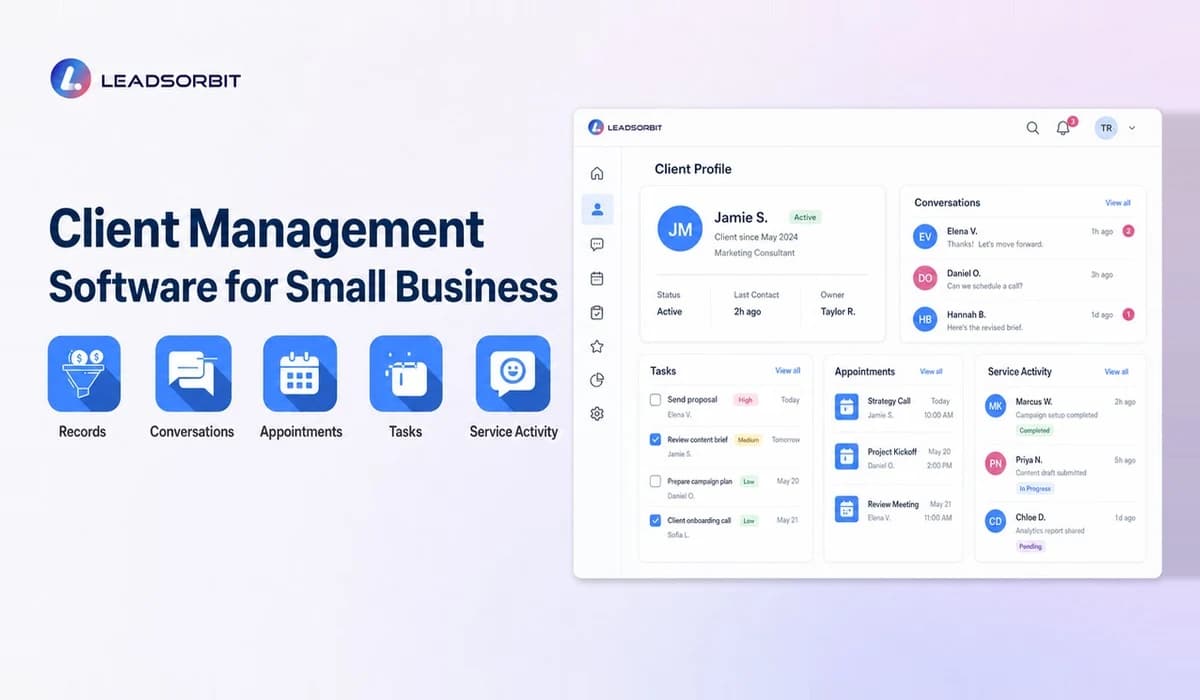

Client management software for small business helps a service team organize active client records, conversations, notes, tasks, documents, appointments, and follow up. It is especially useful when several people contribute to the relationship and need the same context.
This guide focuses on active client work and service visibility. For the wider lead to customer process, visit the Small Business CRM.
What Is Client Management Software?
Client management software creates a shared workspace around each client. The record should show contact details, communication history, assigned team members, current work, tasks, appointments, and important notes.
The purpose is continuity. A client should not receive a different answer because one employee is unavailable or because information is stored in a personal inbox.
Client Management vs CRM
| Area | Client Management Focus | Broader CRM Focus |
|---|---|---|
| Primary relationship | Active clients and accounts | Leads, prospects, clients, and former customers |
| Daily work | Tasks, notes, service delivery, communication | Capture, sales, booking, service, retention |
| Pipeline | Client status or project stage | Lead and opportunity stages |
| Automation | Client reminders and task workflows | Lead follow up and lifecycle workflows |
| Best fit | Ongoing service relationships | Full customer journey |
Many small businesses need both capabilities in one platform. The distinction is useful for planning, but the software does not have to be split into separate systems.
How Small Businesses Can Track Conversations and Tasks
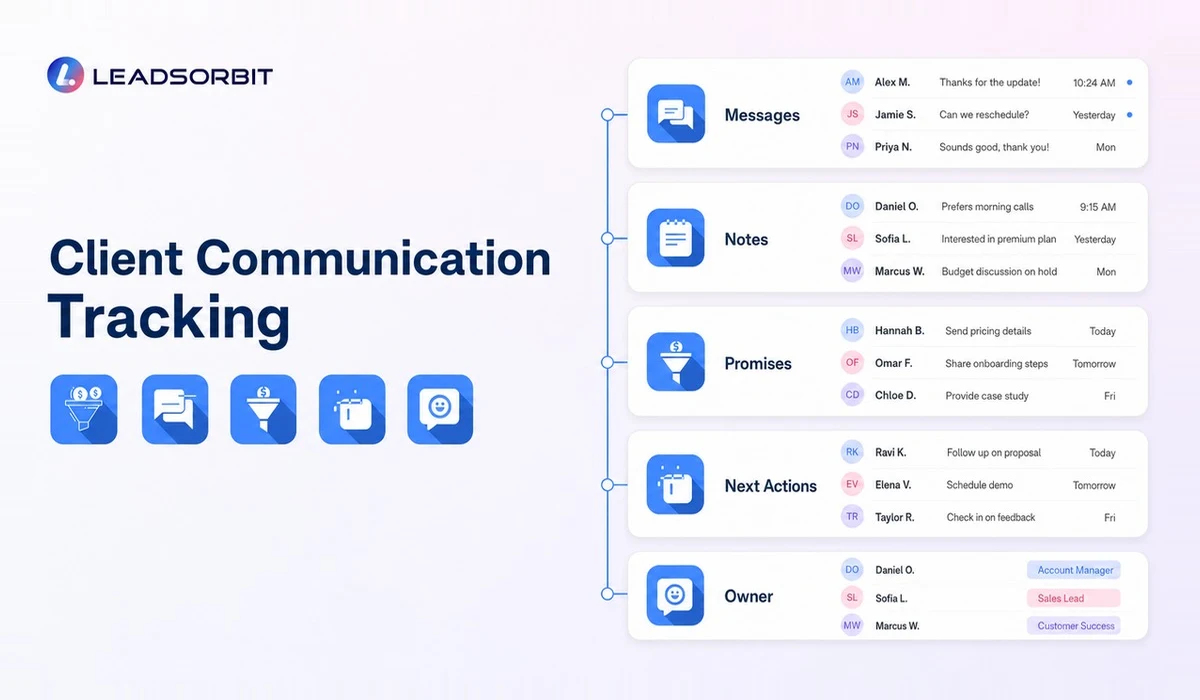
Every conversation should be visible from the client record when possible. The record needs enough context to answer: What did the client ask? Who replied? What was promised? What is due next?
- Connect messages, calls, and notes to the correct client.
- Assign tasks to a named team member.
- Use due dates for commitments and service milestones.
- Keep internal notes separate from customer facing messages.
- Record decisions and changes in a consistent place.
- Use status fields that reflect active work, waiting, completed, or follow up.
LEADSORBIT's Conversation AI supports organized customer communication, while Workflow AI can create routine tasks and reminders from defined events.
How Client Management Software Improves Follow Up
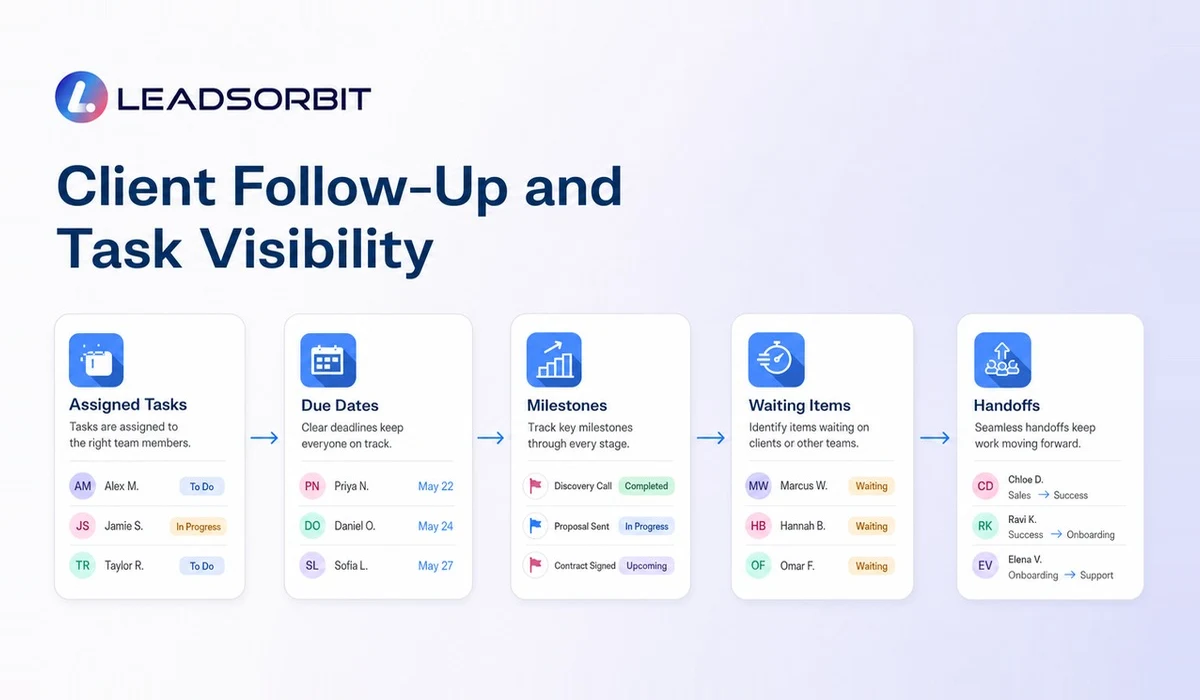
Client follow up is different from generic marketing. It often relates to a promised update, missing information, an upcoming appointment, a renewal, or the next service step. The software should help the team follow through without sending irrelevant messages.
A workflow may notify the account owner when a client has been waiting, create a task after an appointment, or remind the team to check in after service completion. Automation should always use the client's real status and stop when the situation changes.
Features to Look For
- Complete client records with searchable history.
- Shared inbox or connected communication.
- Task assignment, due dates, and reminders.
- Custom fields for the business's service context.
- Appointment and calendar visibility.
- Role based permissions for sensitive information.
- Workflow triggers based on status or activity.
- Reporting for open tasks, waiting clients, and workload.
- Mobile access for client facing staff.
- Data export and integration options.
Test whether staff can update the record quickly during daily work. A system that captures every possible field but slows the team down will create incomplete data.
Design a Useful Client Record
A client record should give the next team member enough context to act without becoming a dumping ground. Start with the decisions users make and include only information that supports those decisions.
| Record Area | Useful Information |
|---|---|
| Identity | Name, company, contact details, location, and preferred channel |
| Relationship | Client status, assigned owner, start date, and relevant service |
| Communication | Messages, call notes, questions, and agreed next steps |
| Work | Open tasks, appointments, milestones, and waiting items |
| History | Completed services, decisions, and prior issues |
| Follow up | Next contact date, renewal, rebooking, or check in |
| Permissions | Access level and any appropriate communication preferences |
Avoid placing unsupported opinions, unnecessary sensitive details, or information that should live in a specialized regulated system inside general notes.
Improve Team Handoffs
Handoffs are where client experience often breaks. A salesperson may promise a timeline, the service team may not see the note, and the client must explain the situation again.
- Create a required handoff task when status changes.
- Summarize the client's goal and confirmed scope.
- Record promises, dates, and dependencies.
- Assign the new owner before closing the prior task.
- Use internal notes for context and customer facing messages for confirmation.
- Escalate blocked work instead of leaving it in a general inbox.
A clear handoff protects both the client and the team. It reduces repeated questions and makes accountability visible.
Balance Visibility With Access Control
Shared visibility does not mean every employee needs access to every detail. Use roles and permissions to match access with responsibility. Review accounts regularly and remove access when an employee, contractor, or partner no longer needs it.
The business should also understand how notes, messages, and files are retained, exported, and backed up. For sensitive industries, obtain appropriate legal, compliance, and security guidance.
How LEADSORBIT Supports Client Management
LEADSORBIT combines contact records, conversations, tasks, appointments, workflow automation, reviews, and pipeline visibility in one AI powered CRM. This helps a small team manage both the lead journey and the ongoing client relationship.
Appointment based teams can connect client records with AI Appointment and service follow up workflows. Book a demo to see how an active client process could be organized.
Client Management Workflow Checklist
- Every active client has an assigned owner.
- The latest conversation and next commitment are visible.
- Open tasks have due dates and responsible users.
- Service handoffs include the necessary context.
- Appointments and milestones connect to the client record.
- Internal notes are factual and appropriately protected.
- Waiting or blocked work can be identified quickly.
- Completed work creates the correct follow up task.
The checklist can also be used during a software demo. Ask the provider to show each action using one realistic client scenario.
Try LEADSORBIT free for 14 days
FAQs
No. Clinics, home services, agencies, salons, pet care businesses, and other service teams can use it whenever active client communication and tasks need shared visibility.
Final Thoughts
Client management software should make active relationships easier to serve. Focus on shared context, visible commitments, and practical follow up. The best system supports the team without turning every client interaction into administrative work.

Start Your Free 14 Day Trial
Try LEADSORBIT and see how it captures missed calls, follows up instantly, and turns leads into booked appointments for your business.