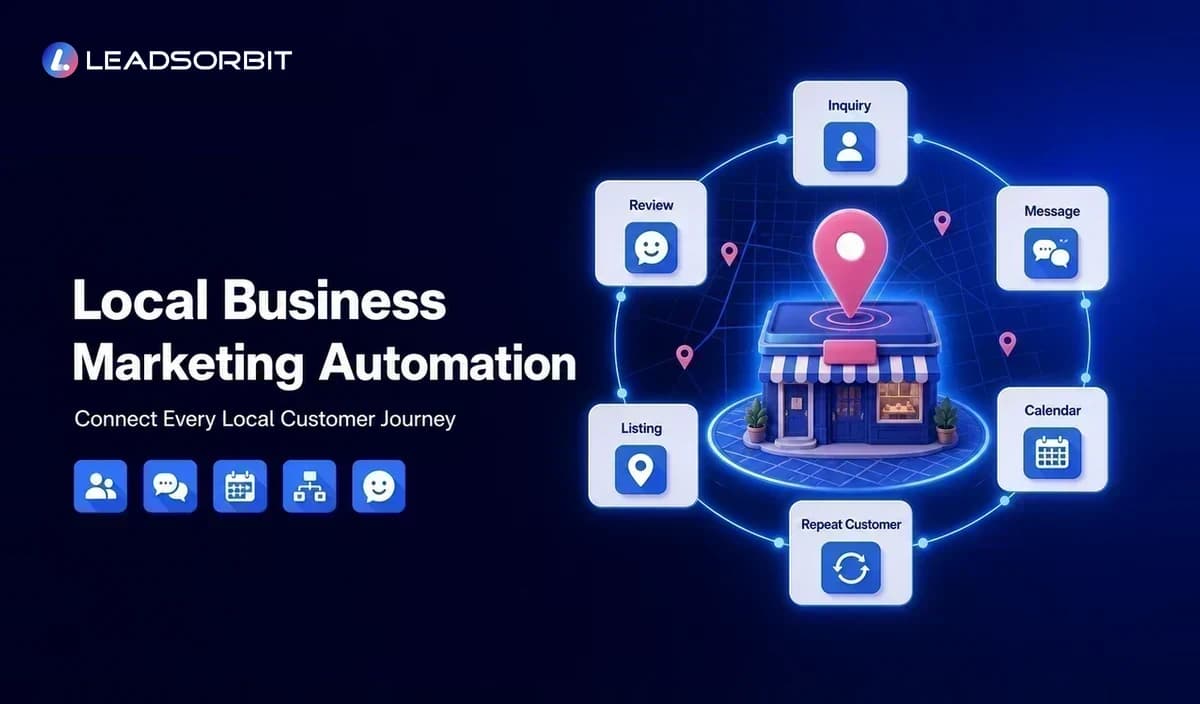

Local businesses rarely lose opportunities because they lack ideas. More often, the problem is execution: a new inquiry arrives while the team is busy, a reminder is forgotten, a review request is never sent, or a listing update is completed in one place but missed somewhere else.
Local business marketing automation creates a repeatable system for these routine actions. It connects lead capture, follow up, appointment booking, customer communication, reviews, local visibility, and reporting so the business can respond consistently without adding more disconnected tools.
The goal is not to automate every customer interaction. It is to use automation for predictable work while keeping people involved where judgment, empathy, and relationship building matter. A connected AI powered CRM can provide the shared customer record and workflow foundation behind that process.
What Is Local Business Marketing Automation?
Local business marketing automation is the use of software and predefined workflows to manage recurring marketing and customer communication tasks for a location based or service area business. These tasks may begin when someone calls, completes a form, sends a message, books an appointment, finishes a service, or becomes inactive.
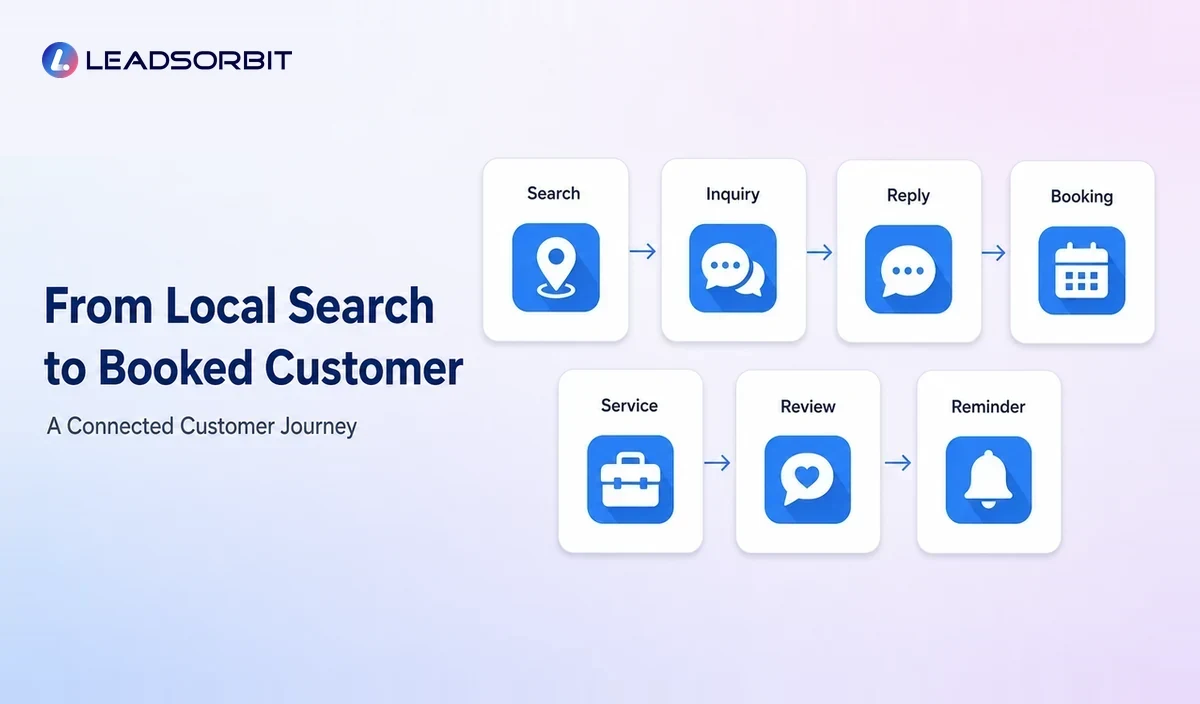
A useful automation system connects the event with the next appropriate action. A website inquiry might create a contact, notify the team, send an acknowledgment, assign a follow up task, and offer a booking option. A completed appointment might trigger a thank you message, feedback request, review invitation, and future service reminder.
This is different from simply scheduling social posts or sending a monthly email. Effective automation follows the customer journey and helps the business move from attention to inquiry, conversation, booking, service, review, and repeat business.
Why Local Businesses Need a Connected Automation System
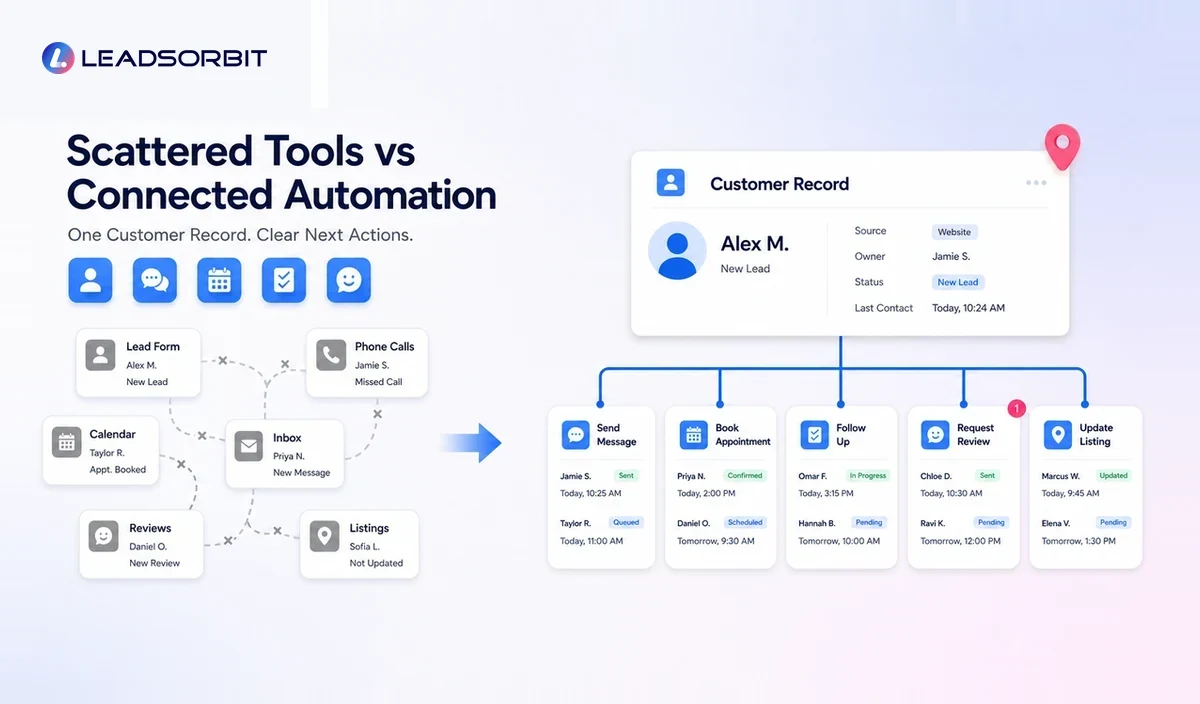
Local businesses work close to the customer. That creates an advantage because service can feel personal, but it also creates operational pressure. Owners and small teams often answer calls, deliver the service, manage schedules, solve customer issues, and handle marketing at the same time.
Customer Inquiries Arrive Across Different Channels
A prospect may call, text, submit a form, send a social message, or use a booking page. When those channels are not connected, staff members have to check several systems and manually copy information.
A shared customer record and unified inbox reduce that confusion. The team can see where the inquiry came from, what has already been discussed, and what action is due next.
Follow Up Is Easy to Delay
A lead that is not ready to book immediately may still need a helpful answer, estimate follow up, appointment reminder, or later check in. Manual follow up often depends on memory, which becomes unreliable during busy periods.
Structured lead follow up automation can acknowledge new inquiries, create tasks, send approved messages, and stop when the customer responds or books.
Marketing Tools Do Not Share Context
A scheduling tool may know the appointment time but not the lead source. An email platform may have the contact address but not the latest conversation. A review tool may send a request without knowing whether an issue is still open.
Automation becomes more useful when these activities share context through a small business CRM rather than operating as isolated campaigns.
The Local Growth Automation Loop
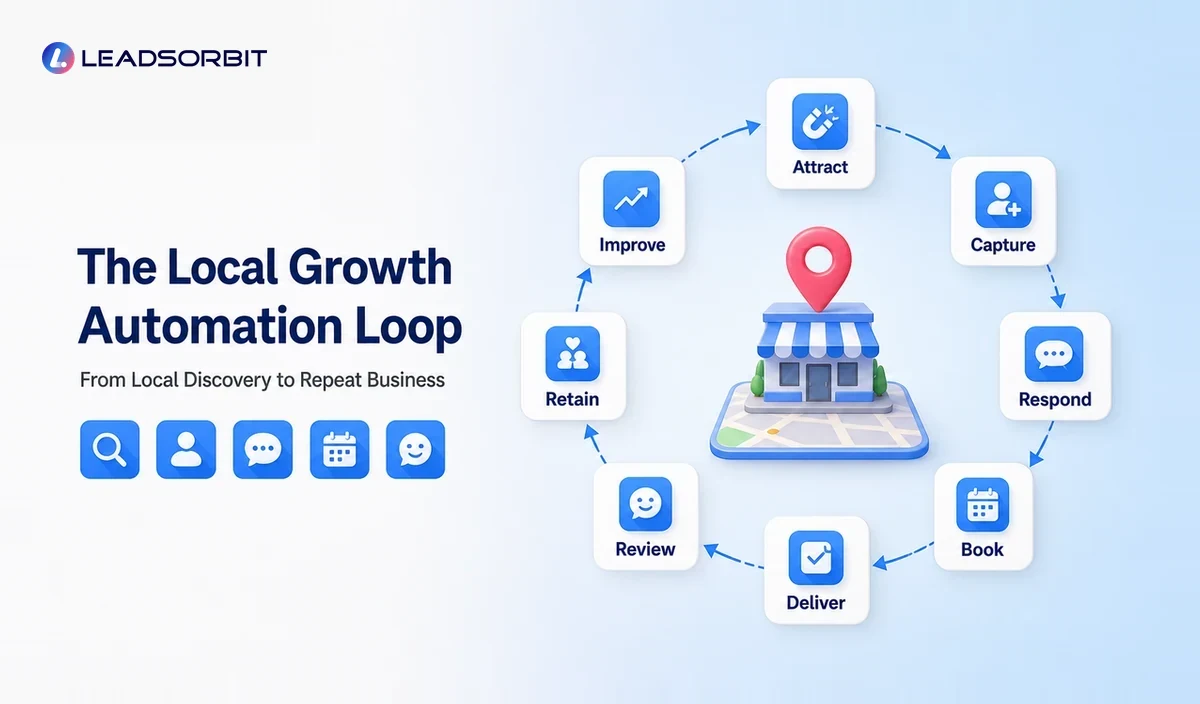
A practical way to design the system is to follow an eight part loop. Each stage has a clear job and a measurable next action.
| Stage | Business Question | Typical Automation |
|---|---|---|
| Attract | How do nearby customers discover the business? | Local profile updates, landing pages, listings, posts, and campaign tracking. |
| Capture | How does an inquiry enter the system? | Forms, calls, chat, booking pages, and source tracking. |
| Respond | What happens immediately after contact? | Acknowledgment, routing, alerts, qualification, and team tasks. |
| Book | How does the customer take the next step? | Booking links, calendar rules, confirmations, and rescheduling. |
| Deliver | How does the team stay informed? | Customer record, notes, task ownership, appointment context, and status updates. |
| Review | How is feedback requested and managed? | Feedback messages, honest review invitations, alerts, and response workflows. |
| Retain | How does the business stay relevant? | Future service reminders, reactivation, educational follow up, and customer segments. |
| Improve | How does the owner find gaps? | Source, response, booking, workflow, review, and follow up reporting. |
The loop matters because local marketing is not complete when someone clicks an advertisement or finds a Business Profile. The business still needs to capture the inquiry, respond, book, deliver, and continue the relationship.
What Local Businesses Can Automate
Lead Capture and Source Tracking
Forms, landing pages, call tracking, chat, and booking pages can create or update customer records automatically. The system should record the source when possible so the owner can see which campaigns and local channels generate useful conversations.
Source tracking should remain simple enough for the team to trust. A small business usually benefits more from a few consistent source categories than from dozens of labels nobody maintains.
Immediate Lead Response
An automated acknowledgment can confirm that the inquiry was received and explain what happens next. The message should be useful, accurate, and aligned with actual business hours and service capacity.
Businesses that receive many calls can also connect an AI receptionist or missed call workflow to capture basic information and provide a clear next step when staff are unavailable.
Lead Follow Up Sequences
A follow up sequence can combine SMS, email, internal tasks, and pipeline movement. It should adapt when a prospect replies, books, declines, or becomes ineligible.
Good follow up is not endless messaging. It is a small number of relevant touches with clear stop rules and a visible human handoff.
Appointment Booking and Reminders
Local service businesses can automate booking links, confirmations, reminders, rescheduling instructions, and post appointment follow up. Connected appointment booking and reminders help the team avoid copying appointment details between systems.
Calendar rules should reflect real operating constraints such as service duration, travel time, staff availability, preparation time, and location.
Review Request Workflows
After a genuine customer experience, the business can send a neutral review invitation at an appropriate time. The workflow should not offer prohibited incentives, pressure customers, or selectively ask only people expected to leave positive feedback.
A connected review management process can track requests, alert staff to new feedback, and support timely responses while preserving honest customer choice.
Local Listings and Profile Maintenance
Local visibility depends partly on accurate business details. Automation can help teams maintain approved information, create update tasks, and monitor whether key listings need attention.
Google advises businesses to keep profile information complete and accurate. The business should still review important changes before publication, particularly names, categories, addresses, service areas, hours, and phone numbers.
Customer Retention and Reactivation
Automation can identify customers who are due for another service, have not booked again, abandoned an estimate, or became inactive. The workflow can send a relevant reminder and create a task when a personal call is more appropriate.
Retention messages should use customer history carefully. Relevance is more important than frequency.
Internal Team Tasks
Not every action should be customer facing. Automation can assign tasks, notify the right team member, update a pipeline stage, and flag a conversation that requires attention.
These internal workflows often create the biggest operational improvement because they make ownership visible.
What Should Not Be Fully Automated
Automation works best for repetitive, predictable actions. It is less suitable when the situation requires judgment, negotiation, sensitivity, or a tailored service decision.
- Customer complaints, disputes, or safety concerns
- Complex estimates and unusual service requests
- Sensitive healthcare, financial, or legal conversations
- Public responses that need context and empathy
- High value relationships where a personal call is expected
- Messages that could create a promise the business cannot keep
A safe rule is to automate preparation and routing, then let a person handle the final decision when context matters.
Local Business Marketing Automation Examples
Chiropractic or Dental Practice
A new patient submits a request after hours. The system confirms receipt, asks approved intake questions, offers available appointment options, and creates a front desk task. After the visit, the patient receives relevant instructions and a neutral feedback request.
Home Service Company
A homeowner requests an estimate. The inquiry is tagged by service type and area, routed to the appropriate team member, and placed into a follow up sequence. When the job is completed, the customer receives a care reminder and review invitation.
Pet Grooming Business
A customer books online and receives confirmation and reminder messages. After the appointment, the system schedules a future grooming reminder based on the service interval and stores communication in the customer record.
Med Spa or Appointment Based Studio
A consultation lead receives a quick acknowledgment and booking option. If the consultation is completed but no service is booked, the system creates a respectful follow up task rather than sending indefinite promotional messages.
Industry examples should always be adjusted to the business's real workflow, customer expectations, consent requirements, and service policies.
How Local SEO and Marketing Automation Work Together
Local SEO helps a business become discoverable for relevant nearby searches. Marketing automation helps the business act after that discovery by capturing the inquiry, continuing the conversation, and measuring what happened.
The two areas support each other when business information, landing pages, review workflows, and customer communication remain consistent. Local SEO and marketing automation should therefore share data and ownership rather than being managed as unrelated projects.
Automation cannot guarantee local rankings. It can, however, help the team maintain accurate information, follow a review process, publish approved updates, and respond to leads generated through local search.
How to Choose Local Marketing Automation Software
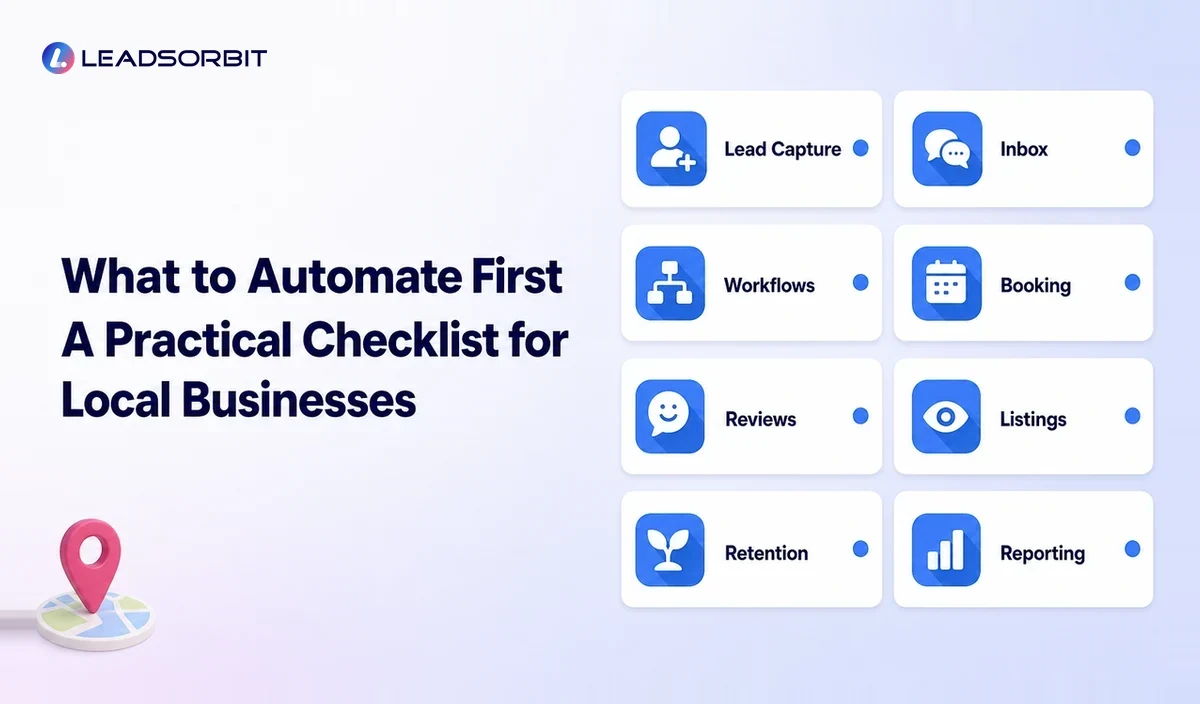
The right platform should fit the customer journey, not merely offer the longest feature list. Begin by identifying the repeated actions currently being missed.
- Can the platform capture calls, forms, messages, and booking activity into one customer record?
- Can workflows stop or change when a customer replies, books, or opts out?
- Can staff see conversations and assigned tasks without switching between many tools?
- Can appointment, review, listing, and follow up workflows share customer context?
- Can the owner understand what happened without building a complicated report?
- Can the platform support the current team and future locations without forcing enterprise complexity?
- Are message usage, integrations, setup, support, and add ons clear during the buying process?
Ask vendors to demonstrate one real workflow from first inquiry to follow up. A live, relevant process is more informative than a long feature presentation.
A Practical Implementation Plan
- Map one customer journey from discovery to repeat business.
- Identify the first major delay, missed action, or manual handoff.
- Clean the contact, calendar, and service information needed for that workflow.
- Build one simple automation with clear start, stop, and human handoff rules.
- Test the workflow with internal records before using it with customers.
- Train the team on ownership, replies, exceptions, and opt outs.
- Review results and customer feedback before expanding.
- Add the next workflow only after the first one is stable.
Starting small reduces risk and gives the team a clear example of how automation should work. A reliable three step workflow is more valuable than a complex system that nobody understands.
Common Local Marketing Automation Mistakes
Automating a Broken Process
Software can make a weak process happen faster. Define the desired customer experience and team ownership before building the workflow.
Using Too Many Disconnected Tools
A large tool stack can create duplicate contacts, conflicting messages, and unclear reporting. Consolidate where practical and define one system of record.
Sending Too Many Messages
Automation should improve relevance, not increase noise. Use sensible frequency, channel preferences, and stop rules.
Ignoring Replies and Exceptions
Automated messages can start a conversation, but customer replies need monitoring. Route questions, complaints, and unusual requests to a person.
Failing to Maintain Business Information
Hours, service areas, phone numbers, booking links, and offers change. Assign an owner to review recurring campaigns and local information.
How LEADSORBIT Supports Local Business Marketing Automation
LEADSORBIT brings lead capture, customer conversations, workflow automation, appointment booking, reviews, listings, pipeline visibility, and reporting into one connected CRM platform.
Local businesses can use Workflow AI to build repeatable processes, Conversation AI to organize customer communication, AI Appointment for booking workflows, Reviews AI for review management, and Listing AI for local listing support.
The purpose is not to remove people from the customer journey. It is to help a small team respond consistently, see the next action, and manage more of the journey from one platform.
Try LEADSORBIT free for 14 days
Frequently Asked Questions
It is the use of connected software and workflows to manage recurring local marketing and customer communication tasks such as lead capture, follow up, appointment booking, review requests, listing maintenance, and reactivation.
Final Thoughts
Local business marketing automation helps turn scattered activities into a connected customer journey. It can support faster response, organized follow up, easier booking, consistent review requests, accurate local information, and better retention.

Start Your Free 14 Day Trial
Try LEADSORBIT and see how it captures missed calls, follows up instantly, and turns leads into booked appointments for your business.
Personal Message From Faisal Zulfiqar
What I often see in small businesses is not a shortage of marketing activity. The business may already receive calls, website inquiries, referrals, and local search traffic. The problem is that the next action is not always clear or consistent.
A good automation system creates visibility. The team can see who contacted the business, what happened next, who owns the follow up, and where a customer is getting stuck.
I prefer starting with one practical workflow and making it reliable. Once the team trusts that process, the business can expand automation without losing the human experience that local customers value.