
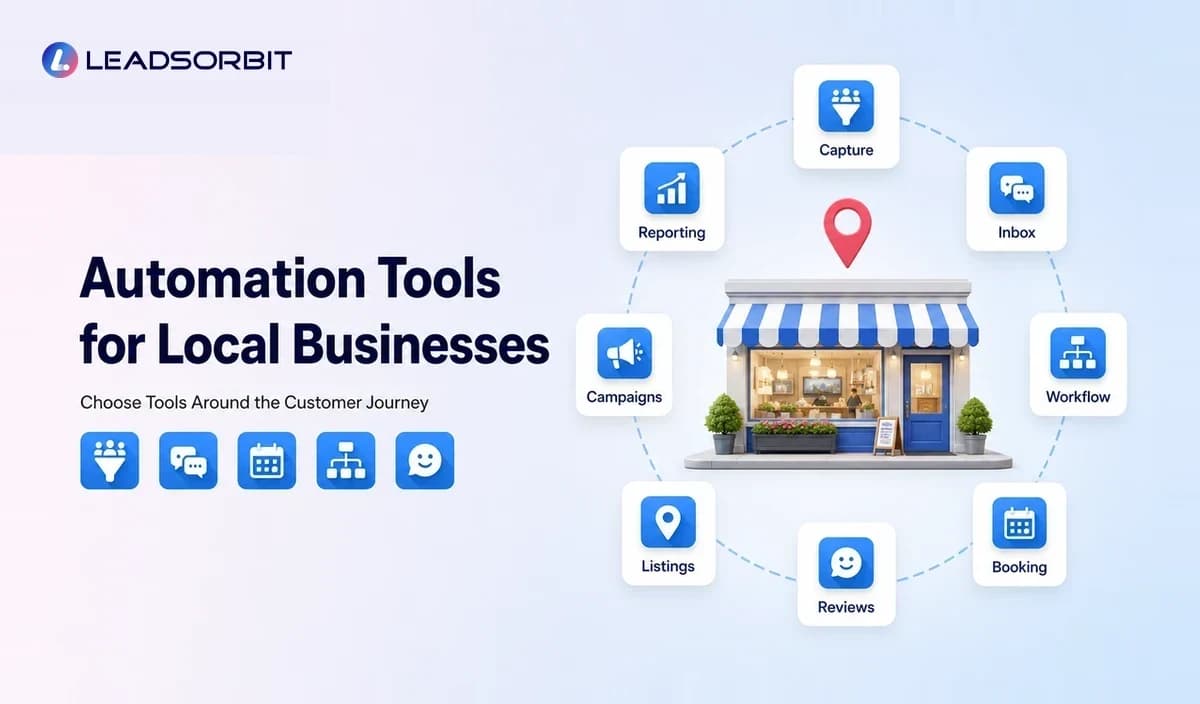

Automation tools can save time for a local business, but adding more software does not automatically create a better system. A booking tool, email platform, review app, social scheduler, and spreadsheet may each solve one problem while creating several new handoffs.
The useful question is not, “How many tools should we buy?” It is, “Which repeated customer and team actions should become more reliable?” This guide organizes the main categories of automation tools for local businesses and explains how to choose them without building an unmanageable stack.
What Are Automation Tools for Local Businesses?
Automation tools are software applications that perform or coordinate routine work based on a trigger, schedule, rule, or customer action. They may capture information, send an approved message, create a task, update a record, schedule an appointment, request feedback, or alert a staff member.
The strongest tools do more than complete one isolated action. They preserve context and make the next step visible to both the customer and the team.
The Main Categories of Local Business Automation Tools
Lead Capture Tools
Lead capture tools collect inquiries from forms, landing pages, chat, calls, ads, or booking pages. They should record enough context for the team to respond appropriately, including service interest, location, source, and preferred contact method where relevant.
A capture tool is only useful when the inquiry reaches a person or workflow quickly. Avoid forms that simply send an email to an inbox nobody monitors consistently.
Conversation and Inbox Tools
Conversation tools help teams manage SMS, email, chat, and other supported messages. A unified view reduces duplicate replies and helps employees continue a conversation without asking the customer to repeat information.
For businesses handling calls and after hours inquiries, an AI receptionist or missed call workflow may provide an acknowledgment and gather basic information before human follow up.
Workflow Automation Tools
Workflow tools connect triggers with actions. A new inquiry can create a record, apply a service tag, assign a task, send a confirmation, and notify the correct employee.
Workflow automation should include clear conditions and stop rules. The business should know why the workflow started, what it will do, and what ends it.
Appointment Booking Tools
Booking tools manage availability, service duration, staff calendars, confirmations, reminders, and rescheduling. Local service businesses should also account for travel time, locations, preparation windows, and service specific rules.
The booking tool works better when it connects to the customer record and follow up process rather than creating a separate calendar identity.
Review and Reputation Tools
Review tools can send neutral invitations after a real customer experience, monitor new reviews, and support response workflows. They should not create fake feedback, incentivize prohibited reviews, or selectively request only positive ratings.
Listings and Local Visibility Tools
Listing tools can help manage business information across important directories and profiles. They are useful for monitoring names, addresses, service areas, phone numbers, categories, hours, and links.
Automation should assist with consistency, but important profile changes still need human review because incorrect local information can confuse customers.
Email and SMS Campaign Tools
Campaign tools can manage newsletters, promotions, reminders, and reactivation messages. Segmentation, consent status, frequency, sender identity, unsubscribe handling, and reply monitoring should be part of the setup.
Social Scheduling and Content Tools
These tools help plan and publish approved posts. They can improve consistency, but they should not replace timely community engagement or direct customer replies.
Reporting Tools
Reporting tools combine information about lead source, response, booking, campaigns, reviews, and customer activity. A useful report should lead to a decision, such as fixing a delayed handoff or changing a campaign.
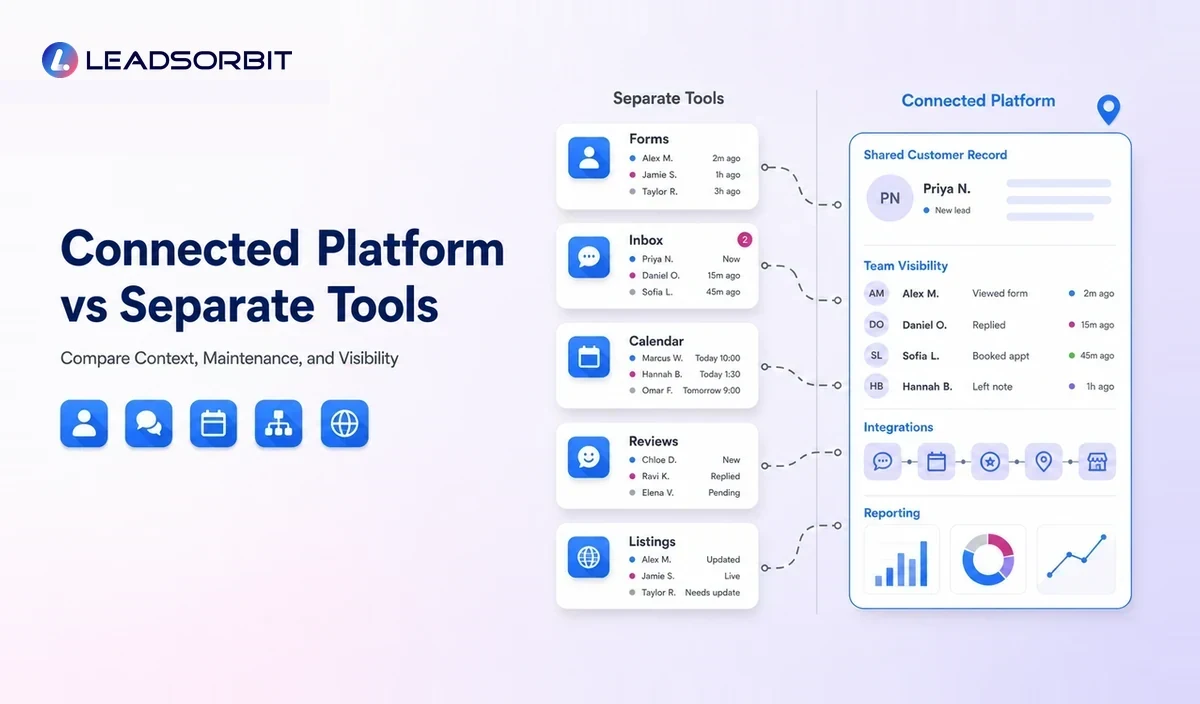
Connected Platform vs Separate Tool Stack
| Decision Area | Connected Platform | Separate Tools |
|---|---|---|
| Customer data | Shared record across workflows | May require syncing or manual copying |
| Team visibility | Conversations, tasks, and stages in one place | Staff may check several dashboards |
| Setup flexibility | Consistent system with fewer handoffs | Best of breed choice for each function |
| Maintenance | Fewer integrations to monitor | More connections, permissions, and billing relationships |
| Reporting | Easier journey level view | Data may need combining |
| Best fit | Teams wanting one operating system | Businesses with specialized needs and strong technical ownership |
Neither approach is automatically correct. A specialized tool can be valuable when a business has a narrow requirement. The problem begins when the stack creates duplicate records, conflicting messages, and unclear ownership.
How to Evaluate an Automation Tool
- Does it solve a repeated problem with a clear business owner?
- Can it connect to the current CRM, calendar, inbox, and website?
- What customer data does it store, and who can access it?
- Can staff see, pause, and override an automation?
- Does it support stop conditions and opt out handling?
- How are errors, failed messages, and duplicate contacts managed?
- What does pricing include beyond the base subscription?
- Can the vendor demonstrate the exact workflow the business needs?
- Will the tool still make sense if staff or locations increase?
A product demonstration should follow one real customer scenario. Ask the vendor to show the trigger, record, message, task, handoff, stop condition, and report.
A Practical Tool Map for Local Businesses
| Business Need | Tool Capability | Example Outcome |
|---|---|---|
| New inquiries are missed | Lead capture plus routing | Every inquiry creates a visible record and task. |
| Follow up is inconsistent | Workflow automation | Approved steps run until reply, booking, or stop condition. |
| Messages are scattered | Unified inbox | Staff see conversation context and ownership. |
| Booking takes too much time | Appointment automation | Customers can book within defined availability rules. |
| Reviews are requested inconsistently | Review workflow | Eligible customers receive a neutral request after service. |
| Business details drift | Listing management | Important profile information is monitored and reviewed. |
| Past customers are forgotten | Reactivation automation | Relevant inactive groups receive a controlled reminder. |
| Owner cannot see gaps | Journey reporting | Uncontacted leads and incomplete tasks become visible. |
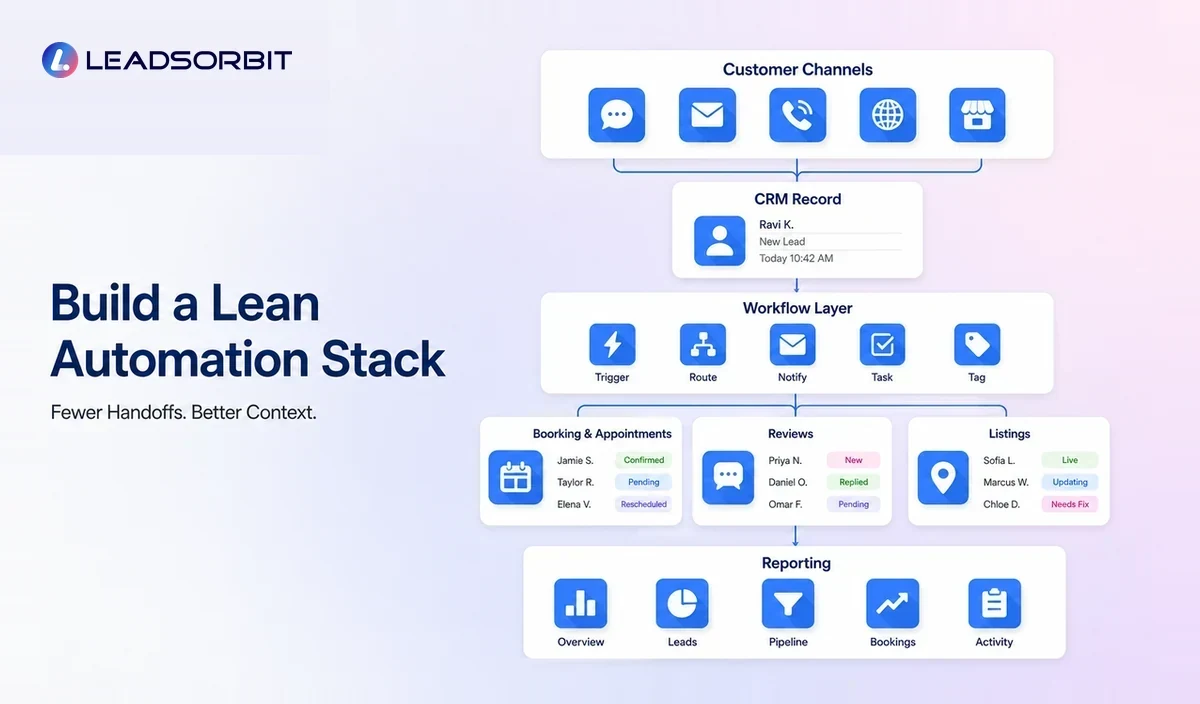
How to Build a Lean Automation Stack
- List the three repeated tasks that currently create the most delay or missed opportunity.
- Identify the system that should hold the customer record.
- Choose one tool or platform that can solve the highest priority workflow.
- Remove duplicate automations before adding new ones.
- Document data ownership, permissions, and staff responsibility.
- Test edge cases such as duplicate forms, cancelled appointments, replies, and opt outs.
- Review usage and outcomes before renewing or expanding the stack.
A lean stack is not necessarily the cheapest stack. It is the smallest group of tools that reliably supports the business process without creating hidden manual work.
Common Tool Selection Mistakes
- Choosing software because it has many features instead of because it fits the workflow
- Buying separate tools without deciding which system is the source of truth
- Ignoring setup, integration, message, phone, and support costs
- Giving every employee broad access without role based controls
- Automating communication before cleaning customer data
- Failing to assign ownership for replies and exceptions
- Keeping unused tools because nobody owns the renewal review
Security, Consent, and Customer Trust
Automation tools handle customer information and communication. Businesses should review access permissions, account security, data retention, vendor terms, consent capture, unsubscribe handling, and applicable legal requirements.
For commercial email, the FTC publishes a CAN SPAM compliance guide. For automated calls and texts, review applicable FCC consumer guidance and obtain professional advice for the specific business, location, and message type.
This section is operational guidance, not legal advice.
How LEADSORBIT Reduces Tool Fragmentation
LEADSORBIT combines CRM records, conversations, workflows, appointments, reviews, listings, pipeline activity, and reporting in one all in one CRM for small businesses.
The platform can reduce the need to move customer information manually between separate systems. It also helps the team see the next action and manage replies through connected product areas such as Workflow AI, Conversation AI, AI Appointment, Reviews AI, and Listing AI.
Questions to Ask Before Replacing a Tool
Replacing software can disrupt daily work. Before removing a tool, document what data it holds, which employees use it, what automations depend on it, and how information will be exported.
- Which customer records and conversation history must be migrated?
- Which links, forms, calendars, phone numbers, and tracking codes will change?
- Which active campaigns or reminders must be paused?
- Who will test the replacement workflow before cutover?
- How long will the old system remain available for verification?
- What is the rollback plan if a critical integration fails?
A controlled transition protects the customer experience and prevents two systems from sending overlapping messages.
Try LEADSORBIT free for 14 days
Frequently Asked Questions
Start with the tool that fixes the most important repeated failure. That may be lead capture, missed call follow up, appointment reminders, review requests, or task ownership.
Final Thoughts
Automation tools should make the customer journey easier to manage. They should help the team capture inquiries, respond, book, deliver, request feedback, and follow up without losing context. Book a Demo to see how LEADSORBIT can connect local business automation in one platform.
Choose Tools Around the Workflow

Start Your Free 14 Day Trial
Try LEADSORBIT and see how it captures missed calls, follows up instantly, and turns leads into booked appointments for your business.