
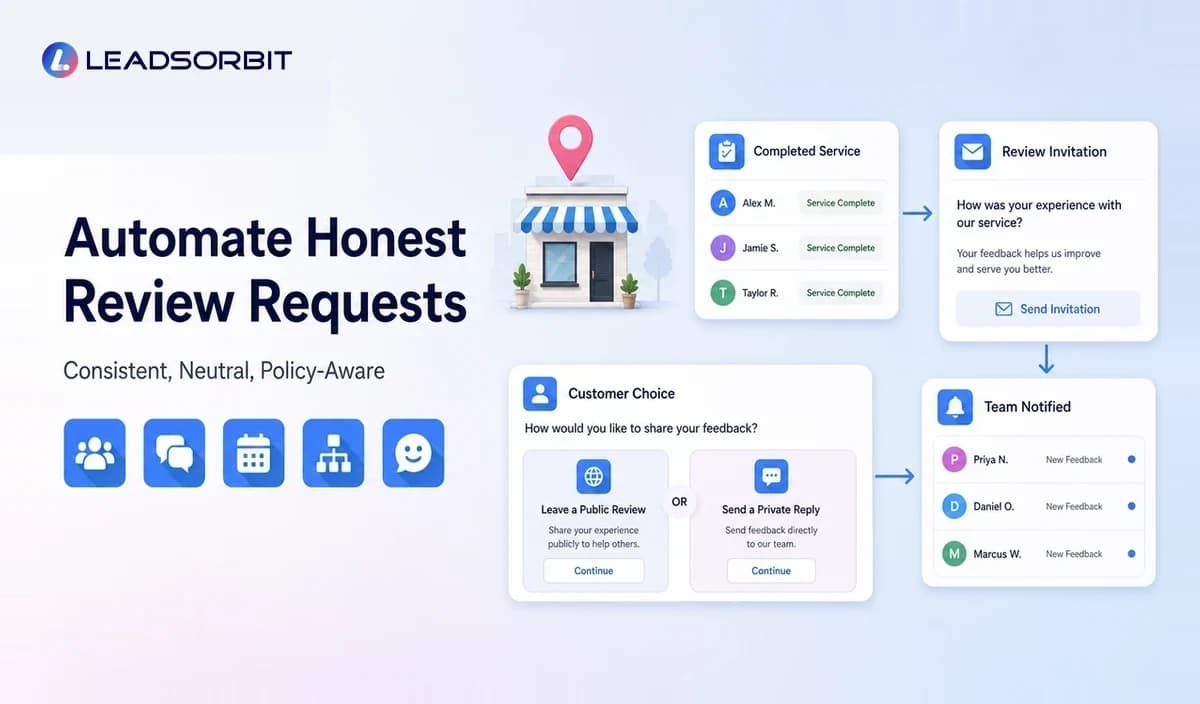

Review requests are easy to delay because they usually happen after the main service is complete. The team moves to the next customer, and a satisfied customer may never receive a simple invitation to share an honest experience.
Review request automation creates a consistent, policy aware workflow after an eligible customer interaction. It can send a neutral request, record the status, alert the team to feedback, and prevent duplicate or poorly timed messages.
This guide focuses on review requests within the broader local business marketing automation system and connects with the main online reputation management guide.
What Is Review Request Automation?
Review request automation is a workflow that sends an approved invitation to a customer after a genuine experience, based on a defined trigger such as a completed appointment, finished service, delivered project, or closed transaction.
The automation should invite honest feedback without influencing the rating or content. It should also stop when the request has been sent, the customer responds, the business pauses the workflow, or the contact is no longer eligible.
Why Manual Review Requests Become Inconsistent
Staff Remember Only During Quiet Periods
Front desk and service teams have more urgent tasks than asking for reviews. Without a trigger, requests happen randomly or only when someone remembers.
The Timing Is Wrong
A request may arrive before the service is complete, long after the customer has forgotten details, or while an unresolved concern is still active.
The Same Customer Receives Repeated Requests
Disconnected tools and duplicate records can send several messages to one customer. This creates frustration and makes the process feel careless.
The Business Asks Only Certain Customers
Selecting only customers expected to leave positive feedback can conflict with platform policies and undermine trust. A fair process should use neutral eligibility rules.
A Policy Aware Review Request Workflow
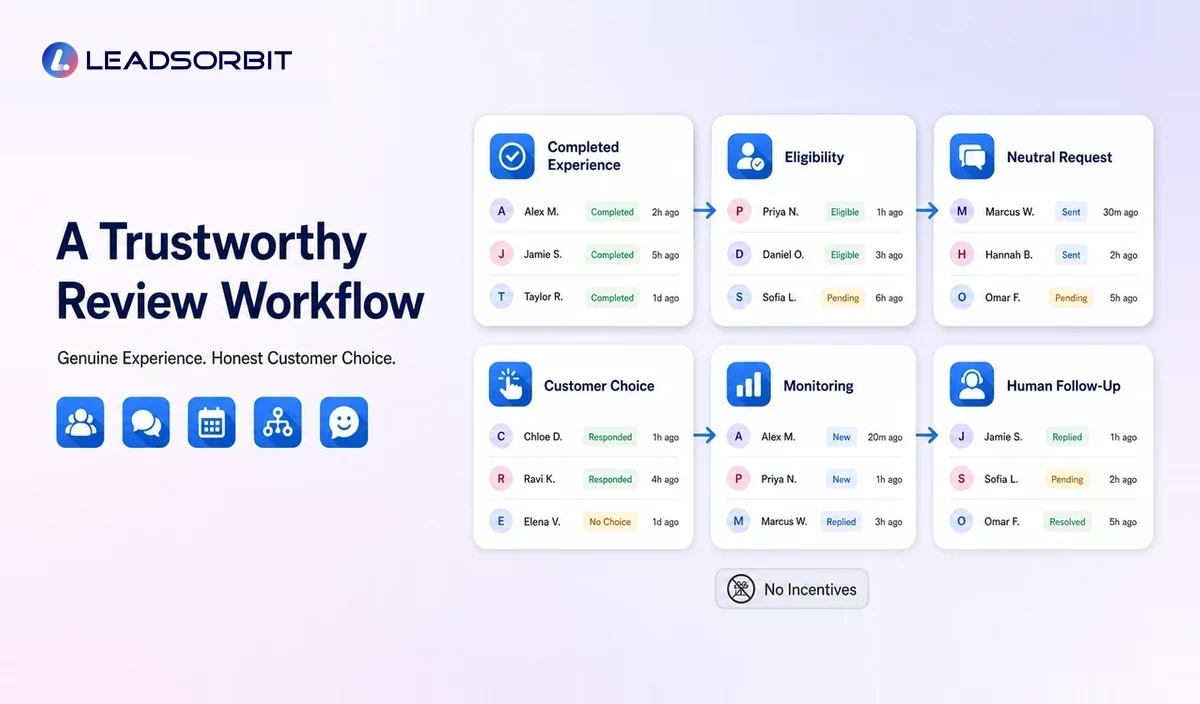
| Stage | Automation Action | Quality Control |
|---|---|---|
| Eligibility | Confirm a genuine completed experience. | Exclude tests, duplicates, unresolved records, and ineligible contacts. |
| Timing | Wait for the approved interval. | Match the service type and customer journey. |
| Invitation | Send a neutral request and review link. | Do not pressure, script the review, or request a specific rating. |
| Response | Record clicks, replies, or feedback where available. | Route concerns to a person without blocking honest reviews. |
| Stop | End after the defined request sequence. | Prevent repeated or conflicting messages. |
| Monitor | Alert the team to new reviews or feedback. | Respond professionally and according to platform rules. |
The workflow should be designed around honest customer choice. Automation improves consistency; it should not manipulate sentiment.
How to Choose the Right Trigger
The trigger should represent a real completed experience. Examples include a completed appointment, closed service ticket, delivered project, completed grooming visit, finished home service job, or customer checkout.
A payment event alone may not always mean the experience is complete. The business should choose the point where the customer has enough context to provide meaningful feedback.
How to Write a Review Request Message
- Identify the business clearly.
- Thank the customer for the genuine interaction.
- Invite honest feedback without asking for a positive review.
- Use one direct and accurate review link.
- Keep the message concise and easy to understand.
- Provide a monitored reply path for questions.
- Avoid discounts, gifts, or other incentives where prohibited.
- Do not tell the customer what words or staff name to include.
The message should sound like the business, not a generic software notification. It can be warm and personal without influencing the rating.
Review Request Timing by Business Type
Clinics and Appointment Based Practices
Timing may follow the completed appointment after the customer has had enough time to evaluate the experience. The workflow should avoid sensitive details and follow relevant privacy and professional requirements.
Home Services
A request can follow confirmed job completion. If a customer issue remains open, the team should handle it promptly rather than allowing automation to create an inappropriate message.
Pet Care and Grooming
The request may be sent after pickup or service completion. Future service reminders should remain separate from the review invitation.
Auto Detailing and Local Studios
The customer can be invited after the completed service and final handoff. The request should not be tied to a discount for a particular rating.
These are workflow examples, not universal timing rules. Each business should define eligibility around its actual service process.
Google and FTC Review Guidance
Google's Business Profile policies allow businesses to encourage reviews based on genuine experiences, but prohibit rating manipulation, incentivized reviews, selectively soliciting positive reviews, and pressuring customers to include specific content. Review the official Google prohibited and restricted content policy before launching a workflow.
The FTC also publishes guidance for marketers on soliciting and paying for online reviews and questions about the Consumer Reviews and Testimonials Rule. Businesses should obtain professional advice for their specific program.
This article provides operational guidance and is not legal advice.
Feedback Requests vs Public Review Requests
Private feedback and public reviews serve different purposes. A feedback form can help the business understand service quality, while a public review allows a customer to share an honest experience on a platform.
A business should not use private feedback as a gate that permits only positive customers to access the public review link. Instead, define a fair review request process and create a separate service recovery workflow for any customer who reports a concern.
How to Handle Negative or Uncertain Feedback
- Alert the responsible manager or team member.
- Review the customer record and service context.
- Respond privately where appropriate and listen to the concern.
- Avoid pressuring the customer to change or remove an honest review.
- Document the resolution and any operational improvement.
- Respond publicly with care when a public review requires a reply.
The objective is to address the customer experience, not to suppress criticism.
Review Request Automation Checklist
- The trigger represents a completed genuine experience.
- Eligibility rules are neutral and consistently applied.
- The message asks for honest feedback without influencing sentiment.
- No prohibited incentive is attached to the review.
- The review link points to the correct location or profile.
- Duplicate contacts and repeated requests are controlled.
- Unresolved issues create a human task.
- Opt outs and communication preferences are respected.
- Staff monitor replies and new reviews.
- The workflow is reviewed when platform policies change.
Common Mistakes
- Asking only customers believed to be happy
- Offering a reward for a positive rating
- Sending the request before the service is complete
- Using language that pressures the customer
- Requesting specific words or staff names
- Sending repeated requests from disconnected systems
- Ignoring negative feedback produced by the workflow
- Using one review link for multiple locations without verification
How LEADSORBIT Supports Review Request Automation
LEADSORBIT can connect completed customer activity with Reviews AI and workflow rules. The business can organize review requests, monitor responses, maintain customer context, and route service concerns to the appropriate team member.
Workflow AI helps coordinate triggers and stop conditions, while customer conversations remain connected through the CRM rather than being treated as isolated review campaigns.
Multi Location Review Request Automation
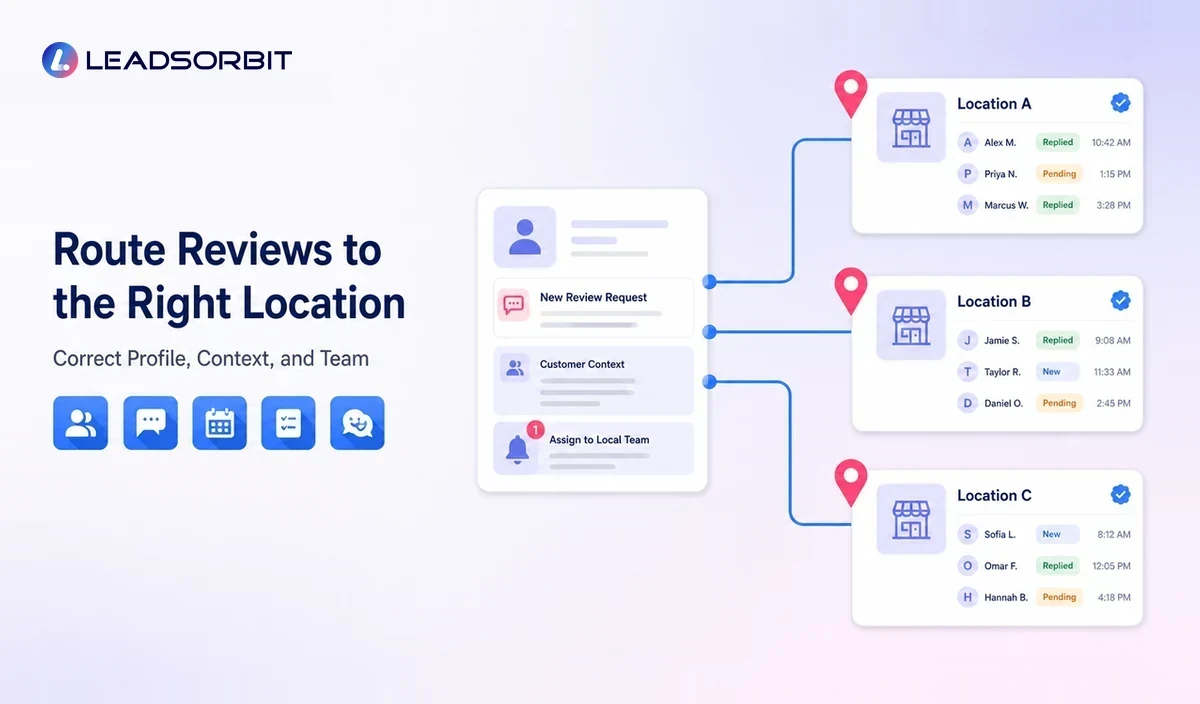
- Store the service location on the customer record.
- Map every location to the correct public review profile.
- Use location specific sender details and contact information.
- Route replies and alerts to the responsible local team.
- Monitor request frequency across repeat visits and locations.
- Review location level issues without hiding honest negative feedback.
Location rules should be tested with internal records before the workflow is activated for customers.
How to Measure a Review Request Workflow
Measure operational consistency rather than chasing a guaranteed rating. Useful checks include eligible customers, requests sent, failed messages, duplicate prevention, customer replies, new reviews, and unresolved concerns routed to staff.
Try LEADSORBIT free for 14 days
Frequently Asked Questions
Yes, a business can use a workflow to invite customers with genuine experiences to leave honest reviews, provided the process follows platform policies and applicable rules.
Final Thoughts
Review request automation can help a local business ask consistently, avoid duplicate requests, and connect customer feedback with service follow up.
Create a Consistent and Trustworthy Review Process

Start Your Free 14 Day Trial
Try LEADSORBIT and see how it captures missed calls, follows up instantly, and turns leads into booked appointments for your business.