
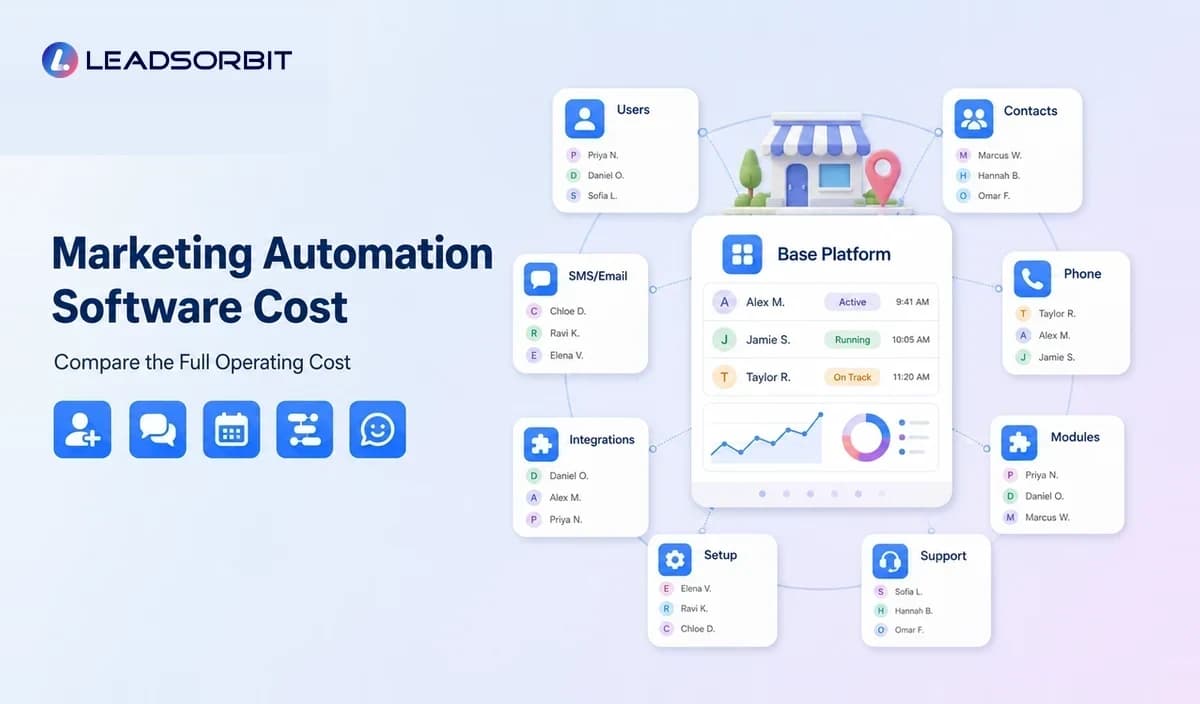

The price of marketing automation software can be difficult to compare because the advertised subscription is only one part of the operating cost. A local business may also pay for users, contacts, phone numbers, messages, integrations, setup, migration, training, and support.
The right question is not simply, "Which platform is cheapest?" It is, "What system fits the workflow, what will it cost to operate, and what manual work or tool duplication will remain?"
This guide explains the cost drivers without inventing universal prices. It supports the broader local business marketing automation guide and the marketing automation CRM guide.
What Affects Marketing Automation Software Cost?
Software cost depends on the platform, features, usage, team structure, communication channels, onboarding requirements, and the number of separate tools being replaced or retained.
Two businesses can use the same product and have very different total costs. A single location grooming business and a multi location home service company may need different users, calendars, numbers, workflows, integrations, and reporting.
Common Pricing Components
Base Platform Subscription
The base plan usually provides access to a defined feature set. Compare what is actually included rather than assuming that every advertised capability is available in the entry plan.
Users or Seats
Some platforms charge per user, while others include a set number of users. Consider owners, managers, front desk staff, sales staff, service teams, and contractors who need access.
Contacts or Database Size
Pricing may increase with the number of contacts, active marketing contacts, records, or monthly audience size. Businesses with old or duplicate data may pay more without receiving more value.
Email, SMS, and Phone Usage
Message volume, call minutes, phone numbers, recording, voicemail, and carrier fees may be billed separately or through usage credits. Ask how failed messages, inbound replies, segments, and international usage are handled.
Automation Limits
Plans may limit workflows, actions, triggers, steps, campaigns, or advanced logic. A low cost plan can become expensive if the business must upgrade to build the required process.
Appointments and Calendars
Some products include booking, while others charge for users, calendars, locations, reminders, payments, or premium scheduling features.
Reviews, Listings, and Social Tools
Review management, listing distribution, local profile tools, social scheduling, and content features may be included, sold as modules, or provided through partners.
Integrations and API Access
Native integrations, premium connectors, middleware, developer work, and ongoing maintenance can add cost. The business should identify who owns an integration when it fails.
Setup, Migration, and Onboarding
Data cleanup, contact migration, calendar setup, number configuration, workflow design, template creation, and staff training may be self service or paid services.
Support and Account Management
Support levels can vary by plan. Review response channels, hours, onboarding support, technical assistance, and whether strategic services are included.
Common Pricing Models
| Pricing Model | How It Works | What to Check |
|---|---|---|
| Flat monthly plan | One recurring price for a defined package. | Users, usage limits, modules, and upgrade triggers. |
| Per user | Price increases with seats. | Which roles need full access and whether limited users exist. |
| Per contact | Cost scales with database or marketing contacts. | Inactive, duplicate, and non marketing contact rules. |
| Usage based | Charges follow messages, calls, actions, or credits. | Unit rates, minimums, overages, and reporting. |
| Modular | Base platform plus selected features. | Total cost after appointments, reviews, listings, phone, and support. |
| Custom or enterprise | Pricing follows scale and requirements. | Contract term, implementation, service levels, and exit conditions. |
A fair comparison should normalize these models around the same workflow, users, contacts, message volume, and support needs.
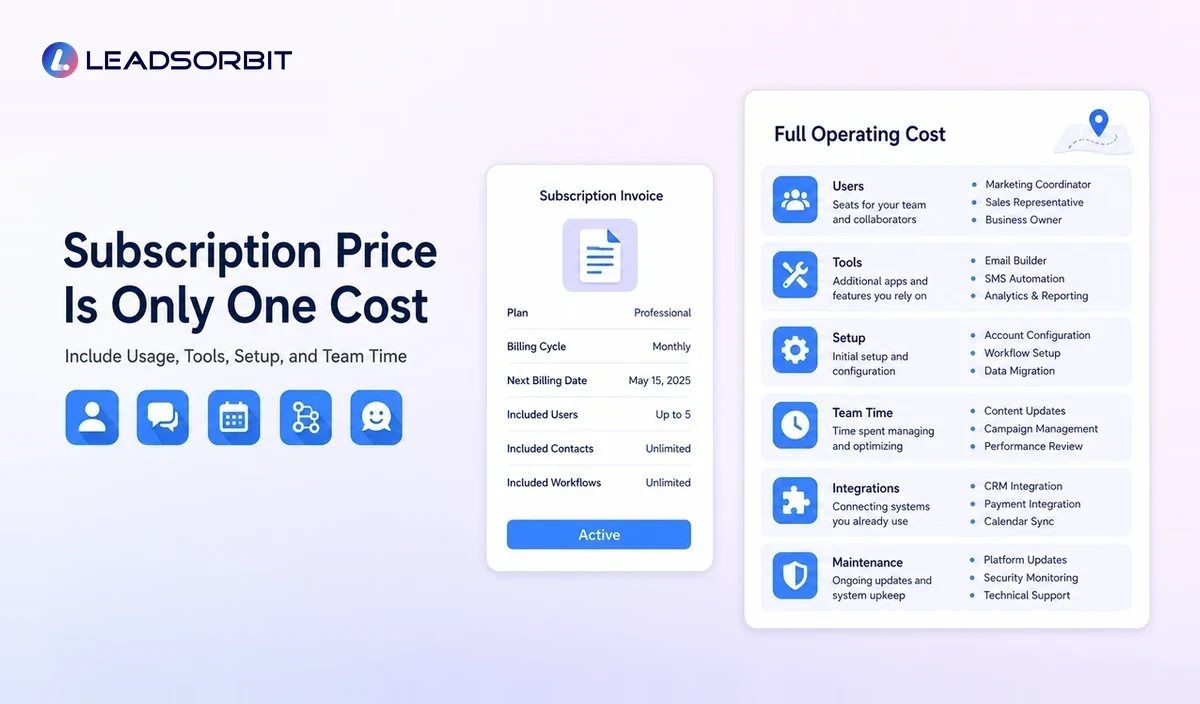
How to Build a Total Cost Estimate
- Define the exact workflow or workflows the software must support.
- Count required users, locations, calendars, phone numbers, and active contacts.
- Estimate monthly email, SMS, call, and automation usage.
- List required modules for appointments, reviews, listings, payments, or social tools.
- Identify data cleanup, migration, setup, integration, and training work.
- Estimate internal staff time for daily use and ongoing maintenance.
- Review contract length, upgrade thresholds, cancellation, export, and support terms.
- Compare the total against the current stack and manual process.
Use a range rather than a single perfect forecast. Message volume, lead volume, staffing, and service mix can change over time.
Cost vs Value: What Should the Business Measure?
Value should be tied to operational improvement, not unsupported revenue promises. The platform may be valuable when it reduces repeated manual work, makes ownership visible, prevents duplicate communication, or gives the owner a clearer view of the customer journey.
- Time spent entering or moving data
- Number of systems staff must check
- Uncontacted leads and overdue tasks
- Booking and rescheduling effort
- Workflow errors and duplicate messages
- Review request consistency
- Ability to identify inactive customers
- Reporting time and confidence
- Staff adoption and process visibility
Revenue and conversion may be influenced by many factors, so software should not be evaluated with guaranteed claims.
Questions to Ask During a Demo
- Which features shown are included in the quoted plan?
- How are users, contacts, email, SMS, calls, and phone numbers billed?
- Are workflows, actions, or campaigns limited?
- What appointment, review, listing, and social features cost extra?
- What integrations are native, paid, or dependent on a third party?
- What setup, migration, training, and support are included?
- How does the system handle data export and cancellation?
- What happens when usage grows?
- Can the vendor demonstrate the complete workflow using the quoted plan?
- Which current tools could realistically be replaced?
When a Lower Cost Tool Is the Better Choice
A focused tool may be appropriate when the business has one narrow requirement, a simple customer journey, low inquiry volume, and a reliable process for moving data.
The business should still consider whether the tool will remain isolated and whether growth will create manual handoffs later.
When a Connected Platform May Offer Better Value
A connected platform may fit better when several employees manage conversations, appointments, follow up, reviews, and customer records across multiple channels or locations.
The value comes from shared context and fewer handoffs rather than from owning more features.
Implementation Cost and Risk
Software can fail even when the product is capable. Poor data, unclear ownership, unrealistic workflows, and insufficient training create implementation costs.
- Clean contacts before migration.
- Define pipeline stages and service categories.
- Document triggers, messages, stop conditions, and human handoffs.
- Test with internal records before launch.
- Train daily users, not only administrators.
- Review replies, errors, and overdue tasks after launch.
- Expand only after the first workflow is stable.
A phased implementation usually makes the cost easier to manage and the results easier to evaluate.
How LEADSORBIT Approaches Local Marketing Automation Value
LEADSORBIT is an AI powered CRM that brings customer records, conversations, workflow automation, appointment booking, reviews, listings, pipeline activity, and reporting into one connected platform.
During evaluation, the business should compare the LEADSORBIT workflow with its current software subscriptions, manual work, integration costs, and follow up gaps. Exact pricing and scope should be confirmed through the current official sales process.
A Simple Cost Comparison Worksheet
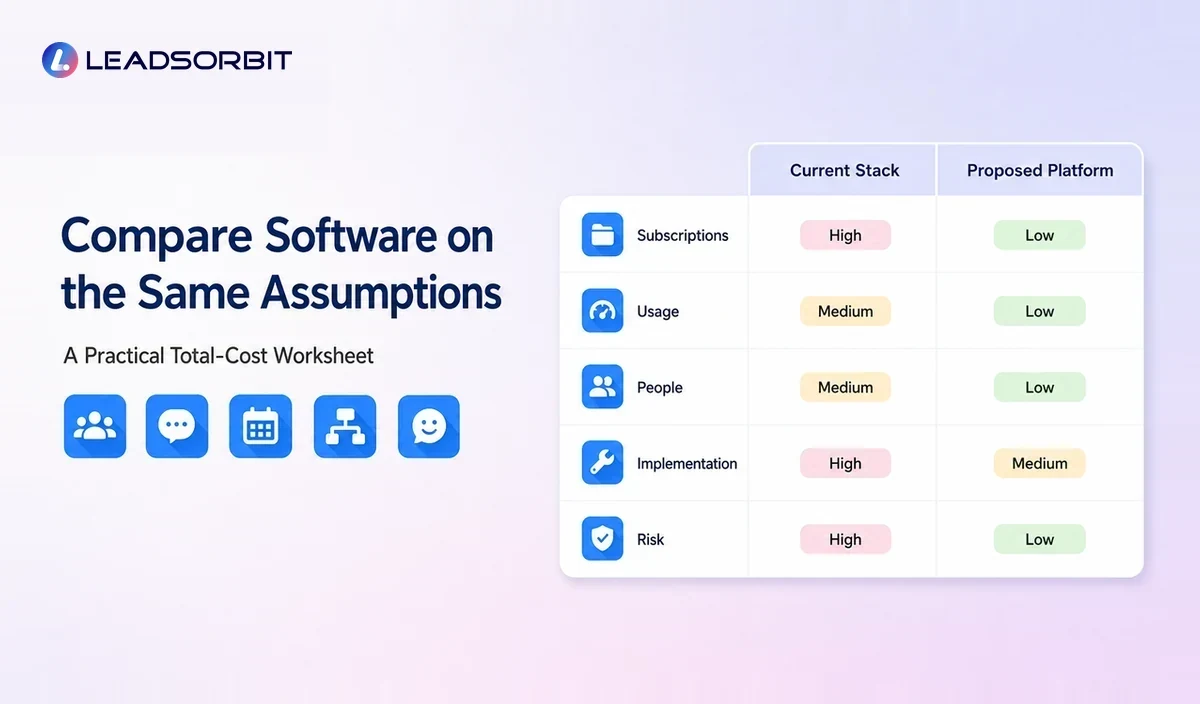
| Cost Area | Current Stack | Proposed Platform | Questions |
|---|---|---|---|
| Subscriptions | List CRM, email, booking, review, listing, social, and connector tools. | List base plan and modules. | Which tools can actually be removed? |
| Usage | Email, SMS, calls, phone numbers, storage, and contacts. | Estimate the same usage. | What are the overage rules? |
| People | Manual entry, reporting, administration, and training time. | Setup and ongoing maintenance time. | Which work is reduced, moved, or added? |
| Implementation | Current integration and cleanup costs. | Migration, setup, workflow design, and training. | Who owns the project? |
| Risk | Duplicate messages, lost context, and integration failures. | Vendor dependency, migration risk, and new process errors. | How will the business test and monitor? |
Complete the worksheet using the same operating assumptions for each option. A comparison is misleading when one quote includes messages, support, and setup while another does not.
Try LEADSORBIT free for 14 days
Frequently Asked Questions
There is no single reliable price. Cost depends on users, contacts, messages, phone services, workflows, modules, locations, integrations, setup, support, and contract terms.
Final Thoughts
Marketing automation software should be evaluated by workflow fit, total cost, team adoption, and the visibility it creates across the customer journey.

Start Your Free 14 Day Trial
Try LEADSORBIT and see how it captures missed calls, follows up instantly, and turns leads into booked appointments for your business.