
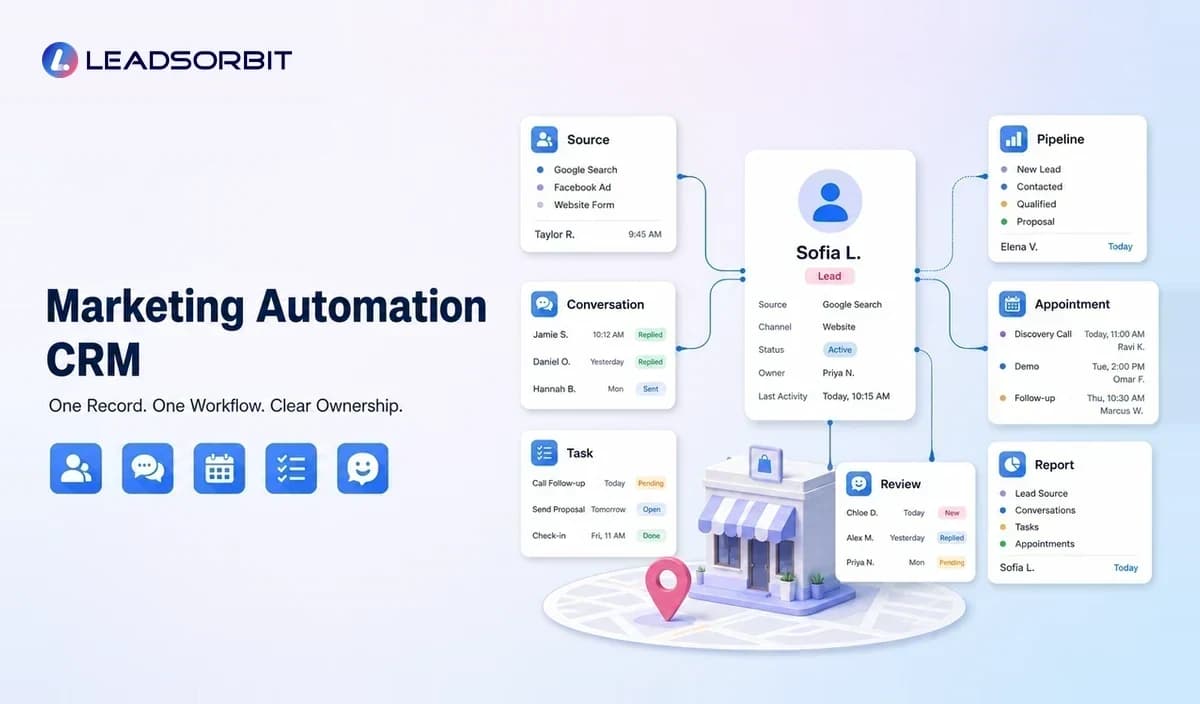

A local business does not need automation only for marketing campaigns. It needs a system that connects every inquiry with customer context, a clear next action, and visible team ownership.
A marketing automation CRM combines customer relationship management with workflow automation. Instead of storing contacts in one tool and running follow up in another, the business can manage conversations, pipeline stages, appointments, tasks, and campaigns around the same customer record.
This guide explains how that system works, where it differs from stand alone marketing tools, and what local businesses should evaluate before choosing a platform. It also connects back to the broader local business marketing automation guide.
What Is a Marketing Automation CRM for Local Businesses?
A marketing automation CRM is software that stores lead and customer information while automatically managing approved actions based on triggers, timing, customer status, and team rules.
For a local business, the trigger might be a missed call, form submission, appointment request, estimate sent, service completed, review received, or period of inactivity. The CRM records the event and the automation decides what should happen next.
The system is most useful when it answers three questions: who is this person, what has happened so far, and what action is due now?
Marketing Automation CRM vs Stand Alone Tools
Local businesses often build their marketing process one tool at a time. A form tool captures inquiries, a calendar manages appointments, an email platform sends campaigns, and a review service requests feedback. Each tool may work well on its own, but the customer context can become fragmented.
| Approach | Strength | Common Limitation |
|---|---|---|
| Stand alone tools | Fast to start and useful for one task | Customer data, messages, and reporting may remain separate. |
| Basic CRM | Organizes contacts, notes, tasks, and pipeline stages | May still depend on manual follow up and external campaign tools. |
| Marketing automation CRM | Connects records, triggers, communication, tasks, and reporting | Requires process design, data cleanup, and team training. |
The right choice depends on business complexity. A very small operation may begin with focused tools. As inquiry volume, staff responsibilities, services, or locations grow, a connected CRM can reduce duplicate work and inconsistent follow up.
Core Capabilities Local Businesses Should Look For
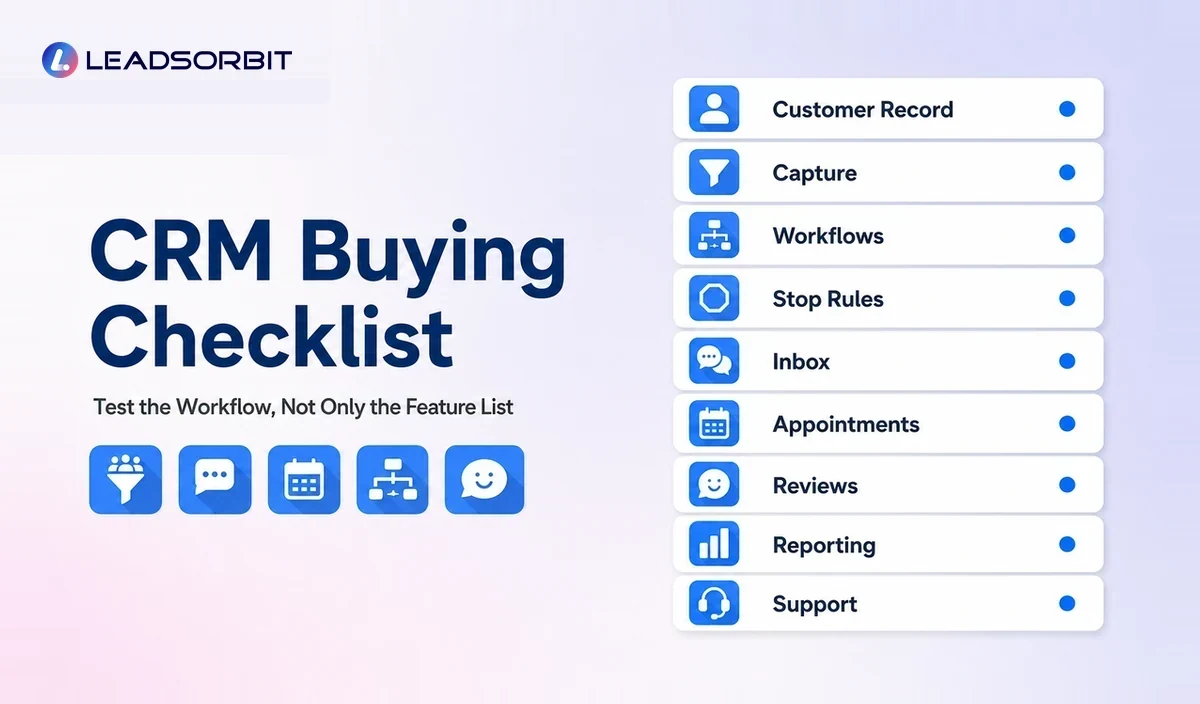
One Lead and Customer Record
The record should show contact details, source, conversation history, appointments, tasks, services, notes, consent status, and current stage. Staff should not need to search several systems before replying.
Lead Capture From Local Channels
Calls, forms, chat, social messages, landing pages, and booking requests should create or update records consistently. Source information should be preserved so the owner can understand where useful inquiries originate.
Workflow Triggers and Stop Rules
The platform should begin workflows from real events and stop them when circumstances change. A follow up sequence should stop when a lead books, declines, replies, or opts out.
Clear stop rules prevent conflicting or irrelevant messages and are just as important as the initial trigger.
Pipeline and Task Management
Pipeline stages make the customer journey visible, while tasks show who owns the next human action. Automation can move a record, create a task, or notify a staff member, but the team still needs accountability.
Unified Conversations
A unified inbox helps the team see customer communication across supported channels. When replies remain attached to the customer record, staff can continue the conversation with context.
Appointment and Review Workflows
For appointment based businesses, booking should connect with confirmations, reminders, rescheduling, and post appointment actions. Review requests should connect with completed customer experiences and honest feedback practices.
Simple Reporting
Reporting should make operational gaps visible. Useful views include uncontacted leads, overdue tasks, booking status, workflow replies, appointment outcomes, review activity, and source performance.
The purpose is to help the owner make a decision, not to create dashboards the team never uses.
How a Marketing Automation CRM Works
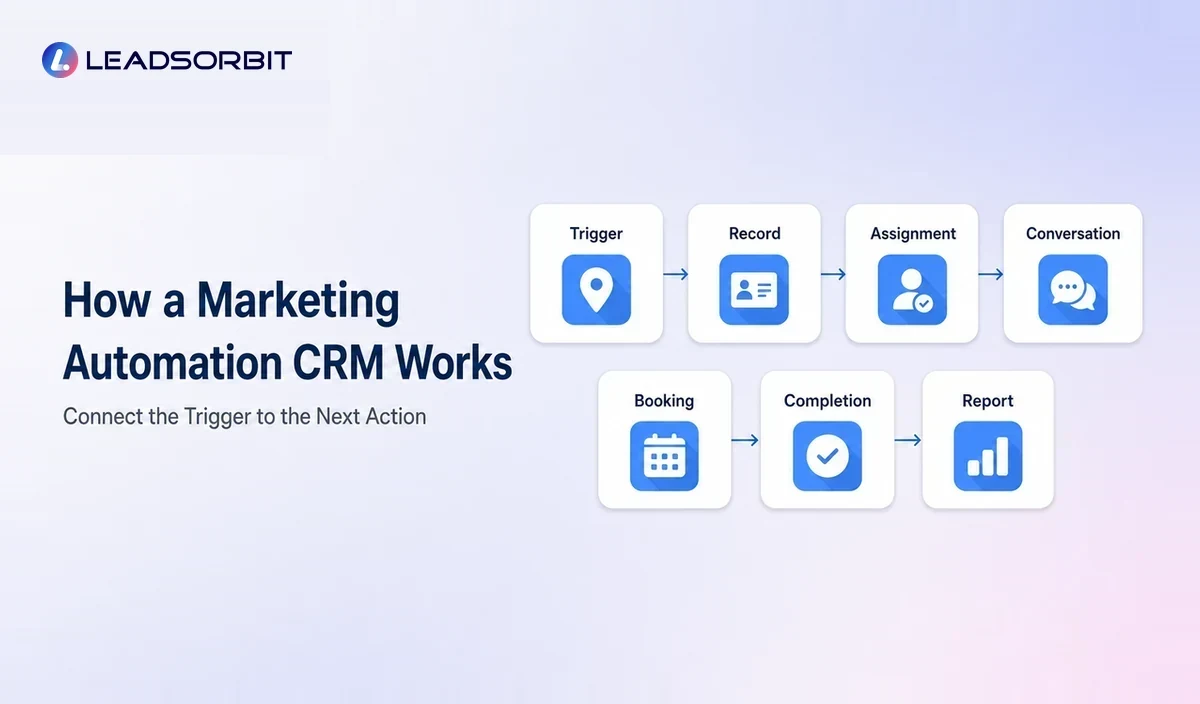
- A customer takes an action such as calling, submitting a form, or requesting an appointment.
- The CRM creates or updates the contact and records the source.
- A workflow sends an acknowledgment, creates an internal task, or routes the inquiry.
- The team sees the reply and updates the pipeline stage.
- Booking, reminders, service completion, and review requests remain connected to the same record.
- The system reports where leads are moving forward or becoming stuck.
This process should be adapted to the business. A dental practice, home service company, and pet groomer may use similar technology, but their questions, timelines, appointment rules, and handoffs will be different.
Practical Workflow Examples
New Website Inquiry
A form submission creates a lead, records the requested service, sends a confirmation, and alerts the right employee. If no one replies within the internal target, a task becomes overdue and remains visible.
Missed Call
A missed call creates a record and triggers an approved text acknowledgment when appropriate. The lead can reply with basic information while the team receives a callback task.
Estimate Follow Up
When an estimate is sent, the CRM schedules a small number of follow ups. The sequence stops when the customer accepts, declines, asks a question, or reaches the defined end of the process.
Appointment Completion
A completed appointment can trigger instructions, feedback, a review invitation, and a future service reminder. Any negative or uncertain response should create a task for personal attention.
How a Marketing Automation CRM Supports Local Growth
Growth becomes easier to manage when the business can see the path from inquiry to customer. The CRM connects local marketing activity with operational follow through.
- Faster acknowledgment of new inquiries
- More consistent follow up without relying only on memory
- Clear ownership for calls, messages, and tasks
- Easier appointment booking and reminders
- Organized review and feedback workflows
- Better visibility into lead sources and pipeline stages
- Connected retention and reactivation activity
These capabilities can support growth, but they do not guarantee results. Service quality, demand, pricing, staff performance, local competition, and customer experience still matter.
How to Choose a Marketing Automation CRM
Begin with the operating problem. A platform should solve the next action gap rather than add another layer of complexity.
- Ask the vendor to demonstrate a real local business workflow from inquiry to booking.
- Check whether calls, forms, messages, appointments, and reviews share one record.
- Confirm that workflows have stop rules, opt out handling, and human handoffs.
- Review setup, training, message usage, phone services, integrations, and support.
- Test whether daily users can understand tasks and conversations quickly.
- Confirm that reporting answers practical questions for the owner.
- Choose a system that fits current operations and can support future locations or staff.
Implementation Steps
- Document the current lead journey and identify where information is lost.
- Clean contacts, sources, pipeline stages, calendars, and service categories.
- Assign ownership for each stage and exception.
- Build one workflow with a clear trigger, message, task, stop condition, and handoff.
- Test with staff records and common edge cases.
- Train the team to manage replies, update stages, and complete tasks.
- Review performance and customer feedback before adding more automation.
Common Mistakes
- Buying software before defining the workflow
- Migrating duplicate or outdated contact data
- Creating too many pipeline stages
- Sending generic messages across every customer segment
- Ignoring replies generated by automated messages
- Allowing two tools to trigger the same campaign
- Measuring message volume instead of customer progress
A simple, maintained system usually creates more value than a complex setup with unclear ownership.
How LEADSORBIT Supports a Connected Marketing Automation CRM
LEADSORBIT is an AI powered CRM for small businesses that connects lead capture, conversations, workflows, appointments, reviews, listings, pipeline activity, and reporting.
Teams can use Workflow AI for routing and follow up, Conversation AI for customer communication, AI Appointment for booking processes, and Reviews AI for feedback and reputation workflows.
The system is designed to help small teams stay organized and act consistently without turning every customer interaction into an automated campaign.
What to Measure After Launch
A marketing automation CRM should make operational progress easier to see. The business does not need dozens of metrics, but it should monitor the stages where leads and customers are most likely to wait.
- New inquiries without an assigned owner
- Time between inquiry and first meaningful response
- Overdue follow up tasks
- Leads that reply but do not receive a human response
- Bookings created from each major lead source
- Cancelled appointments that are not rescheduled
- Completed services without a defined next action
- Workflow errors, failed messages, and duplicate contacts
Use these views to improve the process. A report is useful only when the team knows what action to take when a gap appears.
Try LEADSORBIT free for 14 days
Frequently Asked Questions
A CRM organizes lead and customer relationships. Marketing automation manages repeatable actions such as messages, tasks, routing, and campaigns. A marketing automation CRM connects both functions around one record.
Final Thoughts
A marketing automation CRM can help a local business replace scattered follow up with a shared process. It connects customer information with the actions that move an inquiry toward booking, service, review, and retention.
Create a More Connected Customer Journey

Start Your Free 14 Day Trial
Try LEADSORBIT and see how it captures missed calls, follows up instantly, and turns leads into booked appointments for your business.