
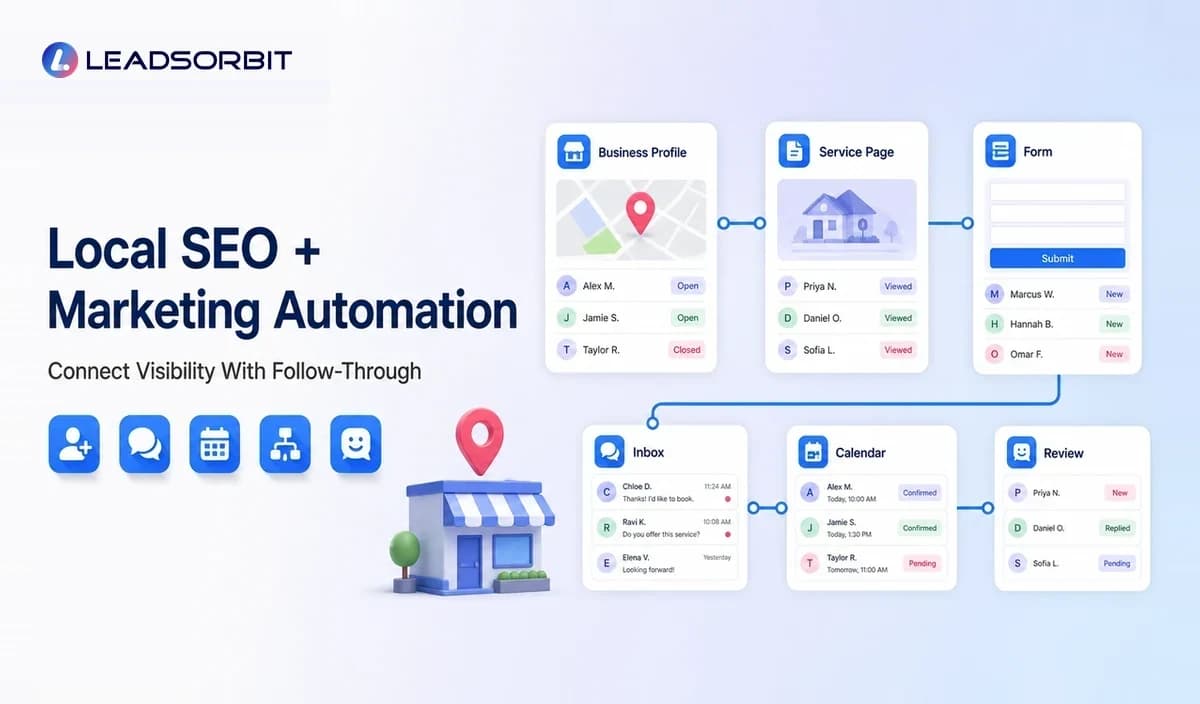

Local SEO helps a business become visible when nearby customers search for a service. Marketing automation helps the business act after that visibility creates an inquiry.
The two disciplines solve different parts of the same customer journey. Local SEO supports discovery and trust, while automation supports capture, response, booking, review requests, retention, and reporting.
When they are managed separately, a business may earn visibility but lose the lead during follow up. This guide explains how to connect both areas within the wider local business marketing automation strategy.
What Is Local SEO?
Local SEO is the practice of improving a business's visibility for searches connected to a location, service area, or nearby intent. It commonly involves the business website, location and service pages, Google Business Profile, local listings, reviews, and consistent business information.
Google advises businesses to keep Business Profile information complete and accurate. Important details can include business name, address or service area, phone number, hours, categories, services, website, and other profile information.
What Is Marketing Automation?
Marketing automation uses software and workflows to complete or coordinate recurring actions based on customer activity, timing, and business rules.
For a local business, automation may acknowledge a form inquiry, route a missed call, offer a booking option, send reminders, request an honest review, create a future service reminder, or report which local source produced the lead.
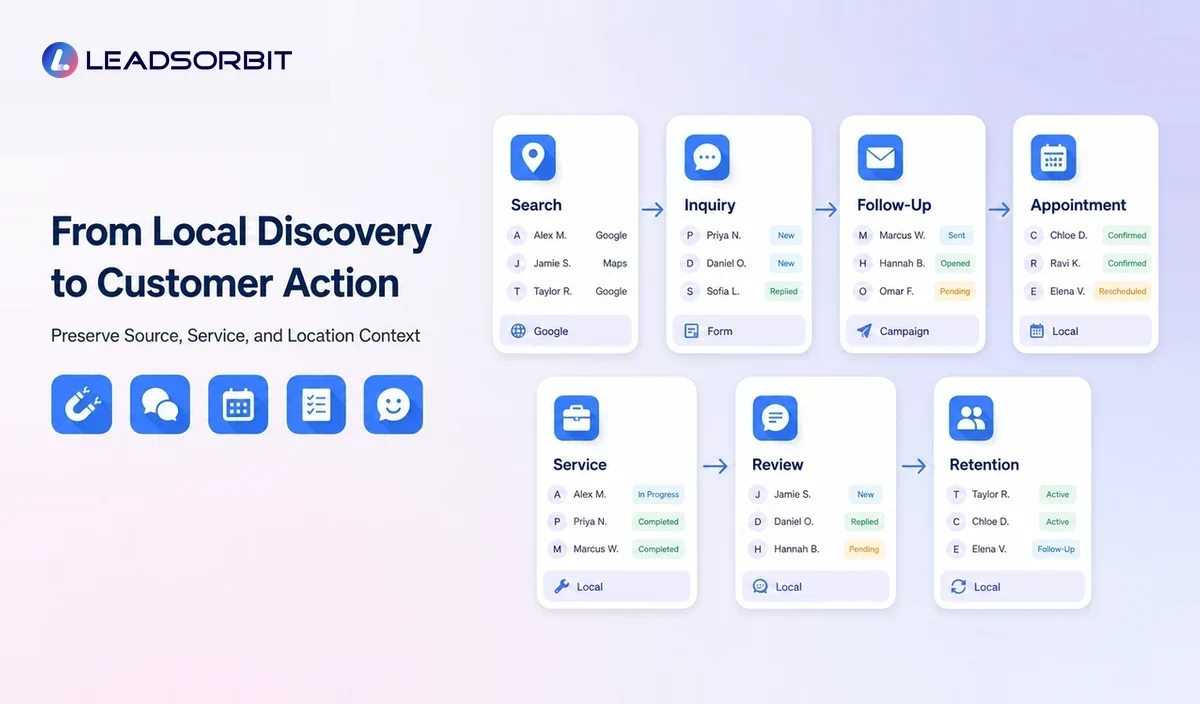
How Local SEO and Marketing Automation Connect
| Local SEO Activity | Customer Action | Automation Opportunity |
|---|---|---|
| Google Business Profile | Customer calls, messages, visits the website, or requests directions. | Capture source where possible, route the inquiry, and create follow up ownership. |
| Local service page | Visitor submits a form or books. | Create a CRM record, preserve page/service context, and trigger the correct workflow. |
| Local listing | Customer uses listed phone number or website link. | Track channel and maintain consistent contact information. |
| Customer review | Prospect evaluates trust and contacts the business. | Respond to the inquiry and manage future feedback workflows. |
| Local content | Visitor reads a guide and takes a conversion action. | Connect the page topic with the relevant service and nurture path. |
The key is continuity. The customer's service interest and source should not disappear after the click or call.
Accurate Business Information Supports Both Visibility and Conversion
Incorrect hours, phone numbers, addresses, booking links, or service information can create a poor customer experience even when the business appears in search.
Listing automation can help identify inconsistent information and distribute approved updates. However, the business should review important changes and verify the correct profile for each location.
Google's guidelines for representing a business explain quality expectations for Business Profiles. Teams should also review current platform guidance before making profile changes.
How to Connect Local Landing Pages With CRM Workflows
Preserve the Service Context
When a visitor submits a form from a dental implant page, emergency plumbing page, grooming page, or med spa consultation page, the CRM should capture that context.
This allows the acknowledgment, task, routing, and follow up to match the requested service instead of sending a generic response.
Preserve Location Context
Multi location or service area businesses need to route inquiries by area, branch, or availability. The workflow should account for location rather than relying on staff to forward every request manually.
Use Clear Conversion Paths
A local page should give the visitor a relevant next step such as calling, requesting a quote, sending a message, or booking. Automation then helps the business acknowledge and manage that action.
How Reviews Support Local Trust and Automation
Reviews can help prospective customers understand real experiences. A consistent review process also gives the business operational feedback.
After an eligible completed service, automation can send a neutral review invitation and alert the team to feedback. The process must follow current platform policies and should not use prohibited incentives or selective positive only requests.
Google publishes official review request guidance and prohibited content policies. Review workflows should be checked when those policies change.
Using Business Profile Posts and Local Updates
Google Business Profile allows eligible businesses to publish updates such as announcements, offers, and events. These posts can support timely local communication, but they should not replace useful website content or accurate core profile information.
A content workflow can create reminders, approvals, and reusable campaign assets. Final publication should remain under human review so dates, offers, locations, and links are correct.
See Google's official guidance for creating and managing Business Profile posts.
Local Business Structured Data
Structured data is machine readable markup that can help search engines understand page entities and properties. Google provides documentation for LocalBusiness structured data, including business details that may be represented when relevant and visible on the page.
Structured data should match visible page content and follow Google's general guidelines. It does not guarantee a rich result or ranking.
A Connected Local SEO Automation Workflow
- A customer discovers a local profile, service page, listing, or local guide.
- The customer calls, submits a form, sends a message, or books.
- The CRM creates or updates the record and preserves source and service context.
- The system sends an accurate acknowledgment and assigns the inquiry.
- The team continues the conversation and records the outcome.
- A completed service triggers an appropriate feedback or review workflow.
- Future reminders or retention actions continue the relationship.
- Reporting shows which local sources produced useful inquiries and where follow up failed.
This workflow gives the owner more than traffic data. It connects visibility with customer progress.
What Marketing Automation Cannot Do for Local SEO
- It cannot guarantee rankings, traffic, calls, or revenue.
- It cannot replace accurate business information.
- It cannot create genuine customer experiences or honest reviews.
- It cannot fix poor service, weak offers, or an unusable website.
- It cannot safely publish every location change without review.
- It cannot replace strategy, local relevance, or useful content.
Automation supports execution and consistency. Local search performance still depends on many factors outside the workflow.
Local SEO and Automation Checklist
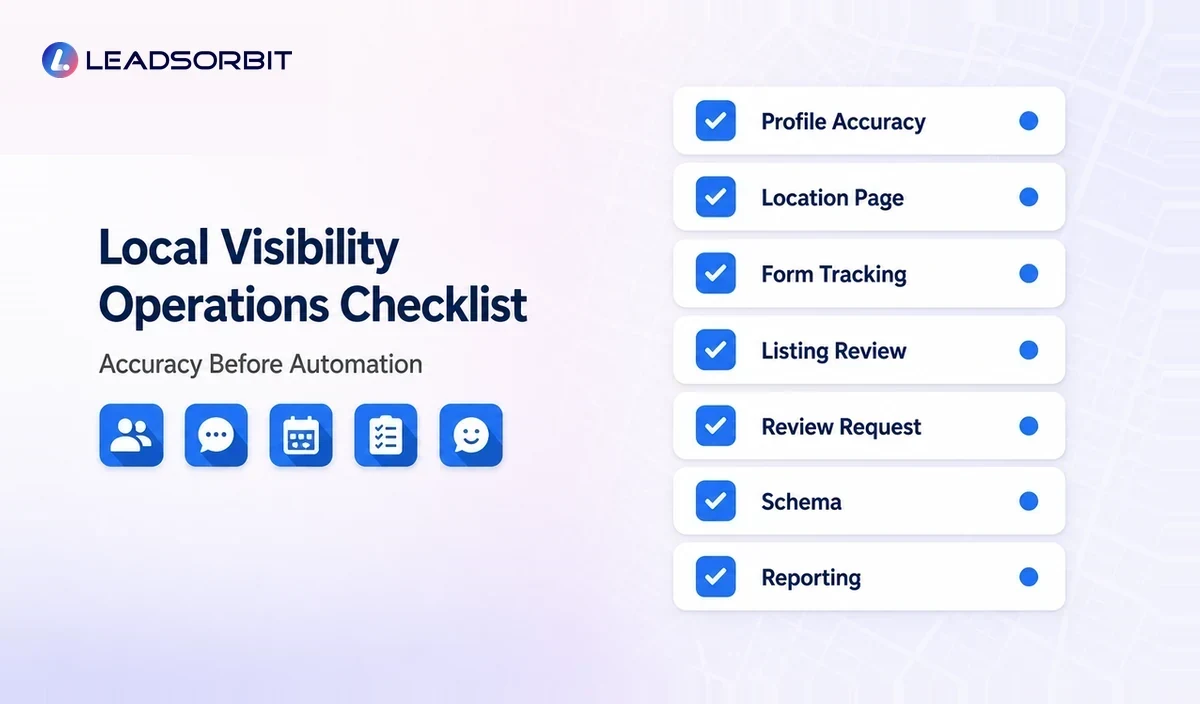
- Business name, location or service area, phone, hours, and website are accurate.
- Each location has clear ownership and approved profile information.
- Local pages have relevant calls to action.
- Forms and calls preserve service and source context.
- New inquiries enter a monitored CRM or inbox.
- Lead follow up has ownership and stop rules.
- Review requests use neutral, policy aware eligibility.
- Listing and profile changes require approval.
- Structured data matches visible page content.
- Reports connect local source with inquiry and booking status.
Common Mistakes
- Tracking local traffic without tracking follow up outcomes
- Using a generic form that loses service context
- Publishing inconsistent information across profiles
- Treating reviews as a campaign instead of a customer experience process
- Automating profile changes without verification
- Creating duplicate location pages with thin or repeated content
- Assuming automation guarantees local rankings
How LEADSORBIT Connects Local Visibility With Customer Follow Up
LEADSORBIT can connect local inquiries with CRM records, conversations, appointments, reviews, listings, and workflows. Listing AI supports local listing activity, while Workflow AI and Conversation AI help manage the actions that follow an inquiry.
The platform helps small teams see the journey from local discovery to conversation, booking, feedback, and retention without positioning automation as a ranking guarantee.
How to Measure the Connected System
Local SEO reporting often stops at impressions, rankings, clicks, or website sessions. A connected system adds customer journey visibility without claiming that every inquiry can be attributed perfectly.
- Calls, forms, messages, and bookings from major local sources
- Service and location context preserved in the CRM
- Uncontacted local search leads
- Bookings and completed services by source where available
- Review request and response activity by location
- Listing errors or profile changes requiring attention
- Local pages that generate useful inquiries rather than traffic alone
Attribution can be incomplete because customers use several devices and touchpoints. Use the data as decision support, not as absolute proof.
Try LEADSORBIT free for 14 days
Frequently Asked Questions
Automation can support consistent execution around listings, content workflows, review requests, and lead handling, but it does not guarantee rankings.
Final Thoughts
Local SEO and marketing automation work best when accurate visibility leads into a clear, organized customer process.
Connect Local Discovery With the Next Action

Start Your Free 14 Day Trial
Try LEADSORBIT and see how it captures missed calls, follows up instantly, and turns leads into booked appointments for your business.