
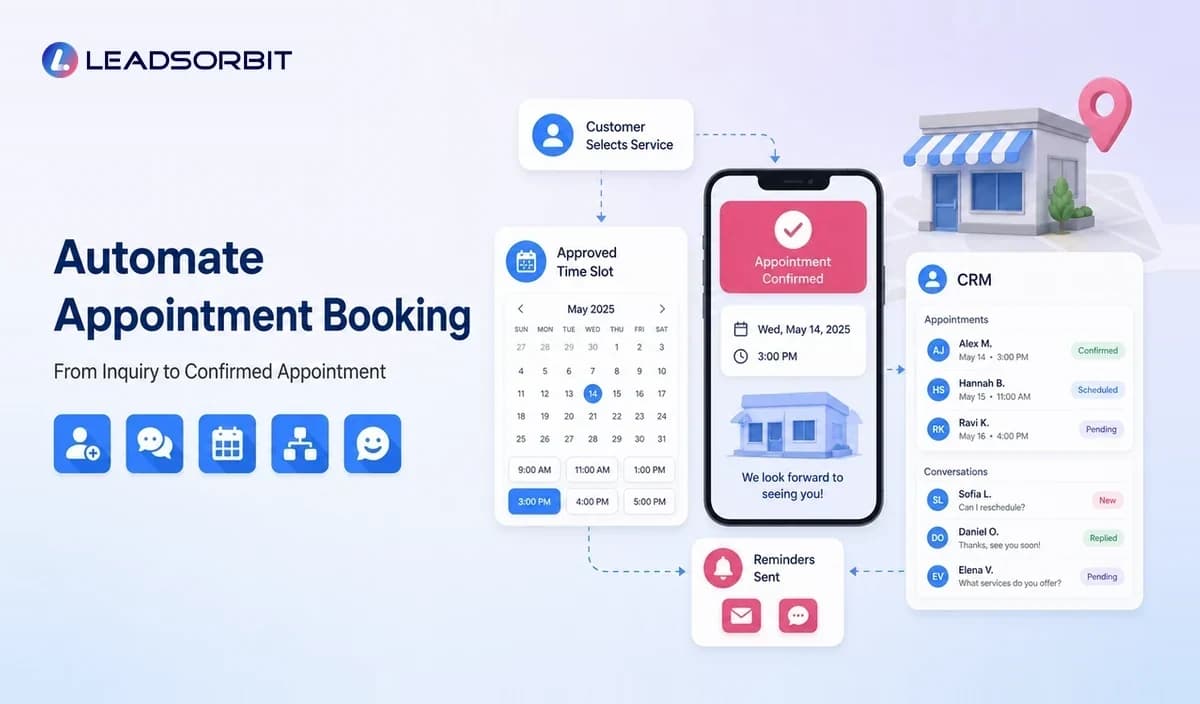

Appointment booking is often treated as a calendar problem. For a local business, it is really a customer journey problem: the inquiry must be captured, the right service must be selected, availability must be accurate, reminders must be sent, and changes must reach both the customer and the team.
Automating appointment booking connects these steps so customers can move from interest to a confirmed appointment without unnecessary back and forth. This guide focuses on the booking workflow within the broader local business marketing automation system.
What Is Automated Appointment Booking?
Automated appointment booking uses software and workflow rules to let customers request or select an available time, receive confirmation, manage reminders, reschedule when allowed, and trigger follow up around the appointment.
The automation should reflect real business rules. It must know which services can be booked online, which staff members can provide them, how long they take, where they occur, and when human approval is required.
Why Local Businesses Struggle With Manual Booking
Too Much Phone and Message Back and Forth
A customer asks for availability, the team replies later, and the original time is no longer open. The conversation may continue across several messages before the appointment is confirmed.
Calendars Do Not Reflect Real Capacity
A calendar can show an empty slot while the business still needs travel time, preparation, cleaning, equipment, or a specific employee. Booking rules must represent operational capacity rather than only open time.
Appointment Details Live in Separate Systems
When the booking tool is disconnected from customer conversations and the CRM, staff may not see the original request, service details, or previous history.
Reminders and Rescheduling Depend on Staff
Manual confirmations and reminders are easy to miss. A connected system can manage routine communication while creating tasks for unusual situations.
The Automated Appointment Journey
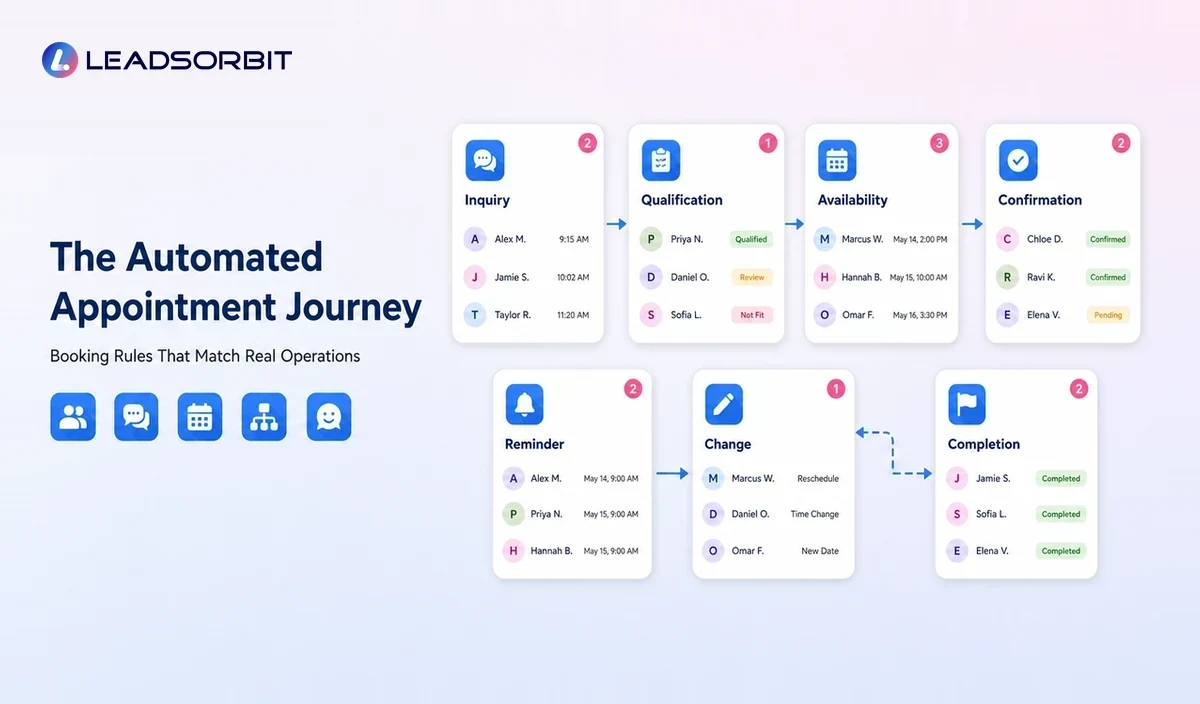
| Stage | Customer Experience | Automation Role |
|---|---|---|
| Inquiry | Customer asks about a service or time. | Capture contact, service, source, and relevant preferences. |
| Qualification | Business checks fit and requirements. | Apply approved rules or route to staff. |
| Availability | Customer sees appropriate options. | Show times based on service, staff, location, and buffers. |
| Confirmation | Appointment is reserved. | Send accurate date, time, location, and preparation details. |
| Reminder | Customer is reminded before the visit. | Use approved timing and channel preferences. |
| Change | Customer needs to cancel or reschedule. | Provide the allowed path and update records. |
| Completion | Service is marked complete. | Trigger follow up, feedback, review, or future service reminder. |
This journey should remain connected to the customer record so the team can see what happened without searching through separate tools.
How to Automate Booking Without Creating Calendar Problems
Define Bookable Services
Not every service should be available through the same booking path. Separate services by duration, location, staff skill, preparation, deposit requirements, and whether prior approval is needed.
Set Availability and Buffer Rules
Availability should include working hours, staff schedules, breaks, travel time, setup, cleanup, equipment, and location constraints. Buffer rules protect service quality and prevent unrealistic back to back bookings.
Collect Only Necessary Information
Ask for the information required to schedule and prepare. Long forms can create friction, while incomplete forms create more work later. Sensitive information should be handled according to appropriate policies and professional guidance.
Create Confirmation Messages
A confirmation should clearly state the service, date, time, location or service area, preparation instructions, cancellation policy, and how to contact the business.
Build Reminder Timing
Reminder timing depends on the service and customer expectations. A business may use an initial confirmation and one or more reminders, but should avoid unnecessary repetition across channels.
Make Rescheduling Clear
Customers should know whether they can reschedule online, reply to a message, or call. The workflow must release or protect the original slot according to business rules.
Where CRM and Booking Automation Connect
A stand alone calendar can reserve time. A connected appointment booking CRM can also preserve lead source, conversation history, service interest, task ownership, appointment outcome, and future follow up.
- A new booking creates or updates the customer record.
- The lead moves to the correct pipeline stage.
- Staff receive tasks for preparation or approval.
- Replies remain attached to the appointment context.
- Cancellations create a rescheduling workflow.
- Completed appointments trigger feedback and retention actions.
- Reports connect marketing source with booking progression.
Practical Booking Workflows by Industry
Dental or Chiropractic Practice
A new patient requests an appointment. The system offers approved appointment types, captures basic contact information, confirms the visit, and creates a front desk task for any required follow up. Clinical questions remain with qualified staff.
Home Service Business
The customer selects a service window or requests an estimate. Location, service area, travel buffers, job duration, and technician availability determine the next step. Complex jobs are routed for manual scheduling.
Pet Grooming Business
The booking path can account for service type, pet size, groomer, appointment duration, and vaccination or policy requirements. Future grooming reminders can follow after completion.
Med Spa or Studio
A consultation may be bookable online while certain treatments require review or preparation. The system should separate those paths instead of exposing every calendar slot.
How to Reduce No Shows With Automation
Automation can support no show reduction by making appointment information clear, sending reminders, providing an easy way to confirm or change the appointment, and following up quickly after a cancellation.
- Confirm the appointment immediately.
- Include the correct location, time zone, and preparation details.
- Send reminders at sensible intervals.
- Make cancellation and rescheduling instructions easy to find.
- Ask for confirmation when appropriate.
- Use deposits or policies only where approved and clearly communicated.
- Create a rescheduling workflow for missed or cancelled visits.
No software can eliminate every no show. The purpose is to reduce avoidable confusion and make changes easier to manage.
Human Handoffs That Should Remain
- Requests involving sensitive or urgent needs
- Services requiring professional assessment
- Unusual scheduling conflicts
- Complex group or multi service bookings
- Complaints about previous appointments
- Exceptions to cancellation, deposit, or rescheduling policies
Automation should identify and route these situations, not make decisions beyond the approved rules.
Appointment Booking Automation Checklist
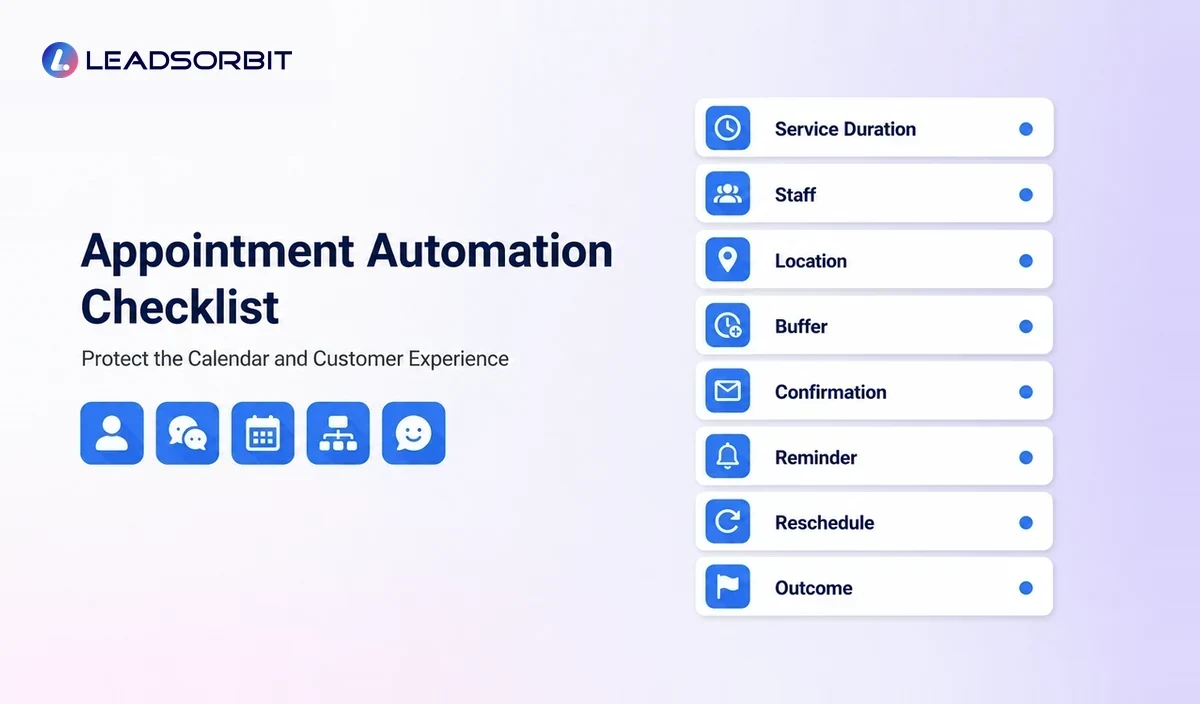
- Services, durations, staff, locations, and buffers are accurate.
- The booking path collects only necessary information.
- Confirmations include complete appointment details.
- Reminders use approved timing and channels.
- Customers have a clear rescheduling process.
- Bookings update the CRM and pipeline.
- Replies and exceptions reach a monitored inbox.
- Completed, cancelled, and missed appointments trigger different actions.
- Duplicate bookings and time zone issues are tested.
- Staff know how to pause or override automation.
Common Mistakes
- Opening the full calendar without service specific rules
- Ignoring travel time or preparation buffers
- Sending reminders from an inbox nobody monitors
- Failing to stop lead follow up after a booking
- Using the same cancellation workflow for every service
- Not testing mobile booking and confirmation links
- Separating the calendar from the customer record
How LEADSORBIT Supports Appointment Automation
LEADSORBIT connects customer records, conversations, workflows, and appointments. AI Appointment can support booking, confirmations, reminders, and scheduling workflows, while Workflow AI coordinates tasks and follow up.
The team can manage replies through Conversation AI and continue the customer journey after the appointment with feedback, review, and retention workflows.
How to Measure the Booking Workflow
Booking reports should help the owner find friction rather than simply count appointments. Review where customers abandon the process and where staff must correct automated actions.
- Appointment requests that never become confirmed bookings
- Bookings by service, staff member, location, and source
- Cancellations, rescheduling, and missed appointments
- Appointments created outside approved availability rules
- Customer replies waiting for a response
- Duplicate bookings and calendar conflicts
- Completed appointments without follow up
- Manual scheduling time that remains after automation
The objective is a reliable calendar and clear customer experience, not the highest possible number of automated bookings.
Try LEADSORBIT free for 14 days
Frequently Asked Questions
Yes, when the business offers an online booking path with accurate services, availability, staff, location, and policy rules. Some appointment types may still require approval.
Final Thoughts
Automated appointment booking helps local businesses reduce scheduling back and forth, send clear confirmations, manage reminders, and connect appointment outcomes with follow up.
Create a Smoother Path From Inquiry to Appointment

Start Your Free 14 Day Trial
Try LEADSORBIT and see how it captures missed calls, follows up instantly, and turns leads into booked appointments for your business.