
Winning a new customer takes time, attention, and consistent follow up. Yet many small businesses stop managing the relationship as soon as the first appointment, project, or purchase is complete.
Customer details may remain inside a spreadsheet, booking tool, email inbox, or staff member's phone. Without an organized follow up process, satisfied customers can quietly become inactive customers.
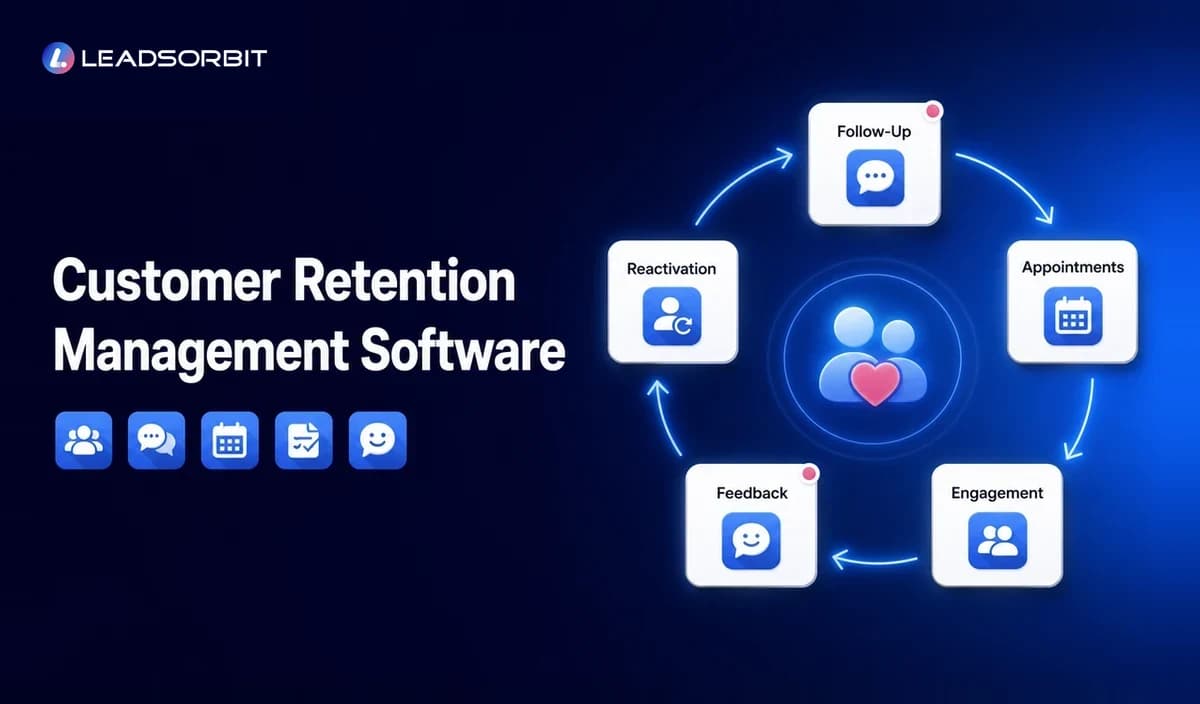
Customer retention management software helps solve this problem by giving a business a structured way to organize customer information, continue relevant communication, schedule future touchpoints, request feedback, and bring past customers back.
For a small business, retention is not only a marketing activity. It is part of customer service, appointment management, communication, reputation, and daily operations. A connected AI powered CRM can bring these activities into one customer journey instead of leaving them spread across separate tools.
What Is Customer Retention Management Software?
Customer retention management software is a system that helps a business maintain customer relationships after the initial sale or appointment. It organizes customer information and supports ongoing communication, follow up, feedback, reminders, reactivation, and repeat business workflows.
The software helps a team understand who needs attention, what has already happened, and what should happen next. It turns customer records into practical actions instead of leaving data inside a passive database.
A basic contact list can store a name, phone number, and email address. A proper customer retention management system connects that information with customer history, appointments, conversations, preferences, tasks, and future actions.
- Which customers have not returned recently?
- Who is due for another appointment or recurring service?
- Which customers should receive a follow up message?
- Who has an open concern or unfinished task?
- Which customers completed a service but have not received a feedback or review request?
- Which team member owns the next action?
The goal is not to send more messages. The goal is to make each interaction more relevant, timely, organized, and easy for the customer to act on.
Why Customer Retention Becomes Difficult for Small Businesses
Most small businesses care about their customers. The difficulty is usually not a lack of effort. It is the absence of a repeatable process that continues after the customer leaves.
Customer Information Is Spread Across Different Tools
Contact details may be stored in one system while appointments, payments, messages, and reviews are managed elsewhere. Staff members have to switch between tools to understand what happened with a customer.
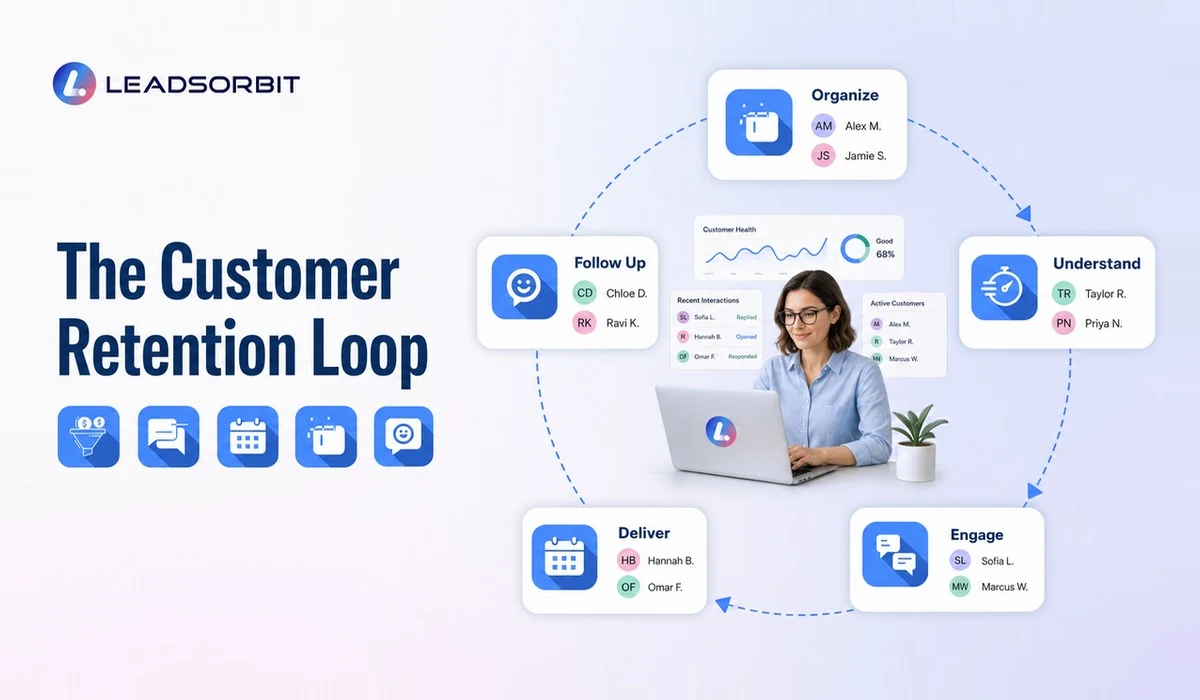
When customer history is incomplete, follow up becomes inconsistent. One employee may contact a customer without knowing that another employee already sent a message or resolved the issue.
Follow Up Depends on Memory
Manual follow up can work while the customer list is small and one person manages everything. It becomes unreliable as the business grows and more employees share responsibility.
A reminder written on paper or kept in someone's head is easy to miss. When that employee becomes busy, takes leave, or changes roles, the process may disappear completely.
Past Customers Are Treated Like Old Records
Many businesses have years of customer data but no practical process for using it. Past customers remain in the database without being grouped by service, visit date, interest, location, or activity.
These customers may already know and trust the business, but there is no structured way to remind them about a future need or reconnect when the timing is relevant.
Every Customer Receives the Same Message
Generic communication can make a customer feel like another name on a list. A dental patient, pet grooming customer, home service customer, and med spa client may need different follow up timing and information.
Retention becomes more useful when communication reflects what the customer purchased, when they visited, what they may need next, and how they prefer to communicate.
How Customer Retention Software Works
Customer retention software connects customer data with actions. Instead of storing information passively, it helps the business decide what should happen next across the customer lifecycle.
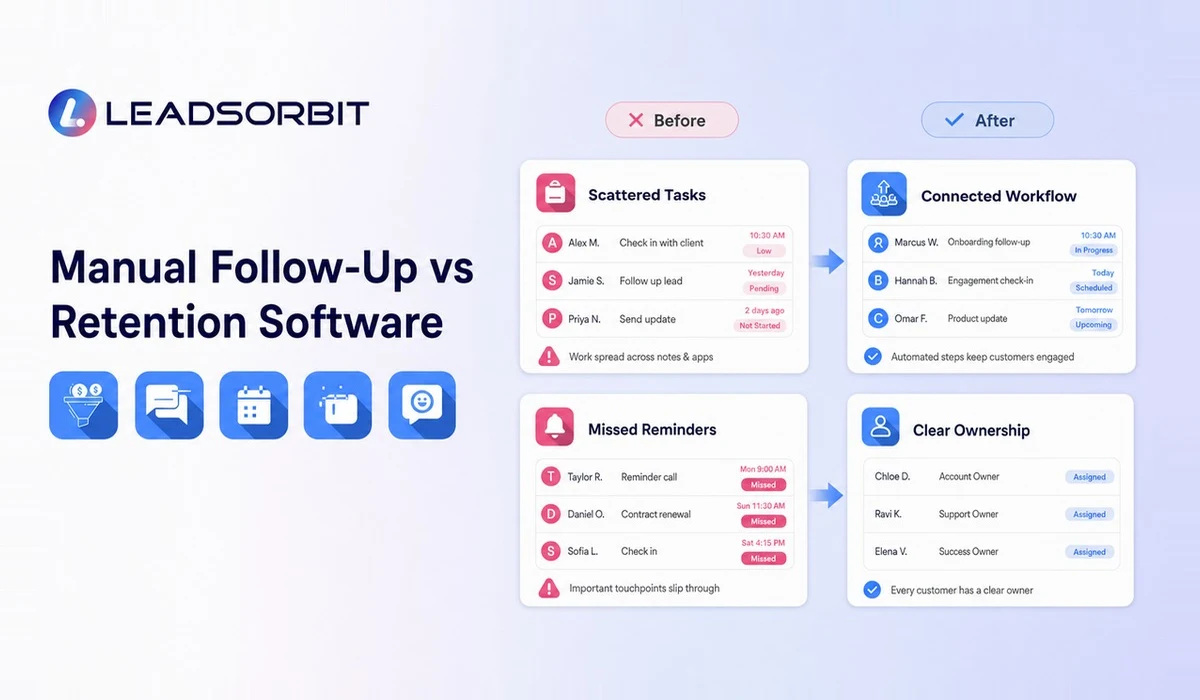
A practical retention process can be understood through the Customer Retention Loop.
Organize Customer Information
The system brings contact details, communication history, appointments, notes, tasks, services, and customer status into one organized record. The team gains a shared view of the relationship instead of searching through separate inboxes and tools.
Understand the Customer's Current Stage
Not every customer needs the same follow up. A new customer, active customer, repeat customer, and inactive customer are at different points in the relationship. Clear stages help the team identify which customers need attention.
Engage Through Relevant Communication
A customer engagement software workflow can support messages based on a customer's stage, activity, appointment, or service history. Communication should have a clear purpose and should stop when it is no longer relevant.
Deliver a Consistent Experience
Retention software cannot replace good service. It supports good service by helping employees see previous conversations, preferences, notes, and unresolved issues so the customer does not have to repeat the same information.
Follow Up After Important Moments
The period after a purchase, appointment, or service is a natural time to confirm satisfaction, answer questions, request feedback, and make the next step easy. Customer follow up automation can make these actions more consistent.
Reactivate Inactive Customers
An inactive customer is not always a lost customer. Customer reactivation campaigns can identify appropriate past customers and reconnect with a relevant message based on timing, service history, or an unfinished need.
Improve the Process
Retention should be reviewed as an ongoing process. The owner can examine which workflows are being completed, where customers stop responding, which groups become inactive, and where staff intervention is needed.
Customer Retention Software vs CRM vs Engagement Software
These categories overlap, but they do not always serve the same primary purpose. Understanding the difference helps a small business avoid buying several tools that duplicate work.
| System | Primary Purpose | Typical Capabilities |
|---|---|---|
| Customer retention software | Keep customers active and support repeat relationships | Follow up, reminders, reactivation, lifecycle stages, retention workflows |
| Customer engagement software | Manage ongoing customer interactions | Messaging, campaigns, feedback, notifications, communication history |
| CRM software | Manage the broader lead and customer relationship | Contacts, pipeline, conversations, tasks, appointments, automation, reporting |
| Loyalty software | Manage rewards or membership programs | Points, rewards, offers, tiers, member activity |
| Email marketing platform | Send and measure email campaigns | Lists, templates, campaigns, segmentation, email analytics |
A separate tool may be suitable when a business needs one narrow function. However, several disconnected systems can make customer data harder to manage. A connected small business CRM can support acquisition and retention by keeping leads, customers, conversations, appointments, tasks, reviews, and follow up activity in one place.
Core Features to Look for in Customer Retention Management Software
The best platform is not always the one with the longest feature list. It is the one that fits the customer journey and helps the team complete important actions consistently.
Unified Customer Records
Each customer record should show contact details, communication, appointments, notes, tasks, services, and current status. The team should be able to understand the relationship without searching through several systems.
Customer Segmentation
Segmentation helps organize first time customers, repeat customers, customers due for another service, inactive customers, customers with open concerns, and contacts who have opted out of promotional communication.
Workflow Automation
Workflow automation connects triggers with actions. Completing an appointment could send a thank you message, create a follow up task, schedule a feedback request, and add the customer to a future reminder workflow.
Customer Communication Management
A connected system helps staff see SMS, email, chat, and other conversations without losing context. Customer communication automation can support timely replies while keeping human takeover available.
Appointment and Service Reminders
For appointment based businesses, future bookings are a major part of retention. Connected appointment booking and reminders can help customers confirm, reschedule, or take the next step.
Feedback and Review Workflows
A retention system can request feedback after a service and route concerns to the appropriate employee. Review management software can help organize requests, monitor responses, and support a consistent review process.
Reactivation Campaigns
The system should make it possible to identify inactive customers and build relevant win back workflows using timing, service history, customer preferences, and previous activity.
Tasks and Team Ownership
Some customers need a call, personal response, complaint resolution, or custom recommendation. The software should assign tasks, show ownership, set deadlines, and make unfinished actions visible.
Reporting and Retention Visibility
Useful reporting should help the owner see customers due for follow up, customers without future bookings, inactive groups, reactivation activity, open issues, and workflow completion.
Practical Retention Workflows for Small Businesses
Customer retention software becomes valuable when it supports real operating processes. The following workflows can be adapted for clinics, home services, pet care, auto detailing, med spas, dental practices, and other service businesses.
Post Service Follow Up Workflow
- Send a thank you message.
- Share relevant aftercare, maintenance, or next step information.
- Create an internal task when personal follow up is needed.
- Request feedback after an appropriate period.
- Invite the customer to book the next service.
- Schedule a future reminder.
Future Appointment Workflow
- Identify when the next appointment or recurring service is due.
- Send a relevant reminder before that date.
- Provide a booking or reply option.
- Stop the workflow when the customer books or asks for help.
Missed or Cancelled Appointment Workflow
- Send a simple rescheduling option.
- Create a task for personal follow up when appropriate.
- Remind the team if the customer does not rebook.
- Stop communication when the customer declines or opts out.
Customer Feedback Workflow
- Request concise feedback after the service.
- Route negative or uncertain feedback to the team.
- Invite an honest public review where appropriate.
- Track whether the issue was acknowledged and resolved.
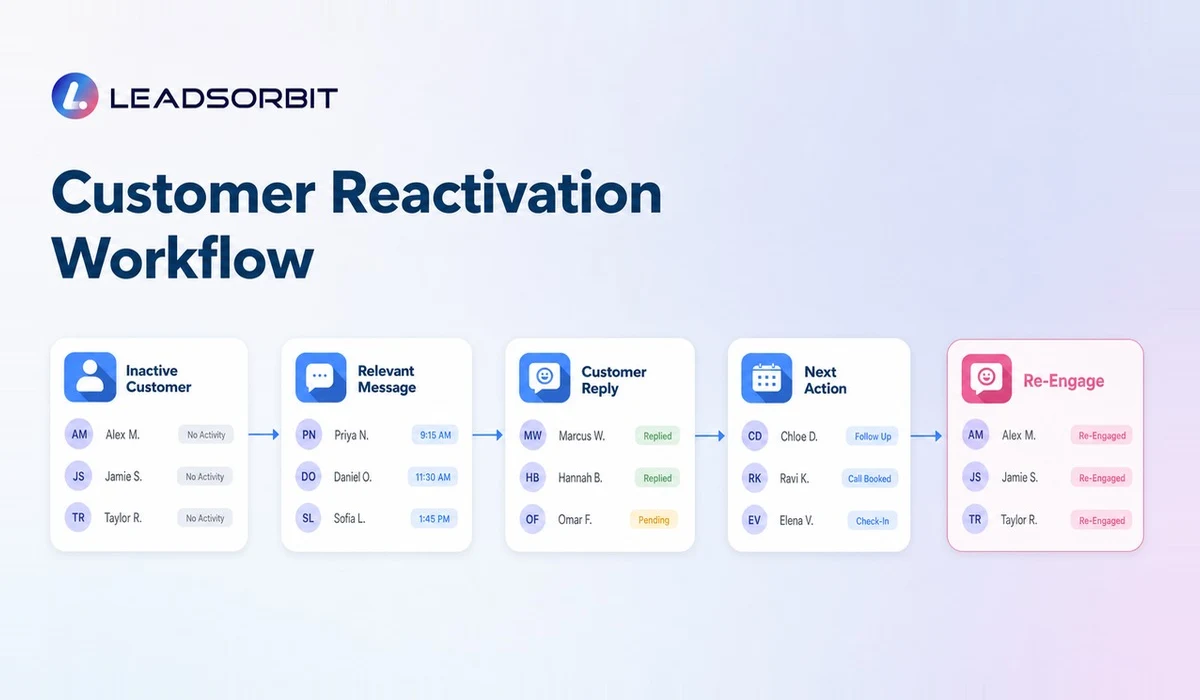
Inactive Customer Reactivation Workflow
- Identify customers who have not returned within an expected period.
- Use service history and timing to create a relevant message.
- Provide one clear next step.
- Stop or adjust the workflow when the customer replies, books, opts out, or is no longer eligible.
How to Create a Customer Retention Strategy
Software supports a strategy, but it does not create one automatically. Before building workflows, the business should define what a healthy customer relationship looks like and where customers currently fall through the gaps.
Map the Customer Lifecycle
Start with the major stages a customer moves through, such as new inquiry, first purchase, service completed, follow up, next service due, repeat customer, inactive customer, and reactivated customer.
Identify Important Customer Moments
List the points where communication matters most: after a first purchase, after an appointment, before a recurring service is due, after a cancellation, when feedback arrives, or when an unresolved issue remains open.
Decide What Should Be Automated
Automate predictable actions such as confirmations, reminders, basic thank you messages, task creation, feedback requests, review requests, and reactivation sequences. Keep human involvement for complaints, personal concerns, sensitive situations, and valuable relationships.
Set Communication Boundaries
Define frequency, preferred channels, quiet periods, consent records, opt out handling, and stopping rules. Before launching promotional email or text automation, review the FTC CAN SPAM compliance guide and applicable FCC guidance on calls and text messages.
Review Results and Customer Responses
Regularly check whether messages remain relevant, staff tasks are completed, customers receive duplicate communication, opt outs are respected, and inactive customers are being identified correctly.
This article provides operational guidance rather than legal advice. Businesses should obtain appropriate professional guidance for their specific messaging, privacy, and compliance requirements.
How to Increase Repeat Customers Without Over Messaging
Repeat business usually comes from several small operating improvements working together. The business needs to deliver reliable service, remember customer history, make the next step easy, and communicate at an appropriate time.
- Ask about the customer's future need before the current service ends.
- Offer the next appointment while the customer is still engaged.
- Send relevant reminders based on service timing.
- Make booking and rescheduling easy.
- Record customer preferences and important notes.
- Follow up after unresolved concerns.
- Use customer history to personalize communication.
- Reconnect with inactive customers using a helpful reason.
- Stop messages when the customer opts out or the communication is no longer relevant.
These ideas are explored in more detail in the supporting guide on how to increase repeat customers. Retention should make the customer experience easier, not make the customer feel pressured.
How to Choose Customer Retention Software
The buying process should begin with the business workflow rather than a feature comparison page.
Define the Main Retention Problem
Decide whether the biggest issue is future appointment reminders, inactive customers, review requests, communication history, staff ownership, customer segmentation, or too many separate tools.
Check Whether the System Connects the Full Journey
A retention platform becomes more useful when customer records, conversations, appointments, automation, feedback, reviews, and reporting share the same information.
Review Ease of Use
During a demonstration, ask the provider to show how a customer record is organized, how an inactive customer is identified, how workflows begin and stop, how replies are handled, and how tasks are assigned.
Understand the Total Cost
The full cost may include platform access, messaging, phone services, setup, integrations, additional users, automation limits, onboarding, and support. Review the detailed guide to customer retention software cost rather than comparing only the lowest monthly price.
Check Scalability Without Buying Unnecessary Complexity
Choose a system that supports the current customer journey and can grow with additional contacts, staff, locations, services, and workflows without forcing enterprise complexity on a small team.
Common Customer Retention Software Mistakes
Automating Before Organizing Customer Data
Duplicate contacts, incorrect numbers, outdated statuses, and missing information can create poor communication. Clean and organize the data before activating large workflows.
Sending Generic Messages to Every Contact
Segment customers by service, timing, stage, and activity instead of sending one campaign to the entire database.
Measuring Message Volume Instead of Customer Experience
Sending more texts or emails is not the objective. Focus on whether customers receive useful information and can take the next step easily.
Ignoring Customer Replies
An automated message may begin the conversation, but the team still needs to manage the response through an organized inbox and clear ownership.
Failing to Stop Workflows
A reminder sequence should stop when the customer books, responds, opts out, or becomes ineligible.
Treating Retention as Discounts Only
Discounts can support some campaigns, but convenience, communication, service quality, trust, and consistent follow up are the foundation of long term relationships.
How LEADSORBIT Supports Customer Retention and Engagement
LEADSORBIT helps small businesses manage the customer journey through one connected CRM platform. Instead of treating retention as a separate campaign tool, businesses can connect customer records, conversations, appointments, tasks, reviews, and automation.
LEADSORBIT can support retention workflows through organized customer records, automated SMS and email follow up, appointment confirmations and reminders, a unified inbox, internal tasks, feedback and review requests, inactive customer identification, and reactivation workflows.
The platform is designed to help small teams stay organized and communicate more consistently. It supports the human relationships that make customers return rather than replacing them.
Customer Retention Management Software Checklist
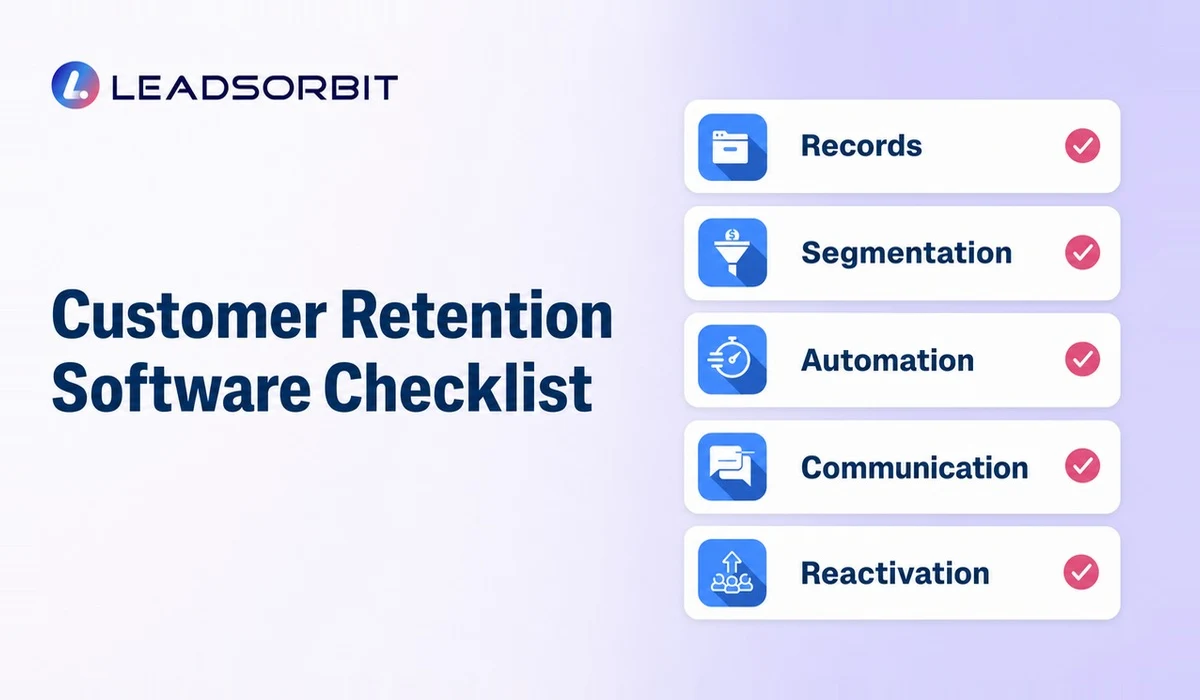
Use this checklist before selecting or implementing a platform.
Customer Data
- Does each customer have one organized record?
- Can the team see communication and appointment history?
- Can duplicate and outdated records be managed?
- Can customers be grouped by lifecycle stage?
Communication
- Can SMS, email, and customer replies be managed clearly?
- Can staff see which messages have already been sent?
- Are consent and opt out statuses visible?
- Can employees take over automated conversations?
Automation
- Can workflows start from appointments, stages, tags, forms, or customer activity?
- Can workflows stop when the customer replies or books?
- Can tasks be assigned automatically?
- Can messages be adjusted for different customer groups?
Retention and Reactivation
- Can the system identify inactive customers?
- Can future service reminders be scheduled?
- Can reactivation campaigns use customer history?
- Can the business track responses and next actions?
Appointments, Reviews, and Reporting
- Can customers book or reschedule easily?
- Can reminders connect to the customer record?
- Can feedback and review requests be managed?
- Can the owner see customers due for follow up and unfinished tasks?
A system does not need every possible feature. It needs the right capabilities for the business's customer lifecycle.
Try LEADSORBIT free for 14 days
Frequently Asked Questions
Customer retention management software helps a business organize customer information and manage ongoing relationships after the first purchase or appointment. It can support follow up, reminders, engagement, feedback, reviews, repeat bookings, and customer reactivation.
Final Thoughts
Customer retention management software gives small businesses a structured way to continue customer relationships after the initial sale or appointment.
The right system connects customer information, conversations, appointments, tasks, feedback, reviews, and reactivation workflows. It helps the team remember important customer moments without depending entirely on memory or scattered tools.
LEADSORBIT helps small businesses capture leads, manage customer conversations, automate follow up, support appointment booking, request reviews, and build retention workflows from one connected platform.

Start Your Free 14 Day Trial
Try LEADSORBIT and see how it captures missed calls, follows up instantly, and turns leads into booked appointments for your business.
Personal Message From Faisal Zulfiqar
Many small businesses already have the customer data they need. The real problem is that the data is sitting in different systems and is not connected to a clear next action.
A customer may have had a good experience, but nobody reminds them to return. Another customer may cancel an appointment, but the rescheduling follow up is forgotten. An old customer may still need the service, but the business has no practical way to reconnect.
Retention improves when the process becomes visible. The team should know who needs attention, why they need attention, and what should happen next.
Automation can make that process more consistent, but it should always support a real customer relationship. The goal is not to send more messages. It is to help the business communicate at the right time with a useful reason.