

A customer relationship does not end when an invoice is paid or an appointment is completed. For many small businesses, that is the point where the next opportunity begins: a follow up conversation, another service, a referral, a review, or a future booking.
The problem is that these next steps are often left to memory. Customer information sits in spreadsheets, inboxes, booking tools, and staff notes, while nobody has a complete view of what should happen next. A customer retention management software guide explains the broader category; this article focuses on the system a small business needs to make retention part of daily operations.
What Is a Customer Retention Management System?
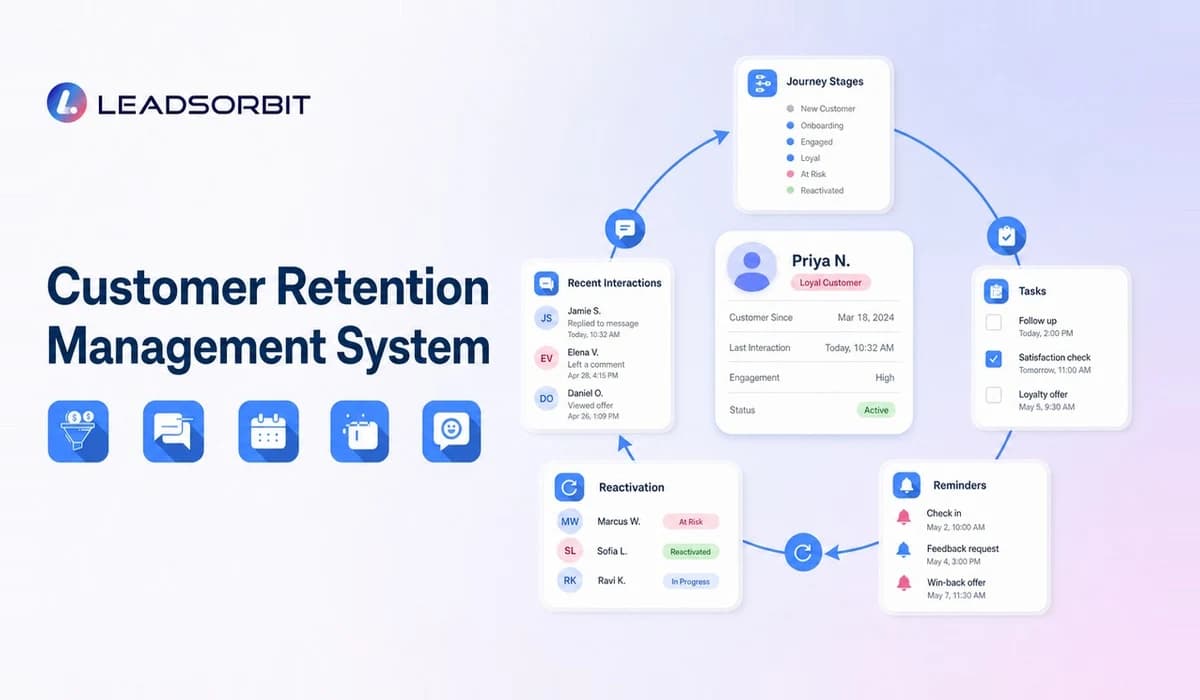
A customer retention management system is a connected process for organizing customer data, identifying important lifecycle moments, assigning follow up, automating routine communication, and tracking whether customers remain active.
The system may be supported by CRM software, workflow automation, appointment tools, a unified inbox, review management, and reporting. The important point is not the number of tools. It is whether the business can see the customer relationship clearly and take the right next action.
A practical retention system should answer five questions:
- Who is the customer?
- What has happened so far?
- What does the customer need next?
- Who owns the next action?
- When should that action happen?
When those answers are visible, the business can create a more consistent experience without relying on one employee to remember every detail.
The Core Parts of a Small Business Retention System
A retention system works best when several simple parts are connected. Each part supports a different stage of the customer relationship.
One Organized Customer Record
The customer record should bring together contact details, services, appointments, notes, communication history, tasks, preferences, and current status.
This does not mean every employee needs access to every field. It means the team members responsible for service and follow up should have enough context to help the customer without asking the same questions repeatedly.
Clear Customer Lifecycle Stages
Lifecycle stages help the team understand where each customer stands. A local service business might use stages such as:
- New customer
- First service completed
- Follow up required
- Future appointment due
- Active repeat customer
- Feedback requested
- Inactive customer
- Reactivation in progress
- Opted out
Stages should reflect the real business process. Too many stages create confusion, while stages that are too broad make it difficult to identify the next action.
Retention Workflows
A retention workflow connects an event with a planned response. For example, when a service is completed, the system may send a thank you message, create a follow up task, schedule a review request, and set a future service reminder.
Workflow automation is useful because it makes predictable actions more consistent. Staff members still need to handle questions, complaints, and relationship sensitive conversations.
Customer Communication History
A customer may contact the business by phone, SMS, email, or web chat. When those conversations are scattered, the team can send duplicate messages or miss important context.
A connected customer communication system helps employees see what has already been discussed and what still needs attention.
Reporting and Review
Retention reporting should help the owner make decisions. Useful views may include customers due for follow up, customers without a future booking, inactive customer segments, open service issues, review request status, and unfinished staff tasks.
The purpose is not to produce a complicated dashboard. It is to make gaps visible before customers quietly disappear.
Customer Retention System vs CRM, Loyalty, and Email Tools
These tools can overlap, but they are not identical.
| Tool | Main Role | Limitation When Used Alone |
|---|---|---|
| Customer retention system | Coordinates the full process of keeping customers active | Requires clear workflows and ownership |
| CRM | Organizes leads, customers, conversations, tasks, and pipeline activity | May be underused if it only stores contacts |
| Loyalty platform | Manages rewards, points, memberships, or offers | Does not always manage service follow up or issues |
| Email platform | Sends newsletters and campaigns | May not connect to appointments, tasks, or customer status |
| Booking tool | Schedules appointments and reminders | May not support reactivation, reviews, or lifecycle management |
A connected small business CRM can provide the foundation for a retention system, but the business still needs to define its stages, rules, messages, and staff responsibilities.
How a Customer Retention Management System Works
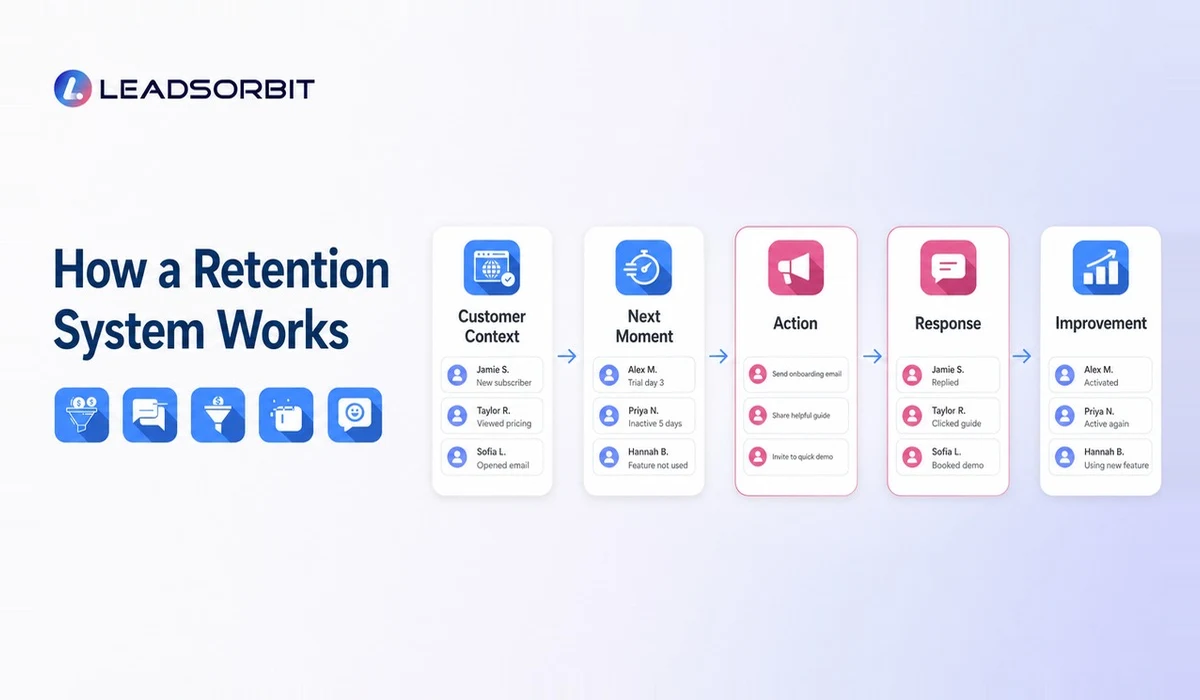
A simple system can be built around a repeatable loop.
Capture the Customer Context
The process begins by collecting accurate customer information and recording the service, appointment, purchase, inquiry, or issue that created the relationship.
Only collect information the business genuinely needs. Customer records should be kept accurate and handled according to applicable privacy and communication requirements.
Identify the Next Logical Moment
The next action depends on the business model. It might be a post service check in, another appointment, a seasonal reminder, a maintenance date, a review request, or a reactivation message after a period of inactivity.
The system should calculate or assign that moment rather than expecting staff to remember it later.
Trigger the Right Action
Some actions can be automated, while others should create a human task. A routine reminder may be automatic. A complaint, complex question, or valuable relationship may need personal attention.
The best system makes that distinction clear.
Record the Response
A customer reply, booking, cancellation, review, opt out, or service issue should update the record and change what happens next.
For example, a rebooking reminder should stop once the customer books. Continuing an irrelevant sequence can weaken trust.
Improve the Workflow
The business should review whether the workflow is producing useful conversations and completed actions. If customers are confused, messages are being ignored, or staff tasks remain unfinished, the process needs adjustment.
Practical Retention System Examples
The same system can support different local service workflows.
Dental or Chiropractic Practice
After an appointment, the customer receives care instructions and a check in. The system then creates the appropriate future recall reminder and gives the team visibility if the patient has not booked.
Pet Grooming Business
The customer record stores the pet's service history and preferred schedule. A reminder is sent when the next grooming period approaches, and a booking link makes the next step easy.
Home Service Company
After a completed job, the system sends a service summary, requests feedback, and schedules a seasonal maintenance reminder. An unresolved issue creates a task for a team member instead of entering a promotional sequence.
Med Spa or Appointment Based Business
The system connects consultation notes, completed services, follow up instructions, future appointment timing, and customer questions. Communication stays relevant to the service received.
These examples show why a retention system should be designed around the business's real customer journey rather than copied from a generic template.
How to Build a Customer Retention System Step by Step
Small businesses do not need to automate everything at once. A phased approach is easier to manage.
Map the Current Customer Journey
Write down what happens from the first inquiry through the first purchase, completed service, follow up, next booking, and possible inactivity.
Look for points where customers wait, staff forget, or information becomes disconnected.
Choose One High Value Workflow
Begin with a predictable process such as:
- Post service follow up
- Appointment reminders
- Future service reminders
- Feedback and review requests
- Cancelled appointment recovery
- Inactive customer reactivation
A single well managed workflow creates more operational value than several unfinished automations.
Define Ownership
Every workflow should identify what the system handles and what a person handles. Staff need to know who responds to replies, resolves concerns, updates records, and reviews exceptions.
Write Messages for the Customer's Situation
Messages should explain why the business is contacting the customer and what the next step is. Avoid vague promotions that do not connect to the relationship.
For automated commercial email or text communication, review applicable requirements before launch. The FTC's CAN SPAM compliance guide explains requirements for commercial email, while the FCC's guidance on calls and text messages provides current consumer guidance on unwanted automated communication. This article is operational guidance, not legal advice.
Test Before Expanding
Run the workflow with a small segment. Check timing, links, staff notifications, reply handling, stopping rules, and opt out behavior.
Once the team trusts the process, expand it carefully.
Features to Look for in Retention Software
When evaluating a platform, look for capabilities that support the system rather than a long list of disconnected features.
- Organized customer records
- Custom lifecycle stages
- SMS and email communication
- Unified conversation history
- Workflow triggers and stopping rules
- Appointment and service reminders
- Task assignment and ownership
- Customer segmentation
- Feedback and review workflows
- Inactive customer identification
- Reactivation campaigns
- Reporting that shows next actions
- Consent and opt out visibility
- Integrations that reduce duplicate data
The most important test is whether the provider can demonstrate your real workflow from start to finish.
Common Retention System Mistakes
A system can fail even when the software is capable.
Starting With Automation Instead of Process
Automating a confusing process makes the confusion happen faster. Define stages, ownership, timing, and stopping rules first.
Keeping Poor Quality Data
Duplicate contacts, incorrect phone numbers, missing appointment history, and outdated statuses reduce message relevance. Data cleanup is part of retention work.
Treating Every Customer the Same
A first time customer, active repeat customer, inactive customer, and dissatisfied customer should not receive the same sequence.
Ignoring Replies
Automation should create conversations, not hide them. Replies need to appear in a shared inbox and reach the right employee.
Measuring Activity Instead of Experience
Message volume is not the goal. The better questions are whether customers receive useful communication, can take the next step easily, and receive human help when needed.
How LEADSORBIT Supports a Customer Retention System
LEADSORBIT helps small businesses connect customer records, conversations, workflows, appointments, reviews, and tasks in one AI powered CRM.
A business can use LEADSORBIT to organize lifecycle stages, automate appropriate reminders, assign staff follow up, manage responses through a unified inbox, support appointment booking, request feedback, and identify customers who may be ready for reactivation.
The platform supports the system, while the business remains responsible for its customer experience, message strategy, compliance requirements, and human service standards.
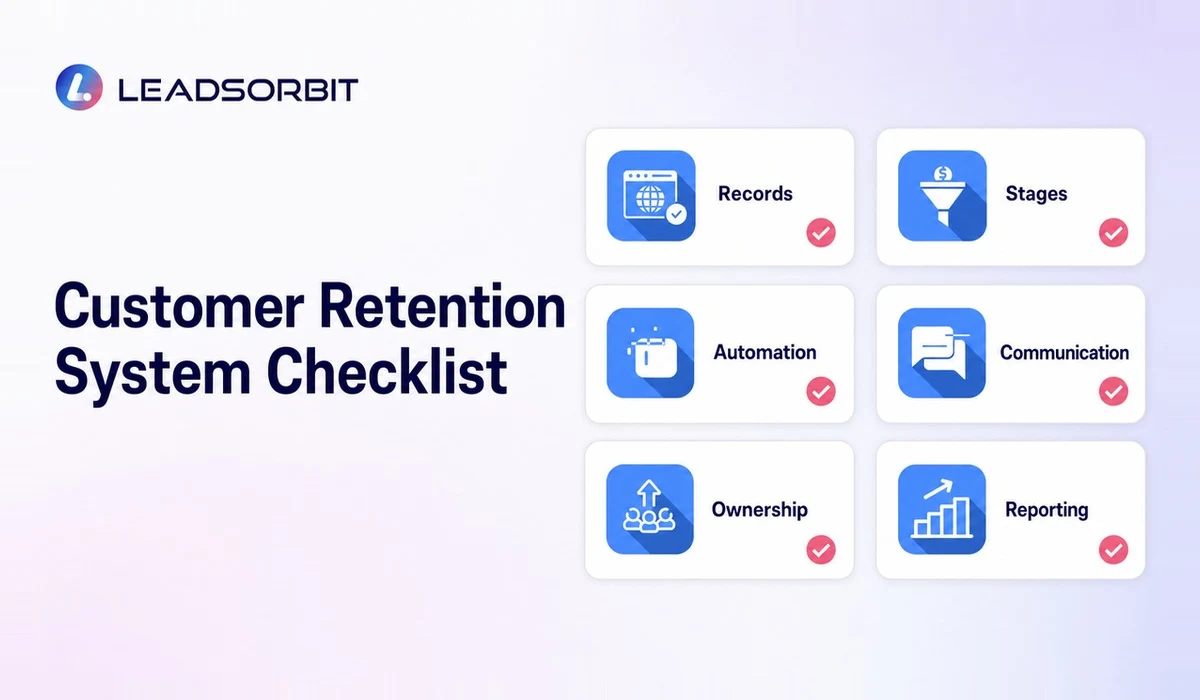
Customer Retention System Checklist
Try LEADSORBIT free for 14 days
FAQs
Its purpose is to help a business continue the customer relationship after the first sale or appointment. It organizes information, schedules relevant follow up, assigns responsibility, and makes inactive or overlooked customers visible.
Final Thoughts
A customer retention management system turns customer care into a repeatable operating process. It connects information, timing, communication, tasks, and human follow up so customers are less likely to be forgotten after the first transaction.
LEADSORBIT helps small businesses manage those activities from one connected CRM platform.

Start Your Free 14 Day Trial
Try LEADSORBIT and see how it captures missed calls, follows up instantly, and turns leads into booked appointments for your business.