
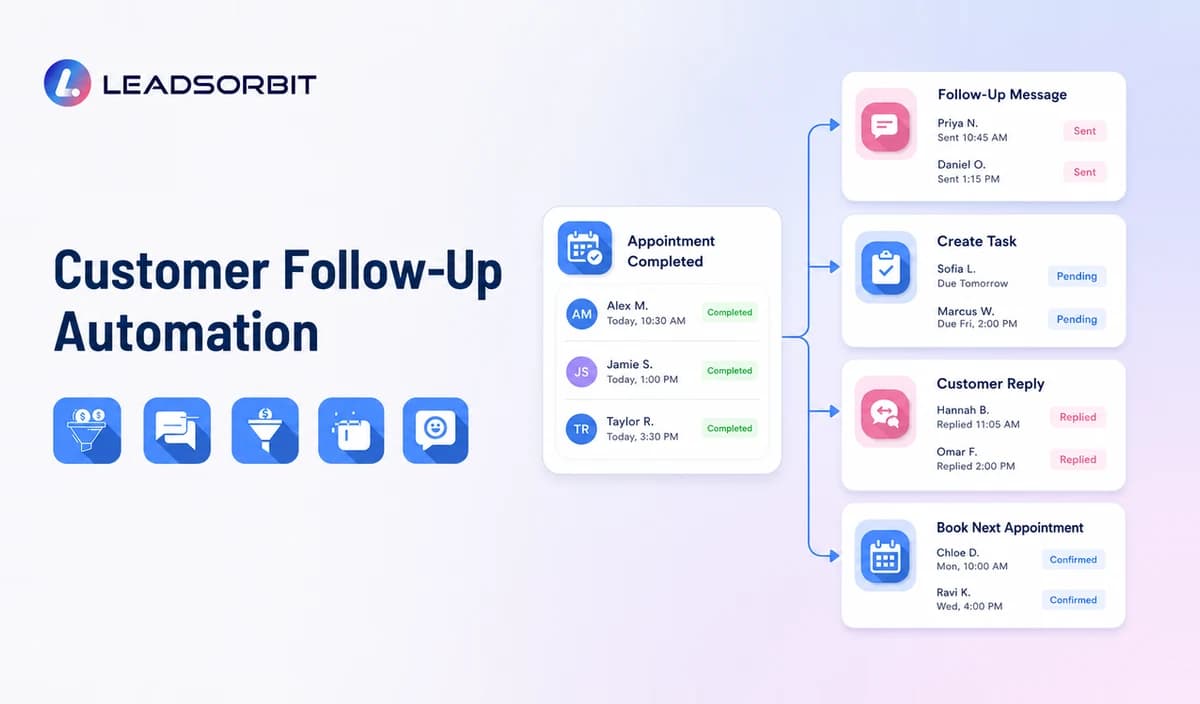

A customer can have a good experience and still be lost because nobody follows up. The appointment ends, the estimate is sent, the service is completed, or the customer asks a question, but the next action depends on someone remembering it later.
Customer follow up automation gives small businesses a more reliable way to schedule messages, assign tasks, update customer stages, and stop sequences when the customer responds. It is one part of a broader customer retention management software strategy, with a specific focus on what happens after an important customer event.
What Is Customer Follow Up Automation?
Customer follow up automation uses predefined triggers and rules to start appropriate communication or internal tasks after a customer action.
A trigger might be a completed appointment, cancelled booking, submitted form, finished service, unanswered estimate, feedback response, or period of inactivity. The automation can then send a message, create a task, change a status, notify an employee, or schedule another action.
The purpose is not to remove personal communication. It is to prevent routine next steps from being forgotten and to bring human attention to the situations that need it.
Where Small Businesses Lose Follow Up
Follow up often breaks down in predictable places.
- The customer leaves without scheduling the next appointment.
- An estimate is sent but nobody checks whether the customer has questions.
- A cancelled appointment remains unbooked.
- A service is completed but no aftercare message is sent.
- Feedback is received but not assigned to anyone.
- A past customer becomes inactive without being noticed.
- One employee sends a message without seeing another employee's conversation.
- Staff continue a sequence after the customer has already responded.
A clear lead follow up automation process is important before a person becomes a customer. Customer follow up automation continues the discipline after the first transaction and throughout the relationship.
How Customer Follow Up Automation Works
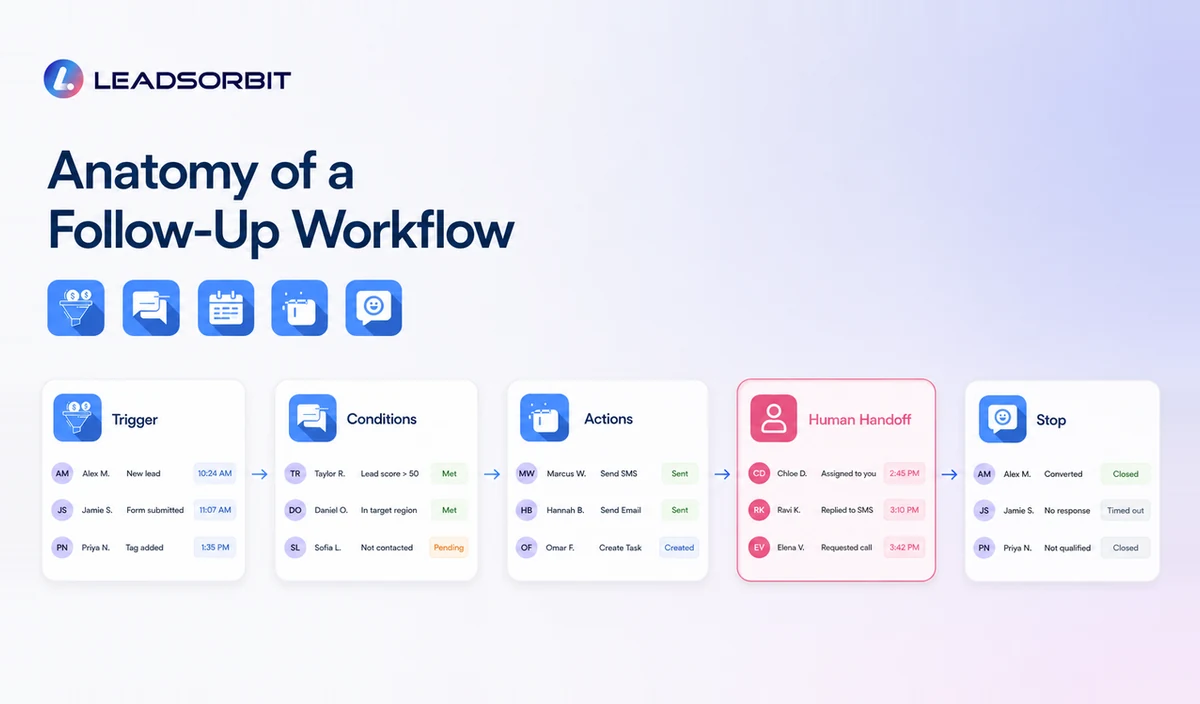
A useful automation has five parts.
Trigger
The trigger is the event that starts the workflow. It should be based on reliable data, such as an appointment status, customer stage, completed service, tag, date, form submission, or lack of activity.
Conditions
Conditions determine whether the customer should enter the workflow. For example, the system may exclude customers who already have a future appointment, have opted out, have an unresolved complaint, or do not match the service type.
Actions
Actions may include:
- Send an SMS
- Send an email
- Create a call task
- Notify a staff member
- Update the customer stage
- Add or remove a tag
- Send a booking link
- Wait for a defined period
- Request feedback
- Stop another workflow
Human Handoff
The workflow should make it clear when a person needs to respond. A complex question, complaint, payment issue, or unusual request should not remain inside an automated sequence.
Stopping Rules
Stopping rules prevent irrelevant messages. A workflow should stop or change when the customer replies, books, cancels, opts out, completes the next service, or moves into another stage.
These rules are essential for customer trust.
Customer Follow Up Automation Examples
Post Appointment Follow Up
After an appointment is marked complete, the customer receives a thank you message and any relevant instructions. A later step can ask whether they need help, request feedback, and remind them about the next appointment window.
If the customer raises a concern, the review request should pause and a staff task should be created.
Cancelled Appointment Recovery
When a customer cancels, the system sends a rescheduling option and creates a follow up task if no new appointment is booked.
The tone should be helpful rather than urgent. The customer may have a valid reason for cancelling.
Estimate Follow Up
After an estimate is sent, the workflow can check in with a short message asking whether the customer has questions. If the customer replies, the conversation is assigned to the appropriate employee.
The automation should not send repeated pressure messages.
Future Service Reminder
The customer is contacted when a recurring or seasonal service becomes relevant. The reminder includes a clear booking option and stops after the customer schedules.
Connected appointment booking automation makes this workflow easier because booking data and follow up status remain in the same journey.
Feedback and Review Follow Up
After a completed service, the business asks for feedback. A positive or neutral response may be followed by an honest review request, while a concern is routed privately for service recovery.
Reviews AI can support organized review workflows, but businesses should follow applicable platform policies and review rules.
Inactive Customer Follow Up
The system identifies customers who have not returned within a reasonable period. It then sends a relevant re engagement message based on prior service, customer stage, or expected timing.
For a deeper plan, see the guide to customer reactivation campaigns.
SMS vs Email for Customer Follow Up
Both channels can be useful, but they serve different purposes.
| Channel | Useful For | Watch For |
|---|---|---|
| SMS | Short reminders, quick confirmations, booking links, simple check ins | Consent, timing, message frequency, opt outs |
| Detailed instructions, longer updates, educational content, receipts | Deliverability, clear subject lines, unsubscribe handling | |
| Phone task | Sensitive issues, valuable relationships, complex questions | Staff ownership, notes, response time |
| In app or portal message | Ongoing service or account communication | Whether customers actively use the portal |
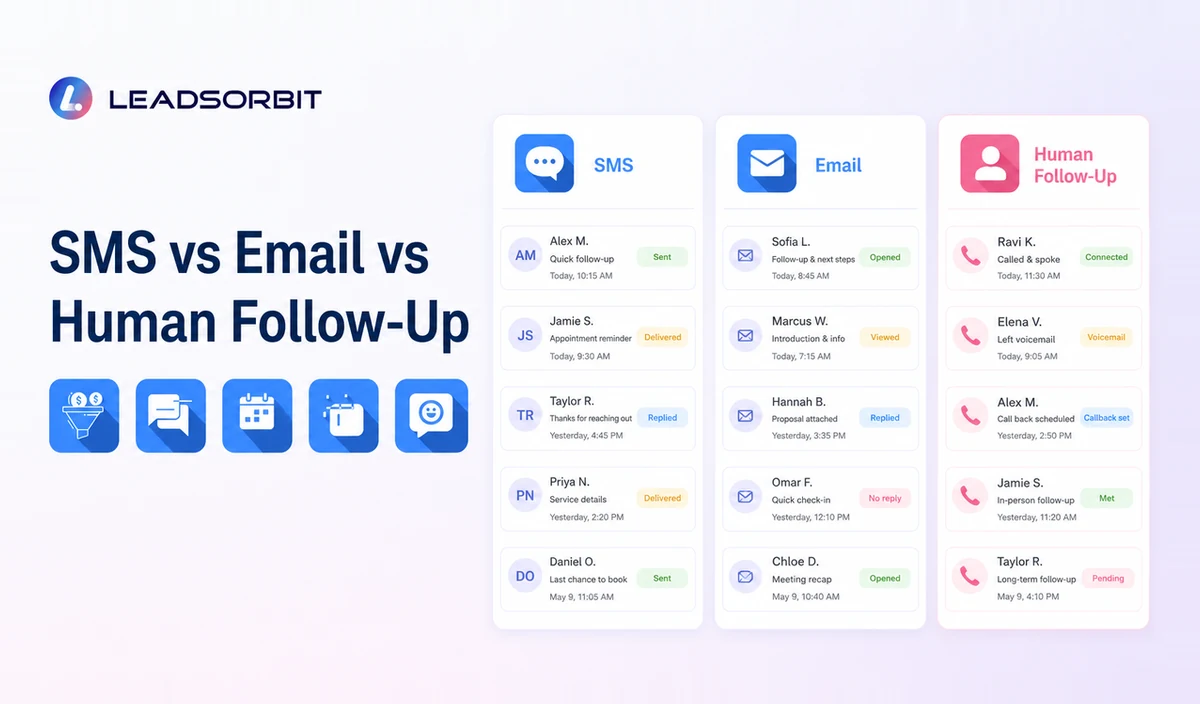
The best workflow may combine channels, but it should not repeat the same message everywhere.
For commercial email, review the FTC's CAN SPAM compliance guide. For automated calls or texts, review the FCC's current guidance and obtain advice appropriate to your business and location. This article does not provide legal advice.
How to Build a Follow Up Sequence
A sequence should be designed around a clear customer need.
Define the Event
Choose one event, such as a completed service, cancelled appointment, sent estimate, or inactive customer date.
Decide the Desired Next Step
The next step might be a reply, booking, feedback form, call, or staff review. A sequence without a clear next step becomes noise.
Write the First Message
The first message should explain why the business is contacting the customer and make the next action easy.
A useful structure is:
- Acknowledge the event
- Provide relevant context
- Offer one clear next step
- Explain how to get help
- Respect communication preferences
Add a Reasonable Follow Up
If the first message receives no response, a second touchpoint may be appropriate. The timing should match the service and customer relationship.
Avoid creating long sequences merely because the software allows them.
Add a Human Task
Some customers may need a call or personal message. Build that handoff into the workflow instead of leaving it to chance.
Define Exit Conditions
Exit the customer when they respond, book, opt out, become ineligible, or reach a stage where another workflow is more appropriate.
How to Choose Follow Up Automation Software
A product demonstration should show the workflow, not only the campaign builder.
Ask the provider to demonstrate:
- How triggers are created
- How customer conditions are checked
- How replies appear in the inbox
- How staff tasks are assigned
- How workflows stop
- How appointment data changes the sequence
- How opt outs are recorded
- How duplicate messages are prevented
- How reporting shows unfinished follow up
- How templates can be adjusted by service type
A connected Workflow AI and Conversation AI setup can help small teams automate predictable actions while keeping customer replies visible.
Common Follow Up Automation Mistakes
Automating Unclear Processes
If staff do not agree on what should happen after a service or cancellation, the workflow will be inconsistent. Define the process first.
Starting Too Many Workflows
Launch one workflow, test it, and improve it. Several overlapping automations can create duplicate messages and conflicting stages.
Using Generic Copy
A message should reflect the event and customer relationship. Generic promotional language is easy to ignore.
Continuing After a Reply
Replies should immediately change the workflow. Customers should not receive reminders for actions they have already completed.
Hiding Staff Responsibility
Automation should make ownership clearer. It should not create a queue that nobody monitors.
Ignoring Customer Preferences
Respect opt outs, channel preferences, and reasonable communication frequency. Trust is more important than completing a sequence.
How LEADSORBIT Supports Customer Follow Up Automation
LEADSORBIT helps small businesses connect customer records, triggers, messages, tasks, appointments, and conversation history in one CRM.
Teams can build workflows around customer activity, automate appropriate SMS and email communication, assign human follow up, manage replies through a unified inbox, and track the next action.
This supports consistency without pretending every customer interaction should be automated.
Try LEADSORBIT free for 14 days
FAQs
It is the use of triggers and rules to schedule customer messages, create tasks, update statuses, and manage next actions after events such as appointments, services, estimates, cancellations, or inactivity.
Final Thoughts
Customer follow up automation helps small businesses turn important customer moments into clear actions. The right system combines timely messages with visible staff ownership and sensible stopping rules.
Create a More Consistent Follow Up Process

Start Your Free 14 Day Trial
Try LEADSORBIT and see how it captures missed calls, follows up instantly, and turns leads into booked appointments for your business.