
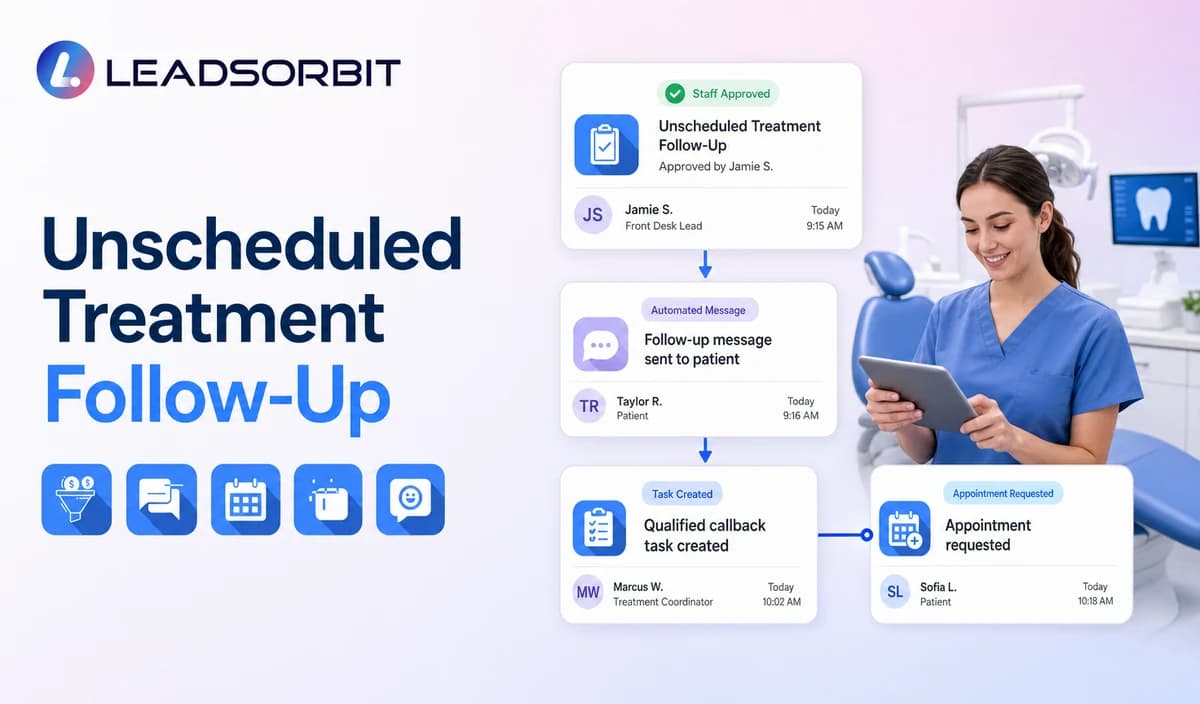

An unscheduled dental treatment record is sensitive because the underlying plan, clinical reasoning, fee discussion, insurance estimate, and patient decision may live in specialized dental systems or staff notes. A CRM workflow should not reconstruct or explain that information.
Dental unscheduled treatment follow up should begin only after qualified staff creates or approves a clear administrative status. The workflow may offer a staff callback or appointment request path, but it must not recommend, interpret, alter, or pressure acceptance of a treatment plan. The broad follow up framework remains with lead follow up automation for small business.

Who This Guide Is For
- Dental practices that want consistent administrative follow up after consultations or treatment discussions.
- Treatment coordinators and office managers who need clear task ownership.
- Front desk teams routing patient questions back to qualified staff.
- Group practices that need location, provider, and coordinator aware follow up.
- Healthcare organizations reviewing HIPAA enabled communication around sensitive treatment related workflows.
The Workflow Must Start From an Approved Status
The CRM should not decide that a patient has unscheduled treatment by analyzing messages, appointments, billing data, or clinical notes. The starting status should come from qualified staff or an approved integration with clearly mapped fields.
| Possible starting source | Appropriate use | Required control |
|---|---|---|
| Staff approved CRM status | A treatment coordinator marks the record ready for administrative follow up. | Define who may apply, remove, and correct the status. |
| Approved PMS integration | A mapped administrative field supplies the status. | Confirm field meaning, sync timing, permissions, failure handling, and write back behavior. |
| Approved scheduled export | A reviewed list is used for a limited follow up cycle. | Confirm source date, secure handling, exclusions, owner, and status corrections. |
| Conversation or appointment history alone | May support staff review. | Do not let AI infer a treatment plan, recommendation, or unscheduled status. |
| Financial or insurance information alone | Not a sufficient starting point. | Do not use estimated benefits, claims, or payment data to trigger pressure based outreach. |
What Automation May and May Not Do
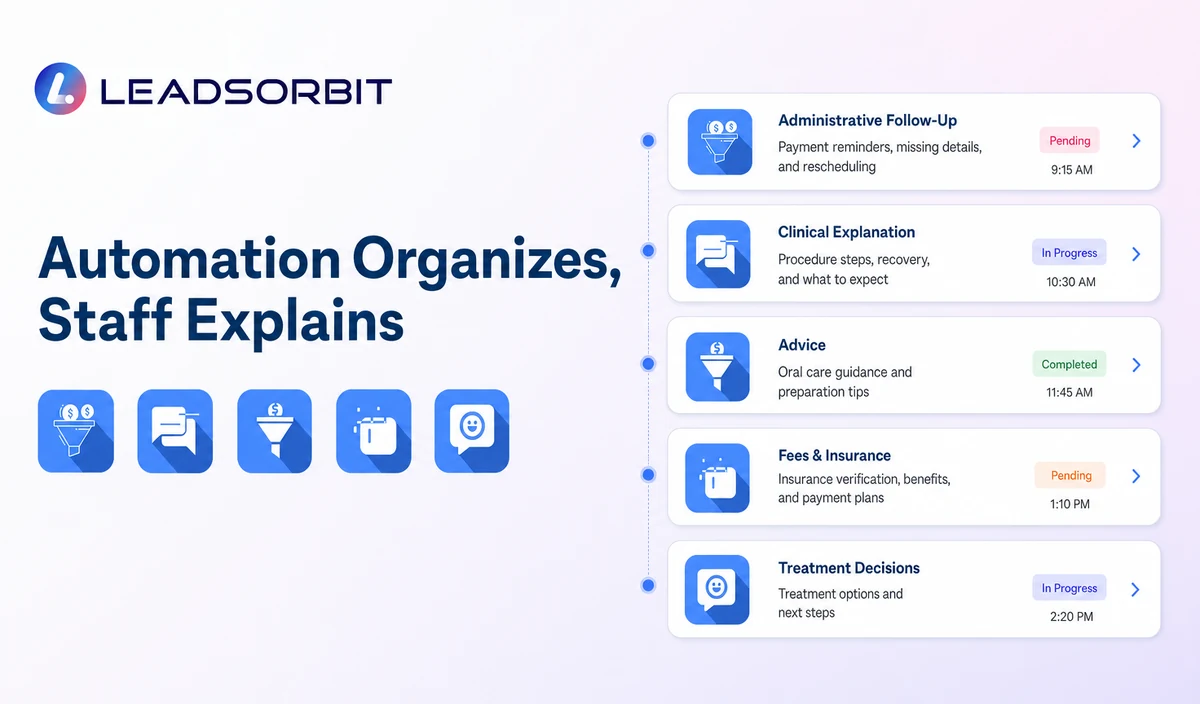
| Administrative workflow may | Automation must not |
|---|---|
| Identify the practice and offer a staff callback. | Explain the treatment plan or clinical recommendation. |
| Offer an approved consultation or scheduling request. | Recommend whether the patient should proceed. |
| Record that the patient wants to discuss timing, questions, or next steps. | Change the plan, diagnosis, priority, procedure, or clinical notes. |
| Assign the treatment coordinator or qualified staff owner. | Interpret symptoms, risks, alternatives, or outcomes. |
| Stop after the patient declines, schedules, opts out, or requests staff. | Pressure acceptance through fear, urgency, discounts, or unsupported claims. |
| Keep minimum administrative context in the CRM. | Copy unnecessary treatment, records, billing, insurance, or health details into routine messages. |
A Practical Unscheduled Treatment Follow Up Workflow
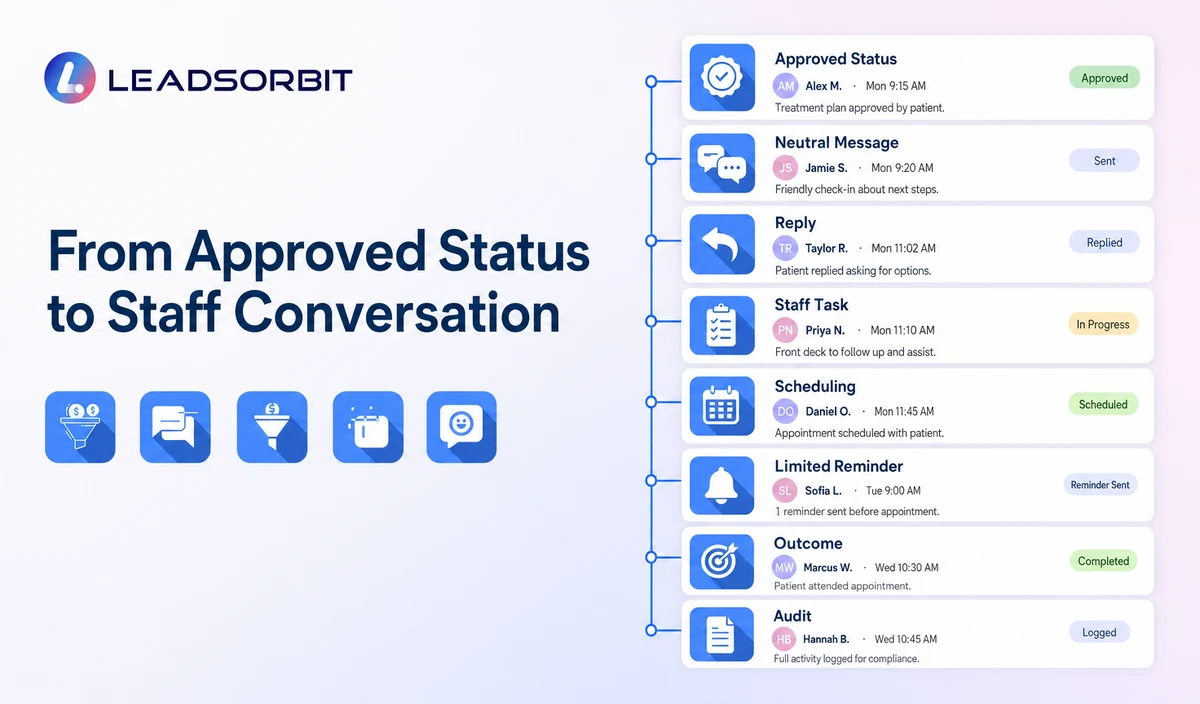
| Stage | Workflow action | Human responsibility | Stop or escalation rule |
|---|---|---|---|
| 1. Approved status created | The qualified owner or validated source marks the record eligible. | Confirm the status, location, provider, owner, contact preference, and exclusions. | Do not activate an uncertain or AI inferred status. |
| 2. First neutral message | Identify the practice and offer a callback or appointment request path. | Monitor delivery failures and sensitive replies. | Stop after scheduling, meaningful reply, opt out, or staff takeover. |
| 3. Reply routing | Handle approved replies such as CALLBACK, SCHEDULE, LATER, QUESTION, DECLINE, or STOP. | Qualified staff owns treatment, fee, insurance, records, and clinical questions. | Pause automation after any question or complex reply. |
| 4. Staff conversation | Create a named task with minimum administrative context. | Provide the approved human discussion and document the outcome in the correct system. | Do not let the AI summarize or advise on the treatment plan. |
| 5. Appointment or consultation request | Offer the approved scheduling path where appropriate. | Confirm appointment category, provider, location, and timing. | Stop after a valid booking. |
| 6. Limited follow up | Send one approved reminder only when appropriate. | Review whether the patient remains eligible. | Stop at the attempt limit or after a decision. |
| 7. Outcome update | Record scheduled, later, declined, no response, question, complaint, opt out, or closed status. | Update the approved source system where required. | Do not keep declined or closed records active. |
| 8. Quality review | Review tasks, replies, wrong statuses, complaints, and data handling. | Approve changes to scripts and criteria. | Pause the workflow when clinical or privacy boundaries fail. |
Unscheduled Treatment Follow Up Templates
Initial Staff Callback Message
Consultation or Appointment Request
Question Handoff
Final Active Follow Up
Questions That Must Move to Qualified Staff
- What treatment is being recommended and why?
- What happens if the patient waits or declines?
- What alternatives are available?
- What are the risks, benefits, expected outcomes, or prognosis?
- How much will insurance cover?
- What is the final fee, payment arrangement, or claim status?
- Can the plan, procedure, provider, or timeline be changed?
- Does the patient need urgent or emergency dental care?
- Can records, imaging, or clinical documentation be sent or interpreted?
Do Not Use Pressure Based Case Acceptance Messaging
The workflow should help the patient reach the right person. It should not create clinical urgency, guarantee outcomes, use fear, or imply that the patient is making a harmful decision.
| Useful administrative wording | Avoid |
|---|---|
| Would you like a staff callback? | You must accept the recommended treatment now. |
| Would you like help requesting a consultation or appointment? | Delaying will cause serious damage. |
| A qualified team member can answer questions. | Our AI can explain your treatment options. |
| No response is required. | This offer expires unless you schedule today. |
| You may reply DECLINE or STOP. | Repeated persuasion after the patient declines. |
Consent, HIPAA, and Sensitive Data
The FCC’s TCPA guidance discusses consent and reasonable revocation methods for certain automated communications. The practice should review message type, audience, consent, technology, and jurisdiction with qualified advisers.
LEADSORBIT supports HIPAA compliant administrative workflows for eligible healthcare organizations through HIPAA enabled HighLevel subaccounts. Compliant use depends on maintaining the active HIPAA package, applicable agreements, approved account configuration, user permissions, integrations, retention settings, and the healthcare organization’s own procedures.
The existence of a treatment discussion, unscheduled status, provider, appointment request, questions, and communication history may be PHI. Use minimum administrative information, avoid treatment details in routine messages, and review the PMS, CRM, messaging provider, calendar, AI settings, permissions, retention, and each data destination.
Staff Ownership and Status Design
| Status | Meaning | Required next action |
|---|---|---|
| Staff Review Required | The record is not ready for automated follow up. | Qualified owner confirms eligibility or removes the record. |
| Ready for Administrative Follow Up | Staff approved the record and the first message. | Start the approved workflow. |
| Question for Qualified Staff | The patient asked about treatment, fees, insurance, records, or another sensitive issue. | Pause automation and assign the correct owner. |
| Consultation / Appointment Requested | The patient wants the next scheduling step. | Validate category, provider, location, and time. |
| Scheduled | A valid appointment exists. | Stop the follow up sequence. |
| Later | The patient asked to pause. | Record the approved future review date or status. |
| Declined / Closed | The patient declined or the practice closed the workflow. | Stop active outreach and preserve the correct suppression rule. |
Unscheduled Treatment Workflow Checklist
- Define the qualified staff role that approves the starting status.
- Validate any PMS field, export, or integration used to create the status.
- Exclude records with open complaints, unclear permission, incorrect status, or unresolved sensitive issues.
- Approve neutral first, question handoff, scheduling, later, decline, and final messages.
- Define CALLBACK, SCHEDULE, LATER, QUESTION, DECLINE, and STOP actions.
- Assign primary and backup qualified owners.
- Keep treatment explanations, alternatives, risks, benefits, fees, insurance, records, and clinical judgment outside automation.
- Confirm permissions, retention, HIPAA enabled account status, and integrations.
- Test incorrect status, staff takeover, sensitive replies, duplicate records, and opt outs.
- Audit outcomes and remove inactive or closed records from the active workflow.
See the Workflow With Your Staff Approval Process
Book a Demo to map your approved status source, neutral messages, callback and scheduling paths, treatment coordinator tasks, stop rules, and reporting inside LEADSORBIT.
What to Measure
- Records approved for administrative follow up.
- Records removed because the status was wrong or unclear.
- Messages delivered or failed.
- Replies requesting callback, scheduling, later contact, questions, decline, or opt out.
- Qualified staff tasks created and resolved.
- Valid appointments connected with the workflow.
- Records still active after scheduling, decline, or closure.
- Complaints, privacy concerns, and clinical questions entering routine automation.
How LEADSORBIT Supports Administrative Treatment Follow Up
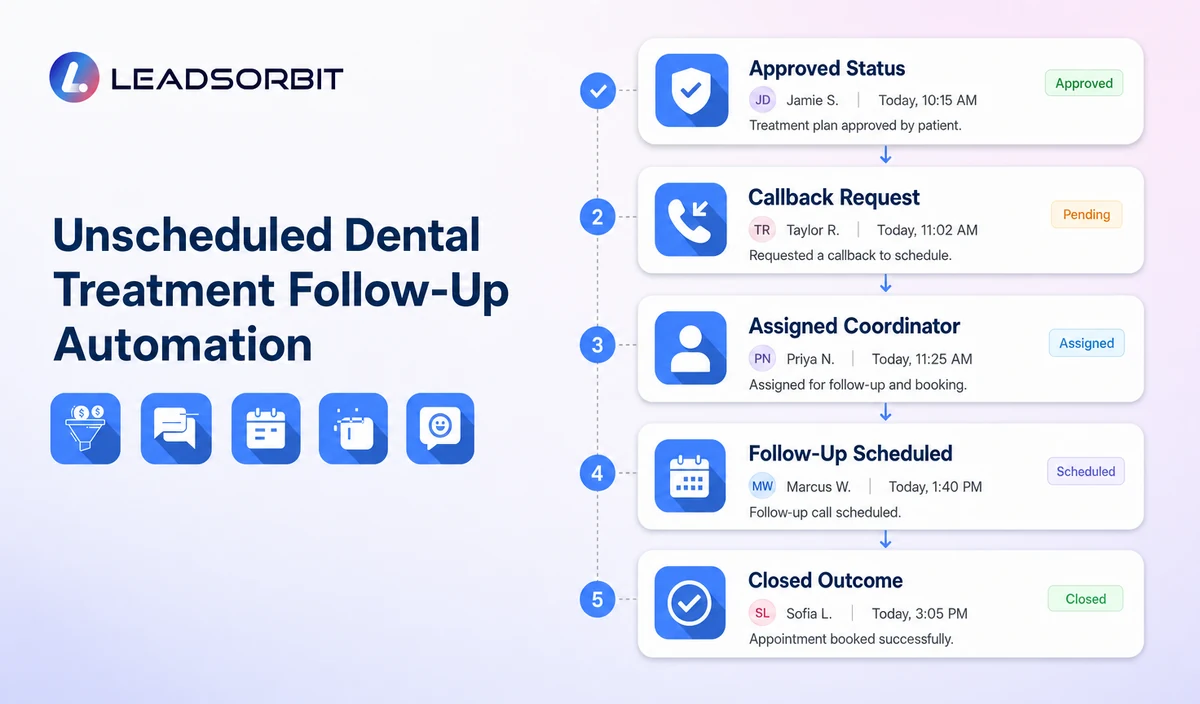
LEADSORBIT’s AI powered CRM can connect staff approved statuses, neutral communications, appointment requests, tasks, and operational outcomes.
- Workflow AI: supports configurable triggers, conditions, messages, timing, tasks, and stop logic.
- Conversation AI: supports supported channel reply visibility, routing, staff takeover, and CRM synchronization.
- AI Appointment: supports approved consultation or appointment requests, calendar connections, confirmations, rescheduling, and cancellation.
- CRM fields, statuses, and tasks: can support staff approval, owner assignment, next action, and outcome visibility when configured.
LEADSORBIT should not be described as creating, explaining, recommending, interpreting, or changing dental treatment plans. Exact PMS integration, source status, custom fields, qualified owner permissions, appointment categories, retention, and write back behavior require validation.
Try LEADSORBIT free for 14 days
FAQs
It is an administrative staff led workflow used after a qualified professional or approved source marks a record ready for neutral follow up.
Final Thoughts
Unscheduled treatment follow up should be controlled by qualified staff. Automation may organize outreach and tasks, but it must never replace the clinical, financial, or consent conversation.
Book a Demo to see how LEADSORBIT can support staff approved dental follow up, callback requests, scheduling, tasks, and administrative status visibility.

Start Your Free 14 Day Trial
Try LEADSORBIT and see how it captures missed calls, follows up instantly, and turns leads into booked appointments for your business.