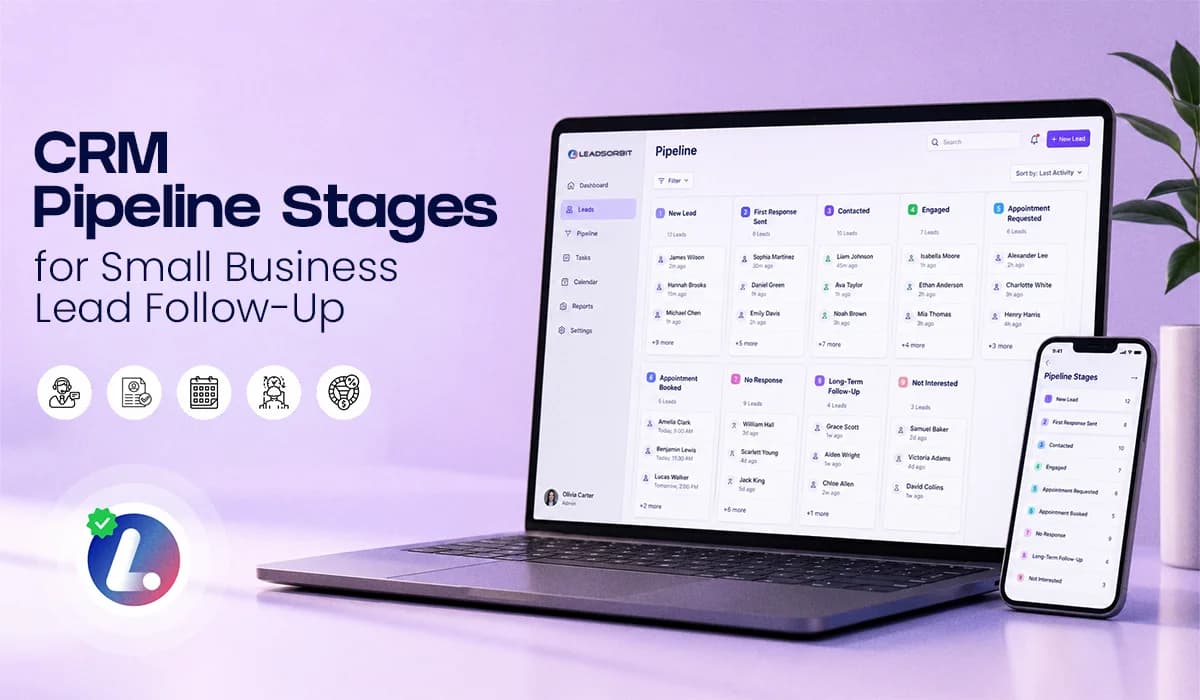

CRM pipeline stages help your business see where every lead stands and what needs to happen next. Without clear stages, leads get lost.
A new inquiry may sit untouched. A contacted lead may not receive the next follow up. A booked appointment may still receive sales messages. A no response lead may stay in the wrong place for weeks. This is not always because the team is careless. Most of the time, the process is unclear.
A simple lead pipeline gives your team a shared view of the journey from first inquiry to booked appointment or closed opportunity. It also helps your automation work properly because workflows can trigger based on where the lead is in the process.
For the full system behind lead follow up, you can also read the main guide on Lead Follow Up Automation. This blog focuses only on pipeline stages, ownership, and movement rules.
Why Leads Get Lost When Stages Are Unclear
A CRM is not just a place to store contacts. It should tell your team what is happening. If every lead sits in one general list, your team has to guess who is new, who needs a call, who has already replied, who wants to book, and who has gone quiet.
That is where follow up breaks down.
For example, someone may fill out a form and receive an automated message, but no one moves them into the right stage. Another lead may ask for an appointment but remain marked as “New Lead.” A third lead may stop responding, but the team does not know whether to follow up, call, or move them into nurture.
Clear lead pipeline stages solve this problem. They turn the CRM into a daily action board instead of a messy contact list.
The Pipeline Stages That Work for Appointment Based Businesses
Your pipeline should be simple enough that the team actually uses it. You do not need 15 or 20 stages. Too many stages create confusion, especially for busy small business teams.
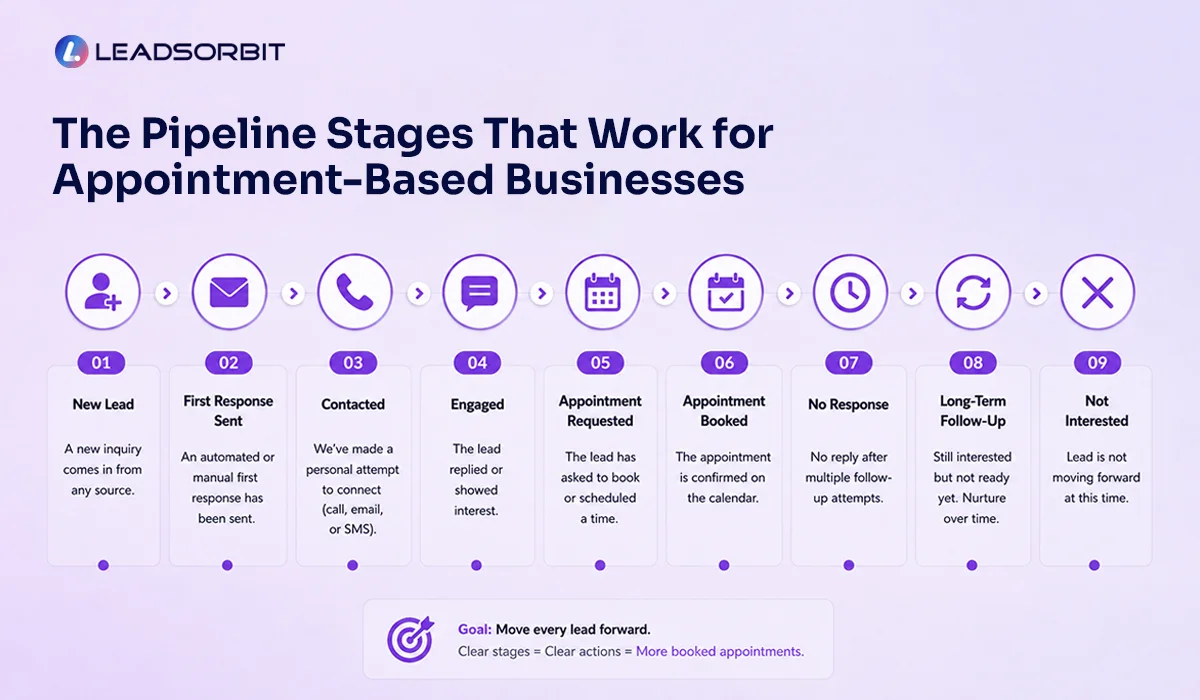
For most appointment based businesses, these 9 stages are enough:
- New Lead
- First Response Sent
- Contacted
- Engaged
- Appointment Requested
- Appointment Booked
- No Response
- Long Term Follow Up
- Not Interested
This structure gives your team a clear path without overcomplicating the CRM. The goal is not to make the pipeline look impressive. The goal is to make the next action obvious.
With Workflow AI, these stages can also support automation, task creation, follow up timing, and reminders.
What Each Pipeline Stage Means
Each stage should have a clear definition. If the team does not understand what a stage means, they will use it differently. That creates messy reporting and inconsistent follow up.
Here is a simple way to define each stage.
New Lead
This is where every fresh inquiry starts. A lead should enter this stage when they submit a form, start a chat, call, message your business, or come in through an ad.
Action: send the first response and create visibility for the team.
1. First Response Sent
This stage means the lead has received an initial SMS, email, or automated acknowledgment.
Action: wait for a reply, booking, or team follow up.
2. Contacted
This stage means your team has made a real contact attempt beyond the first automated reply.
Action: continue follow up based on whether the lead replies or stays quiet.
3. Engaged
This stage means the lead has responded, asked a question, or shown active interest.
Action: move the conversation forward and help them choose the next step.
4. Appointment Requested
This stage is for leads who are close to booking. They may have asked for availability, requested a call, clicked a booking link, or shown clear scheduling intent.
Action: help them confirm the appointment.
5. Appointment Booked
This stage means the lead has scheduled an appointment.
Action: stop sales follow up and move into confirmation or reminder workflows.
6. No Response
This stage is for leads who received follow up but have not replied.
Action: complete the planned follow up sequence or assign a call task if the lead is high intent.
7. Long Term Follow Up
This stage is for leads who are not ready now but may still be useful later.
Action: move them into light lead nurturing automation instead of chasing them daily.
8. Not Interested
This stage is for leads who clearly say they do not want to move forward.
Action: stop active follow up and keep the record clean.
Stage Movement Rules
The most important part of a pipeline is not the stage list. It is knowing when to move the lead.
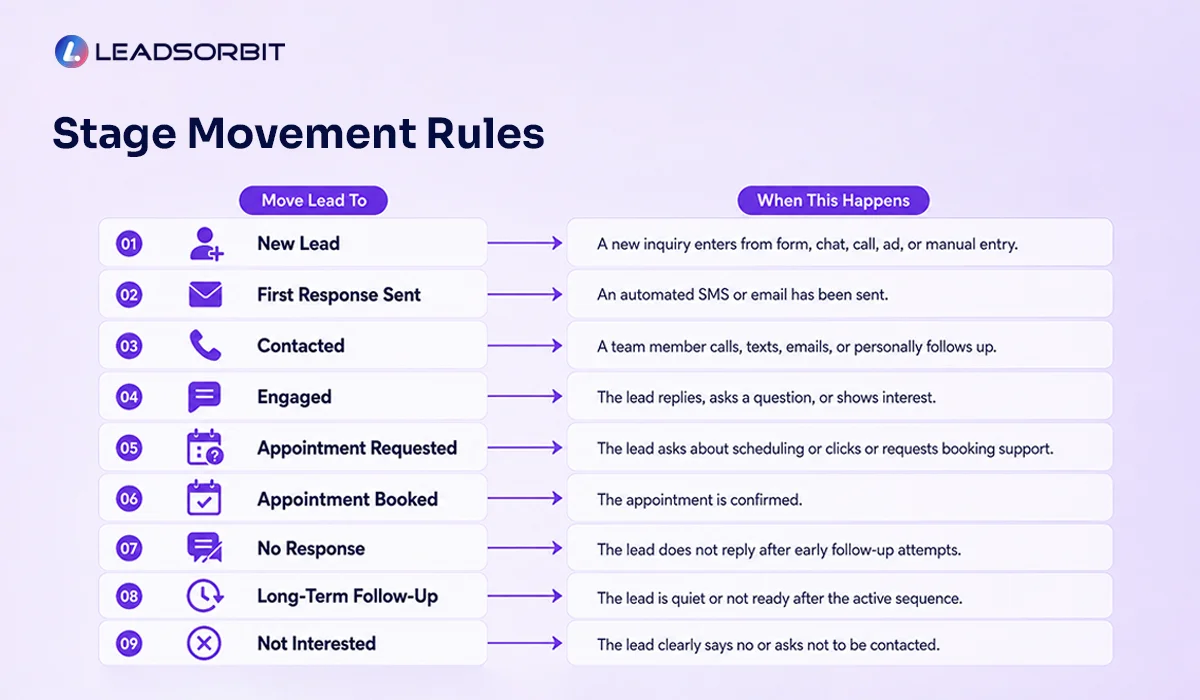
If leads do not move properly, the pipeline becomes inaccurate. Your team may follow up with the wrong message, miss a hot lead, or continue contacting someone who already booked.
Here are simple stage movement rules your team can follow.
| Move Lead To | When This Happens |
|---|---|
| New Lead | A new inquiry enters from form, chat, call, ad, or manual entry |
| First Response Sent | An automated SMS or email has been sent |
| Contacted | A team member calls, texts, emails, or personally follows up |
| Engaged | The lead replies, asks a question, or shows interest |
| Appointment Requested | The lead asks about scheduling or clicks/request booking support |
| Appointment Booked | The appointment is confirmed |
| No Response | The lead does not reply after early follow up attempts |
| Long Term Follow Up | The lead is quiet or not ready after the active sequence |
| Not Interested | The lead clearly says no or asks not to be contacted |
These rules do not need to be complicated. The key is consistency.
When everyone uses the same movement rules, your CRM becomes easier to trust.
Ownership Rules For Each Stage
Pipeline stages also need ownership. If everyone is responsible, no one is truly responsible.
Your team should know who owns each type of follow up.
For example, automation can own the first response. The front desk or sales team can own engaged conversations. A manager can review stuck leads or no response leads. The CRM workflow can move cold leads into nurture based on your rules.
A simple ownership model may look like this:
- Automation handles instant first response and basic follow up.
- Team members handle replies, appointment questions, and call tasks.
- Managers review stuck leads and pipeline quality.
- Workflows move quiet leads into nurture after the active sequence.
This keeps responsibility clear. It also makes workflow automation for small business more practical because automation supports the team instead of replacing accountability.
Chiropractic And Dental Mini Examples
A chiropractic office may receive a new patient inquiry from a website form. The lead enters New Lead, receives an instant SMS, moves to First Response Sent, and then becomes Engaged when they reply with a question about availability. Once they choose a time, the lead moves to Appointment Booked.
A dental practice may receive a consultation request after hours. The lead enters New Lead and receives an automated email. If they do not respond, they move into No Response after follow up. If they later reply with a question about appointment options, they move into Engaged and the team takes over.
LEADSORBIT supports appointment based workflows for both chiropractic businesses and dental practices, where lead status, conversations, and appointment movement need to stay organized.
The important point is simple: The pipeline should reflect the real customer journey.
Daily Pipeline Review SOP
Automation can move a lot of the process forward, but your team still needs a daily routine.
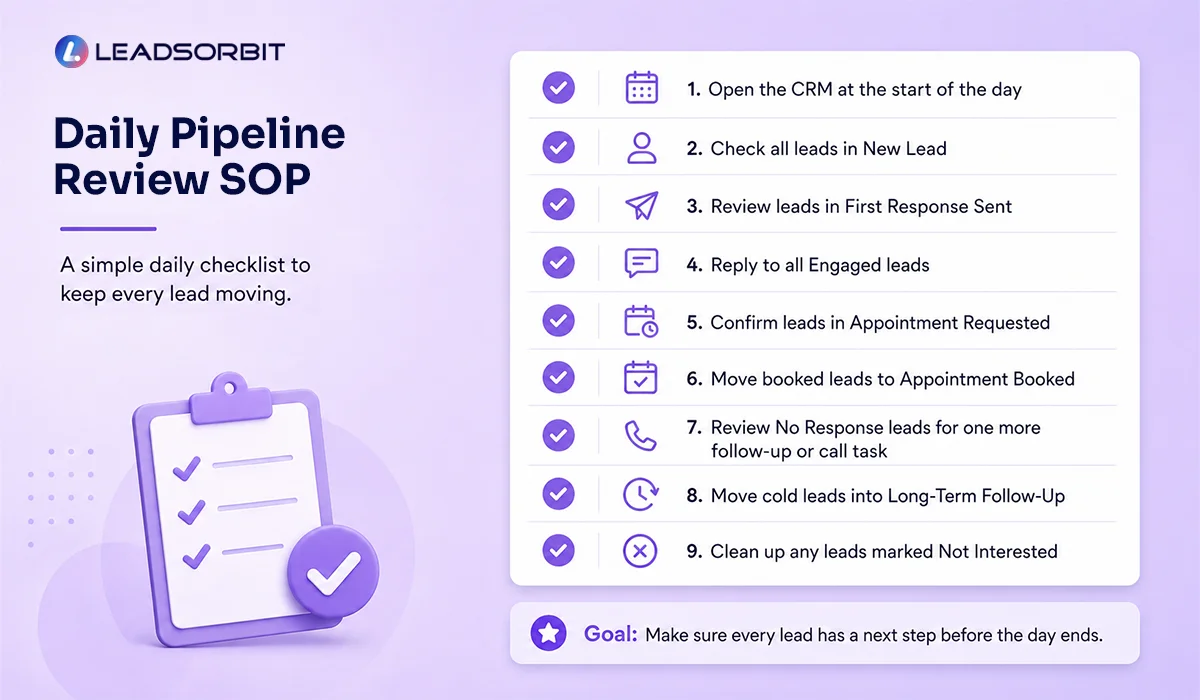
A simple pipeline review keeps leads from getting stuck.
Use this daily SOP:
- Open the CRM at the start of the day.
- Check all leads in New Lead.
- Review leads in First Response Sent.
- Reply to all Engaged leads.
- Confirm leads in Appointment Requested.
- Make sure booked leads are moved to Appointment Booked.
- Review No Response leads for one more follow up or call task.
- Move cold leads into Long Term Follow Up.
- Clean up any leads marked Not Interested.
This routine should not take long if the pipeline is clean. The goal is to make sure every lead has a next step before the day ends.
What to Track Without Overcomplicating It
You do not need a heavy reporting setup to know whether your pipeline is working.
Start with a few simple checks:
- How many leads are stuck in New Lead or First Response Sent
- How many leads are moving into Appointment Requested or Appointment Booked
- How many leads are sitting in No Response without a next action
These checks help you find follow up gaps quickly.
Once your team is consistent, you can add deeper reporting by lead source, campaign, location, or provider.
Try LEADSORBIT free for 14 days
How LEADSORBIT Helps Manage CRM Pipeline Stages
LEADSORBIT helps small businesses connect pipeline stages, conversations, and automation in one CRM.
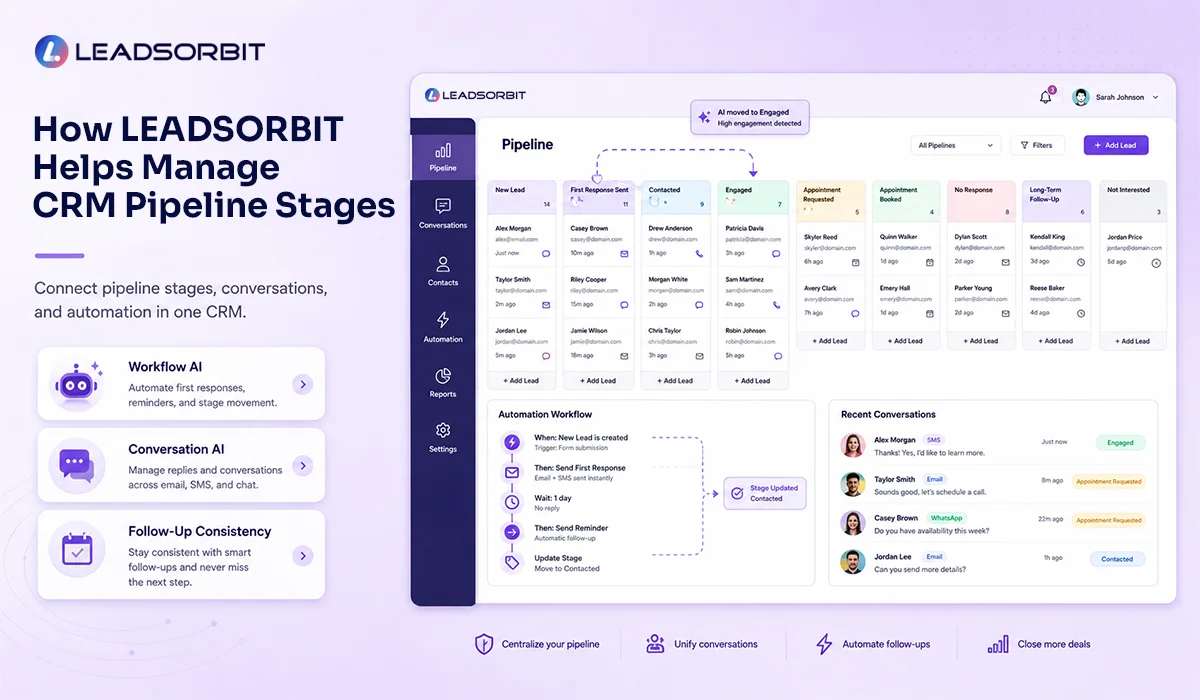
With Workflow AI, your business can trigger first responses, task reminders, stage movement, appointment reminders, no response follow up, and long term nurture workflows.
With Conversation AI, your team can manage replies across channels in one place, so pipeline updates are based on real conversations instead of guesswork.
Together, these tools help your team:
- See where every lead stands
- Know what action should happen next
- Keep follow up consistent across the pipeline
If you want to see how LEADSORBIT can help you organize your lead pipeline and automate follow up movement, you can book a demo here.
FAQs
CRM pipeline stages are the steps a lead moves through from first inquiry to final outcome. They help your team understand whether a lead is new, contacted, engaged, booked, unresponsive, or no longer interested.
Final Thoughts
- CRM pipeline stages make lead follow up easier to manage. They show your team where every lead stands, what needs attention, and what should happen next.
- Without clear stages, follow up becomes inconsistent. With clear stages, your CRM becomes a working system instead of just a contact list.
- Start simple.
- Create 7 to 9 stages. Define what each one means. Set rules for when leads should move. Review the pipeline daily. Then use automation to support the process.
To see how LEADSORBIT can help your business organize pipeline stages, automate follow up, and manage conversations in one place, you can book a demo here:

Start Your Free 14 Day Trial
Try LEADSORBIT and see how it captures missed calls, follows up instantly, and turns leads into booked appointments for your business.
Personal Message from Faisal Zulfiqar
A clean pipeline gives your team confidence. When everyone knows where a lead stands and what should happen next, follow up becomes easier, faster, and more consistent.