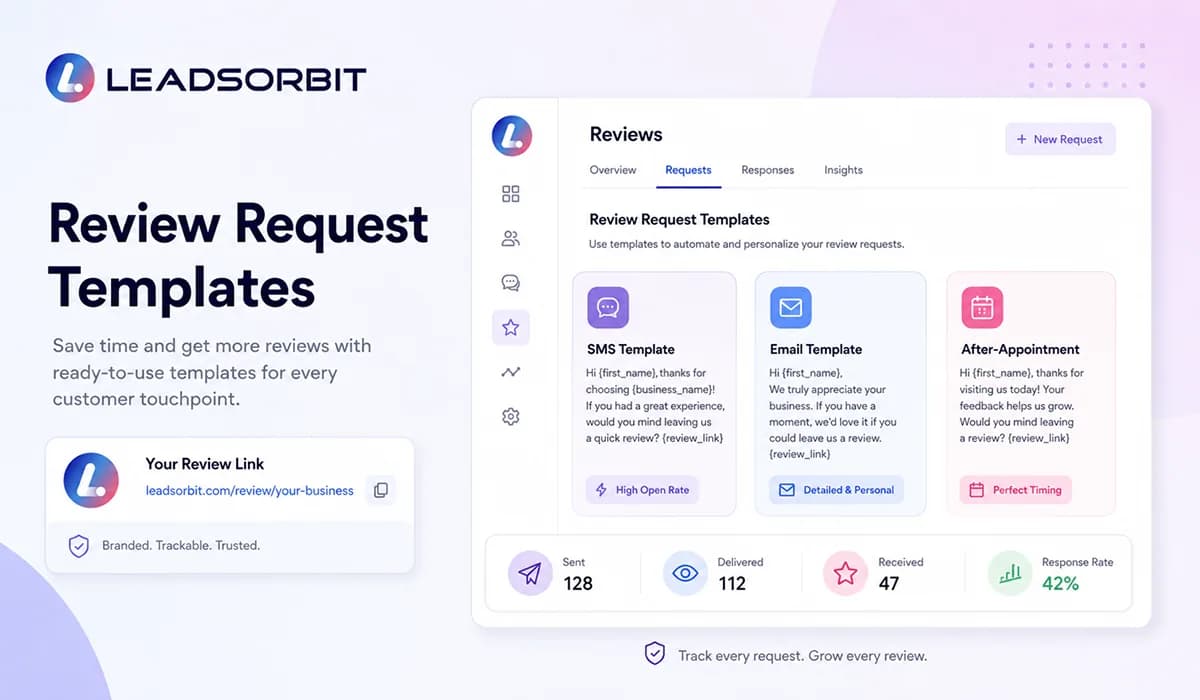

Review request templates help small businesses ask customers for honest feedback in a clear, simple, and professional way. The goal is not to pressure people into leaving a positive review. The goal is to make the review process easier when a real customer has already had an experience with your business.
For local and appointment based businesses, this matters because many satisfied customers will not leave a review unless they are asked at the right time. They may be happy with the service, but they get busy, leave the location, or forget about the request. A good template gives your team a repeatable way to ask without sounding robotic.
This guide shares practical SMS, email, and after appointment review request templates your team can adapt. It also explains when to send them, what to avoid, and how automation can help you collect more reviews without creating extra manual work. For the broader strategy, read Online Reputation Management for Small Business.
Why Review Request Templates Matter
Review requests often fail because the message is unclear, too long, sent too late, or written in a way that feels forced. A customer should understand why you are asking, where to leave the review, and how simple the next step is.
Templates give your team a cleaner starting point. Instead of writing every message from scratch, your staff can use approved wording that sounds friendly, respectful, and consistent with your brand voice.
- They keep review requests clear and professional.
- They help teams ask at the right moment without overthinking the message.
- They reduce inconsistent wording across SMS, email, and follow up.
- They make automation easier because the approved message is already prepared.
- They protect the customer experience by keeping the request short and respectful.
The best templates are simple. They thank the customer, ask for honest feedback, and provide a direct review link. They should not promise rewards or suggest that only positive reviews are welcome.
Best Practices Before Sending Review Requests
Before your team starts using templates, the review request process should be clear. A good template will not fix a weak process if requests are sent randomly or to the wrong people at the wrong time.
Start by checking your platform rules and your internal customer communication process. Google’s guidance says businesses can ask customers to leave reviews and should reply to reviews, but it also warns against offering or accepting money for reviews. You can review the official Google Business Profile review guidance before publishing your team SOP.
- Ask for honest feedback, not only positive feedback.
- Send the request after a real customer interaction.
- Keep the message short and easy to understand.
- Use one clear review link whenever possible.
- Do not offer discounts, gifts, or incentives for reviews.
- Do not filter only happy customers or discourage unhappy customers from leaving feedback.
- Make sure the request matches the customer’s actual service or appointment experience.
This is where the tone matters. A review request should feel like a helpful follow up, not a demand. If a customer had a problem, the better next step may be a service recovery conversation before asking for public feedback.
SMS Review Request Templates
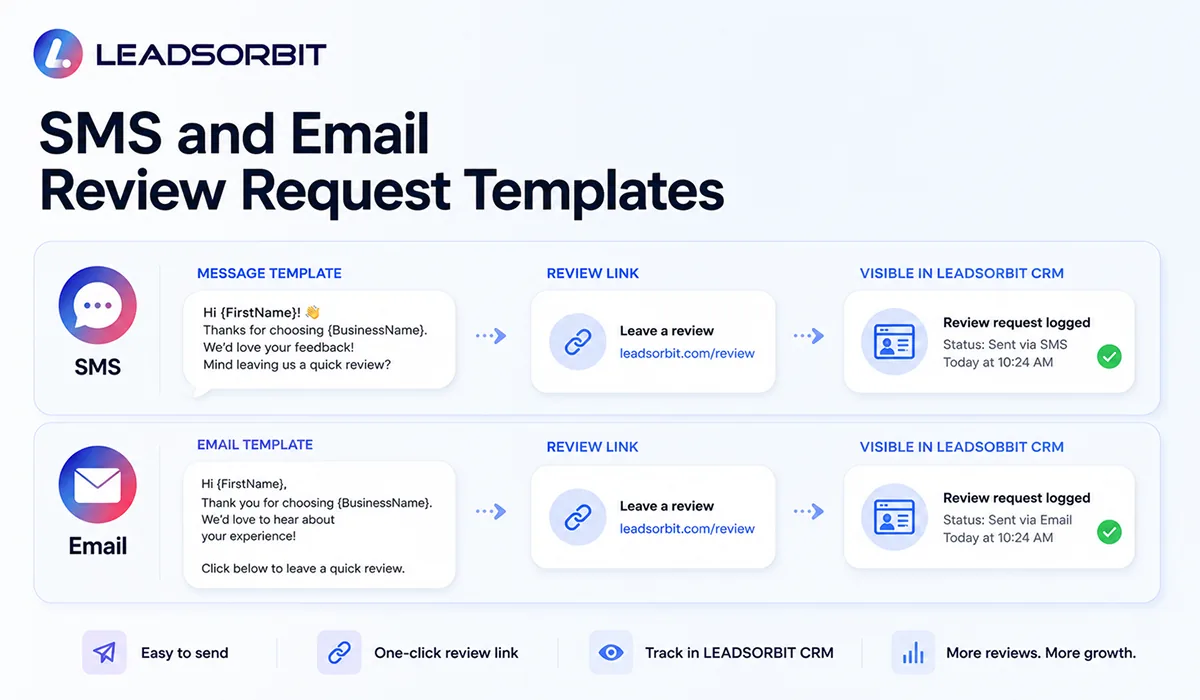
SMS works well because it is direct and easy to act on from a phone. The message should be short, personal, and focused on one action. Avoid stuffing the text with too much explanation.
Below are practical SMS templates your team can adapt. Replace the placeholders before using them in your CRM or automation workflow.
| Use Case | SMS Template |
|---|---|
| Simple SMS | Hi {{first_name}}, thanks for choosing {{business_name}}. We would appreciate your honest feedback. You can leave a review here: {{review_link}} |
| After service | Hi {{first_name}}, thank you for visiting {{business_name}} today. If you have a moment, please share your experience here: {{review_link}} |
| After appointment | Hi {{first_name}}, we hope your appointment went well. Your feedback helps our team improve. You can leave a review here: {{review_link}} |
| Friendly reminder | Hi {{first_name}}, just a quick reminder from {{business_name}}. If you have a minute, we would appreciate your honest review: {{review_link}} |
| Repeat customer | Hi {{first_name}}, thank you for trusting {{business_name}} again. Your feedback means a lot to us: {{review_link}} |
For SMS, keep the language simple. The customer should not need to read a long message to understand what you are asking for.
Email Review Request Templates
Email gives you more space than SMS, but the message should still be clean. The subject line should be direct, and the email body should make the review step easy to find.
The best email templates usually include a thank you line, a short reason for the request, and a clear review button or link.
| Email Template | Copy |
|---|---|
| Subject: Thank you for choosing {{business_name}} | Hi {{first_name}}, Thank you for choosing {{business_name}}. We hope you had a positive experience with our team. If you have a moment, we would appreciate your honest feedback. Leave a review here: {{review_link}} Thank you, {{business_name}} Team |
| Subject: How was your experience? | Hi {{first_name}}, We appreciate the opportunity to serve you. Your feedback helps us understand what we are doing well and where we can improve. You can share your experience here: {{review_link}} Best, {{business_name}} Team |
| Subject: A quick feedback request | Hi {{first_name}}, Thank you for your recent visit with {{business_name}}. If you have a minute, your honest review would mean a lot to our team. Review link: {{review_link}} Thank you, {{business_name}} Team |
Your email should not sound like a mass blast. Use the customer’s name, mention the real business interaction when appropriate, and keep the call to action clear.
After Appointment Review Request Templates
After appointment requests are important for clinics, wellness businesses, and other appointment based teams. The best time to ask is usually after the appointment has been completed and the customer has had a clear experience with the business.
For healthcare related or appointment based industries, your team should also be careful with privacy and communication practices. Do not include sensitive details in review requests, and avoid language that reveals private customer information.
| Use Case | Template |
|---|---|
| Chiropractic style | Hi {{first_name}}, thank you for visiting {{business_name}} today. If you are comfortable sharing your experience, you can leave a review here: {{review_link}} |
| Dental style | Hi {{first_name}}, thank you for choosing {{business_name}}. Your feedback helps our team continue improving. You can share your experience here: {{review_link}} |
| Med spa / wellness style | Hi {{first_name}}, thank you for your appointment with {{business_name}}. If you have a minute, we would appreciate your honest feedback: {{review_link}} |
| General appointment style | Hi {{first_name}}, we appreciate your visit today. Your feedback helps future customers understand what to expect: {{review_link}} |
The request should feel natural. If the customer had a poor experience or an unresolved issue, your team should focus on helping first instead of pushing for a public review.
How to Automate Review Requests
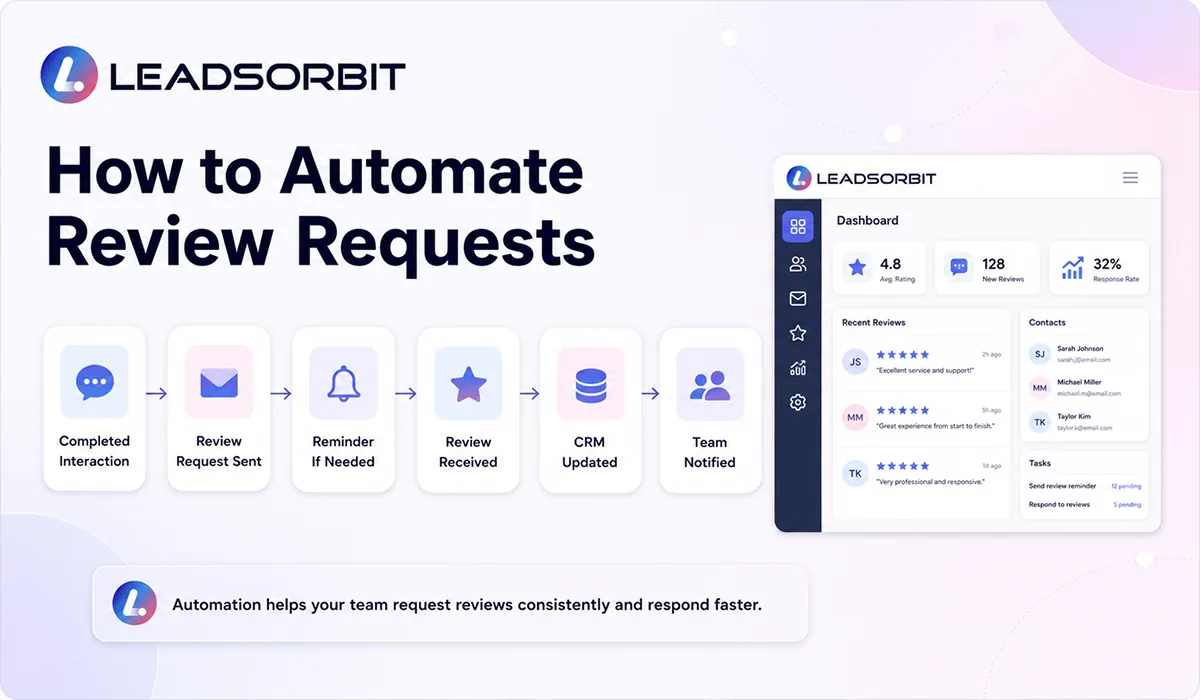
Automation helps review requests happen consistently. Without automation, the team may forget to ask, ask too late, or ask different customers in different ways. A CRM workflow can make the process more organized.
The workflow should be simple. Once a service, appointment, or customer interaction is marked complete, the system can send the approved review request template. If there is no response, a polite reminder can be sent later if appropriate.
- Customer completes an appointment or service.
- CRM updates the contact or appointment status.
- Review request is sent by SMS or email.
- Reminder is queued if no review action is detected.
- New review is monitored and added to the reputation view.
- Team is notified when a review needs a response or follow up.
Inside LEADSORBIT, review request workflows can connect with Reviews AI, Workflow AI, and Conversation AI so the request, reminder, customer reply, and review status stay connected.
Mistakes to Avoid When Asking for Reviews
Review requests should help customers share real experiences. They should not create pressure, confusion, or compliance risk. A few mistakes can damage trust even if the business has good intentions.
The FTC also provides guidance for marketers around online reviews and endorsements. Its guidance warns businesses about deceptive review practices, including fake reviews and improper incentives. You can review the FTC guidance on soliciting and paying for online reviews before building your internal review request process.
- Do not pay for reviews or offer rewards for positive reviews.
- Do not ask only happy customers while filtering unhappy customers away from public review platforms.
- Do not pressure customers to leave five stars.
- Do not write reviews on behalf of customers.
- Do not send too many reminders.
- Do not include sensitive customer or patient details in the request.
- Do not ignore negative reviews after collecting more positive ones.
The safest approach is also the most trustworthy approach: ask real customers for honest feedback, make the process easy, and respond professionally when reviews come in.
How LEADSORBIT Supports Review Request Templates
LEADSORBIT helps small businesses turn review requests into a repeatable system instead of a manual task. Your team can use approved templates, send requests through the right channel, monitor reviews, and keep response activity visible inside the CRM.
This is especially useful when reviews are tied to appointments, completed services, reactivation campaigns, or customer follow up. The team can see what was sent, when it was sent, and whether the customer engaged.
- Create approved SMS and email review request templates.
- Trigger requests after completed appointments or services.
- Track review request activity inside the CRM.
- Monitor new reviews and alerts.
- Assign review follow up to the right team member.
- Connect review activity with broader online reputation management.
If you want to see how review request templates can work inside your customer journey, you can Book a Demo.
Try LEADSORBIT free for 14 days
FAQs
A review request template is a pre written SMS, email, or follow up message that asks a real customer to share honest feedback after an interaction with your business.
Final Thoughts
Review request templates help small businesses ask for feedback in a way that is clear, respectful, and repeatable. They make it easier for your team to follow up after a real customer experience without writing every message from scratch.
The key is to use templates responsibly. Ask for honest feedback, keep the request simple, choose the right timing, and avoid incentives or pressure. When templates are connected to CRM automation, review requests become part of a cleaner reputation management process.
To build the full system around reviews, monitoring, responses, and customer trust, connect this guide with Review Management Software for Small Business and Reputation Monitoring Service.

Start Your Free 14 Day Trial
Try LEADSORBIT and see how it captures missed calls, follows up instantly, and turns leads into booked appointments for your business.
Personal Message From Faisal Zulfiqar
My recommendation is simple: never make review requests feel forced. If a customer had a good experience, make it easy for them to share it. If they had a problem, help them first.
A good review request template should sound human, respectful, and clear. When your team uses the right message at the right time, review collection becomes easier without damaging trust.