
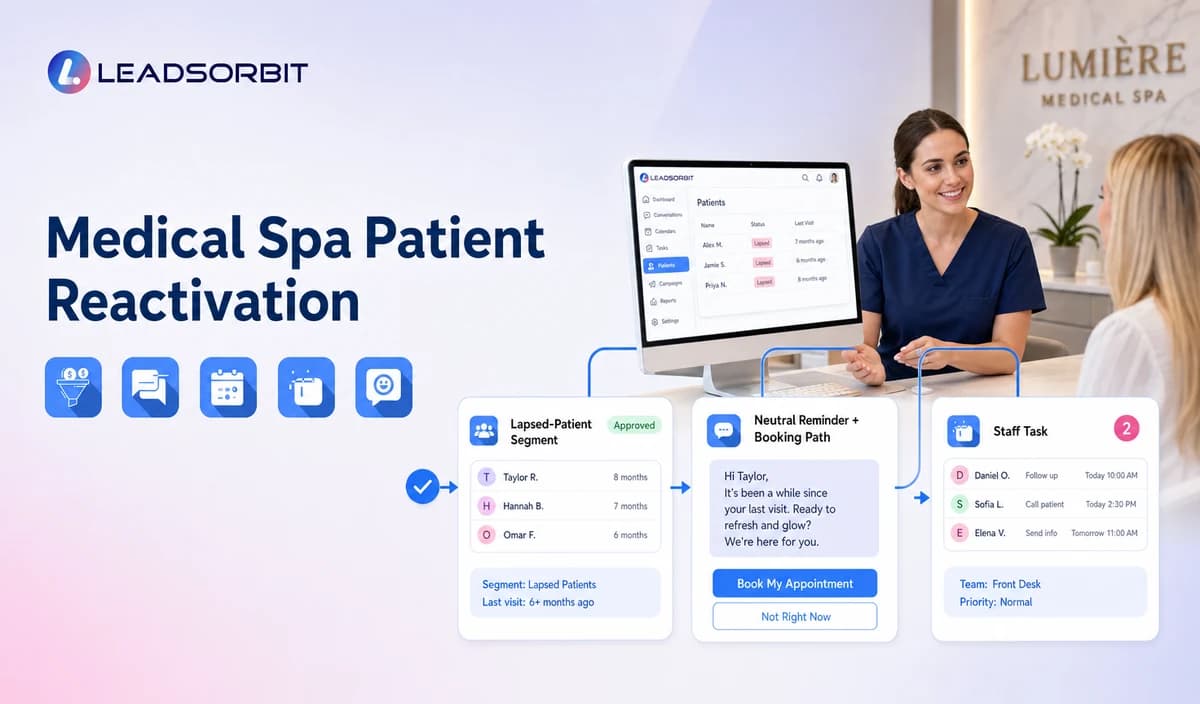

A previous medical spa relationship does not automatically make someone eligible for a maintenance reminder. The practice must confirm the relationship, the communication permission, the source of any timing or status, and whether a future appointment already exists.
Medical spa patient reactivation should remain separate from unbooked lead campaigns. When maintenance timing is involved, the status must come from an approved practice process or qualified staff not an AI created treatment interval. The broad framework remains with customer retention management.

Who This Guide Is For
- Medical spas with validated lapsed patient records.
- Practice managers who need relationship, status, consent, and exclusion rules.
- Front desk teams managing maintenance reminders and booking requests.
- Multi location practices that need correct office, provider, and owner assignment.
- Healthcare organizations reviewing HIPAA enabled patient re engagement.
Validate the Prior Relationship and Segment
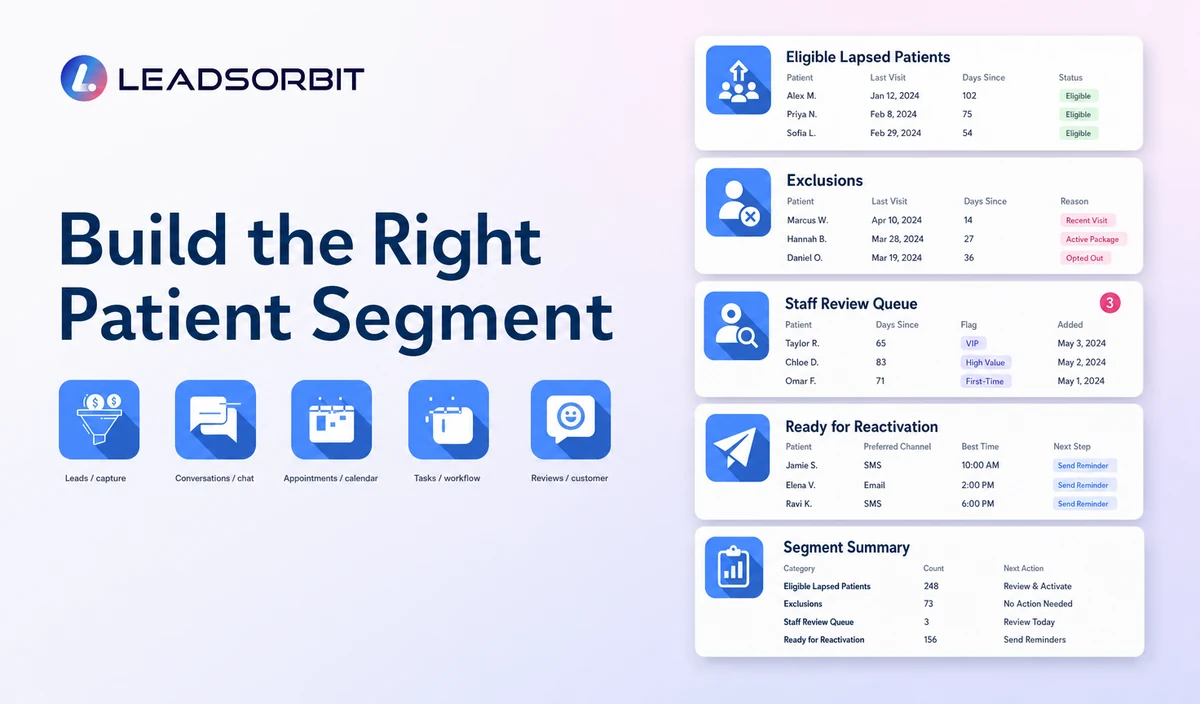
| Possible segment | Administrative definition | Required review |
|---|---|---|
| Lapsed patient without future appointment | A validated prior patient record with no current booking under the approved rule. | Confirm relationship, consent, exclusions, and contact quality. |
| Approved maintenance status record | A practice approved date or status indicates staff may send a reminder. | Confirm the source, owner, timing, wording, and correction process. |
| Requested later contact | The patient asked the practice to reconnect during a defined period. | Use the requested timing and permitted channel. |
| Location specific lapsed patient | A valid record tied to one office. | Confirm location, booking link, provider/team, and permissions. |
| Unbooked inquiry | Not part of this patient segment. | Move to lead reactivation. |
| Unclear relationship or status | The record cannot be validated confidently. | Hold for staff review. |
Maintenance Reminders Need an Approved Source
Automation should not calculate or prescribe a medical treatment interval. The reminder may begin only from a practice approved administrative status, date, export, integration, or staff review.
| Potential source | Appropriate use | Control |
|---|---|---|
| Qualified staff status | Staff marks the patient ready for an administrative reminder. | Define who can create, change, and remove the status. |
| Approved integration or export | A mapped field supplies a reviewed date or category. | Confirm field meaning, sync timing, permissions, and failures. |
| Patient requested timing | The patient asked to be contacted later. | Use the requested date and channel. |
| Generic last visit date | May support staff review only. | Do not convert it automatically into a treatment recommendation. |
| AI inference from conversation or procedure name | Not approved. | Do not let AI determine clinical timing or necessity. |
A Practical Patient Reactivation Workflow
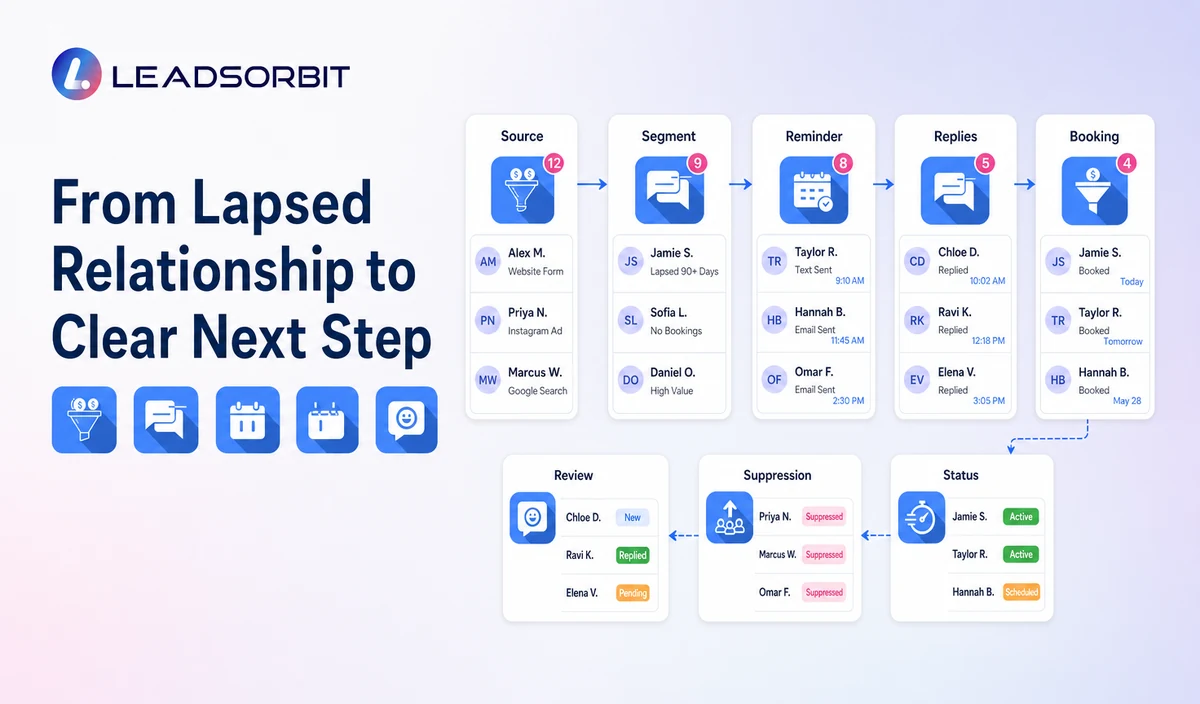
| Stage | Workflow action | Human responsibility | Stop condition |
|---|---|---|---|
| 1. Validate relationship/status | Confirm the prior relationship and any approved maintenance status. | Review source, timing, contact permission, and errors. | Do not activate uncertain records. |
| 2. Apply exclusions | Remove future appointments, opt outs, duplicates, complaints, open conversations, and sensitive records. | Review exceptions. | Exclude records that should not receive routine messaging. |
| 3. Assign location and owner | Connect the correct office, booking path, and callback team. | Correct cross location conflicts. | Move unresolved ownership to staff review. |
| 4. Send neutral message | Offer booking or a staff callback without clinical necessity claims. | Monitor delivery failures and sensitive replies. | Stop after booking, reply, opt out, complaint, or takeover. |
| 5. Route replies | Handle BOOK, CALLBACK, LATER, HELP, or STOP. | Qualified staff owns treatment or medical questions. | Pause routine automation after non routine replies. |
| 6. Limited reminder | Send one approved reminder where appropriate. | Confirm the patient remains eligible. | Stop at the attempt limit. |
| 7. Update status | Record booked, later, no response, invalid, complaint, opt out, or closed. | Update the approved source process where needed. | Do not keep booked or closed records active. |
| 8. Review cycle | Audit segment accuracy, replies, bookings, tasks, errors, and complaints. | Approve changes before the next cycle. | Pause when data quality or privacy risk appears. |
Patient Reactivation and Maintenance Templates
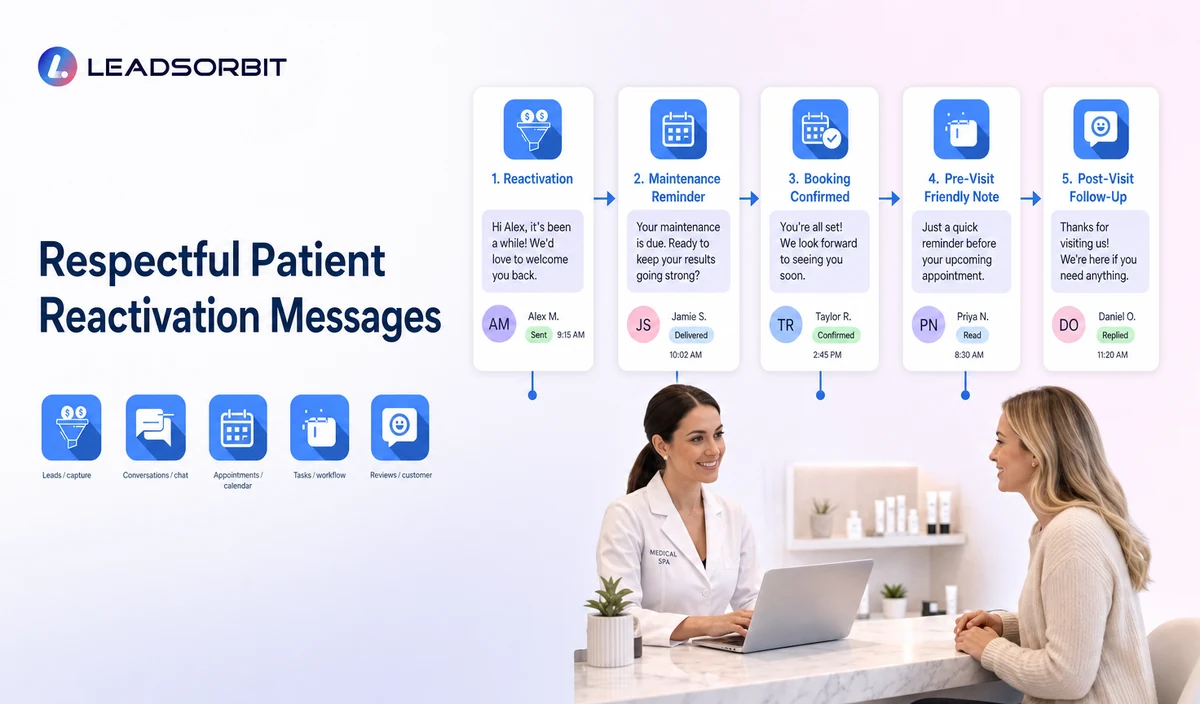
General Patient Reactivation
Approved Maintenance Reminder
Booking Path
Final Active Message
Patient Reactivation Is Different From Lead Reactivation
| Patient reactivation | Lead reactivation |
|---|---|
| Begins with a validated prior patient relationship. | Begins with a prior inquiry that did not become a patient appointment. |
| May use an approved maintenance status or general relationship reminder. | Offers consultation booking or general staff help. |
| Requires patient specific consent, exclusions, and data controls. | Requires lead source, campaign, consent, and status controls. |
| Must not prescribe treatment timing or clinical need. | Must not imply treatment suitability or outcomes. |
| Reported as patient re engagement or maintenance workflow. | Reported as inquiry reactivation or lead conversion. |
Keep Messaging Administrative
- Do not say the patient is medically overdue unless qualified staff has approved exact wording and source.
- Do not prescribe treatment frequency or maintenance intervals.
- Do not name a treatment, medication, condition, complication, or result in routine messaging.
- Do not request photos, medical history, contraindications, or consents.
- Do not promise that a service remains suitable.
- Do not pressure the patient with fear or outcome claims.
- Move questions to qualified staff.
Consent, HIPAA, and PHI
The FCC’s TCPA guidance discusses consent and reasonable revocation methods for certain automated communications. Review the audience, message type, consent record, technology, and jurisdiction.
LEADSORBIT supports HIPAA compliant administrative workflows for eligible healthcare organizations through HIPAA enabled HighLevel subaccounts. Compliant use depends on maintaining the active HIPAA package, applicable agreements, approved account configuration, user permissions, integrations, retention settings, and the healthcare organization’s own procedures.
Prior relationship, appointment history, maintenance status, replies, and booking activity may be PHI depending on context. Use minimum contact and operational information and review every source system, calendar, channel, AI tool, permission, retention rule, and data destination.
Setup Checklist
- Define the validated prior patient segment.
- Separate patient records from unbooked leads.
- Name the approved source for any maintenance timing or status.
- Exclude future appointments, open conversations, opt outs, duplicates, complaints, and invalid contacts.
- Approve general reactivation and maintenance wording separately.
- Use the correct location, booking path, and callback owner.
- Define BOOK, CALLBACK, LATER, HELP, complaint, and STOP handling.
- Confirm permissions, retention, integrations, and HIPAA enabled account status.
- Test wrong status, duplicate records, sensitive replies, and staff takeover.
- Review results before the next campaign.
Test the Workflow With Your Patient Segments
Start Your 14 Days Free Trial to set up and test lapsed patient segments, approved maintenance sources, messages, booking paths, staff tasks, suppression rules, and review workflows inside LEADSORBIT.
What to Measure
- Eligible and excluded patient records.
- Maintenance source errors or missing approvals.
- Messages delivered or failed.
- Replies by booking, callback, later, help, complaint, or opt out.
- Valid appointments connected with the workflow.
- Unresolved staff tasks.
- Booked or closed records still active.
- Duplicate messages and privacy concerns.
How LEADSORBIT Supports Patient Reactivation
LEADSORBIT’s AI powered CRM can connect approved segments, status fields, messages, replies, booking, tasks, and outcome visibility.
- Workflow AI: triggers, conditions, messages, timing, tasks, and stop logic.
- Conversation AI: reply visibility, routing, staff takeover, and CRM synchronization.
- AI Appointment: booking, calendar connections, confirmations, rescheduling, and cancellation.
- CRM history, statuses, and tasks: relationship context, owner, next action, and suppression.
Exact maintenance status source, segment criteria, custom fields, location logic, channels, permissions, retention, and integrations require validation.
Try LEADSORBIT free for 14 days
FAQs
It is an administrative workflow for a validated prior patient segment that offers booking or staff help and stops after a defined outcome.
Final Thoughts
Medical spa patient reactivation works when the prior relationship is validated, maintenance timing comes from an approved source, and messaging stays neutral and administrative.
Start Your 14 Days Free Trial to explore how LEADSORBIT can help manage patient segments, approved maintenance reminders, booking workflows, staff tasks, suppression rules, and reporting in one connected.

Start Your Free 14 Day Trial
Try LEADSORBIT and see how it captures missed calls, follows up instantly, and turns leads into booked appointments for your business.