
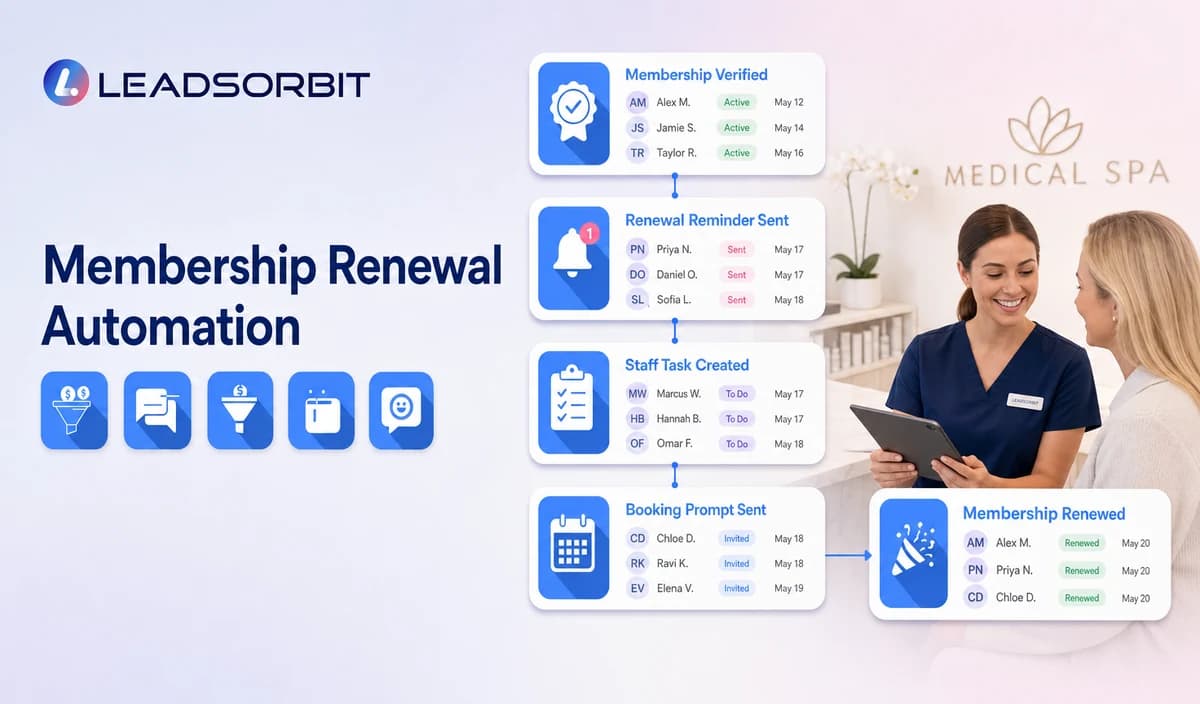

Membership renewal communication looks simple until the practice asks which system owns the member status, renewal date, benefits, balance, failed payment, cancellation, upgrade, and consent. Automation should not invent or infer any of those facts.
Medical spa membership renewal automation should begin with a verified membership record or approved integration and use staff handoff for anything involving benefits, billing, balances, failed payments, or plan changes. The broad retention framework remains with customer retention management.

Who This Guide Is For
- Medical spas with a verified membership platform or reviewed member list.
- Practice managers who need ownership of renewal reminders and exceptions.
- Front desk teams routing benefit, booking, payment, and cancellation questions.
- Multi location practices with location specific membership rules.
- Teams evaluating whether LEADSORBIT should connect with an external membership or payment system.
Membership Automation Requires a Verified Source
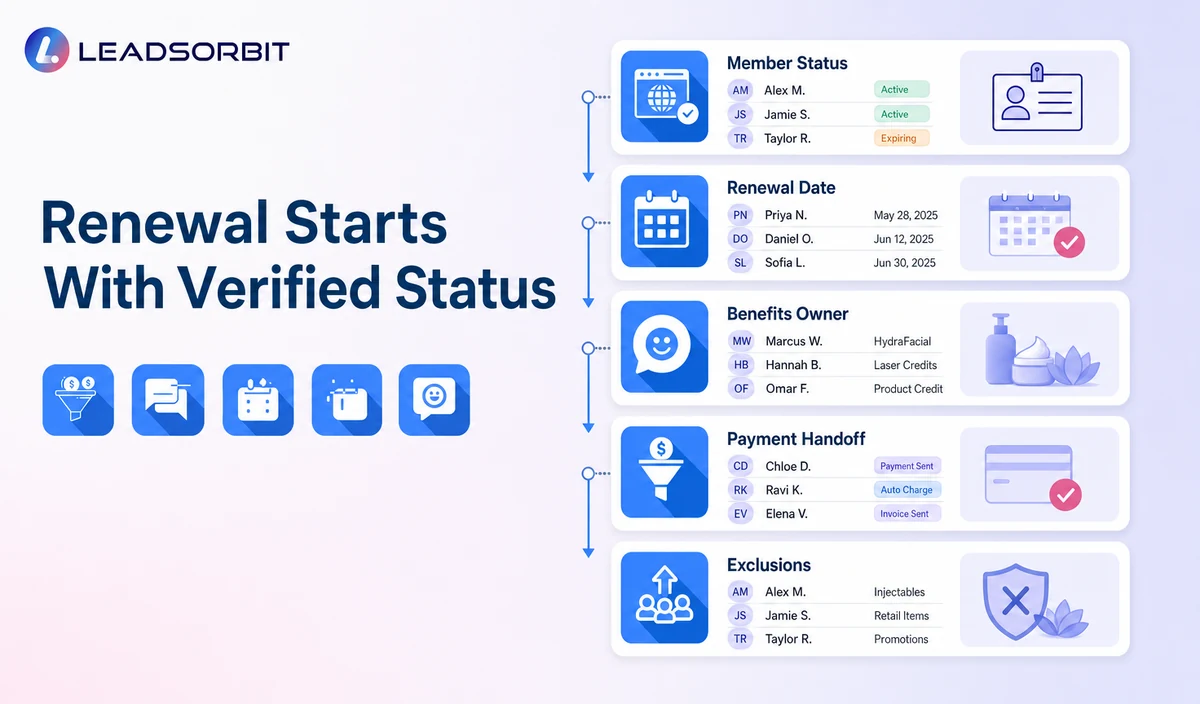
| Data element | Why it matters | Required validation |
|---|---|---|
| Active member status | Determines whether the person belongs in the workflow. | Confirm source, sync timing, permissions, and corrections. |
| Renewal or expiration date | Controls message timing. | Confirm the date is accurate and the workflow accounts for plan changes. |
| Plan name or category | May affect the owner or approved message. | Do not expose unnecessary benefit or treatment details. |
| Renewal outcome | Stops the reminder sequence. | Confirm whether renewal writes back to the source system. |
| Failed payment status | May create a staff or payment platform task. | Do not claim automated recovery without verified integration and policy. |
| Benefit or credit balance | May affect staff support. | Do not display or promise balances unless the source and rules are verified. |
| Cancellation / pause status | Controls suppression and future contact. | Define who can change the status and when reminders stop. |
What the Workflow May and May Not Do
| Administrative workflow may | Do not claim without verification |
|---|---|
| Send a reminder based on a verified renewal date. | Native membership billing or recurring payment processing. |
| Offer a staff callback or approved renewal link. | Automatic failed payment recovery or card retries. |
| Create a task for benefit, cancellation, or plan questions. | Accurate balances, credits, unused benefits, or plan entitlements. |
| Offer a general appointment or consultation booking path. | Treatment eligibility based on membership status. |
| Record renewed, callback, later, cancel, opt out, or closed outcome. | Guaranteed retention, recurring revenue, or membership growth. |
| Stop messages after a verified outcome. | Automated upgrades, downgrades, freezes, or refunds. |
A Practical Membership Renewal Workflow
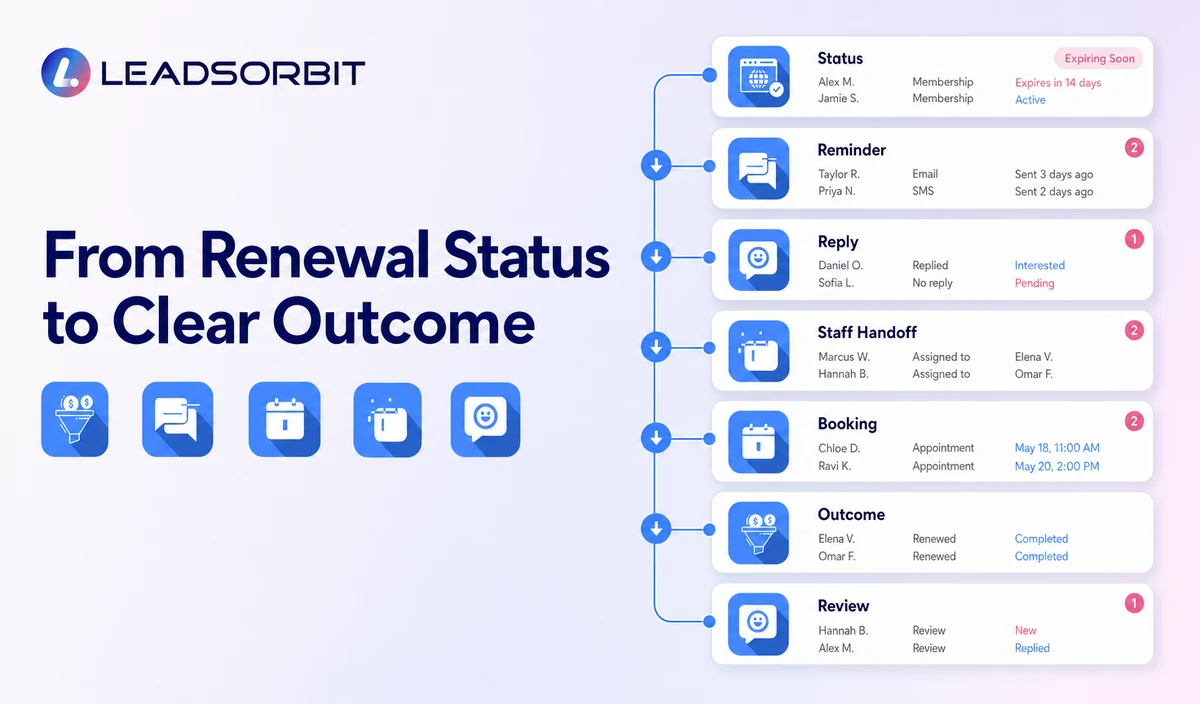
| Stage | Workflow action | Human responsibility | Stop condition |
|---|---|---|---|
| 1. Receive verified status | Import or create the member and renewal status from the approved source. | Review sync, export, or staff entry quality. | Do not activate uncertain records. |
| 2. Apply exclusions | Remove renewed, cancelled, paused, opted out, invalid, duplicate, complaint, and open conversation records. | Review exceptions. | Exclude records that should not receive routine reminders. |
| 3. Assign owner and path | Connect the correct location, membership owner, renewal destination, and backup owner. | Confirm local rules and staff capacity. | Move uncertain ownership to review. |
| 4. Send reminder | Use neutral wording with renewal, callback, booking, or help options. | Monitor delivery failures and sensitive replies. | Stop after renewal, cancellation, opt out, complaint, or takeover. |
| 5. Route replies | Handle RENEW, CALLBACK, BOOK, QUESTION, CANCEL, or STOP. | Own benefit, billing, payment, cancellation, and plan questions. | Pause automation after a complex reply. |
| 6. Payment or benefit handoff | Create a named task or use a verified external path. | Resolve the question in the approved membership or payment system. | Do not expose or calculate balances in routine messages. |
| 7. Outcome update | Record renewed, callback, later, cancelled, invalid, opt out, or closed. | Update the source system where required. | Do not leave completed records active. |
| 8. Review | Audit status accuracy, replies, tasks, failed messages, and complaints. | Approve changes before the next renewal cycle. | Pause when source or policy errors appear. |
Membership Renewal Message Templates
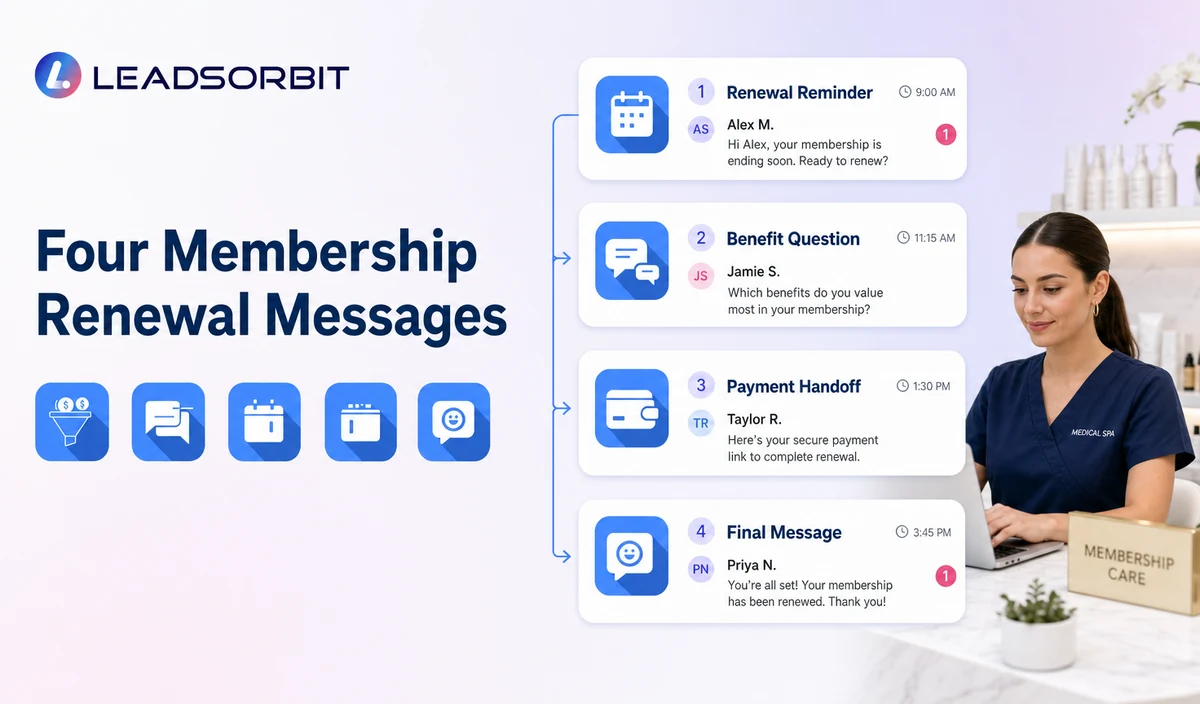
Renewal Reminder
Benefit or Plan Question Handoff
Booking Prompt for an Active Member
Final Active Message
Reply Handling
| Reply | Workflow action | Staff responsibility |
|---|---|---|
| RENEW | Use the verified renewal destination or create a renewal task. | Confirm the outcome in the source system. |
| CALLBACK | Create a named membership task. | Complete or reassign the callback. |
| BOOK | Offer the approved consultation or appointment path. | Resolve category or calendar exceptions. |
| QUESTION | Pause generic automation. | Handle benefit, plan, payment, cancellation, or policy questions. |
| CANCEL / PAUSE | Stop renewal reminders and create the approved human task. | Confirm the valid cancellation or pause process. |
| STOP | Stop applicable automated outreach. | Use another channel only when permitted and necessary. |
Failed Payments Require a Separate Verified Process
A failed payment status may create a staff task or a link to an approved payment platform when the integration and policy are verified. This guide does not claim native payment recovery, card retries, balance calculation, or payment collection.
- Confirm the system that owns the payment status.
- Avoid payment card or bank information in routine messaging.
- Do not state an amount or balance unless it comes from a verified source.
- Do not retry payments through automation unless the exact platform and authorization are approved.
- Route disputes, refunds, credits, or financial hardship to staff.
- Stop reminders after cancellation, resolution, opt out, or staff takeover.
HIPAA and Data Handling
LEADSORBIT supports HIPAA compliant administrative workflows for eligible healthcare organizations through HIPAA enabled HighLevel subaccounts. Compliant use depends on maintaining the active HIPAA package, applicable agreements, approved account configuration, user permissions, integrations, retention settings, and the healthcare organization’s own procedures.
Membership status, renewal date, booking activity, benefit questions, payment handoff, and communications may be PHI depending on context. Use minimum contact and operational information and review the membership platform, payment provider, forms, calendars, AI tools, permissions, retention, and data destinations separately.
Common Membership Automation Mistakes
- Using an unverified renewal date.
- Sending reminders to renewed, cancelled, paused, or opted out members.
- Claiming balances, unused benefits, or failed payments without a trusted source.
- Collecting payment details by text.
- Treating membership status as treatment eligibility.
- Continuing messages after a complex question or staff takeover.
- Promising automatic payment recovery, retention, or recurring revenue outcomes.
- Failing to update the source system after resolution.
Membership Renewal Setup Checklist
- Name the system that owns member status and renewal date.
- Define renewed, approaching renewal, later, cancelled, paused, payment review, opt out, and closed statuses.
- Approve reminder, question handoff, booking, cancellation, and final messages.
- Assign membership, payment, booking, and backup owners.
- Validate renewal links and external systems.
- Keep payment details outside routine channels.
- Confirm HIPAA enabled account status, permissions, retention, and integrations.
- Test incorrect dates, duplicates, failed messages, plan changes, staff takeover, and opt outs.
- Keep the article in review until membership and payment capabilities are verified.
See the Workflow With Your Membership System
Start 14 Days Free Trial to map your verified membership status, renewal reminders, staff handoffs, booking prompts, stop rules, and reporting inside LEADSORBIT.
What to Measure
- Verified members entering the renewal window.
- Records excluded because of renewed, cancelled, paused, opt out, duplicate, or invalid status.
- Messages delivered or failed.
- Replies by renewal, callback, booking, question, cancellation, or opt out.
- Staff tasks created and resolved.
- Source system outcomes updated correctly.
- Unresolved payment or benefit questions.
- Complaints and privacy concerns.
How LEADSORBIT May Support Membership Communication
LEADSORBIT’s AI powered CRM can support verified segments, messages, booking paths, tasks, and operational outcomes when connected with the appropriate source systems.
- Workflow AI: configurable triggers, messages, conditions, timing, tasks, and stop logic.
- Conversation AI: reply visibility, routing, staff takeover, and CRM synchronization.
- AI Appointment: consultation or appointment booking, confirmations, rescheduling, and cancellation.
- CRM fields and tasks: verified status, owner, next action, and outcome visibility.
Membership billing, recurring payments, failed payment recovery, balances, plan administration, cancellation, upgrades, downgrades, and refunds are not verified as native LEADSORBIT capabilities in this article.
Try LEADSORBIT free for 14 days
FAQs
It is an administrative workflow that uses verified membership status and renewal dates to send reminders, offer staff help, and record a clear outcome.
Final Thoughts
Medical spa membership renewal automation should be built around verified member data and clear human ownership. It should never invent balances, recover payments without authorization, or imply treatment eligibility.
Start 14 Days Free Trial to review how LEADSORBIT can support membership communication, staff tasks, appointment booking, and CRM visibility alongside your verified systems.

Start Your Free 14 Day Trial
Try LEADSORBIT and see how it captures missed calls, follows up instantly, and turns leads into booked appointments for your business.