
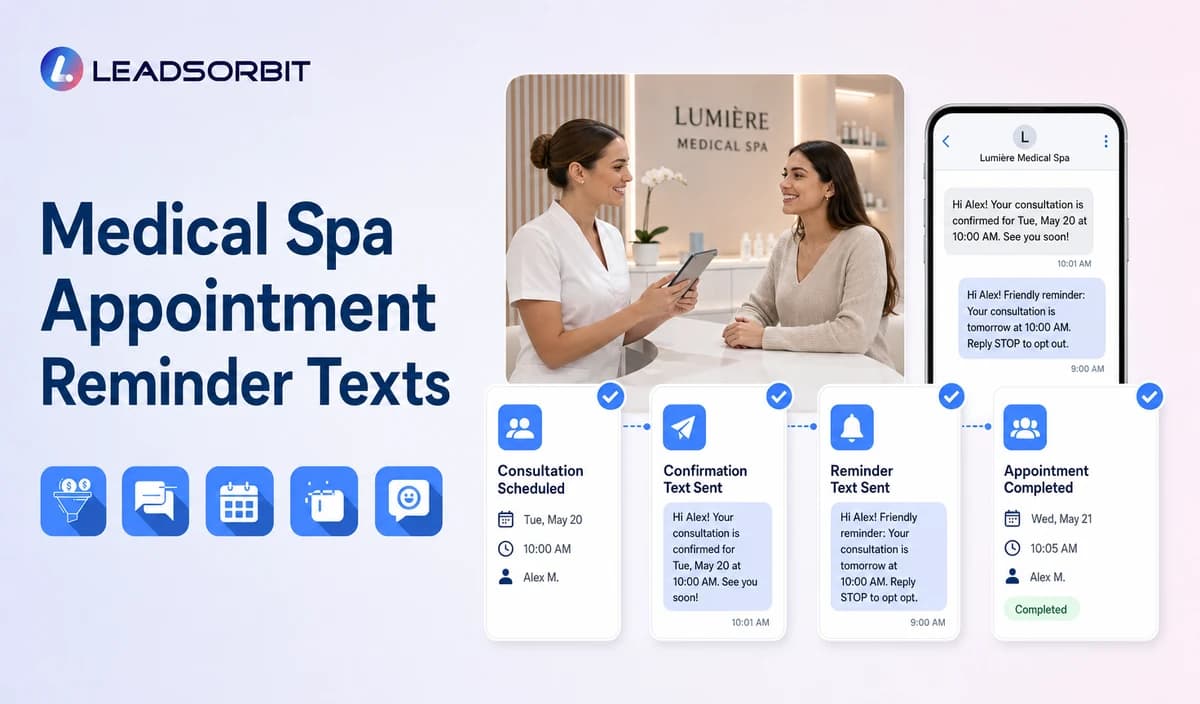

A useful medical spa reminder does more than repeat the time. It confirms the valid location, helps the person change the appointment, and provides only approved administrative arrival information.
This guide provides medical spa specific templates and timing controls. It does not provide clinical preparation instructions or claim a guaranteed reduction in no shows. The broad booking framework remains with appointment booking CRM.

Who This Guide Is For
- Medical spas standardizing confirmation and reminder messages.
- Front desk teams managing consultations and confirmed appointments.
- Multi location practices that need correct office details in every message.
- Practice owners who want replies and appointment changes visible in the CRM.
- Healthcare organizations configuring HIPAA enabled appointment communication.
Timing Should Match the Appointment Journey
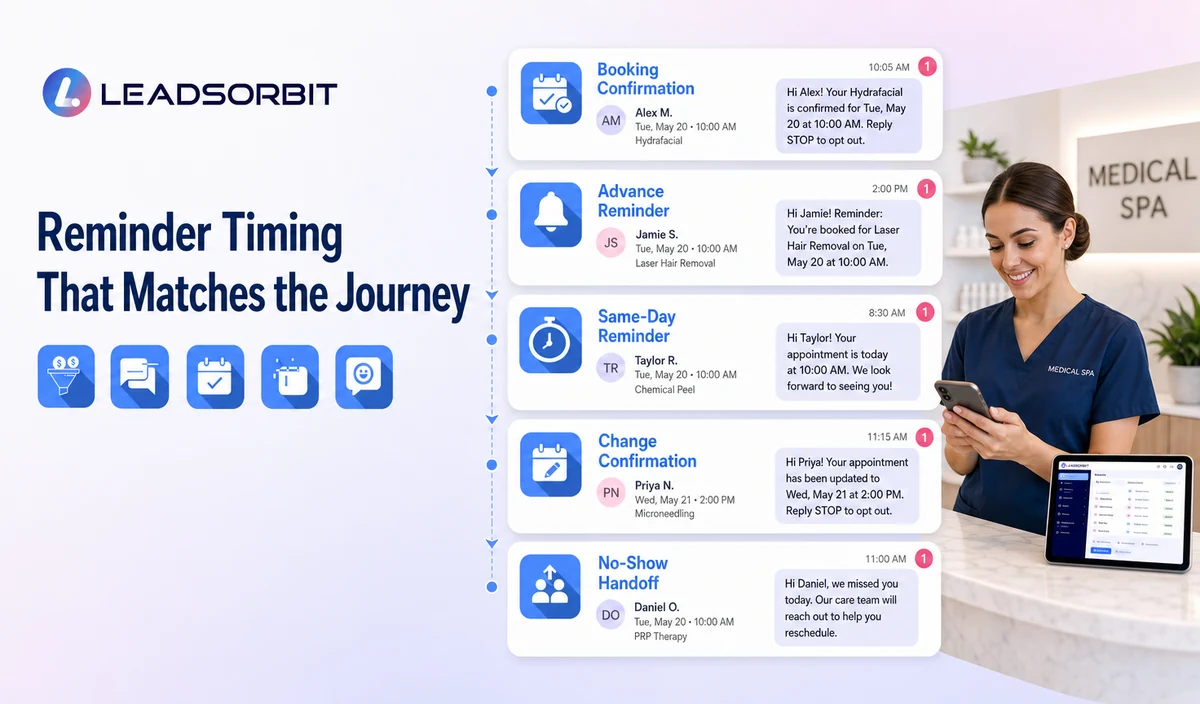
There is no universal reminder schedule for every medical spa. Timing depends on consultation type, appointment category, booking lead time, office hours, consent, and the patient’s ability to act.
| Reminder point | Purpose | Useful content | Stop or change rule |
|---|---|---|---|
| Booking confirmation | Confirm that the appointment exists. | Practice, date, time, location, approved link, and change path. | Replace if the appointment changes. |
| Advance reminder | Give time to confirm or reschedule. | Date, time, location, confirmation action, and approved administrative link. | Stop after cancellation or reschedule. |
| Same day reminder | Reduce location or timing confusion. | Time, location, concise arrival direction, and staff help option. | Do not send after cancellation or appointment time. |
| Change confirmation | Confirm the new status. | New time or cancellation confirmation. | Suppress the old sequence. |
| Missed appointment handoff | Move to the separate recovery process. | Rescheduling or callback option. | Do not continue pre appointment reminders. |
Consultations and Treatment Appointments Need Different Wording
| Appointment type | Useful emphasis | Avoid |
|---|---|---|
| New consultation | Location, approved arrival time, confirmation, and change path. | Treatment suitability, outcome promises, or medical intake. |
| Follow up consultation | Correct provider/location and staff help option. | Clinical instructions or assumptions about treatment status. |
| Confirmed treatment appointment | Date, time, location, and an approved preparation information link when reviewed. | Writing medical preparation instructions directly into the automation. |
| Multi location appointment | State the exact office and directions link. | Assuming the patient remembers which office was selected. |
| Rescheduled appointment | State the new valid time and that it replaces the earlier appointment. | Allowing the old reminder sequence to continue. |
Medical Spa Booking Confirmation Template
Advance Reminder Templates
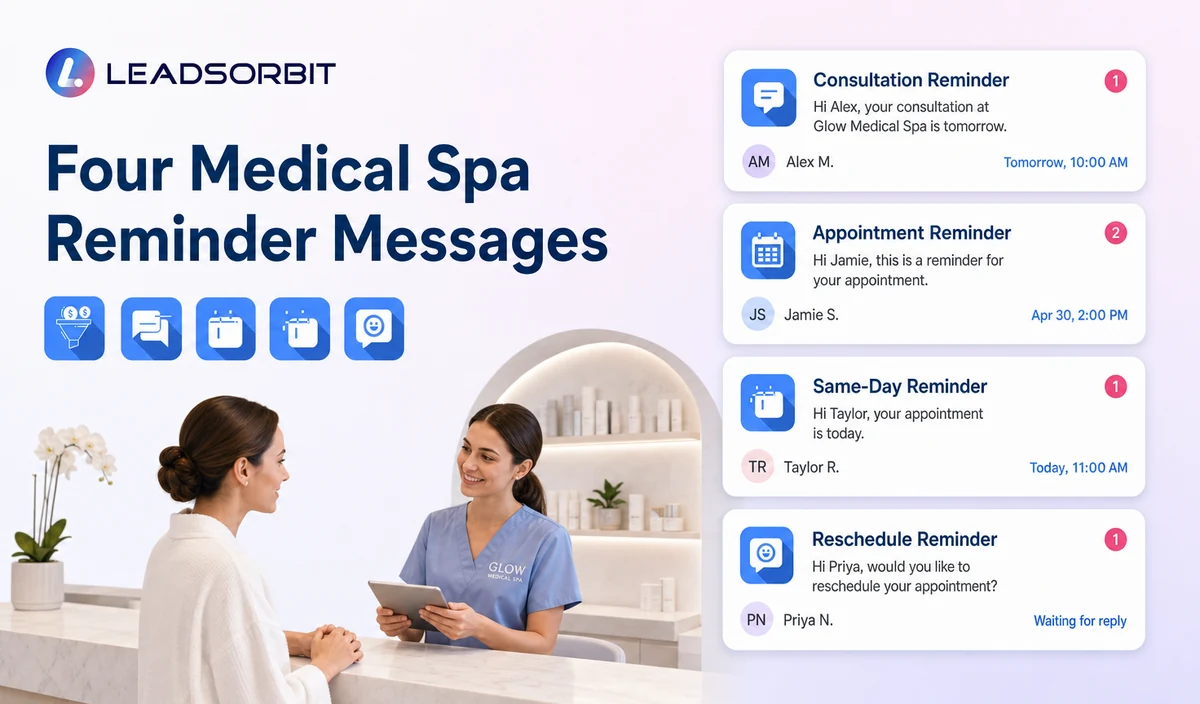
Consultation Reminder
Confirmed Appointment Reminder
Location Specific Reminder
Same Day Reminder Template
Rescheduling and Cancellation Templates
Reschedule Requested
Reschedule Confirmed
Cancellation Confirmed
How Reminder Replies Should Update the Workflow
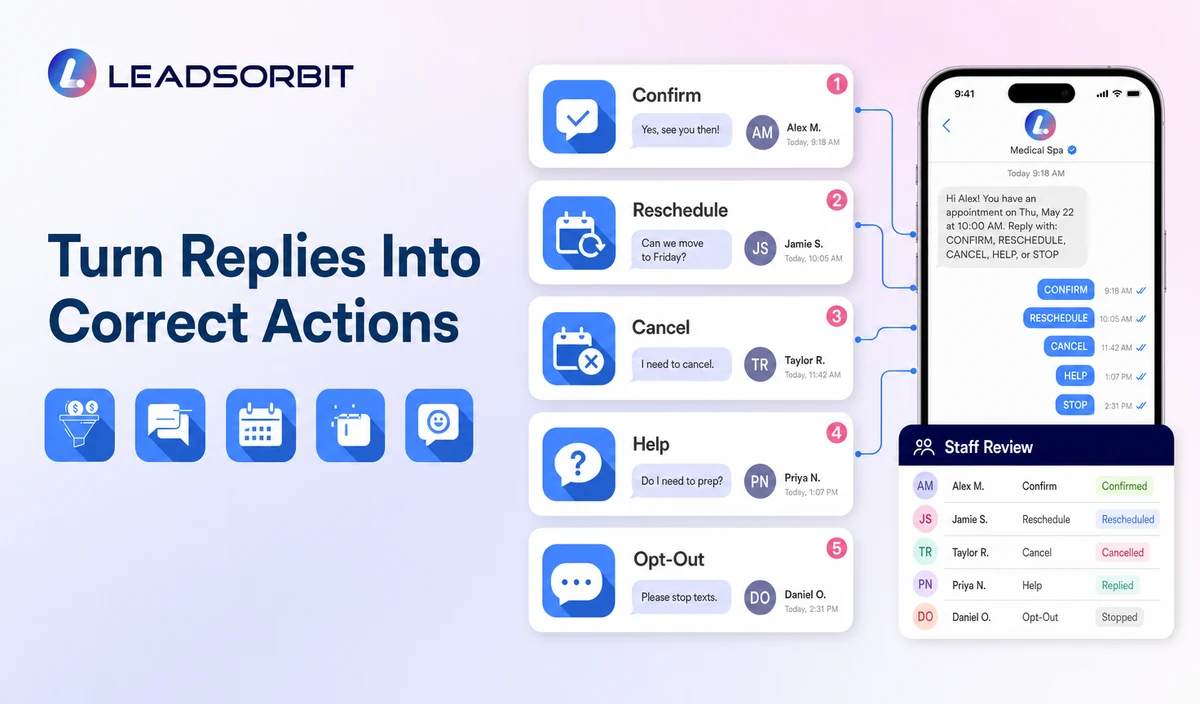
| Reply | Workflow action | Human review |
|---|---|---|
| Confirm | Update confirmation status and stop duplicate prompts. | Review only when status conflicts with the calendar. |
| Reschedule | Open the approved change path or create a task. | Required for unavailable times, provider/location exceptions, or failed links. |
| Cancel | Update cancellation status and stop obsolete reminders. | Review when special policy handling is needed. |
| HELP or question | Create a visible task with appointment context. | Required for unclear, clinical, sensitive, membership, package, or payment questions. |
| Opt out | Stop applicable automated messages and retain suppression. | Review only when another permitted contact path is necessary. |
| Unexpected medical detail | Do not analyze or continue routine automation. | Move to qualified staff. |
Keep Preparation Information Behind an Approved Link
When the practice has clinician approved preparation information, a reminder may point to that resource. The automated message should not create or modify medical instructions.
- Use a current practice approved page or document.
- Confirm the link matches the appointment category and location.
- Do not generate contraindication, medication, fasting, skin care, or post procedure instructions.
- Do not interpret the patient’s history or suitability.
- Route preparation questions to qualified staff.
- Update or remove links when practice guidance changes.
A Practical Reminder Workflow
| Stage | Workflow action | Staff responsibility | Stop condition |
|---|---|---|---|
| 1. Valid booking | Create the correct reminder sequence from the approved appointment record. | Review category, preference, location, provider, and exceptions. | Do not start reminders for an unconfirmed request. |
| 2. Confirmation | Send the booking confirmation. | Handle failed delivery or unclear replies. | Stop old messages after a change. |
| 3. Advance reminder | Send the appropriate template. | Review reschedule, cancel, or help requests. | Stop after cancellation, reschedule, opt out, or staff takeover. |
| 4. Same day reminder | Send concise timing and location guidance when approved. | Monitor exception replies. | Do not send after the scheduled time or invalid status. |
| 5. Reply handling | Interpret supported actions such as confirm, reschedule, cancel, or help. | Own ambiguous or sensitive replies. | Move non routine requests to staff. |
| 6. Status update | Update calendar, CRM status, task, and next message. | Correct conflicts and duplicates. | Suppress the old workflow after a new valid status. |
| 7. Missed appointment | Move to the separate recovery process. | Apply respectful rescheduling and stop rules. | Do not keep sending pre visit reminders. |
Consent, Opt Outs, and PHI
The FCC’s TCPA guidance discusses consent and reasonable revocation methods for certain automated communications. Practices should verify the exact message type, consent source, technology, and jurisdiction.
LEADSORBIT supports HIPAA compliant administrative workflows for eligible healthcare organizations through HIPAA enabled HighLevel subaccounts. Compliant use depends on maintaining the active HIPAA package, applicable agreements, approved account configuration, user permissions, integrations, retention settings, and the healthcare organization’s own procedures.
Reminder data including names, dates, times, locations, appointment categories, links, status, and replies may be PHI depending on context. Use minimum contact and operational information and review every calendar, messaging provider, AI tool, permission, retention rule, and data destination.
Common Reminder Mistakes
- Sending from an outdated or incorrect appointment record.
- Treating a request as a confirmed booking.
- Using the same message for every appointment category.
- Continuing old reminders after rescheduling or cancellation.
- Including medical preparation instructions created by automation.
- Using a reply action the system or staff cannot support.
- Failing to assign HELP, reschedule, cancellation, or failed delivery replies.
- Promising a numeric no show reduction without evidence.
Reminder Setup Checklist
- Define valid appointment statuses and categories.
- Confirm calendar source, time zone, location, provider, and duration.
- Approve confirmation, advance, same day, reschedule, and cancellation templates.
- Use only supported reply actions.
- Assign owners for HELP, failed delivery, reschedule, and cancellation.
- Stop old sequences after changes.
- Confirm consent, opt out, permissions, retention, and integrations.
- Use clinician approved preparation links only.
- Test time zones, duplicates, failed messages, and staff takeover.
See the Reminder Workflow With Your Timing
Book a Demo to map your confirmations, reminders, reply actions, rescheduling, cancellation, staff tasks, and stop rules inside LEADSORBIT.
What to Measure
- Confirmations received through the approved action.
- Failed or undelivered reminders.
- Reschedule and cancellation requests routed correctly.
- Old messages suppressed after changes.
- HELP or exception replies without an owner.
- Duplicate reminder sequences.
- Opt outs and complaints.
- Calendar and CRM status consistency.
How LEADSORBIT Supports Medical Spa Reminders
LEADSORBIT’s AI powered CRM can connect appointment status, reminders, replies, rescheduling, tasks, and conversation history.
- AI Appointment: booking, calendar connection, confirmations, reminders, rescheduling, and cancellation.
- Workflow AI: timing, conditions, messages, tasks, and stop rules.
- Conversation AI: reply visibility, routing, staff takeover, and CRM synchronization.
- CRM records and tasks: appointment context, owner, next action, and status visibility.
Exact reminder timing, reply keywords, channels, calendar behavior, approved links, permissions, retention, and integrations require validation.
Try LEADSORBIT free for 14 days
FAQs
Include the practice name, valid date and time, location, approved confirmation or change action, and only the minimum arrival information needed.
Final Thoughts
Medical spa appointment reminder texts should make the next step obvious: confirm, arrive, reschedule, cancel, or ask for help. The workflow must use accurate appointment data and stop when the status changes.
Book a Demo to map your confirmations, reminders, reply actions, rescheduling, cancellation, staff tasks, and stop rules inside LEADSORBIT.

Start Your Free 14 Day Trial
Try LEADSORBIT and see how it captures missed calls, follows up instantly, and turns leads into booked appointments for your business.