
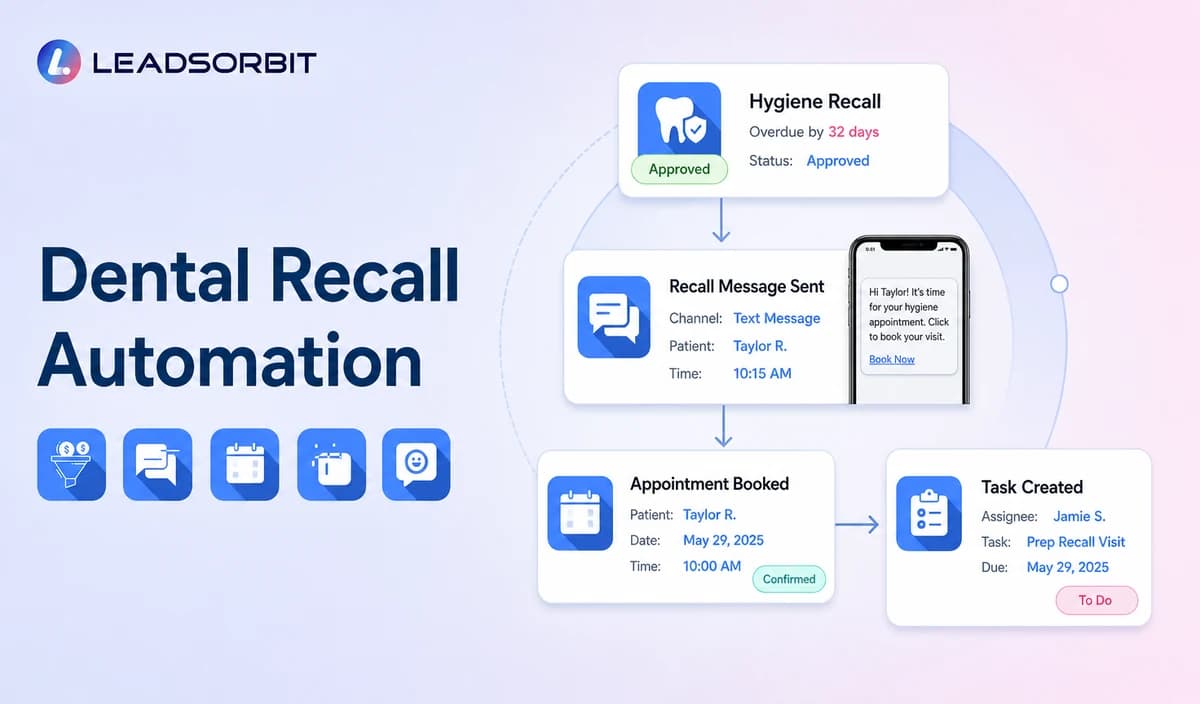

Dental recall becomes unreliable when the practice cannot confirm who is actually due, which location or provider owns the relationship, whether a future appointment already exists, and which patients have opted out. A generic contact age filter is not enough.
Dental recall automation should begin with an approved source of due or overdue hygiene status, usually a connected dental PMS, approved export, or staff reviewed list. The broad reminder framework remains with appointment reminder texts, while the commercial dental owner remains LEADSORBIT Dental Software.

Who This Guide Is For
- Dental practices with an approved source for due and overdue hygiene status.
- Front desk and hygiene coordination teams managing recall lists manually.
- Office managers who want recall messages, replies, booking, and staff tasks visible in the CRM.
- Healthcare organizations reviewing HIPAA enabled administrative recall workflows.
Recall Data Must Come From an Approved Source
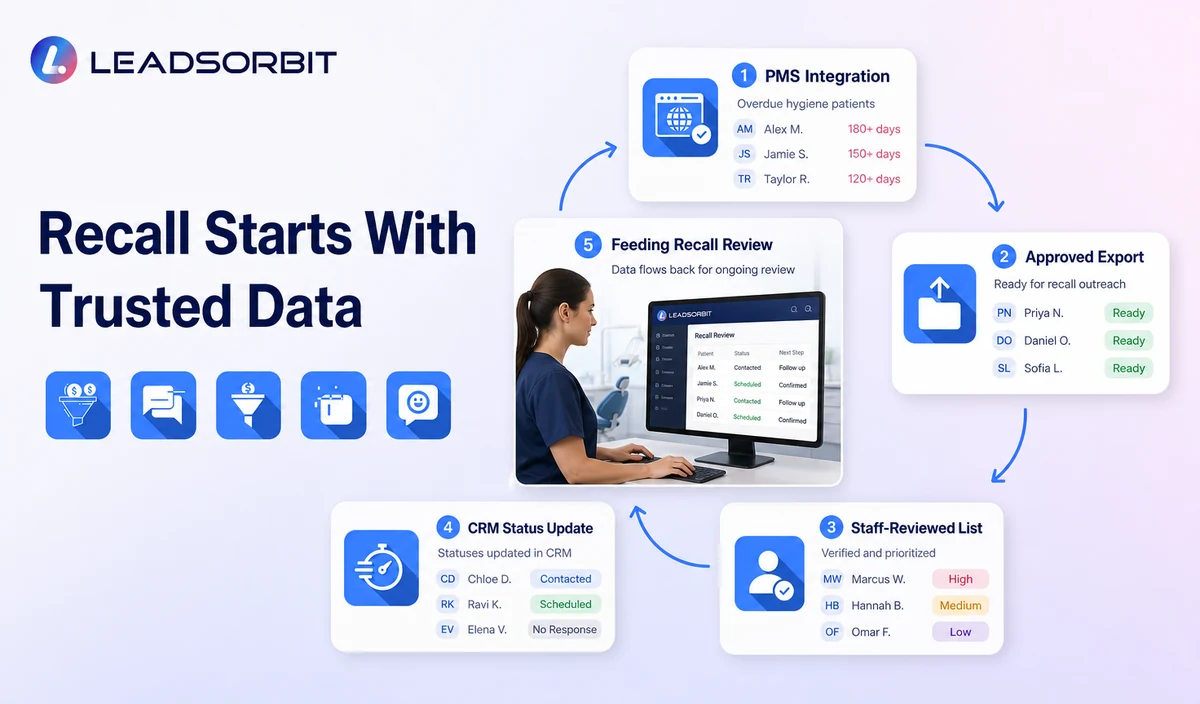
The most important recall question is not how many messages to send. It is whether the record belongs in the recall workflow at all. The practice must define which system or reviewed process creates the due or overdue status.
| Possible data source | Useful role | Required validation |
|---|---|---|
| Connected dental PMS or approved integration | Supplies due date, overdue status, appointment category, location, or provider where supported. | Confirm field mapping, sync timing, permissions, corrections, duplicates, and failures. |
| Approved scheduled export | Provides a reviewed list for a defined campaign window. | Confirm export date, owner, exclusions, secure handling, and whether a future appointment already exists. |
| Staff maintained recall list | Supports practices without a direct data connection. | Define who updates the list, how errors are corrected, and when a record leaves the list. |
| CRM status created by staff | Allows manual entry after an approved administrative review. | Do not let staff guess clinical need or create an unsupported due date. |
| Generic last contact or last visit date | May support internal review only. | Do not treat it as confirmed hygiene recall without a validated business rule and approved source. |
Recall Is Different From Reactivation
Recall usually concerns an active patient who is due or overdue under an approved practice process. Reactivation targets a broader inactive or dormant segment and should not assume that every person is due for hygiene.
| Dental recall | Patient reactivation |
|---|---|
| Begins with an approved due or overdue status. | Begins with approved inactivity or dormant status criteria. |
| Usually focuses on a defined hygiene or recurring administrative appointment category. | May offer a general booking or callback path. |
| Requires a reliable data source and status updates. | Requires segment, consent, exclusion, and campaign review. |
| Stops when a valid appointment exists or the recall outcome is resolved. | Stops after booking, reply, opt out, staff takeover, or campaign limit. |
| Should not infer clinical urgency. | Should not imply that the patient needs treatment. |
A Practical Dental Recall Workflow
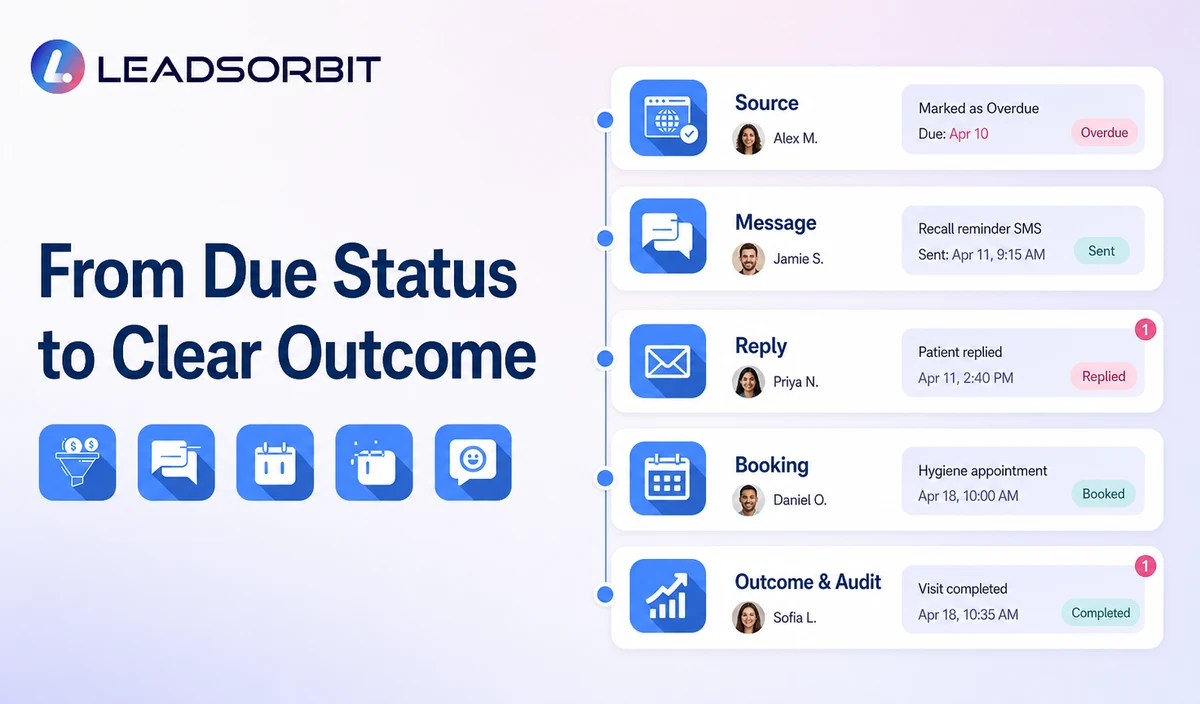
| Stage | Workflow action | Human responsibility | Stop or escalation rule |
|---|---|---|---|
| 1. Receive approved status | Import or create the due/overdue status from the approved source. | Review sync, export, or staff entry quality. | Do not activate records with uncertain or unsupported status. |
| 2. Apply exclusions | Remove future appointments, opt outs, invalid contacts, duplicates, complaints, and open conversations. | Review exceptions and sensitive circumstances. | Exclude any record that should not receive routine recall messaging. |
| 3. Assign location and owner | Connect the correct office, provider or hygiene team, booking path, and callback owner. | Correct cross location or provider conflicts. | Move unresolved ownership to staff review. |
| 4. Send first recall message | Use neutral administrative wording and offer booking or callback. | Monitor delivery failures and sensitive replies. | Stop after booking, meaningful reply, opt out, or staff takeover. |
| 5. Route replies | Handle approved actions such as BOOK, CALLBACK, LATER, HELP, or STOP. | Own unclear, clinical, records, billing, insurance, or complaint replies. | Pause routine automation after a non routine response. |
| 6. Limited follow up | Send one or more approved reminders within the practice’s defined cadence. | Review whether the patient remains eligible. | Stop at the attempt limit or when the status changes. |
| 7. Update source and CRM | Record booked, later, no response, invalid, opt out, or staff review outcome. | Correct the PMS/export/CRM status where the approved process requires it. | Do not leave booked or closed records in the active segment. |
| 8. Audit the recall cycle | Review segment accuracy, messages, replies, bookings, tasks, and errors. | Approve changes before the next cycle. | Pause the workflow when data quality or privacy risk appears. |
Dental Recall Message Templates
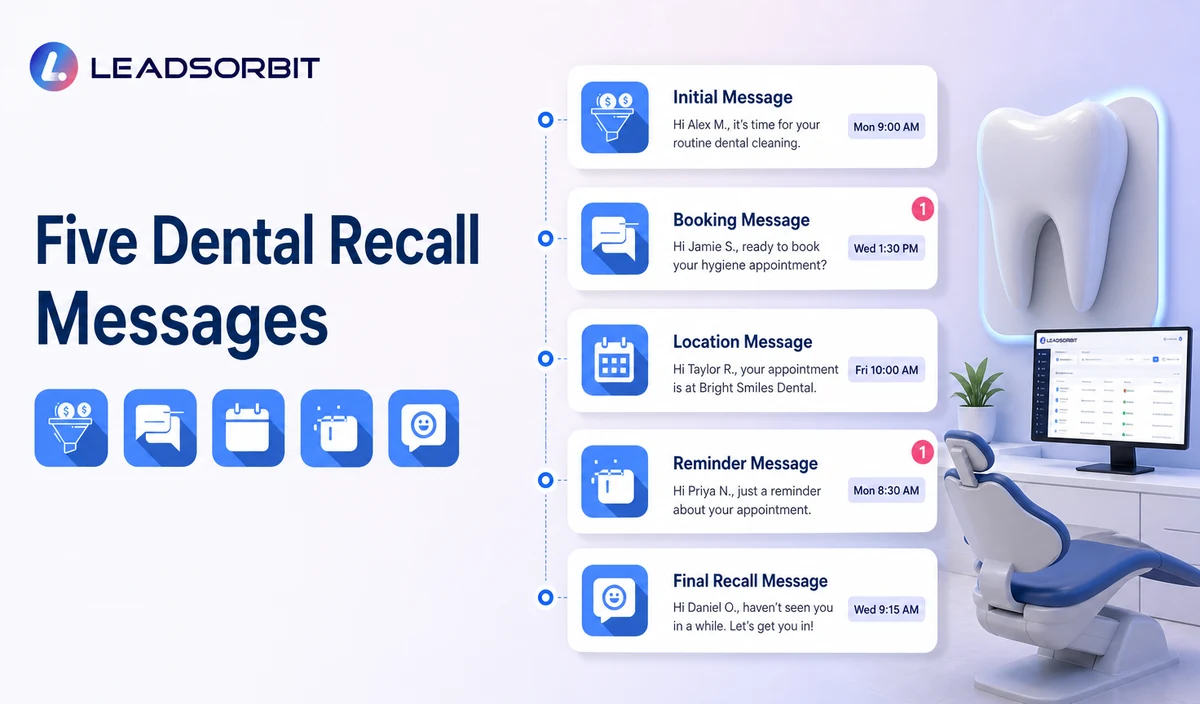
Initial Hygiene Recall Message
Booking Link Message
Location Specific Recall Message
Limited Reminder
Final Active Recall Message
Use Neutral Wording
The workflow may reference an approved recall status, but it should not create fear, diagnose a condition, promise prevention, or make the AI decide whether care is medically necessary.
| Useful administrative direction | Avoid |
|---|---|
| Our records indicate it may be time to request your next hygiene appointment. | You urgently need a cleaning. |
| Would you like a booking link or staff callback? | Delaying treatment will damage your health. |
| A team member can review your request. | The AI has determined that you are overdue for care. |
| No response is required. | You must schedule immediately. |
| Contact the practice with questions. | Automated clinical advice, diagnosis, or treatment recommendations. |
Reply Handling and Staff Ownership
| Reply | Workflow action | Staff action |
|---|---|---|
| BOOK | Offer the approved booking path and update the recall status when a valid booking exists. | Review unsupported categories or unavailable times. |
| CALLBACK | Create a named task with location and recall context. | Complete or reassign the callback within the practice’s service rule. |
| LATER | Pause active messaging and record the approved future review status. | Confirm whether the source system also needs an update. |
| HELP | Pause automation and create a staff task. | Handle office, scheduling, accessibility, or other approved questions. |
| Clinical or sensitive reply | Do not analyze or continue routine recall. | Move to qualified staff and preserve only minimum administrative context. |
| STOP or opt out | Stop applicable outreach and retain the suppression status. | Use another channel only when permitted and necessary. |
Consent, HIPAA, and Data Minimization Controls
Automated outreach may be subject to consent and revocation requirements. The FCC’s TCPA guidance discusses consent and reasonable revocation methods for certain automated communications. The practice should review the exact recall audience, channel, message type, technology, and jurisdiction with qualified advisers.
LEADSORBIT supports HIPAA compliant administrative workflows for eligible healthcare organizations through HIPAA enabled HighLevel subaccounts. Compliant use depends on maintaining the active HIPAA package, applicable agreements, approved account configuration, user permissions, integrations, retention settings, and the healthcare organization’s own procedures.
Names, due or overdue status, appointment category, location, provider preference, replies, and booking activity may be PHI depending on context. Use minimum contact and operational information and review the PMS, export process, calendar, communications provider, AI tool, permissions, retention, and every data destination.
Common Dental Recall Mistakes
- Building recall from an unverified last visit date.
- Failing to exclude patients who already have a future appointment.
- Using the same recall segment across locations without validating ownership.
- Continuing messages after booking, reply, opt out, or staff takeover.
- Using fear based or clinical wording.
- Collecting detailed symptoms, treatment, records, billing, insurance, or payment data in routine messages.
- Allowing booked or invalid records to remain in the active recall list.
- Promising a universal recall rate, booking rate, or revenue result.
Dental Recall Setup Checklist
- Name the approved source for due and overdue hygiene status.
- Confirm field mapping, sync or export timing, corrections, and failure handling.
- Define due, overdue, booked, later, no response, invalid, opt out, and closed statuses.
- Exclude future appointments, open conversations, complaints, duplicates, and invalid contacts.
- Assign the correct location, provider or hygiene team, booking path, and callback owner.
- Approve initial, reminder, and final messages.
- Define reply actions and human escalation rules.
- Confirm consent, permissions, retention, HIPAA enabled account status, and integrations.
- Test data errors, duplicate records, location conflicts, failed delivery, and staff takeover.
- Audit the segment after every recall cycle.
See the Recall Workflow With Your Data Source
Book a Demo to map your due and overdue data source, recall segments, messages, booking paths, callback owners, stop rules, and reporting inside LEADSORBIT.
What to Measure
- Records received from the approved source.
- Records excluded because of future appointments, opt outs, duplicates, complaints, or invalid contact.
- Messages delivered or failed.
- Replies by booking, callback, later, help, or opt out.
- Valid appointments connected with the recall workflow.
- Unresolved staff tasks and cross location conflicts.
- Records that remained active after booking or closure.
- Data source sync or export errors.
- Patient complaints, confusion, or privacy concerns.
How LEADSORBIT Supports Dental Recall Automation
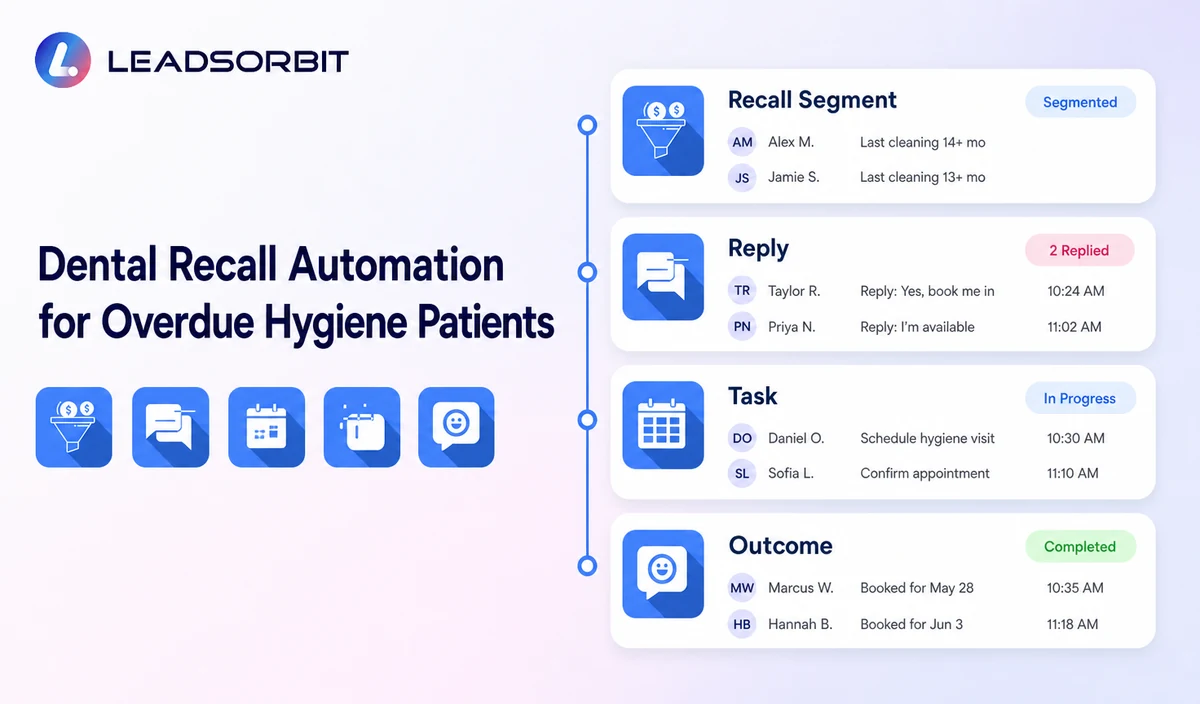
LEADSORBIT’s AI powered CRM can connect approved recall segments, communications, booking paths, staff tasks, and operational status visibility.
The due or overdue trigger does not come from assumption. Exact PMS integration, approved export, custom fields, sync timing, booking behavior, permissions, and status write back require product and implementation validation.
- Workflow AI: supports configurable triggers, conditions, SMS/email/call actions, timing, tasks, and stop logic.
- Conversation AI: supports supported channel reply visibility, routing, staff takeover, and CRM synchronization.
- AI Appointment: supports booking, calendar connections, confirmations, rescheduling, and cancellation.
- CRM segments, fields, statuses, and tasks: can support recall eligibility, owner assignment, outcomes, and suppression when configured.
Try LEADSORBIT free for 14 days
FAQs
It is an administrative workflow that uses an approved due or overdue status to send recall messages, offer booking or callback, route replies, and update outcomes.
Final Thoughts
Dental recall automation is only as reliable as its data source. Start with a validated due or overdue status, use neutral administrative messaging, and make sure every reply or exception has a clear owner.
Book a Demo to see how LEADSORBIT can support dental recall segments, communication, booking, staff tasks, and outcome tracking.

Start Your Free 14 Day Trial
Try LEADSORBIT and see how it captures missed calls, follows up instantly, and turns leads into booked appointments for your business.