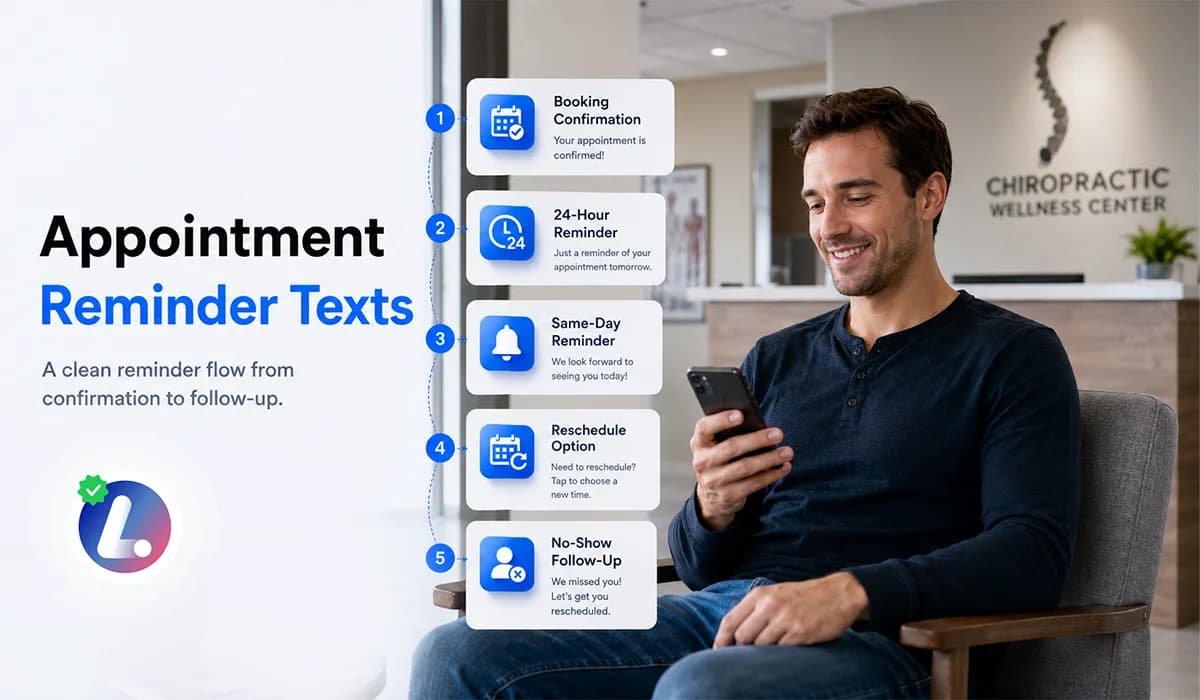

Appointment reminder texts help small businesses keep scheduled customers informed, reduce confusion, and make it easier for people to confirm or reschedule. A reminder should not feel like a cold notification. It should feel like a helpful message that supports the appointment experience.
For appointment based businesses, reminder timing and wording matter. If reminders are too late, the customer may forget. If they are too frequent or unclear, they may feel annoying. The right reminder flow gives the customer enough information without overwhelming them.
This guide covers timing, templates, confirmation replies, reschedule options, and no show follow up. It supports the larger Appointment Booking CRM for Small Business strategy by showing how reminders fit into the full booking journey.
Why Appointment Reminder Texts Matter
A booked appointment is not the same as an attended appointment. People get busy, forget details, lose the original confirmation, or need to reschedule. Reminder texts give them a simple way to stay on track.
For small businesses, reminders also help the team. They reduce manual calls, make appointment status more visible, and create a cleaner process when someone confirms, reschedules, or misses the appointment.
- They confirm the date, time, and location.
- They give the customer a quick way to reply.
- They help the team identify appointments that may need attention.
- They make rescheduling easier before the time slot is lost.
- They support a better customer experience before the visit.
The purpose is not to send messages just because automation can send them. The purpose is to create clear communication around an appointment that already matters to both the business and the customer.
A Simple Reminder Timing Framework
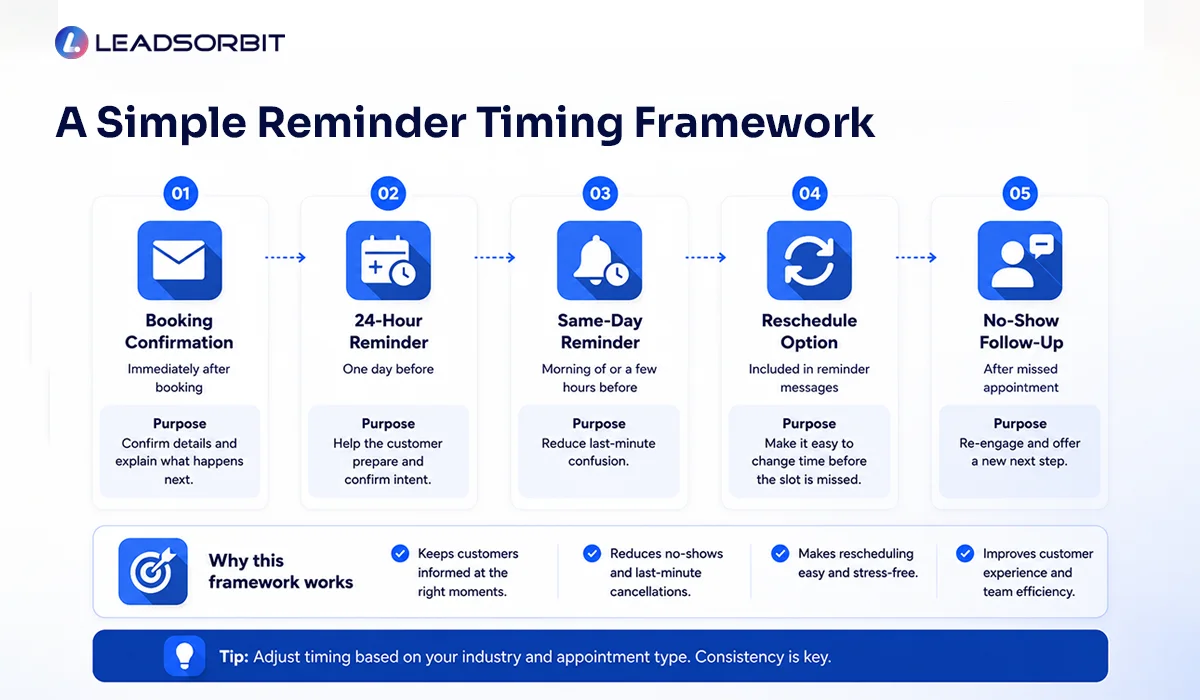
Reminder timing should be simple enough for the team to trust and flexible enough for the business to adjust. Most small businesses do not need a complicated sequence. They need a clear confirmation and a few helpful reminders before the appointment.
| Reminder Step | Timing | Purpose |
|---|---|---|
| Booking confirmation | Immediately after booking | Confirm details and explain what happens next |
| 24 hour reminder | One day before | Help the customer prepare and confirm intent |
| Same day reminder | Morning of or a few hours before | Reduce last minute confusion |
| Reschedule option | Included in reminder messages | Make it easy to change time before the slot is missed |
| No show follow up | After missed appointment | Re engage and offer a new next step |
This timing can be adjusted by industry. A chiropractic clinic may use a same day reminder a few hours before the visit. A dental office may also want to include prep instructions if the appointment type requires it.
Confirmation Text Templates
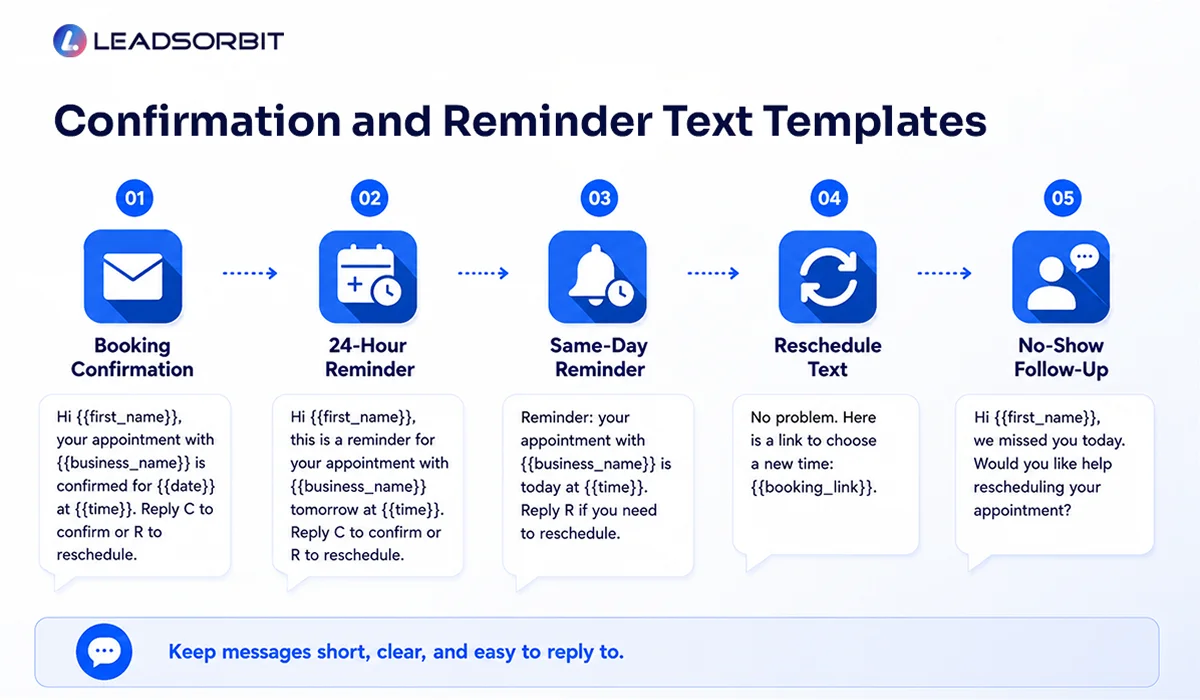
The confirmation text should go out immediately after the appointment is booked. It should confirm the most important details and give the customer a way to respond if something is wrong.
Keep the message short and clear. Do not include too many details in one SMS. If the customer needs more instructions, use email or a link to a clear appointment information page.

These templates are intentionally simple. The customer should know the appointment is confirmed, understand the next step, and feel comfortable replying if they need help.
24 Hour Reminder Text Templates
The 24 hour reminder is usually the most important message in the flow. It gives the customer enough time to confirm or reschedule, and it gives the business time to protect the schedule if the customer cannot attend.
A 24 hour reminder should be friendly and direct. The best reminder is one the customer can understand and answer quickly.
Same Day Reminder Text Templates
The same day reminder helps customers remember the appointment when their day gets busy. This message should be even shorter than the 24 hour reminder because the appointment is closer and the customer needs quick information.
Same day reminders work best when they reduce uncertainty. If your business has parking instructions, arrival timing, or check in expectations, include only what is truly needed.
Reschedule Text Templates
A reminder system should make rescheduling easy. If a customer cannot make the appointment, it is better to know before the time slot is lost. A clear reschedule option can protect the calendar and reduce frustration for both sides.
The reschedule process should be easy to complete. If the customer replies with a request, Conversation AI and the team should be able to see the conversation and move the appointment to the right next step.
No Show Follow Up Text Templates
A missed appointment should not always be treated as a lost customer. Some people forget, get busy, or have a last minute issue. The follow up should be respectful and simple, not judgmental.
After this message, the CRM should update the appointment status and show the team whether the person rescheduled, replied, or needs to move into a follow up stage.
Privacy and Consent Notes for Healthcare Businesses
Appointment reminders can be useful in healthcare related businesses like chiropractic and dental practices, but the content should still be handled carefully. Messages should avoid unnecessary sensitive information and follow applicable privacy, consent, and communication rules.
HHS states that appointment reminders are considered part of treatment under the HIPAA Privacy Rule and can be made without authorization. Still, businesses should keep reminders simple, honor patient preferences, and avoid including unnecessary protected health information in standard SMS reminders.
- HHS appointment reminders guidance explains the treatment related appointment reminder position.
- Keep reminder wording general and practical.
- Avoid sensitive details in SMS when they are not needed.
- Use secure channels for more detailed healthcare communication when appropriate.
This section is not legal advice. It is a reminder that appointment communication should be helpful, respectful, and aligned with the rules that apply to your business.
How Reminder Texts Connect to the CRM
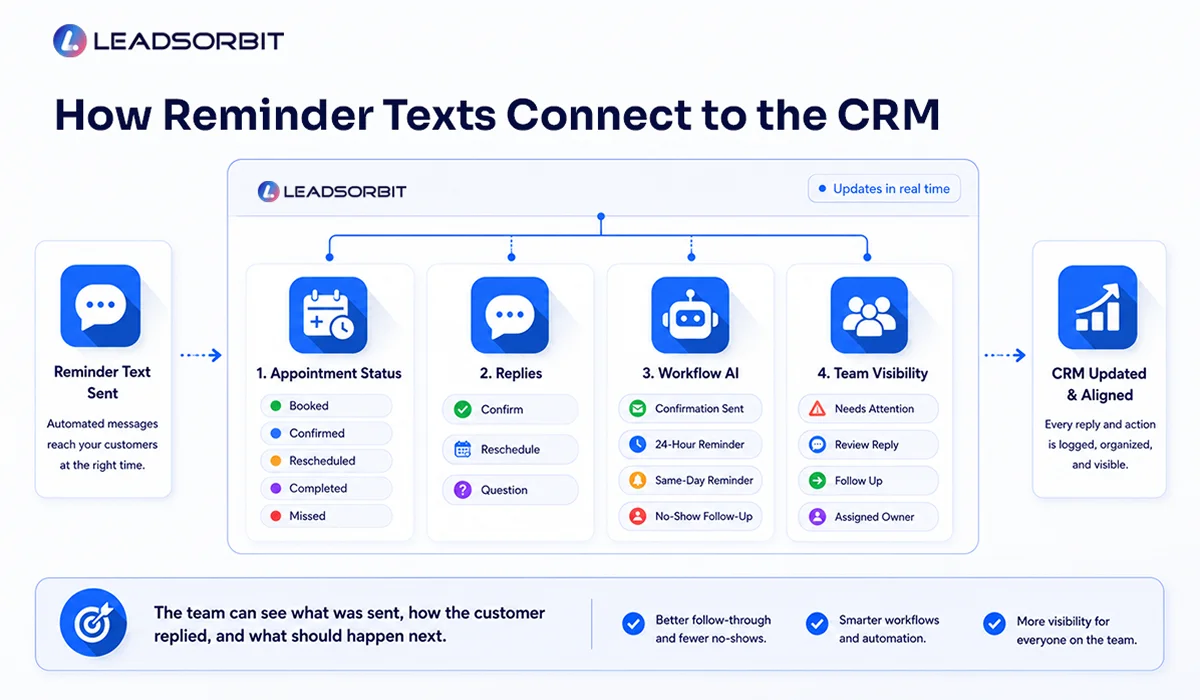
Reminder texts work best when they are connected to a CRM instead of being sent from a separate tool. When reminders connect to appointment status, team tasks, and conversation history, the business can respond more intelligently.
- AI Appointment can support appointment related scheduling workflows.
- Workflow AI can send confirmations, reminders, reschedule messages, and no show follow up.
- Conversation AI can keep replies visible in one place.
- Pipeline stages can show whether the appointment is booked, confirmed, rescheduled, completed, or missed.
The goal is to make reminders part of the full appointment journey. That way, the team does not have to guess what was sent or what the customer replied.
Chiropractic and Dental Examples
A chiropractic office may send a confirmation right after a new patient books, a reminder the day before the visit, and a same day reminder with arrival guidance. If the person misses the appointment, the system can send a respectful reschedule message and update the CRM.
A dental practice may use reminder texts for consultation appointments, hygiene visits, and treatment planning appointments. The reminder can confirm the time, make rescheduling easy, and keep the front desk aware of replies.
LEADSORBIT supports workflows for Chiropractic Software and Dental Software use cases where reminder communication needs to stay connected to the appointment record.
Try LEADSORBIT free for 14 days
FAQs About Appointment Reminder Texts
It should include the customer name when appropriate, business name, appointment date and time, and a simple way to confirm or reschedule. Keep the message short and easy to respond to.
Final Thoughts
Appointment reminder texts are simple, but they play an important role in the customer journey. They help people remember appointments, confirm intent, reschedule when needed, and stay connected with your team.
The best reminder system is not complicated. Start with a confirmation, add a 24 hour reminder, send a same day reminder, make rescheduling easy, and follow up respectfully after missed appointments.

Start Your Free 14 Day Trial
Try LEADSORBIT and see how it captures missed calls, follows up instantly, and turns leads into booked appointments for your business.
Personal Message from Faisal Zulfiqar
Reminder texts should feel helpful, not heavy. When the wording is clear and the timing is right, reminders can protect your schedule while also improving the customer experience.
My advice is to keep the system simple first. Make sure the customer knows the date, time, and next step. Then connect the reminder replies to your CRM so your team always knows what happened.