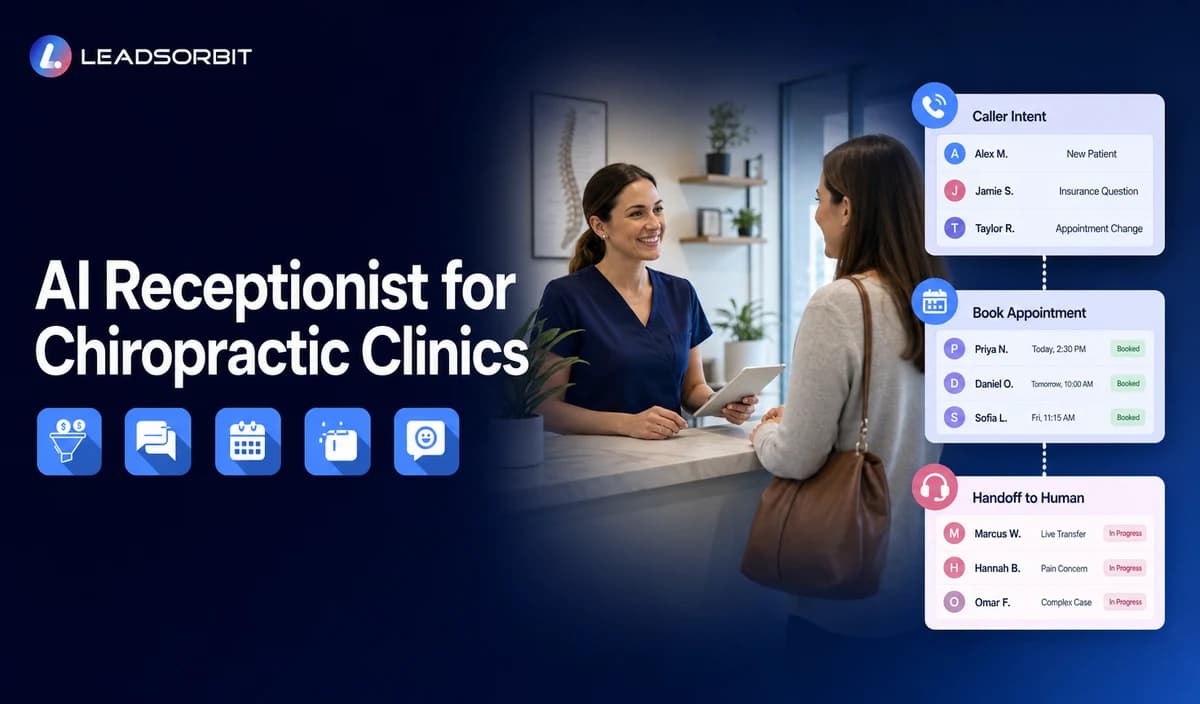

A busy chiropractic front desk may be checking patients in, confirming schedules, answering routine questions, and helping the clinical team while the phone keeps ringing. An AI receptionist for chiropractors can support that front end workload by answering routine inbound calls, identifying why the caller is contacting the clinic, collecting minimum contact and operational details, and moving the conversation toward booking, a callback, or the right staff member.
This guide focuses on chiropractic call reasons, new versus existing patient routing, after hours coverage, booking support, missed call recovery, and human escalation. The category wide framework remains in AI receptionist for clinics; this page owns the detailed chiropractic workflow. For LEADSORBIT's wider industry use case, visit LEADSORBIT for chiropractic clinics.

Who This Guide Is For
- Solo and multi provider chiropractic clinics.
- Clinics with busy front desks and frequent in person interruptions.
- Practices receiving appointment inquiries after hours.
- Teams struggling with callback ownership or missed call follow up.
- Clinics that want calls, booking activity, and follow up visible in one CRM workflow.
Why Chiropractic Front Desks Feel Call Pressure So Quickly
Chiropractic clinics are appointment driven, but their calls range from new patient availability and rescheduling to office questions and staff callbacks. When the same front desk team is checking people in, coordinating schedules, and answering phones, routine calls can interrupt higher priority work.
- New patient inquiries about availability, location, services, or the booking process.
- Existing patient requests to confirm, reschedule, or cancel an appointment.
- Questions about office hours, directions, parking, forms, or what to bring.
- Calls that require a staff callback because the question is clinical, financial, or records related.
- After hours inquiries that need acknowledgment and a clear next business day path.
- Missed calls that need to become a visible callback task instead of disappearing into voicemail.
An AI receptionist is useful when it creates order around repeatable call types and gives each caller a clear next step.
What an AI Receptionist for Chiropractors Should Actually Do
The public LEADSORBIT AI Receptionist page describes call answering, lead qualification, appointment booking, after hours coverage, and call logging inside the CRM. For a chiropractic clinic, those capabilities should be configured around the clinic's approved front desk rules rather than a generic sales script.
1. Identify Why the Caller Is Contacting the Clinic
The first goal is to identify the call reason well enough to choose the next step: new patient inquiry, existing patient request, scheduling issue, routine question, or human review.
2. Separate New and Existing Patients
New and existing patients need different paths. A new patient may need orientation and an appointment request; an existing patient may need a reschedule, callback, or staff handoff.
3. Collect Only Minimum Contact and Operational Details
For routing and booking, collect only what changes the next step: name, callback number, caller type, general reason, preferred time, and whether staff follow up is required.
A broader framework for deciding what to ask is available in the AI receptionist intake questions guide. The chiropractic version should stay narrow and operational.
4. Answer Routine, Approved Questions
Use a reviewed knowledge set for routine questions such as hours, address, parking, appointment types, booking, and staff contact. Update it whenever clinic information changes.
5. Support Booking Within Approved Calendar Rules
When calendar rules allow it, the receptionist can offer an approved booking or appointment request path. AI Appointment supports online booking, calendar connection, confirmations, reminders, rescheduling, and cancellation.
6. Cover After Hours Calls and Missed Call Recovery
After hours, acknowledge the caller, identify the reason, offer an approved booking or callback path, and set a clear response expectation. Unsuccessful transfers should create visible follow up ownership.
7. Escalate the Right Calls to a Human
When predefined escalation or emergency language is detected, routine intake should stop and the clinic's pre approved message or transfer path should begin. Other sensitive, uncertain, or complex requests should move to a person.
8. Keep the Conversation Visible
When enabled and configured appropriately, call activity, summaries, or transcripts can remain available in the CRM for staff follow up. Conversation AI supports conversation history, routing, CRM synchronization, tasks, and a unified inbox across supported channels.
A Practical Chiropractic AI Receptionist Workflow
A useful workflow defines the trigger, owner, next action, stop condition, and human handoff. The following model can be adapted to the clinic's hours, services, calendar, and staff roles.
| Stage | What Happens | Owner / System Action | Stop or Escalation Rule |
|---|---|---|---|
| 1. Call arrives | The receptionist greets the caller and identifies the general reason for contact. | AI receptionist handles approved opening and intent capture. | Escalate immediately when predefined escalation or emergency language is detected. |
| 2. Caller type | The workflow identifies new patient, existing patient, vendor, or other caller. | AI applies the correct branch and avoids irrelevant questions. | Transfer or create a callback when caller type cannot be confirmed. |
| 3. Minimum details | Name, callback number, general reason, and preferred next step are collected. | CRM record or call activity is updated. | Stop intake if the caller declines or the question becomes clinical. |
| 4. Routine answer | Approved FAQs are answered when a current answer exists. | AI uses clinic approved knowledge only. | Escalate when the answer is uncertain or outside the approved scope. |
| 5. Booking or callback | Caller receives a booking path, appointment request, or staff callback expectation. | AI Appointment or staff task supports the next step. | Stop automation when booked, transferred, or a staff member takes ownership. |
| 6. Confirmation | The caller receives confirmation of the request or appointment. | System records the outcome and next action. | No additional automated messages after an opt out or manual closure. |
| 7. Team follow up | Staff reviews escalations, incomplete bookings, and callback tasks. | Named team member owns the follow up. | Close only when the request is resolved, booked, or documented as no longer active. |
New-Patient and Existing-Patient Routing Should Be Different
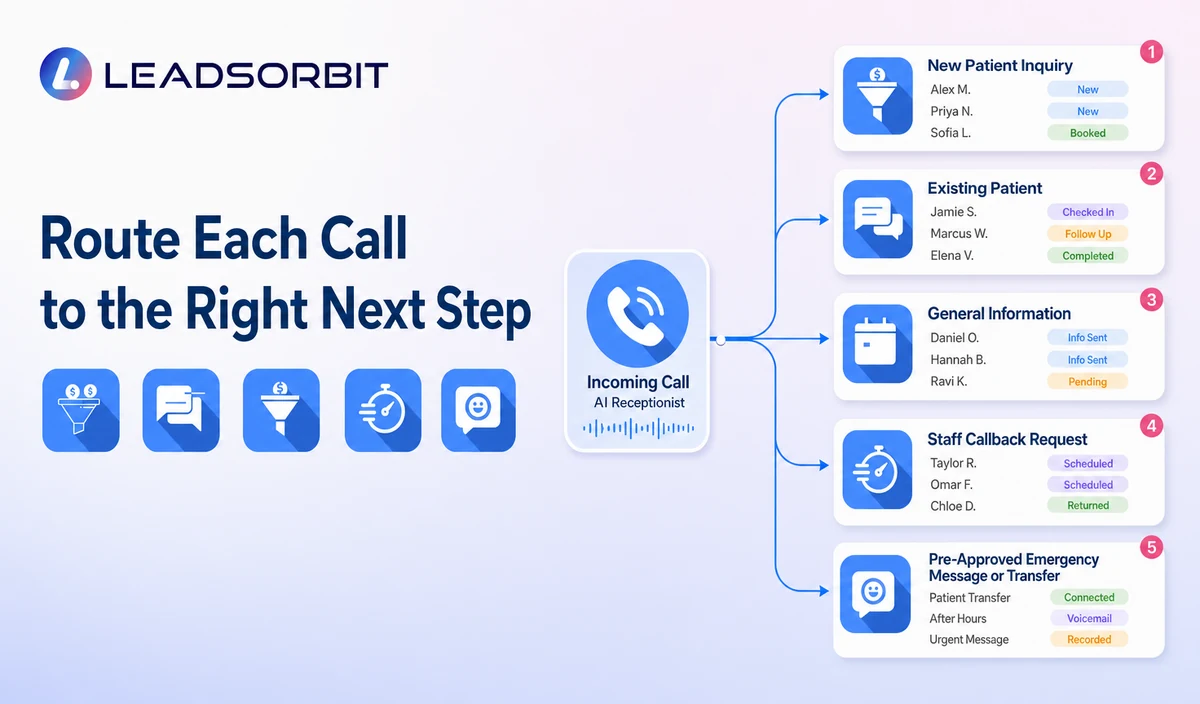
The simplest way to improve call handling is to stop treating every caller the same. A new patient usually needs orientation and a next step. An existing patient usually needs access to the correct record, schedule, or staff member.
| Caller Type | Useful Questions | Likely Next Step | Avoid |
|---|---|---|---|
| New patient | Name, callback number, general reason for calling, preferred time, referral source if approved. | Booking path, appointment request, or staff callback. | Diagnosis, treatment recommendation, detailed symptom collection, insurance promises. |
| Existing patient | Name, callback number, appointment status, general request. | Confirm, reschedule, cancel, route, or create staff callback. | Discussing records or clinical details beyond the approved workflow. |
| General information | Question about hours, location, directions, services, or booking process. | Provide approved answer or booking link. | Guessing when the answer is not in the approved knowledge base. |
| Clinical or sensitive question | Only enough information to identify that human review is needed. | Transfer or create priority callback under clinic policy. | Clinical triage, interpretation, diagnosis, or care advice. |
| Emergency language | No extended intake. | Stop routine intake and present the clinic's pre approved emergency message or transfer path. | Allowing the caller to remain in a routine automation path. |
What Information Should the AI Receptionist Ask For?
The best intake is short. Every question should change routing, booking, or follow up. If a field does not help the next step, it probably does not belong in the initial call.
- Caller name.
- Best callback number.
- New or existing patient.
- General reason for calling, stated in the caller's own words.
- Request type: booking, reschedule, cancellation, general question, or staff callback.
- Preferred day or time when a booking or callback is requested.
- Referral source only when the clinic uses it and the caller is comfortable sharing it.
- Permission or preference for follow up through the approved channel, where applicable.
When the AI Receptionist Should Hand the Call to a Person
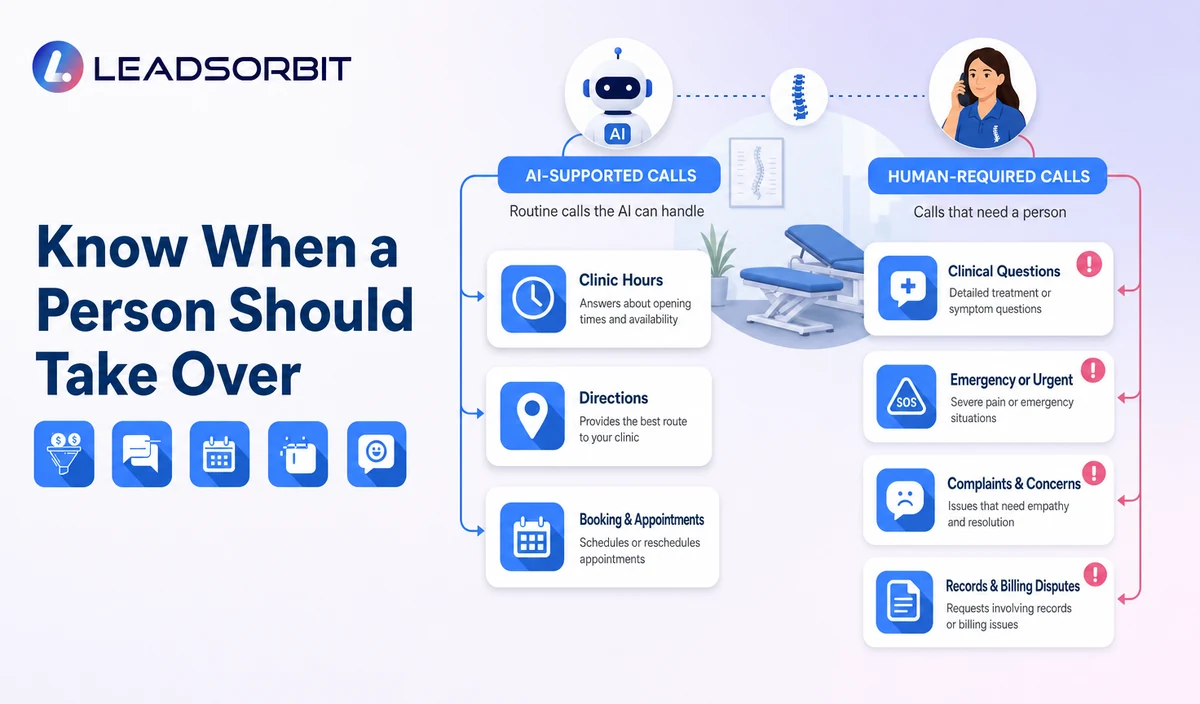
Human escalation is part of a well designed workflow. The system should preserve the caller's context, assign the correct owner, and make the next action clear.
- The caller asks for medical advice, symptom interpretation, diagnosis, or treatment guidance.
- Predefined escalation or emergency language is detected, so routine intake stops and the clinic's approved message or transfer path is used.
- The request involves records, billing disputes, insurance decisions, complaints, or sensitive personal information.
- The caller is distressed, confused, repeatedly misunderstood, or explicitly asks for a person.
- The system cannot find an approved answer or the available information appears outdated.
- The requested appointment type, provider, or exception requires staff approval.
- A transfer fails and a priority callback task must be created.
The clinic should define who receives each escalation, what information is included, how quickly it is reviewed, and what happens if the first owner is unavailable.
Privacy and Responsible Data Handling Need Their Own Rules
LEADSORBIT supports HIPAA compliant administrative workflows for eligible healthcare organizations through HIPAA enabled HighLevel subaccounts. Compliant use depends on maintaining the active HIPAA package, applicable agreements, approved account configuration, user permissions, integrations, retention settings, and the healthcare organization's own procedures. Identifiable contact and appointment information may still be protected health information depending on the healthcare context. The HHS HIPAA Privacy Rule explains the federal privacy framework, while HHS business associate guidance explains the role of applicable agreements when vendors handle protected health information.
LEADSORBIT's routine AI receptionist, appointment, communication, and follow up workflows are designed around minimum contact and operational information rather than detailed symptoms, diagnoses, treatment records, clinical notes, or medical decision making. Clinics should collect only the fields that change routing, booking, or ownership; review user access, retention, recording or transcription, calendars, forms, integrations, and internal procedures; and keep detailed clinical information outside routine automation.
- Collect the minimum information needed for routing and booking.
- Avoid asking for detailed symptoms or medical history during routine front desk intake.
- Use individual staff accounts and appropriate access controls.
- Define whether recording or transcription is enabled, how notices are provided, which jurisdictional rules apply, and how long recordings or transcripts are retained.
- Review the clinic's consent, privacy, retention, and emergency response procedures.
- Confirm the active HIPAA package, applicable subaccount enablement, agreement evidence, customer BAA policy, permissions, integrations, retention, and the clinic's intended data flow with qualified reviewers.
- Keep scripts, FAQs, routing rules, and staff permissions current.
Review LEADSORBIT's Privacy & Security overview and AI & Data Use Policy with the clinic's qualified advisers before sensitive workflows are configured.
Where an AI Receptionist Fits and Where It Does Not
The strongest fit is repeatable front end communication. Clinical judgment, specialized records, and professional decisions remain outside this workflow.
| Good Fit | Human or Specialized System Responsibility |
|---|---|
| Answering approved routine calls and after hours inquiries. | Clinical triage, diagnosis, care recommendations, and emergency judgment. |
| Identifying new versus existing patients. | Maintaining chiropractic clinical records or SOAP notes. |
| Collecting limited contact and booking details. | EHR, EMR, claims, insurance billing, coding, or imaging workflows. |
| Offering an approved booking or callback path. | Approving exceptions, complex scheduling, or provider specific decisions. |
| Routing questions and creating staff tasks. | Resolving complaints, records requests, billing disputes, or sensitive matters. |
| Logging call activity and preserving conversation context. | Replacing the clinic's front desk, clinical, or practice management team. |
A Chiropractic AI Receptionist Setup Checklist
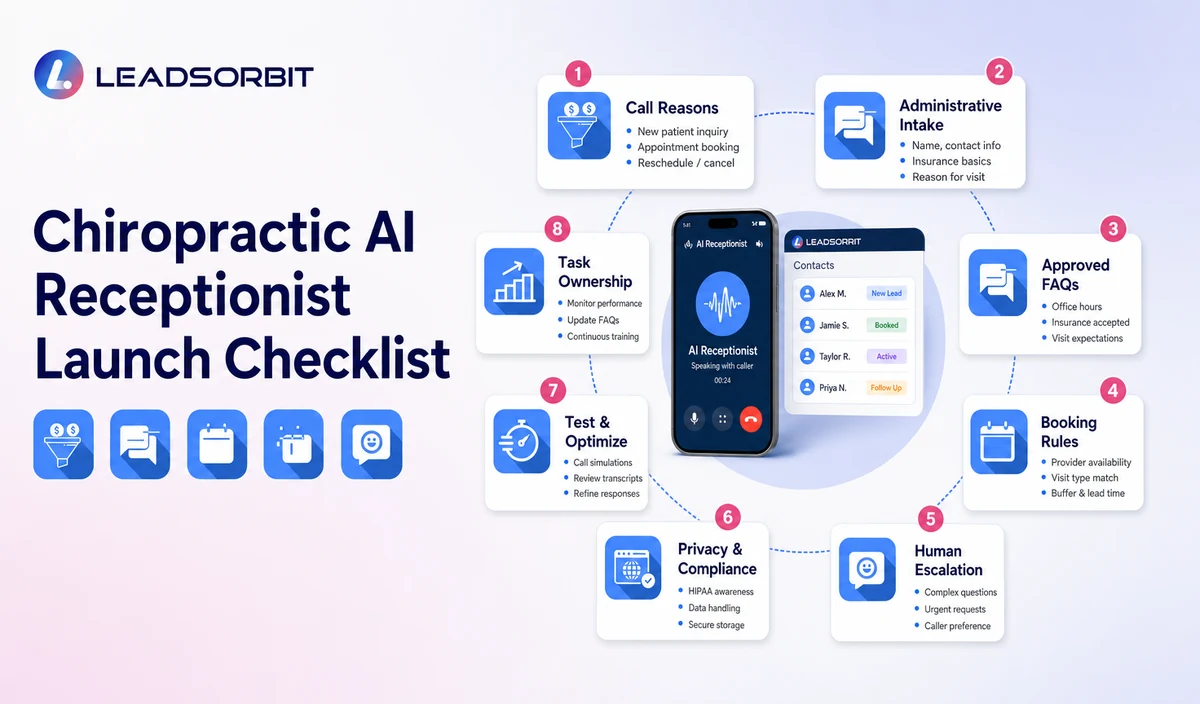
Before launch, test the workflow with the people who will receive its calls, tasks, and escalations. The goal is a simple first version that staff can trust.
- List the clinic's ten most common call reasons.
- Separate new patient, existing patient, general information, and escalation paths.
- Approve the greeting, office information, hours, location, and booking language.
- Define the minimum contact and operational questions for each call type.
- Confirm which appointment types may be offered or requested.
- Create transfer, callback, after hours, and predefined emergency message rules.
- Assign a named owner for incomplete bookings and escalated calls.
- Set stop conditions when the caller books, opts out, requests a person, or the issue is resolved.
- Confirm whether call logs, summaries, recordings, or transcripts are enabled and how staff may access them.
- Review privacy, recording, consent, retention, and access requirements.
- Run test calls for normal, unclear, sensitive, predefined escalation, and failed transfer scenarios.
- Review the system weekly during the first month and update approved knowledge carefully.
See This Workflow With Your Clinic's Call Reasons
Book a Demo to map your new patient calls, scheduling rules, callback owners, and escalation path inside LEADSORBIT.
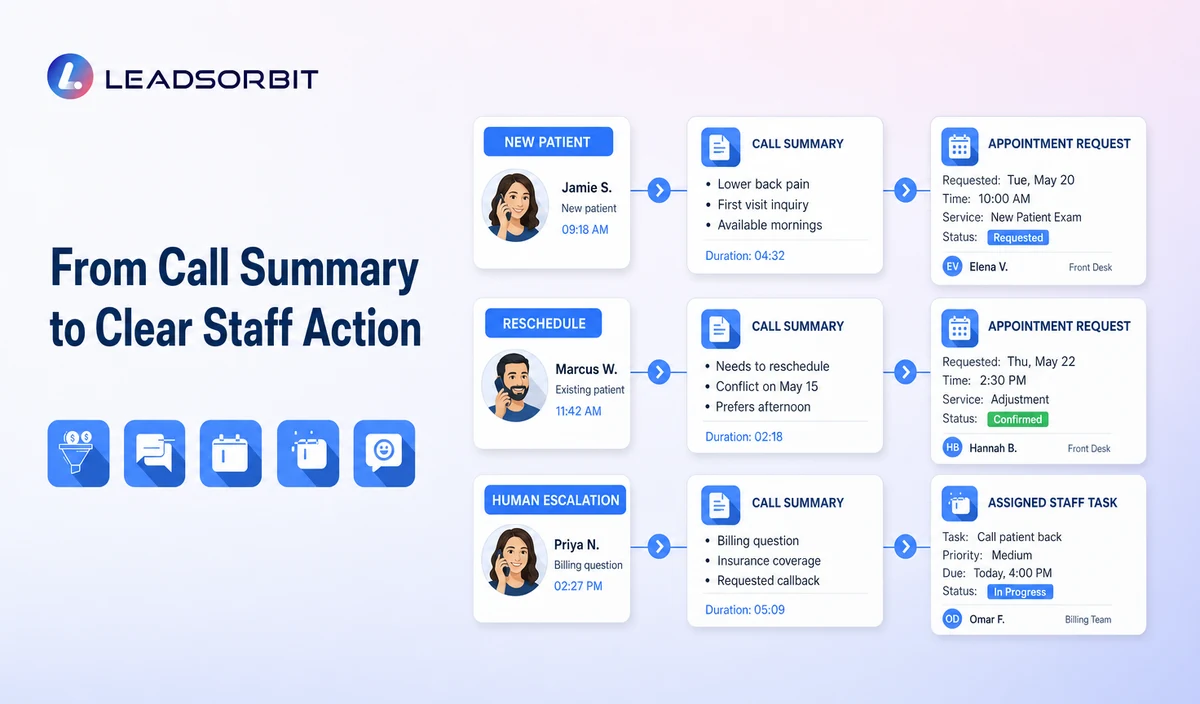
Three Chiropractic Call Scenarios
Scenario 1: A New Patient Calls After Hours
The caller asks whether the clinic has an appointment this week. The AI receptionist identifies the caller as new, collects a name and callback number, asks for a preferred day, and offers an approved booking or appointment request path. If booking is completed, the workflow stops and confirmation begins. If not, a staff callback task is created for the next business window.
Scenario 2: An Existing Patient Needs to Reschedule
The caller identifies as an existing patient and requests a different time. The workflow uses the approved rescheduling path or creates a staff task if the appointment cannot be changed automatically. It does not ask the caller to repeat clinical information.
Scenario 3: A Caller Asks a Clinical Question
The caller asks whether a symptom means they should receive chiropractic care. The system does not answer. It captures the minimum callback information and follows the clinic's approved human escalation rule.
What to Measure After Launch
Do not start with invented industry benchmarks. Use the clinic's own baseline and monitor whether the workflow is becoming clearer and more reliable.
- Inbound calls answered or acknowledged through the configured workflow.
- Calls correctly categorized by reason and caller type.
- Booking requests completed, transferred, or assigned for follow up.
- After hours inquiries with a documented next action.
- Escalations reviewed within the clinic's defined service level.
- Failed transfers or incomplete conversations requiring staff attention.
- Duplicate records, missing callback details, or incorrect routing.
- Staff feedback about interruptions, context quality, and task clarity.
- Caller opt outs, complaints, or privacy concerns that require process changes.
The purpose of measurement is to find friction. A high call volume is not automatically success. The useful question is whether callers reach the correct next step and whether the team can see what still needs attention.
How LEADSORBIT Supports the Chiropractic Call Workflow
LEADSORBIT is an AI powered CRM that connects call handling, conversations, booking, workflow activity, and contact history. For this use case, the main product areas are:
- AI Receptionist: inbound call answering, approved questions, qualification or routing, booking support, after hours coverage, and call activity available in the CRM when enabled and configured appropriately.
- Conversation AI: supported message channels, conversation history, human escalation, CRM synchronization, tasks, and unified communication visibility.
- AI Appointment: booking availability, calendar connection, confirmation, reminders, rescheduling, and cancellation workflows.
- CRM records and tasks: a shared place for caller details, requested next steps, ownership, and follow up status.
The most useful demo is built around the clinic's real call reasons, approved minimum contact and operational questions, calendar rules, escalation owners, permissions, integrations, and data handling requirements. For eligible healthcare organizations, the applicable subaccount and workflow configuration should be reviewed during onboarding.
Try LEADSORBIT free for 14 days
Frequently Asked Questions
It is an AI supported front end call system that can answer routine inbound calls, identify caller intent, collect approved minimum contact and operational details, support booking or callback requests, and route calls that require clinic staff.
Final Thoughts
An AI receptionist for a chiropractic clinic works best when it handles repeatable front end communication, supports booking or callback requests, preserves context, and moves exceptions to the right person.
Start with real call reasons, simple routing, approved answers, narrow intake, and clear ownership. That gives the front desk a workflow it can supervise and improve.
Want to see how this workflow could fit your clinic? Book a Demo to review your call reasons, minimum contact and operational fields, booking rules, after hours coverage, permissions, integrations, and human escalation path inside LEADSORBIT.

Start Your Free 14 Day Trial
Try LEADSORBIT and see how it captures missed calls, follows up instantly, and turns leads into booked appointments for your business.
Personal Message From Faisal Zulfiqar
The best AI receptionist setup is not the one with the longest script. It is the one that helps the caller reach the right next step while giving the team clear ownership of anything that still needs human attention.
For a chiropractic clinic, that means keeping the system practical: routine questions, booking, routing, and follow up can be organized, but clinical judgment and sensitive conversations must remain with the right people.