

AI CRM is becoming a common software category, but the term is often used without a clear explanation. Some products apply the label to a chatbot, while others use it for a CRM with conversation assistance, workflow intelligence, scheduling, and task automation.
For a small business, the useful question is whether the system helps the team manage customer information and complete the right next action. This guide explains the category in plain language and connects it to the broader AI CRM for small business pillar.
What Is an AI CRM?
An AI CRM is customer relationship management software that uses artificial intelligence to assist how customer data is understood, how conversations are handled, and how approved work is organized or completed.
The CRM stores contact details, source, messages, calls, notes, appointments, tasks, pipeline stages, services, and customer history. AI helps the team use that information by summarizing activity, recognizing intent, drafting replies, suggesting actions, routing requests, or starting approved workflows.
AI does not remove the need for a CRM structure. Without accurate records, clear stages, and defined ownership, AI may produce a faster version of a disorganized process.
The Four Parts of an AI CRM
| Part | Purpose | Small Business Example |
|---|---|---|
| Customer record | Keeps the shared facts and history. | A service lead record shows the call, address, requested service, estimate, and follow up task. |
| AI assistance | Interprets language or activity and creates useful output. | A long inquiry is summarized into the customer need and requested timing. |
| Workflow rules | Define what may happen and when. | A new web inquiry creates a task and sends an approved acknowledgment. |
| Human oversight | Handles exceptions, judgment, and accountability. | An employee reviews a complaint and takes over from automation. |
These parts should work together. A chatbot with no customer record is not a complete AI CRM, and a CRM with one isolated writing tool may offer AI assistance without providing a connected workflow.
How an AI CRM Works
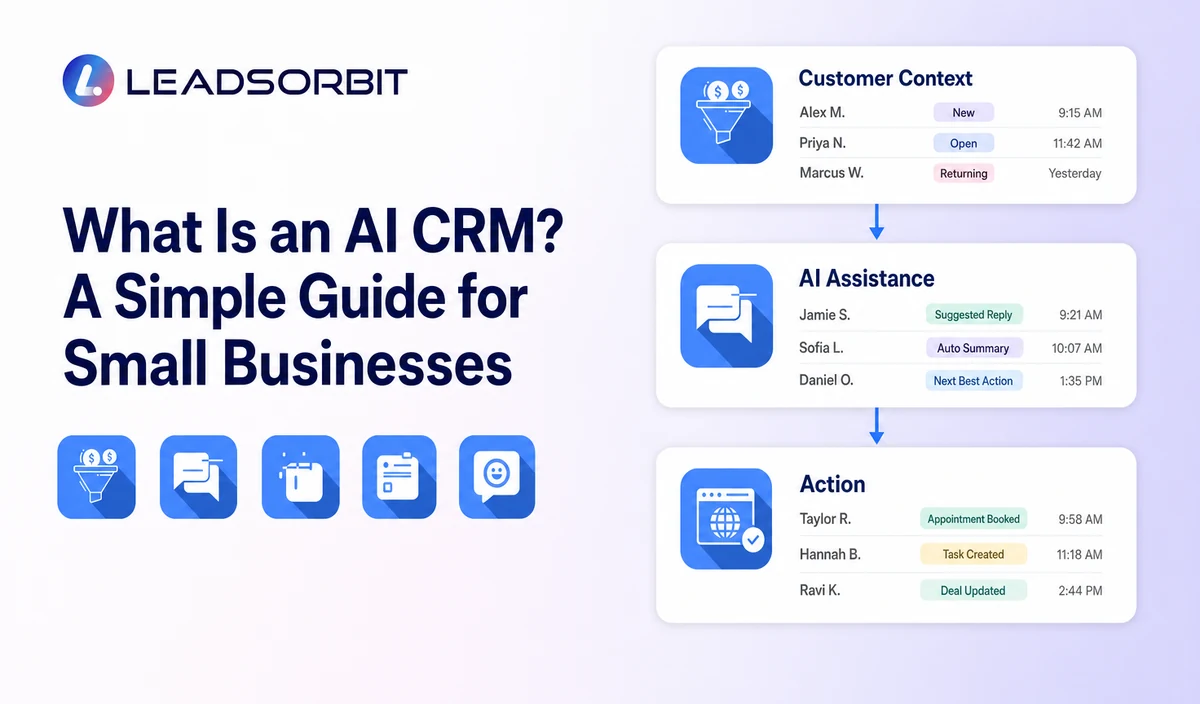
- A customer calls, sends a message, submits a form, or requests an appointment.
- The CRM creates or updates the customer record and preserves the source.
- AI interprets approved information such as the likely service, intent, or next question.
- A workflow completes a permitted action, creates a task, or recommends a response.
- A staff member reviews the situation or takes over when judgment is needed.
- The result remains attached to the customer record for reporting and future follow up.
A dependable system also knows when to stop. If a customer books, replies, declines, or opts out, the initial workflow should not continue as though nothing changed.
AI CRM vs a Traditional CRM
A small business CRM traditionally gives the team a central place for contacts, pipelines, tasks, notes, and activity. An AI CRM adds assistance around that structure.
| Traditional CRM Task | AI assisted Version |
|---|---|
| Read every message to understand the inquiry. | Receive a summary and review the original conversation when needed. |
| Manually decide who should receive the lead. | Use service, location, intent, and rules to recommend or perform routing. |
| Write each routine acknowledgment. | Use an approved draft that staff can review or send through a workflow. |
| Remember to create the next task. | Create a task from the conversation or pipeline event. |
| Search several screens for context. | Surface relevant customer history in the conversation view. |
AI CRM vs Automation
Automation follows defined rules. AI helps interpret less structured information such as language, conversation history, or patterns. The two are strongest when combined.
For example, AI may identify an appointment request. Workflow automation can then create the booking task, send an approved reply, and stop when the customer schedules.
What Can an AI CRM Help a Small Business Do?
- Capture and organize inquiries from calls, forms, chat, messages, and booking pages.
- Summarize conversations and customer history.
- Answer approved routine questions or draft responses.
- Route inquiries based on service, location, timing, or stated need.
- Create follow up tasks and identify overdue work.
- Support appointment booking, confirmations, reminders, and rescheduling.
- Keep customer replies connected to the correct record.
- Assist review, feedback, retention, and reactivation workflows.
- Give the owner clearer visibility into customer activity.
These uses can support faster and more consistent work. They do not guarantee that every lead will convert or that every AI output will be correct.
What an AI CRM Should Not Be Trusted to Do Alone
- Make promises about pricing, availability, outcomes, or policies that are not in approved information.
- Handle emergencies, complaints, sensitive situations, or unusual requests without escalation.
- Make legal, medical, financial, employment, or eligibility decisions without appropriate review.
- Change important records without a visible log and suitable controls.
- Use confidential information without understanding access, retention, and privacy settings.
- Continue messaging after the customer has replied, booked, declined, or opted out.
The NIST AI Risk Management Framework offers a useful model based on governing, mapping, measuring, and managing AI risks. A small business can apply that mindset through ownership, testing, monitoring, and improvement.
Questions to Ask Before Choosing an AI CRM
- What customer data can the AI access?
- Which business sources does it use for answers?
- Can staff review and edit generated responses, summaries, and tasks?
- What happens when the AI is uncertain?
- How does a customer reach a person?
- Can workflows stop when circumstances change?
- Does the platform log AI and staff activity?
- How are permissions, privacy, retention, and exports managed?
- Can the vendor demonstrate the workflow using a realistic business scenario?
- What costs depend on messages, phone usage, AI usage, users, setup, or integrations?
A Simple First AI CRM Workflow
- A form submission creates a lead with source and service information.
- AI summarizes the request into one short internal note.
- The CRM sends an approved acknowledgment and creates a staff task.
- The employee reviews the original request and continues the conversation.
- The workflow stops when the lead replies, books, declines, or opts out.
- The owner reviews missed handoffs and incorrect summaries after launch.
How LEADSORBIT Fits the AI CRM Category
LEADSORBIT is an AI powered CRM designed to connect lead capture, conversations, follow up, appointments, reviews, tasks, pipeline activity, and reporting for small businesses.
Features such as Conversation AI, Workflow AI, AI Appointment, and AI Receptionist support different parts of the customer journey while keeping activity connected to the CRM.
Try LEADSORBIT free for 14 days
Frequently Asked Questions
No. A chatbot is one possible interface. An AI CRM also includes customer records, conversations, tasks, appointments, pipeline stages, workflows, and reporting.
Start With a Clear Customer Workflow
An AI CRM combines customer records, AI assistance, workflow rules, and human oversight. Small businesses should evaluate it through real customer scenarios, not broad claims.
Book a Demo to see how LEADSORBIT can connect AI assisted conversations, workflows, appointments, and customer management.

Start Your Free 14 Day Trial
Try LEADSORBIT and see how it captures missed calls, follows up instantly, and turns leads into booked appointments for your business.