
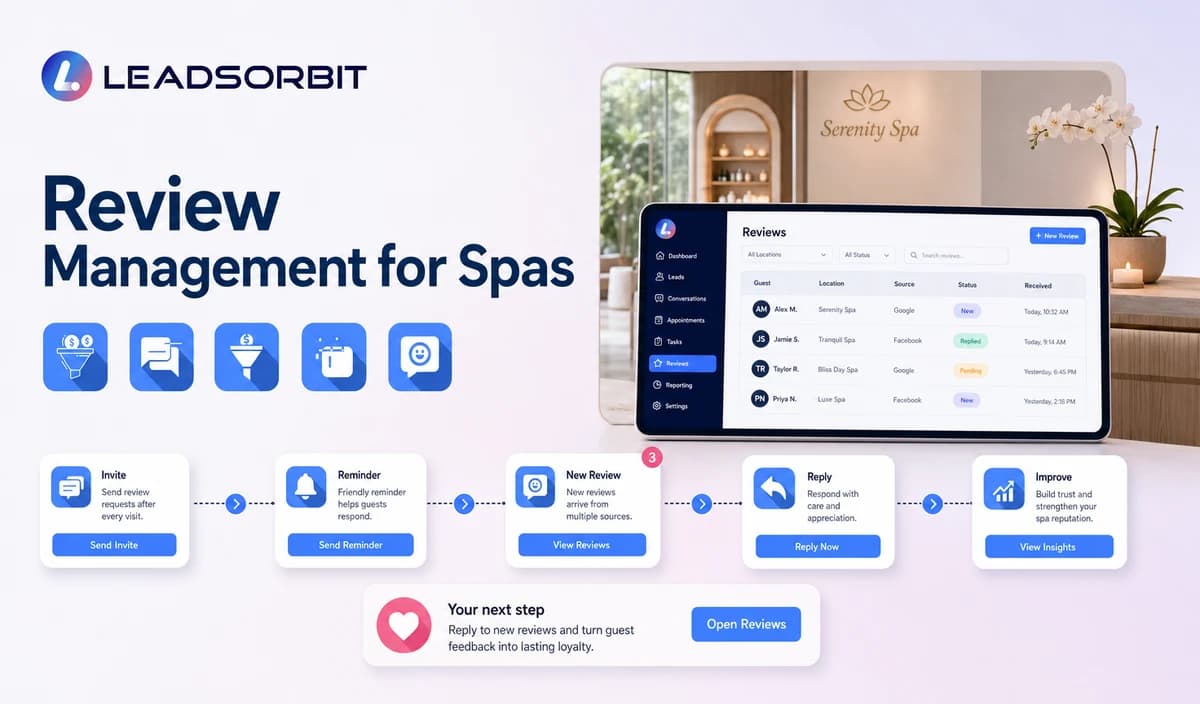

Review management for spas is more than sending a link after a visit. The process needs an eligible trigger, neutral wording, the correct location destination, monitoring, response ownership, and a way to learn from repeated guest feedback.
This guide applies the broader principles from online reputation management for small business and review management software for small business to spa operations.

Who This Guide Is For
- Spas that request reviews inconsistently.
- Multi location teams managing separate Google review destinations.
- Office managers who need response ownership.
- Businesses that want an honest process without gating or incentives.
The Five Parts of Spa Review Management
A repeatable process separates the request, monitoring, response, and improvement steps.
- Choose an eligible completed visit trigger.
- Invite honest feedback using neutral wording.
- Monitor new reviews and changes.
- Assign positive, mixed, negative, false, or sensitive review responses.
- Use non identifying themes to improve guest experience.
- Keep location ownership and response permissions clear.
A Practical Review Management for Spas Workflow
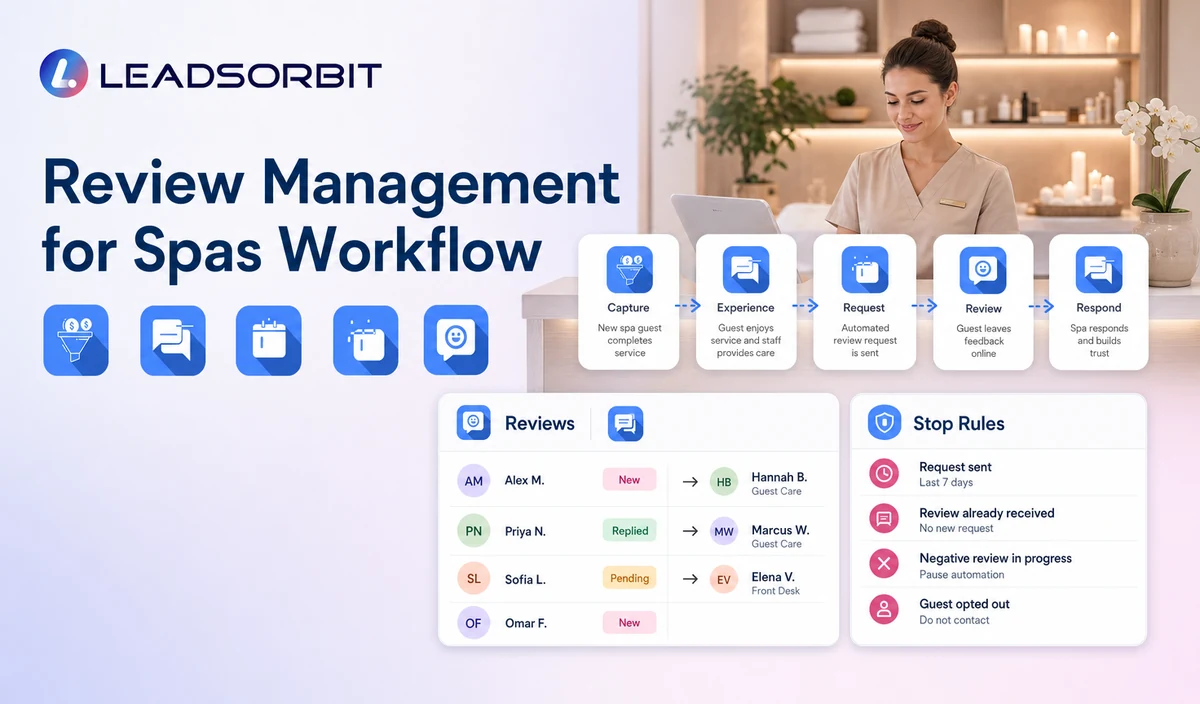
| Stage | Workflow action | Staff responsibility | Stop or escalation rule |
|---|---|---|---|
| 1. Eligible trigger | A valid completed visit qualifies under approved rules. | Review exclusions, consent, location, and data quality. | Do not trigger from no shows, cancellations, complaints, or uncertain status. |
| 2. Request | Send a neutral SMS or email with the correct review link. | Monitor delivery and exceptions. | Stop after completion, opt out, invalid contact, or attempt limit. |
| 3. Limited reminder | Send one approved reminder where appropriate. | Review negative or private replies. | Do not increase pressure. |
| 4. Monitoring | Create visibility when a new review appears. | Assign a response owner. | Escalate serious, legal, privacy, or safety issues. |
| 5. Response | Draft or publish a brand aligned reply. | Review mixed, negative, false, or sensitive feedback. | Do not disclose private service details. |
| 6. Improvement | Record non identifying themes and actions. | Share trends with the right owner. | Keep guest specific information out of general reporting. |
Policy Safe Review Requests
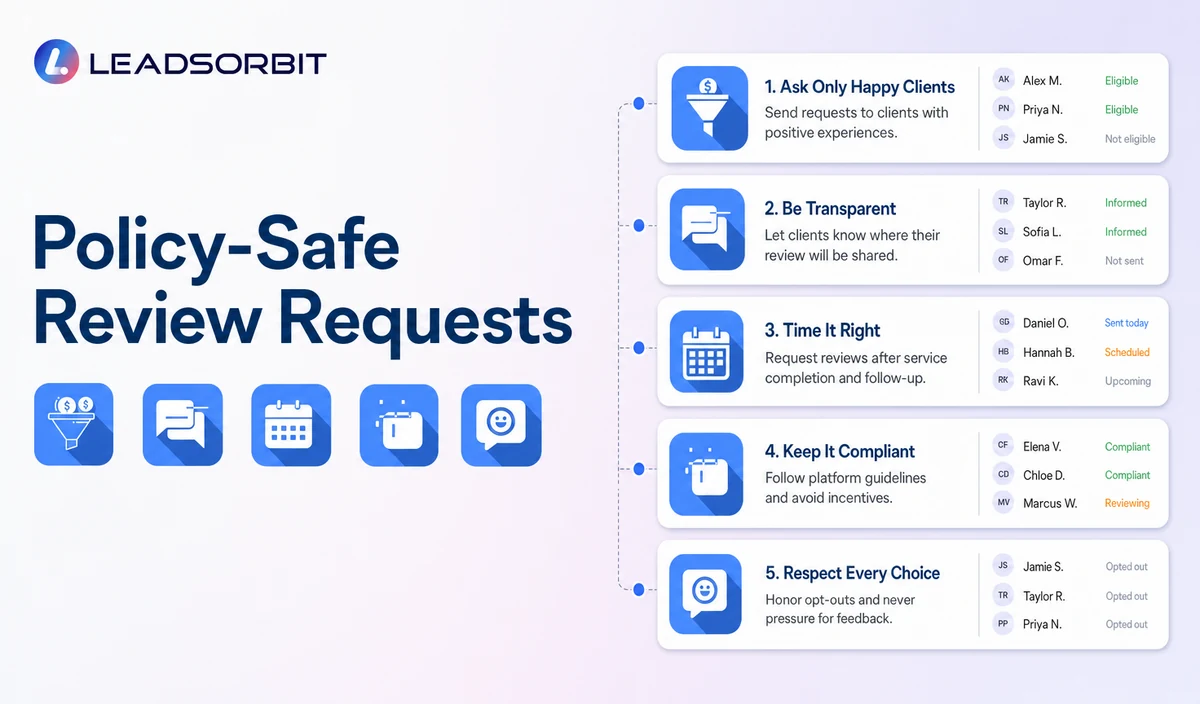
Google's Maps user generated content policy requires genuine experiences and prohibits incentives, selective positive solicitation, pressure for a specific rating or content, and discouraging negative feedback. The FTC review rule guidance also addresses deceptive review practices.
| Ask for honest feedback. | Do not request a five star review. |
|---|---|
| Use the same destination regardless of expected sentiment. | Do not route unhappy guests away from public review options. |
| Let the guest decide whether to respond. | Do not pressure guests while they are at the spa. |
| Use no reward or benefit for the review. | Do not offer discounts, credits, gifts, or free services. |
| Allow the reviewer to choose the content. | Do not ask the guest to mention a therapist, service, or outcome. |
Practical Scripts and Templates
Positive Response
Mixed Response
Negative Response
False or Abusive Review
Important Boundaries
- No review gating or selective positive solicitation.
- No fake reviews, purchased reviews, or staff created customer reviews.
- No incentives, discounts, gifts, credits, or free services for reviews.
- No guaranteed ratings, ranking, volume, or local search result.
- Do not disclose private services, package use, personal preferences, or complaint details in public replies.
Privacy, Consent, and Guest Data
Spa contact, booking, preference, membership, package, and gift card information is personal business data. Collect only what the workflow needs, keep consent and opt out status visible, limit staff access, and review every form, calendar, phone or messaging provider, AI tool, integration, retention setting, and data destination separately.
This is a hospitality and wellness workflow, not a Medical Spa or healthcare workflow. Do not introduce patient, HIPAA, diagnosis, clinical escalation, treatment suitability, contraindication, prescription, or medical record language.
Common Spa Workflow Mistakes
- Sending requests to no shows, cancellations, complaints, or uncertain records.
- Asking for five stars.
- Using different destinations based on sentiment.
- Offering an incentive.
- Leaving negative reviews without an owner.
- Arguing publicly or revealing private guest information.
Spa Workflow Setup Checklist
- Define the valid completed visit trigger and exclusions.
- Approve neutral SMS and email wording.
- Confirm the correct review link for each location.
- Set a limited reminder and stop rules.
- Assign monitoring and response owners.
- Create positive, mixed, negative, false/abusive, and sensitive response rules.
- Review Google and FTC policies regularly.
- Test duplicate requests, opt outs, failed links, and private replies.
See the Workflow With Your Spa's Rules
Start 14 days free trial to map the exact triggers, messages, booking paths, staff owners, data sources, permissions, and stop rules for your spa inside LEADSORBIT.
What to Measure
- Eligible requests sent and delivery failures.
- Requests excluded correctly.
- Correct location review destination.
- New reviews awaiting response.
- Response task completion.
- Sensitive reviews escalated.
- Repeated non identifying themes.
- Duplicate requests and complaints.
How LEADSORBIT Supports This Spa Workflow
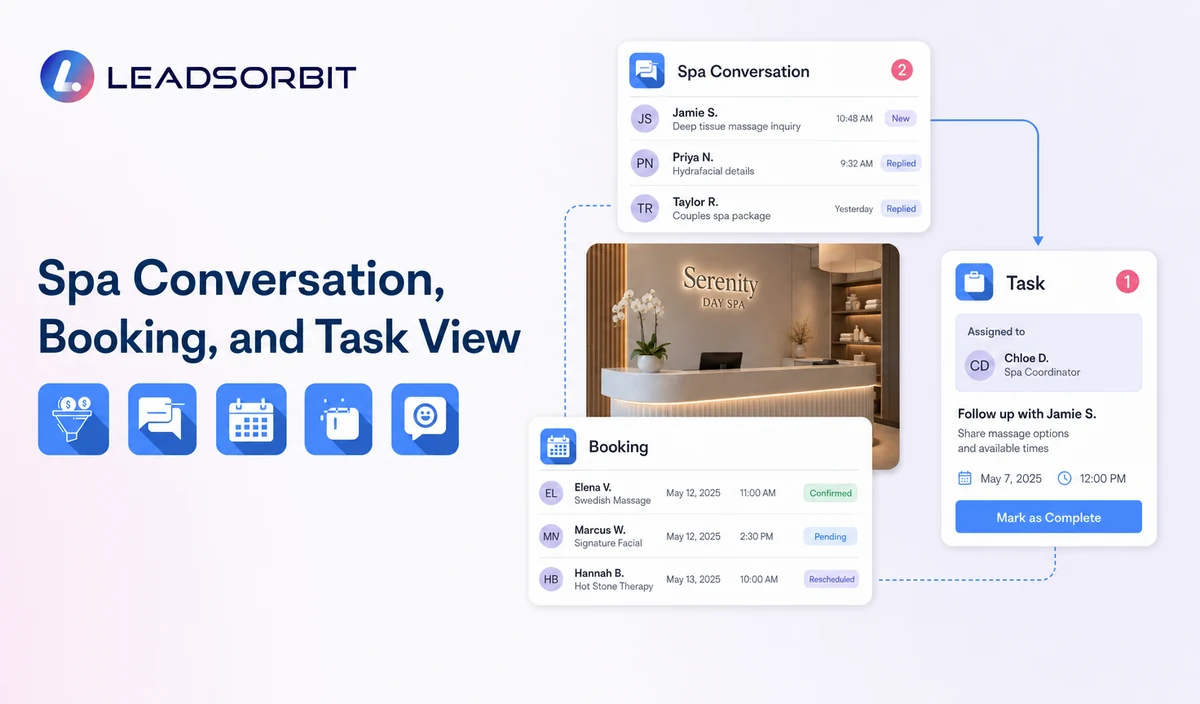
LEADSORBIT’s AI powered CRM can connect approved spa conversations, booking activity, workflows, tasks, and operational statuses.
- Reviews AI: supports branded review invitations and AI assisted response drafting with appropriate human review.
- Conversation AI: supports configured channel conversation visibility, routing, staff takeover, and CRM synchronization.
- Workflow AI: supports configurable triggers, conditions, messages, tasks, timing, and stop or switch logic.
Exact channels, fields, scripts, calendars, service rules, membership/package/gift card data, permissions, retention, integrations, and account behavior require implementation validation. LEADSORBIT is positioned here as the communication, booking, workflow, CRM, review, and task layer not as a complete spa POS, inventory, payroll, payment, room resource, or specialized management system.
Try LEADSORBIT free for 14 days
FAQs
It is the process of requesting honest feedback, monitoring reviews, assigning responses, protecting privacy, and learning from trends.
Final Thoughts
Review management for spas is a workflow for requesting honest feedback after an appropriate completed visit, monitoring published reviews, assigning response tasks, protecting guest privacy, and improving operations without incentives, rating pressure, review gating, or fabricated reviews. The strongest setup stays simple, uses accurate source data, gives staff clear ownership, and stops automation at the right time.
Start 14 Days Free Trial to see how LEADSORBIT can support this spa workflow with conversations, booking, automation, tasks, and CRM visibility.

Start Your Free 14 Day Trial
Try LEADSORBIT and see how it captures missed calls, follows up instantly, and turns leads into booked appointments for your business.