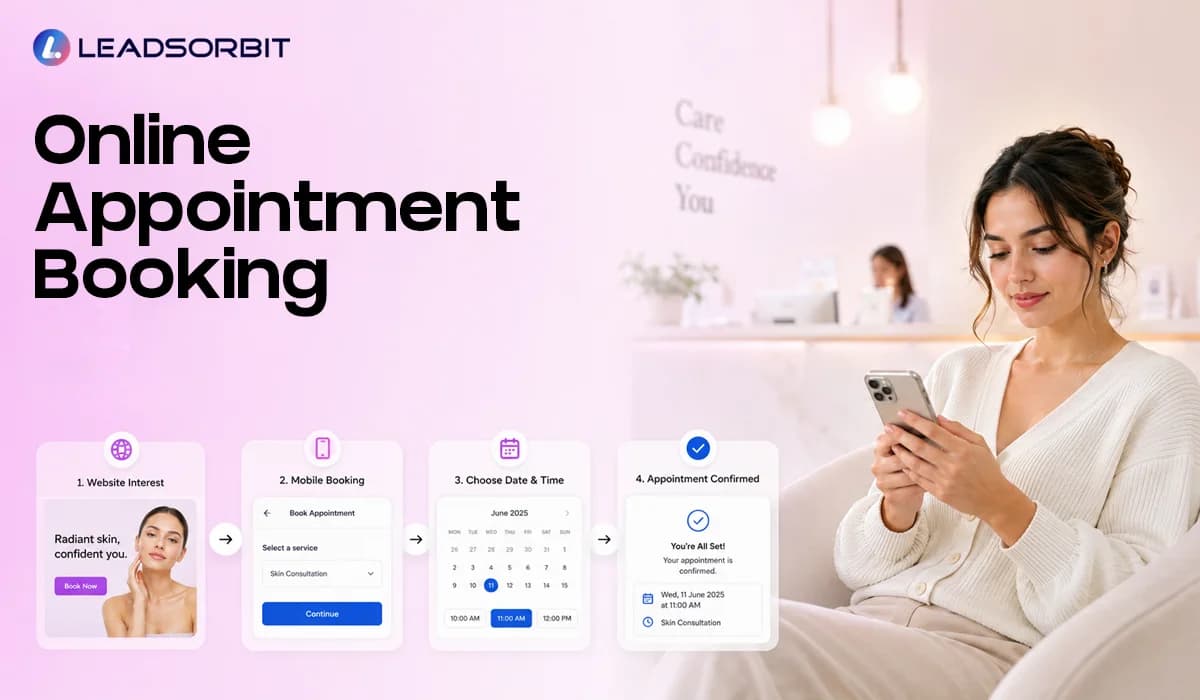

Online appointment booking helps small businesses turn interest into scheduled appointments without forcing every lead to wait for a phone call. When a lead is ready to act, the booking path should be simple, mobile friendly, and connected to the rest of the follow up process.
For appointment based businesses, this matters because booking friction can quietly weaken conversion. A person may fill out a form, send a message, or visit your website after hours, but if the next step is not clear, they may leave and choose another option.
This guide explains how online appointment booking works, where booking links should appear, how it connects with your CRM, and how small businesses can use it without creating more manual work for the team. For the broader strategy, read Appointment Booking CRM for Small Business.
What Online Appointment Booking Should Actually Do
Online booking is not only a calendar page. A good booking experience should help the customer choose the right next step while helping your team keep the lead record, conversation, and appointment status organized.
The best setup does not make customers guess what to do. It gives them a clear option to schedule, confirms the appointment, and connects that action back to the CRM so the team can see what happened.
- Let website visitors choose an available appointment time.
- Let leads book from a phone without calling the office.
- Send booking links through SMS, email, and chat.
- Confirm the appointment after a time is selected.
- Start reminder and reschedule workflows after booking.
When online booking is connected to AI Appointment and the CRM, it becomes part of the full customer journey. The goal is not just to place a calendar on a website; the goal is to reduce scheduling friction and keep the next step visible.
Why Small Businesses Lose Bookings Without a Clear Online Path
Many small businesses lose appointments because the booking process depends too much on staff availability. If the team is busy, the lead waits. If the office is closed, the lead waits. If the lead does not want to call, the business may never hear from them again.
This is especially common in appointment based businesses where customers often compare options quickly. A chiropractic lead may want to book after reading a service page. A dental patient may want to request a consultation after work. If scheduling is not easy, interest can fade before the team responds.
- The website explains the service but does not show a clear booking option.
- The lead gets a form response but no immediate scheduling link.
- The team has to manually call back to find a time.
- The customer misses the call and phone tag begins.
- The appointment is booked, but reminders and follow up are not connected.
These are not only marketing problems. They are process problems. Online booking solves part of the issue, but it works best when the booking action triggers the right CRM updates, confirmations, reminders, and team visibility.
Where Online Booking Links Should Appear
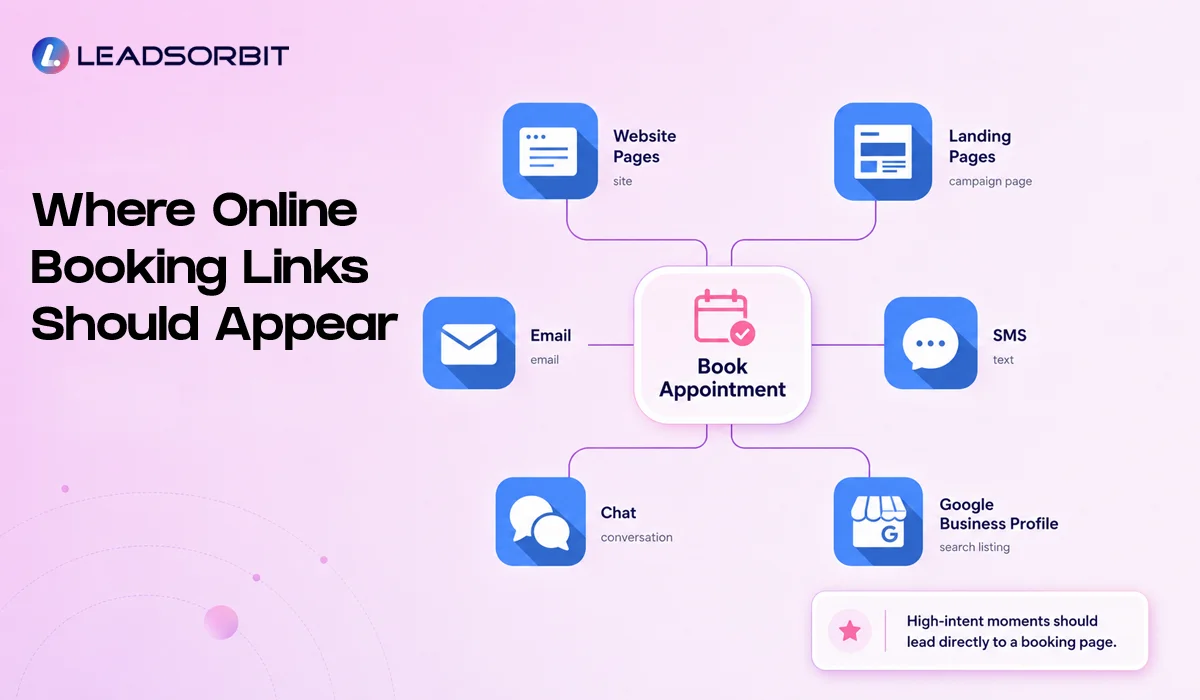
A booking link should be easy to find at the moments when the customer is most likely to act. That does not mean placing buttons everywhere without purpose. It means placing the booking option where it supports the customer journey.
For example, a service page can include a booking option after explaining the service. A landing page can include a booking link near the offer. SMS and email follow up can include a direct link so the lead does not need to search again. Google also allows eligible businesses to add certain business links, including appointment links, to their Business Profile through its local business links options.
- Website service pages where visitors are already learning about the offer.
- Landing pages connected to paid ads or local campaigns.
- SMS follow up messages after a new inquiry.
- Email follow up messages with more context and a next step.
- Google Business Profile local business links where eligible and appropriate.
A good placement strategy should feel helpful, not aggressive. The customer should always know what they are booking, what happens next, and how to ask a question if they are not ready.
Website Booking: Keep the Path Simple
Your website is often the first place a lead looks for the next step. If the page has strong service information but no clear scheduling action, the visitor may understand the offer but still leave without booking.
A simple website booking path should connect the content to the action. If someone is reading about a chiropractic consultation or dental appointment, the page should make it easy to schedule without hunting through the menu or waiting for a call back.
- Use a clear booking button near important service sections.
- Keep the booking form short and easy to complete.
- Avoid asking for unnecessary information before the appointment is scheduled.
- Confirm what happens after the booking request is submitted.
- Make sure the booking page works well on mobile devices.
The website should not create more work for the customer. When the path from interest to appointment is clear, the CRM can take over the next steps and help the team keep the process organized.
Mobile Booking and After Hours Booking
Many customers search and book from their phones. That means the online appointment booking experience must be simple on a small screen, fast to complete, and clear enough that the lead does not need to call just to understand the next step.
After hours booking is just as important. A person may be ready to schedule at night or over the weekend. If the only option is to wait until business hours, the opportunity may slow down before the team even sees it.
- Use mobile friendly booking pages.
- Keep appointment type choices simple.
- Make date and time selection easy.
- Send an immediate confirmation after the request.
- Create a team task if the booking needs staff review.
This is where Workflow AI can support the process. A new booking can trigger confirmation, reminders, pipeline updates, and team notifications without depending on someone to manually remember every step.
Booking Links in SMS, Email, and Chat
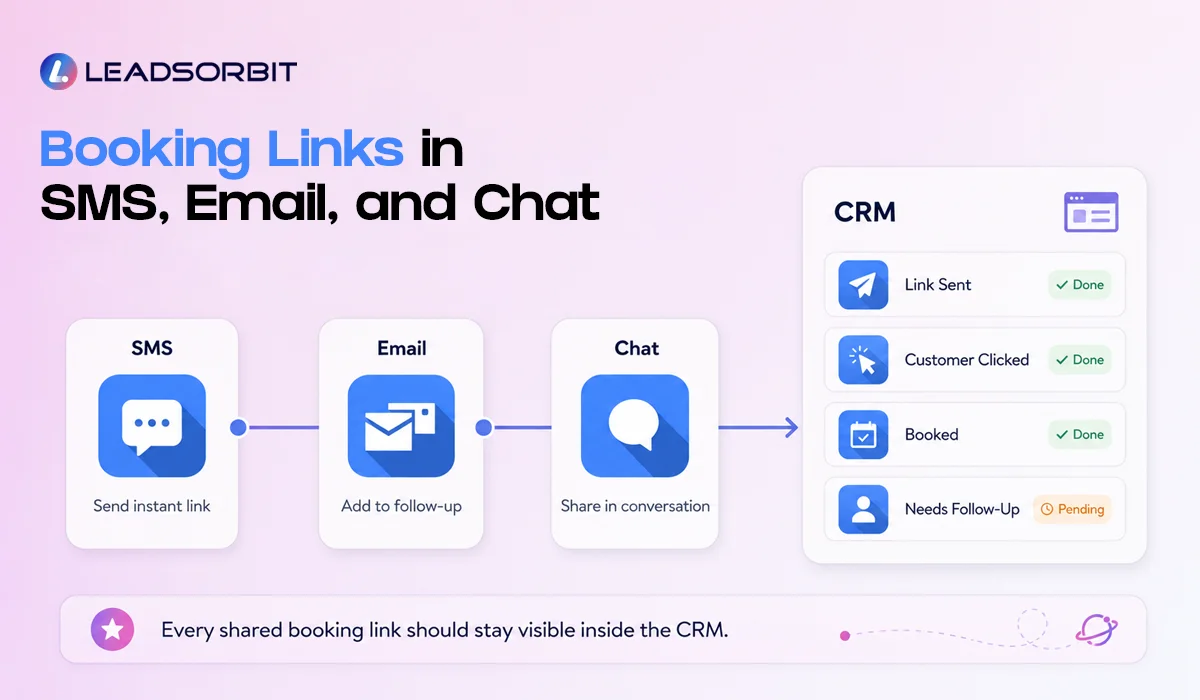
Online booking works best when the booking link can move with the conversation. A lead may ask a question through chat, reply to a text, or read an email before deciding to book. In each case, the team should be able to share a clear scheduling link quickly.
The link should not feel disconnected from the message. It should be introduced with a simple explanation so the customer knows what they are selecting and what will happen after they book.

With Conversation AI, appointment related replies can stay connected across channels. That makes it easier for the team to see what was sent, what the lead asked, and whether the person already booked.
What Should Happen After Someone Books Online
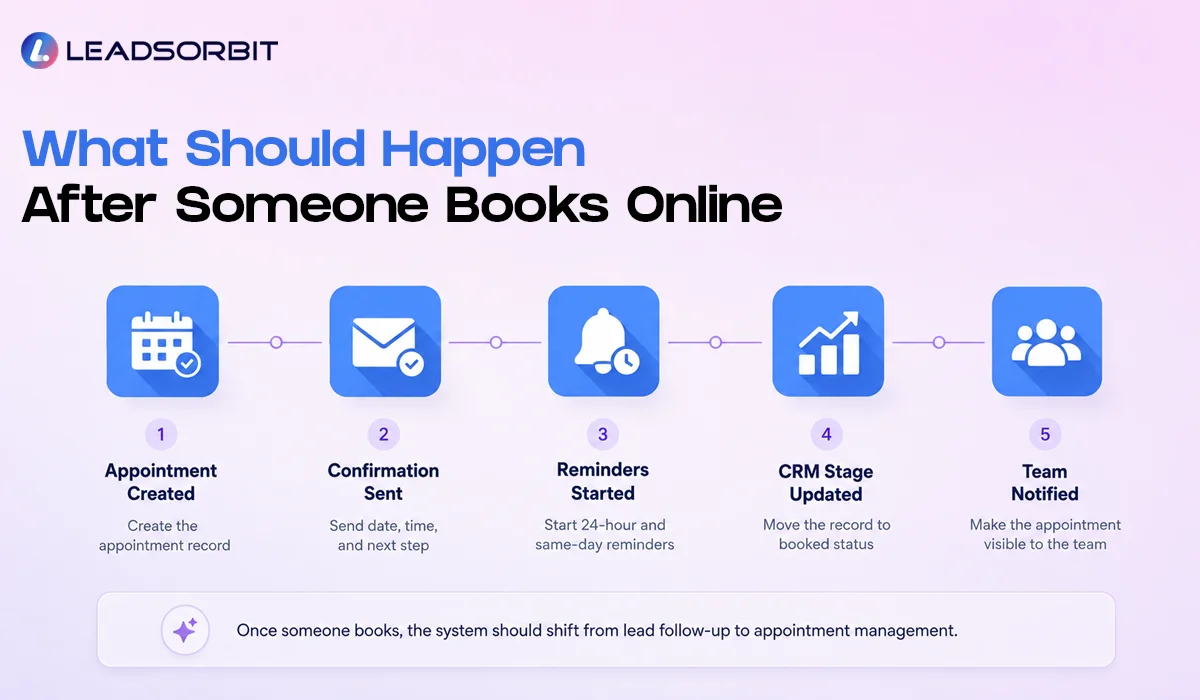
The booking itself is not the end of the process. Once the lead chooses a time, the system should immediately shift from sales follow up to appointment management. This prevents confusion and avoids sending the wrong message after someone is already scheduled.
A connected CRM should update the record, start the right reminders, and give the team visibility. This is what separates online booking from a disconnected scheduling tool.
| After Booking | CRM Action |
|---|---|
| Appointment is created | Update the lead or customer record with appointment details |
| Confirmation is sent | Send SMS or email with date, time, and next step |
| Reminder workflow starts | Schedule 24 hour and same day reminders |
| Sales follow up stops | Pause lead follow up that is no longer relevant |
| Team gets visibility | Show booked appointment status in the CRM pipeline |
This structure makes the appointment feel organized for the customer and gives the team a cleaner view of what needs attention. For reminder wording and timing, see Appointment Reminder Texts.
Chiropractic and Dental Examples
A chiropractic office may use online appointment booking on its new patient page. A visitor reads about the first visit, clicks the booking button, chooses a time, receives a confirmation, and then gets appointment reminders without waiting for a manual call back.
A dental practice may use booking links for consultation requests. When a patient asks about availability after hours, the system can send a booking link, create the appointment, and move the contact into the right reminder workflow once the appointment is confirmed.
LEADSORBIT supports appointment workflows for Chiropractic Software and Dental Software use cases where booking, reminders, conversations, and follow up need to stay connected.
How LEADSORBIT Supports Online Appointment Booking
LEADSORBIT is built as an AI powered CRM for small businesses that need more than a simple calendar link. The system can help connect booking actions with conversations, workflow automation, and lead visibility.
- AI Appointment supports appointment related booking flows and scheduling actions.
- Workflow AI helps automate confirmations, reminders, and stage movement.
- Conversation AI keeps booking conversations connected across channels.
- Pipeline visibility helps the team see who booked, who needs follow up, and who went quiet.
If you want to see how online booking can connect with your lead follow up process inside LEADSORBIT, you can Book a Demo.
Try LEADSORBIT free for 14 days
FAQs About Online Appointment Booking
Online appointment booking lets customers choose or request appointment times through a website, booking link, chat, SMS, email, or another digital channel without relying only on phone scheduling.
Final Thoughts
Online appointment booking should make scheduling easier for the customer and clearer for the team. It helps small businesses reduce manual back and forth, capture after hours interest, and give leads a direct path from inquiry to appointment.
The strongest setup is not just a booking calendar. It is a connected system where booking links, confirmations, reminders, conversations, and CRM stages work together. That is how online booking becomes part of a stronger appointment journey.

Start Your Free 14 Day Trial
Try LEADSORBIT and see how it captures missed calls, follows up instantly, and turns leads into booked appointments for your business.
Personal Message from Faisal Zulfiqar
Online booking should feel simple. When a customer is ready to schedule, your business should not slow them down with extra steps, phone tag, or unclear instructions.
My recommendation is to treat online booking as part of the full customer journey, not as a separate calendar tool. When booking, reminders, and follow up are connected, your team can work with more confidence and your customers get a smoother experience.