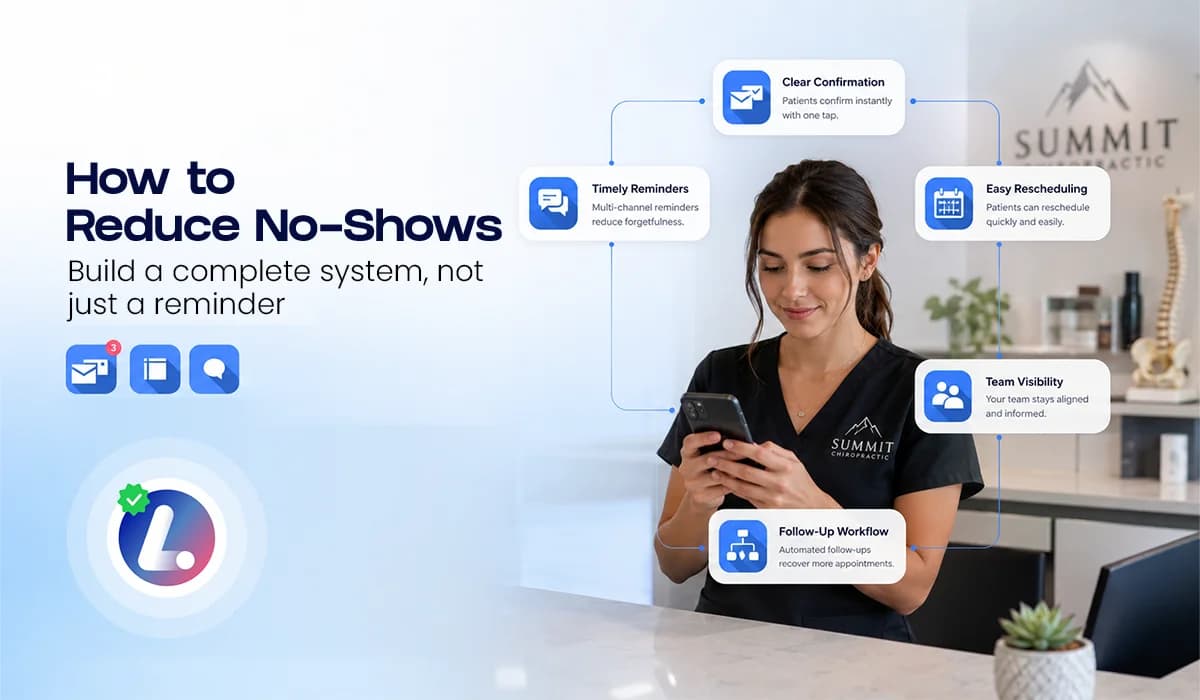

No shows are not only a reminder problem. They are usually a communication and process problem that starts before the appointment and continues after someone misses it.
For small businesses, every missed appointment can create wasted time, empty calendar space, and extra pressure on the team. The solution is not to blame the customer or send more random reminders. The better approach is to create a clear no show reduction system.
This guide explains how to reduce no shows with confirmations, reminder timing, reschedule options, team visibility, and follow up. It connects directly to the larger Appointment Booking CRM for Small Business strategy.
Why No Shows Happen
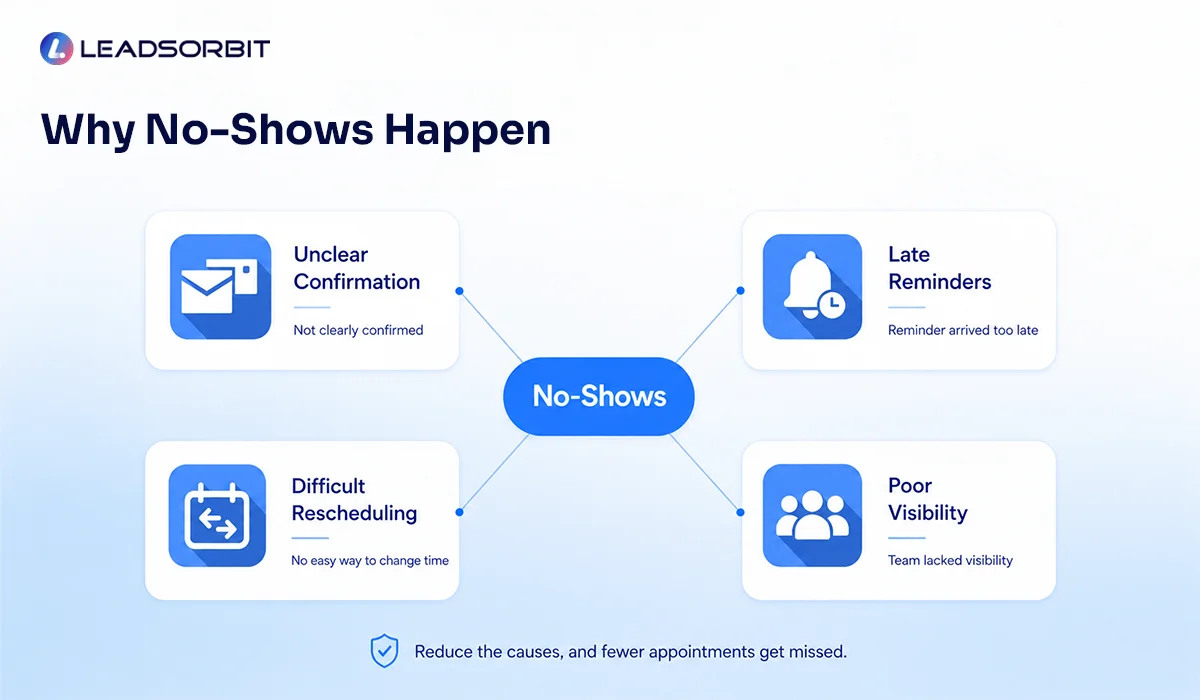
No shows happen for many reasons. Some customers forget. Some are unsure about the appointment details. Some need to reschedule but do not know how. Others lose interest because the appointment was not confirmed clearly.
That means reducing no shows requires more than one text reminder. You need a process that confirms the appointment, reminds the customer at the right time, makes rescheduling easy, and gives your team a clear way to respond.
- The appointment was not confirmed clearly.
- The customer forgot the date or time.
- The reminder came too late.
- The customer needed to reschedule but did not have an easy option.
- The team could not see which appointments needed attention.
- There was no follow up after the missed appointment.
Once you understand these causes, no show reduction becomes easier to manage. It becomes a system that supports the customer and protects the schedule.
Start With Clear Expectations
No show reduction starts at the moment the appointment is booked. The customer should know the appointment date, time, location, appointment type, and what to expect next.
This does not mean sending a long message. It means giving enough information so the customer feels confident and does not need to search for details later.
- Confirm the appointment date and time.
- Explain where the appointment will happen.
- Share arrival instructions if needed.
- Tell the customer how to confirm or reschedule.
- Let them know they can reply with questions.
Clear expectations reduce uncertainty. When the customer understands the appointment and next step, they are more likely to take the commitment seriously.
Use Confirmation Before Reminder
A reminder tells someone the appointment is coming. A confirmation asks them to acknowledge it. Both are useful, but they are not the same.
For many small businesses, asking for a simple confirmation can help identify risk earlier. If someone does not confirm, the team may need to send another message, call, or make the reschedule option more visible.
- Send confirmation immediately after booking.
- Ask the customer to reply C to confirm or R to reschedule.
- Show unconfirmed appointments in the CRM.
- Create a task if a high value appointment does not confirm.
- Pause unnecessary sales follow up once the appointment is booked.
Confirmation gives your team a clearer signal. It helps separate booked and engaged customers from appointments that may need extra attention. For message examples, see Appointment Reminder Texts.
Build a Simple Reminder Flow
A good reminder flow should be easy to understand and easy to manage. The goal is to give the customer enough notice without overwhelming them with too many messages.
| Step | Timing | Purpose |
|---|---|---|
| Confirmation | Immediately after booking | Lock in the appointment details |
| 24 hour reminder | One day before | Give the customer time to confirm or reschedule |
| Same day reminder | Day of appointment | Reduce last minute confusion |
| No show follow up | After missed appointment | Offer a respectful way to rebook |
If your business serves healthcare related appointments, keep message content appropriate and aligned with applicable privacy rules. HHS notes that appointment reminders can be part of treatment under HIPAA, but businesses should still be careful about what they include in SMS and email.
HHS appointment reminders guidance is a useful reference for healthcare related teams when creating reminder policies.
Make Rescheduling Easy
Some no shows can be prevented if customers have a simple way to reschedule before the appointment time passes. If rescheduling requires a phone call, waiting on hold, or starting over, many people will not do it in time.
A strong appointment process gives the customer a clear reschedule path in the reminder itself. That can be a reply option, a booking link, or a simple instruction to contact the team.
- Include "Reply R to reschedule" in reminder texts.
- Use a booking link when direct rescheduling is appropriate.
- Make sure the team can see reschedule replies in one place.
- Move rescheduled appointments to the correct CRM stage.
- Stop reminders for the old appointment time after a new time is selected.
Easy rescheduling protects the customer relationship and helps the team fill or manage the open slot earlier.
Give the Team Visibility
No show reduction is difficult when the team cannot see appointment status clearly. If confirmations, reminders, replies, and reschedule requests are scattered across tools, staff may not know who needs attention.
A connected CRM should make appointment status visible. The team should be able to see who booked, who confirmed, who asked to reschedule, who missed the appointment, and who needs follow up.
- AI Appointment helps connect appointment scheduling with the CRM.
- Workflow AI helps automate confirmation, reminders, no show follow up, and task creation.
- Conversation AI helps keep replies from SMS, email, and chat visible in one place.
- Pipeline visibility helps managers review appointment risk and missed follow up.
This visibility keeps the process from depending only on memory. The system should show the team where action is needed.
Follow Up After a Missed Appointment
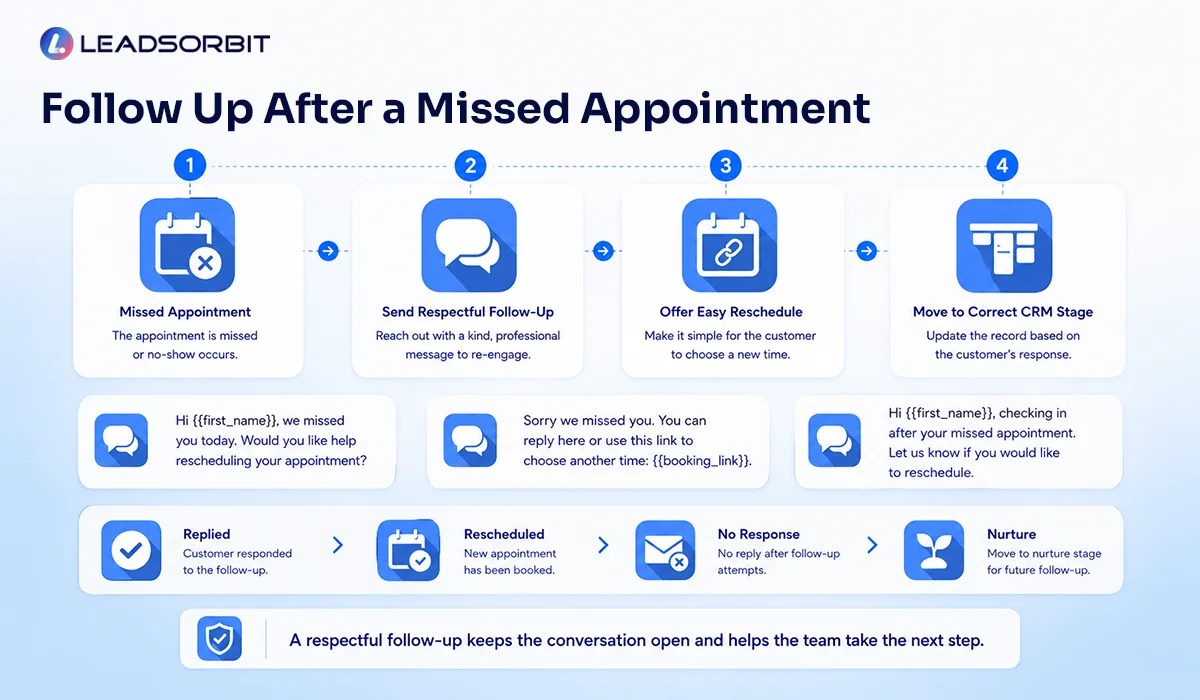
A no show does not always mean the customer is gone. Many missed appointments can still turn into rescheduled appointments if the follow up is quick, respectful, and easy to answer.
The message should not shame the customer. It should reopen the conversation and offer a clear way to choose a new time.

After the follow up, the CRM should update the status. If the person replies, the team can help. If there is no response, the contact can move into a lighter follow up or nurture stage.
No Show Reduction SOP
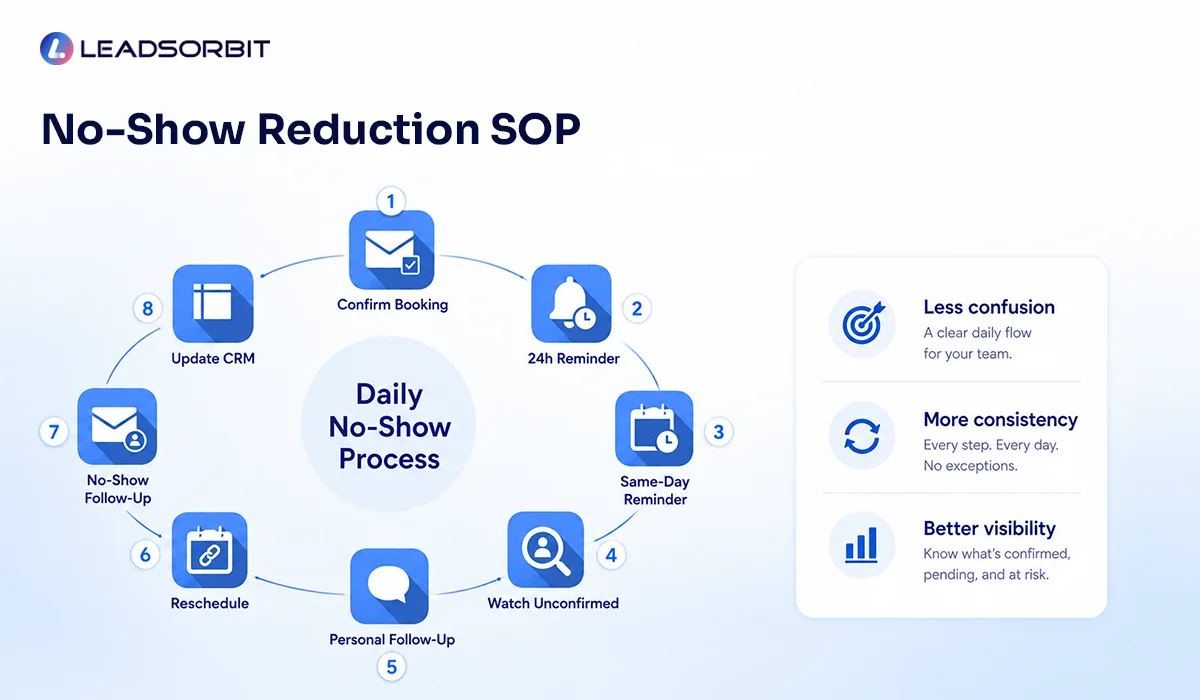
A simple SOP helps your team apply the same process every day. It also helps automation support the team instead of creating confusion.
- Confirm the appointment immediately after booking.
- Send a 24 hour reminder with confirm or reschedule options.
- Send a same day reminder with the most important details.
- Watch for unconfirmed appointments in the CRM.
- Call or personally follow up when a high value appointment looks at risk.
- Make rescheduling simple before the appointment time passes.
- Send a respectful no show follow up after a missed appointment.
- Move the contact to the correct CRM stage after the outcome is known.
The SOP should stay simple. If the team cannot follow it consistently, the process needs to be simplified before it is expanded.
Chiropractic and Dental Examples
A chiropractic clinic may reduce no shows by sending a confirmation after a new patient books, a 24 hour reminder, and a same day reminder. If the patient does not confirm, the team can call or send a reschedule link before the appointment time.
A dental practice may use reminders for consultation appointments and treatment planning visits. If a patient misses the appointment, the system can send a respectful reschedule message and move the patient into the right follow up stage.
LEADSORBIT can support appointment and reminder workflows for Chiropractic Software and Dental Software teams that need cleaner booking visibility and no show handling.
How LEADSORBIT Helps Reduce No Shows
LEADSORBIT helps small businesses reduce no show risk by connecting appointment booking, reminders, conversations, workflows, and CRM stages in one AI powered CRM system.
- AI Appointment supports booking and appointment related actions.
- Workflow AI automates confirmations, reminders, reschedule steps, no show follow up, and team tasks.
- Conversation AI keeps appointment replies organized across channels.
- Pipeline visibility helps the team see appointment outcomes and next actions.
If you want to see how LEADSORBIT can help your business create a connected no show reduction process, you can Book a Demo.
Try LEADSORBIT free for 14 days
FAQs About Reducing No Shows
The best approach is a complete system: clear confirmation, reminder timing, easy rescheduling, team visibility, and respectful no show follow up.
Final Thoughts
Reducing no shows is not about sending one more reminder. It is about building a connected appointment process that helps customers remember, confirm, reschedule, and re engage when something changes.
Start with clear expectations. Add confirmation. Use a simple reminder flow. Make rescheduling easy. Give your team visibility. Then follow up after missed appointments in a respectful way.

Start Your Free 14 Day Trial
Try LEADSORBIT and see how it captures missed calls, follows up instantly, and turns leads into booked appointments for your business.
Personal Message from Faisal Zulfiqar
No shows are frustrating, but they are often a signal that the process needs more clarity. Customers need simple reminders and easy rescheduling, while teams need visibility and a clear next step.
When your appointment process is connected inside one CRM, no show reduction becomes easier to manage and easier to improve over time.