
Choosing the right phone answering system is harder than it looks. Many tools sound impressive on a sales page, but once you start using them, you realize they do not actually help your team capture leads, route calls properly, or move callers toward a booking. That is why an ai receptionist software checklist matters. It keeps you focused on the features that solve real business problems instead of shiny extras that do not improve response time or conversion.
In this guide, I’ll break down the AI receptionist software features that actually matter for small businesses, how to evaluate them, what to avoid, and how to compare options in a practical way. You’ll also get a clear checklist, a simple evaluation framework, and the key metrics to watch after launch. LEADSORBIT fits into this conversation as a system built to help small businesses handle calls, follow up, and booking in one cleaner workflow.
Why Choosing the Right AI Receptionist Software Matters
A lot of buying mistakes happen because owners evaluate software too late in the process.
They usually start like this:
- We miss too many calls
- Our team cannot answer every time
- Follow up feels inconsistent
- We need something more modern
- Then they jump straight into demos.
The problem is that demos are built to show what looks impressive, not always what will matter in your daily workflow.
A checklist helps you slow down and ask better questions:
- Will this actually reduce missed opportunities?
- Will it help after hours?
- Will it support our booking flow?
- Will the team use it easily?
- Will it show us real reporting?
- Will it fit how our business actually works?
That is especially important if you are comparing the best ai receptionist software for small business and trying to avoid tools that feel advanced but still create more manual work.
If you already read the parent pillar, AI Receptionist for Small Business, this post is the evaluation guide that helps you compare options more clearly.
What an AI Receptionist Should Actually Help You Do
A good AI receptionist should help your business:
- Answer or recover inbound calls
- Handle after hours inquiries better
- Capture useful lead details
- Route callers correctly
- Support booking or next steps
- Keep conversations visible
- Reduce follow up gaps
- Show what is happening through reporting
That means the tool should not be judged only on how smart it sounds.
It should be judged on whether it improves:
- Responsiveness
- Lead capture
- Booking flow
- Staff efficiency
- Visibility into performance
This is where many buying decisions go off track. Businesses start shopping for an AI product when they really need a lead handling system.
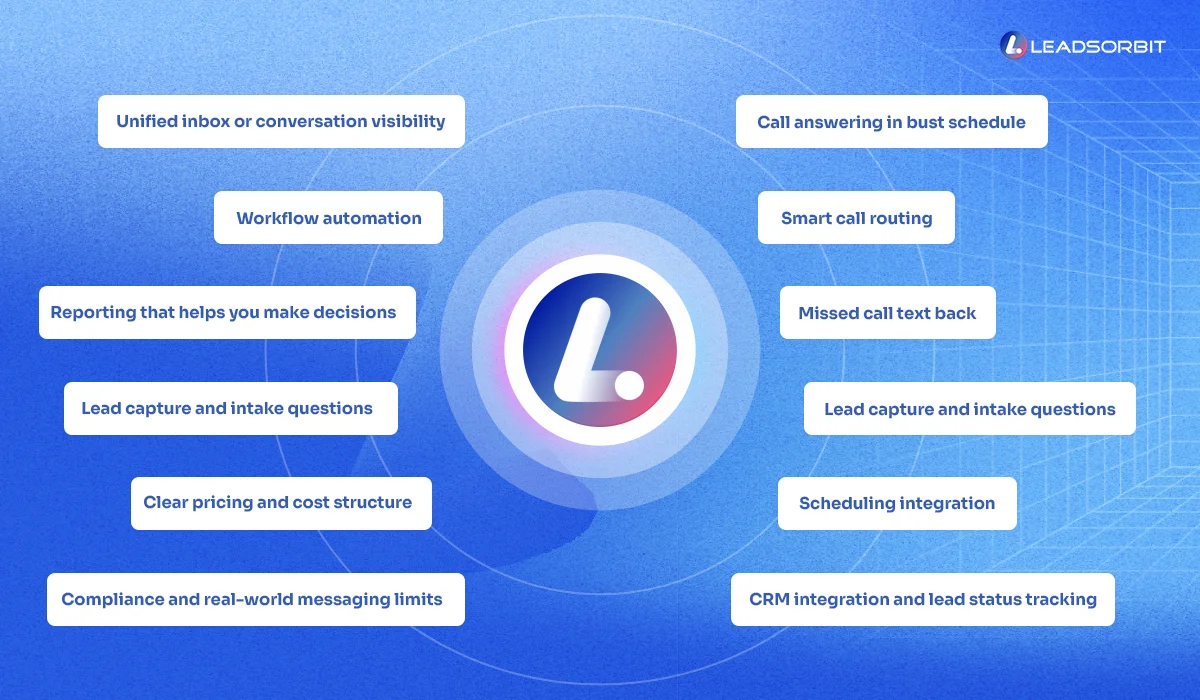
12 AI Receptionist Software Features That Actually Matter
Below is the checklist I would use if I were comparing options for a real small business.
1. Call Answering That Works During Busy Hours and After Hours
Start with the most basic question:
Can this system help when my team cannot answer?
That means it should support:
- Missed call recovery
- After hours response
- Overflow handling during busy periods
- A clear next step for the caller
If the software only helps when someone is already available, it does not solve the real problem.
2. Smart Call Routing
A good system should not treat every caller the same.
You want the ability to:
- Route by service type
- Route by location
- Route by urgency
- Route by business hours
- Route to voicemail, team member, or automated flow when needed
This matters because bad routing creates friction even when the call is technically answered.
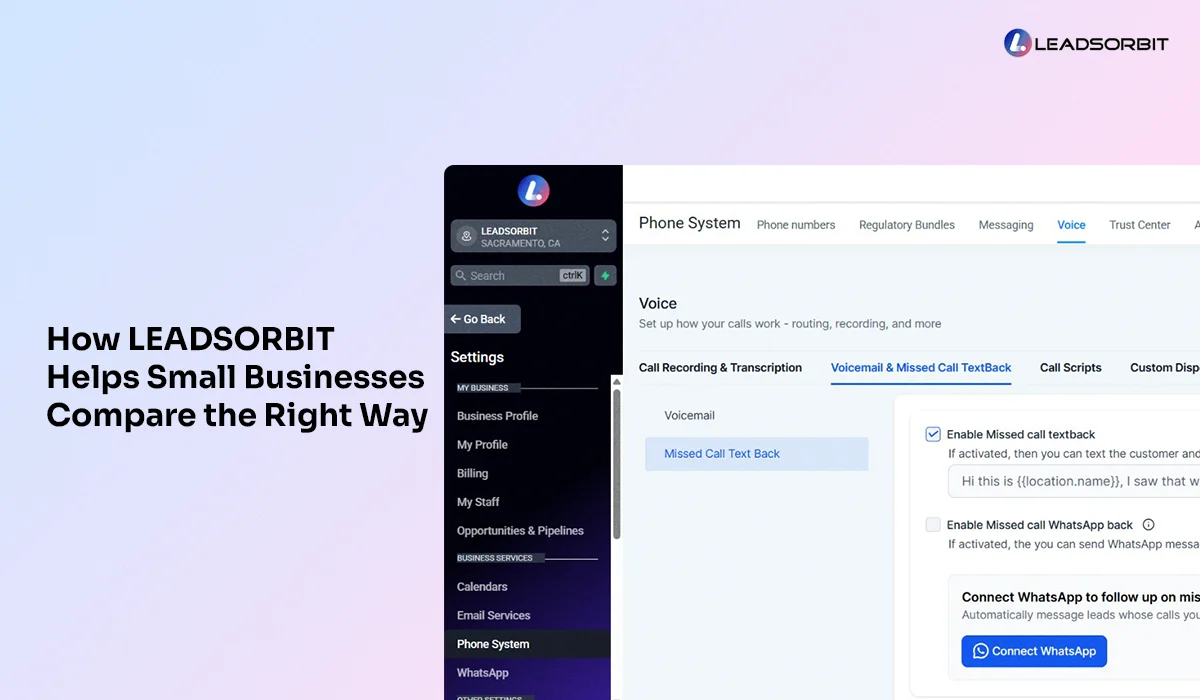
3. Missed Call Text Back
This is one of the most practical features on the list.
If the call is missed, the system should be able to:
- Send a text immediately
- Identify your business clearly
- Invite a reply
- Support a booking path if appropriate
If a platform does not help with this, it leaves one of the biggest recovery gaps open.
Your related post Missed Call Text Back for Small Business goes deeper into setup, but from a buying perspective, this feature should absolutely be on the checklist.
4. Lead Capture and Intake Questions
A strong AI receptionist should not only answer. It should capture usable information.
That usually means:
- Name
- Phone number
- Service needed
- Preferred day or time
- Urgency or priority
- Location or branch if relevant
- Notes that help with next steps
Without structured intake, the system becomes a talking layer instead of a real front end workflow.
5. Scheduling Integration
This is one of the biggest differences between a tool that feels helpful and one that actually converts leads.
A good system should support:
- Appointment booking
- Availability awareness
- Calendar handoff
- Confirmation steps
- Reminder workflows
If booking is disconnected, your team still ends up doing extra manual work.
6. CRM Integration and Lead Status Tracking
You need more than a call log.
A useful system should connect to your CRM or lead workflow so you can:
- Create or update contact records
- Assign tags or source labels
- Track lead status
- See whether the lead booked, replied, or needs follow up
Without this, conversations stay disconnected from results.
7. Unified Inbox or Conversation Visibility
If calls, texts, and follow up live in different places, your process stays fragmented.
That is why a unified inbox matters. You want the team to see:
- The missed call
- The automated response
- The customer reply
- The booking action
- The follow up history
This is also why Conversation AI matters in practical terms. It helps the business continue the conversation, not just answer the phone.
8. Workflow Automation
A good AI receptionist tool should trigger useful next steps automatically.
Examples:
- Send a missed call text
- Notify a team member
- Create a callback task
- Move the lead into a follow up sequence
- Trigger reminders after booking
- Tag after hours inquiries separately
If the platform cannot automate the next step, the team still depends on memory.
9. Reporting That Helps You Make Decisions
You should be able to answer questions like:
- How many calls were missed
- How many were recovered
- How many turned into conversations
- How many became bookings
- What time calls are being missed
- Which sources drive the best calls
If reporting is weak, you are basically buying blind.
10. Easy Setup and Team Adoption
This part gets ignored too often.
Even the best feature tool will fail if:
- Setup is too technical
- The team avoids using it
- Routing rules are too confusing
- Nobody knows how to edit templates or workflows
A strong system should feel practical, not heavy.
11. Clear Pricing and Cost Structure
This matters more than the demo usually suggests.
You should understand:
- Monthly platform pricing
- Setup fees
- Usage charges
- Phone number costs
- Texting costs
- Add on costs
- Whether key features are included or extra
This is especially important because some tools look affordable until usage and add ons start stacking up.
Your next related read here will be Cost of an AI Receptionist for Small Business.
12. Compliance and Real World Messaging Limits
If the system sends texts, you need to know:
- Whether business texting is properly supported
- What messaging rules apply
- Whether all incoming numbers are text enabled
- Whether there are limitations on delivery
This is not the flashy part of software evaluation, but it matters in real use.
A Simple AI Receptionist Checklist for Small Business
Use this when comparing tools:
- Handles missed calls and after hours inquiries
- Supports smart call routing
- Includes missed call text back
- Captures lead details through intake questions
- Connects to scheduling or booking flow
- Connects to CRM or contact records
- Gives visibility into calls, texts, and follow up
- Supports workflow automation
- Provides useful reporting
- Has simple setup and team friendly controls
- Makes pricing and usage clear
- Supports business texting in a reliable way
If a platform misses several of these, it may sound modern but still fail where it matters.
How to Compare AI Receptionist Tools Without Getting Distracted
A lot of platforms try to win attention with long feature lists.
A better approach is to compare around real use cases.
Ask these questions during evaluation
- What happens if we miss a call at 2 PM?
- What happens if we miss a call at 9 PM?
- Can the system route by location or service type?
- Can it capture details before a human steps in?
- Can it help the lead book, not just ask questions?
- Where do replies show up?
- What reports will I actually see each week?
- What extra costs show up after launch?
These questions usually reveal more than flashy demos.
Mistakes to Avoid When Choosing AI Receptionist Software
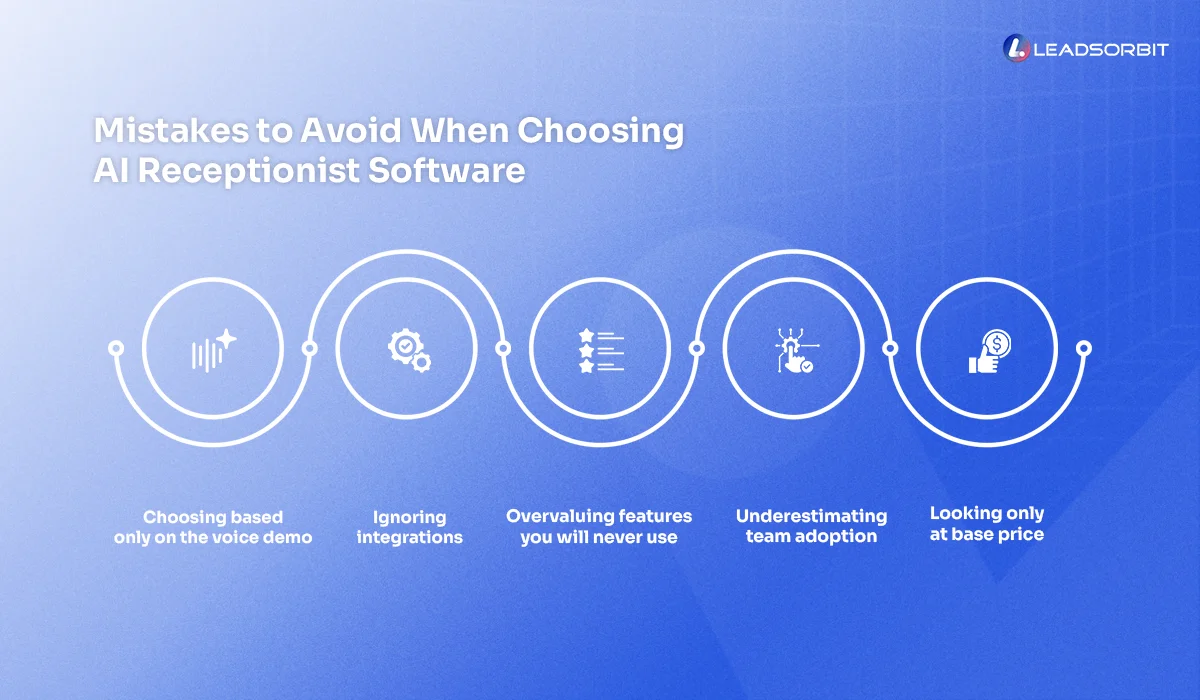
1. Choosing Based Only on the Voice Demo
A natural sounding voice is nice, but it does not matter much if the tool cannot route, capture, and follow up properly.
2. Ignoring Integrations
If the tool cannot connect to the rest of your workflow, the team will still do too much manually.
3. Overvaluing Features You Will Never Use
Do not buy for edge cases. Buy for the daily workflow.
4. Underestimating Team Adoption
If the system is confusing, the team will work around it instead of with it.
5. Looking Only at Base Price
You need the real operating cost, not just the entry price.
6. Forgetting to Test the Actual Customer Journey
Always test:
- A live call
- A missed call
- An after hours call
- A text reply
- A booking handoff
If you cannot test the real journey, you do not fully know what you are buying.
Try LEADSORBIT free for 14 days
What to Track After You Choose a Platform
Once you buy, do not stop evaluating.
Track these metrics:
Missed Call Rate
Definition: The share of inbound calls not answered live.
What improvement looks like: Fewer missed calls or stronger recovery after missed calls.
Recovery Rate
Definition: The percentage of missed calls that turn into active conversations.
What improvement looks like: More callers reengaged after a missed call.
Call to Booking Rate
Definition: The percentage of callers who become booked appointments or qualified next steps.
What improvement looks like: Better conversion from inbound calls.
After Hours Capture Rate
Definition: The percentage of after hours inquiries that still enter the workflow correctly.
What improvement looks like: Less overnight lead leakage.
Response Time
Definition: How quickly the first response goes out and how quickly the team follows up when needed.
What improvement looks like: Faster, more consistent response.
How LEADSORBIT Helps Small Businesses Compare the Right Way
The biggest mistake in software selection is thinking you are buying a feature.
Usually you are buying a workflow.
That is why LEADSORBIT is better understood as a practical operating system for lead handling, not just a phone answering layer.
Here is the practical mapping:
- AI Receptionist helps with answering, routing, and recovering missed opportunities
- AI Employee supports broader responsiveness when your team cannot manually handle every inquiry
- Conversation AI helps keep follow up active across messages and conversations
- For businesses in categories like HVAC Service Software or Chiropractic Software, that means fewer missed handoffs and more structured lead flow
If your current evaluation process feels messy, seeing a working setup is often easier than comparing feature lists in isolation. That is where a Book a Demo can help.
FAQs
There is no single feature, but missed call recovery, routing, intake capture, and booking flow are usually the most practical priorities.
Final Thoughts
Here are the main takeaways:
- An AI receptionist checklist helps you compare tools more clearly
- The right system should improve routing, capture, follow up, and booking
- Missed call text back should be treated as a core feature, not a bonus
- Integrations matter as much as voice quality
- Reporting matters because it shows whether the tool is actually helping
- Pricing should be evaluated beyond the base monthly number
- The best software is the one that fits your real workflow and gets used consistently
If you want the next practical step:
Start Your Free 14 Day Trial
Try LEADSORBIT and see how it captures missed calls, follows up instantly, and turns leads into booked appointments for your business.
Personal Message from Faisal Zulfiqar
A lot of software decisions get harder because everything starts to sound the same.
Every platform says it uses AI.
Every platform makes things look smooth.
But what matters most is still very simple.
Will this help your business answer better, follow up faster, and book more consistently?
That is the lens I would use every time.
LEADSORBIT is built around practical workflows because that is what small businesses actually need.
Not more noise, not more dashboards, not more complexity.
Just a clearer system that helps your team respond well and grow with less leakage.