
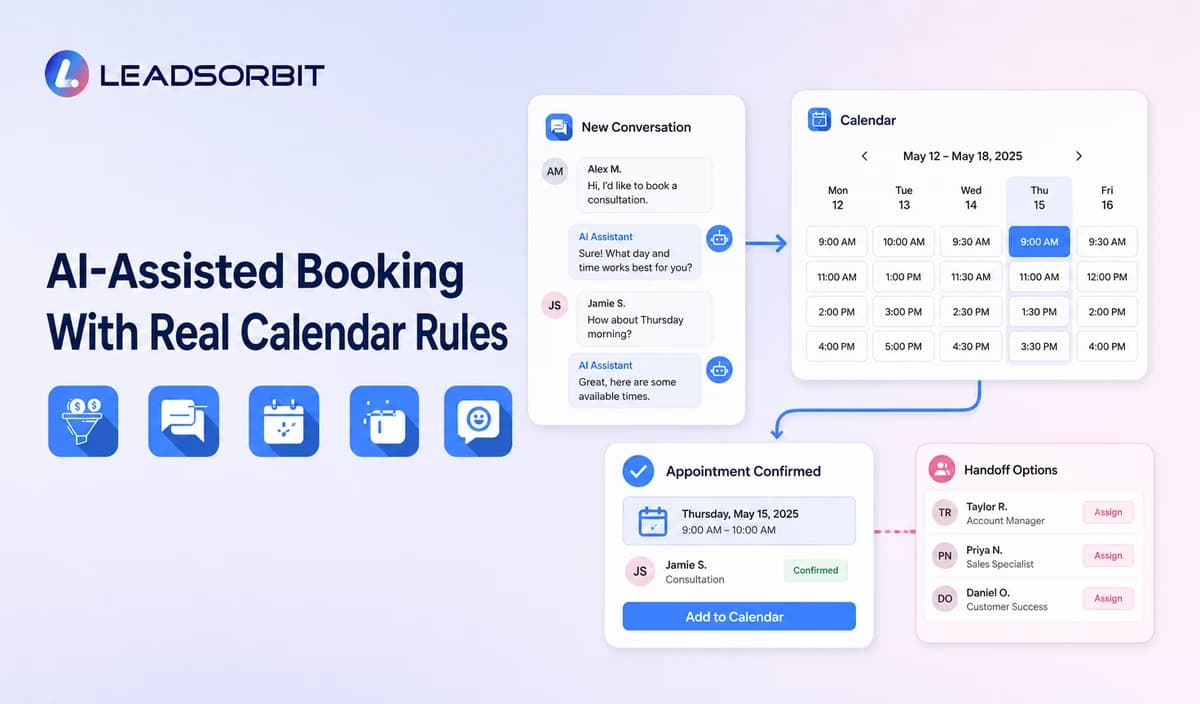

Appointment scheduling is often treated as a calendar problem. For a small business, it is also a customer communication, intake, availability, reminder, and follow up process.
AI scheduling can help answer routine booking questions and support valid bookings. This guide connects the workflow to the broader AI CRM for small business pillar.
What Is AI Appointment Scheduling?
AI appointment scheduling uses artificial intelligence and workflow automation to interpret booking requests and move customers through approved scheduling steps.
A basic calendar displays availability. AI assistance can recognize booking intent, ask relevant intake questions, identify the service or location, provide valid options, and route exceptions.
Where Appointment Scheduling Breaks Down
Scheduling becomes difficult when customer communication and calendar rules are disconnected.
- Customers request appointments through several channels.
- Staff asks the same intake questions repeatedly.
- Availability is copied manually.
- Rescheduling requires several calls.
- Cancelled appointments continue receiving reminders.
- Service duration or buffers are inaccurate.
- Exceptions have no owner.
AI can interpret requests, but the calendar and business rules must remain the source of truth.
The AI Appointment Scheduling Workflow
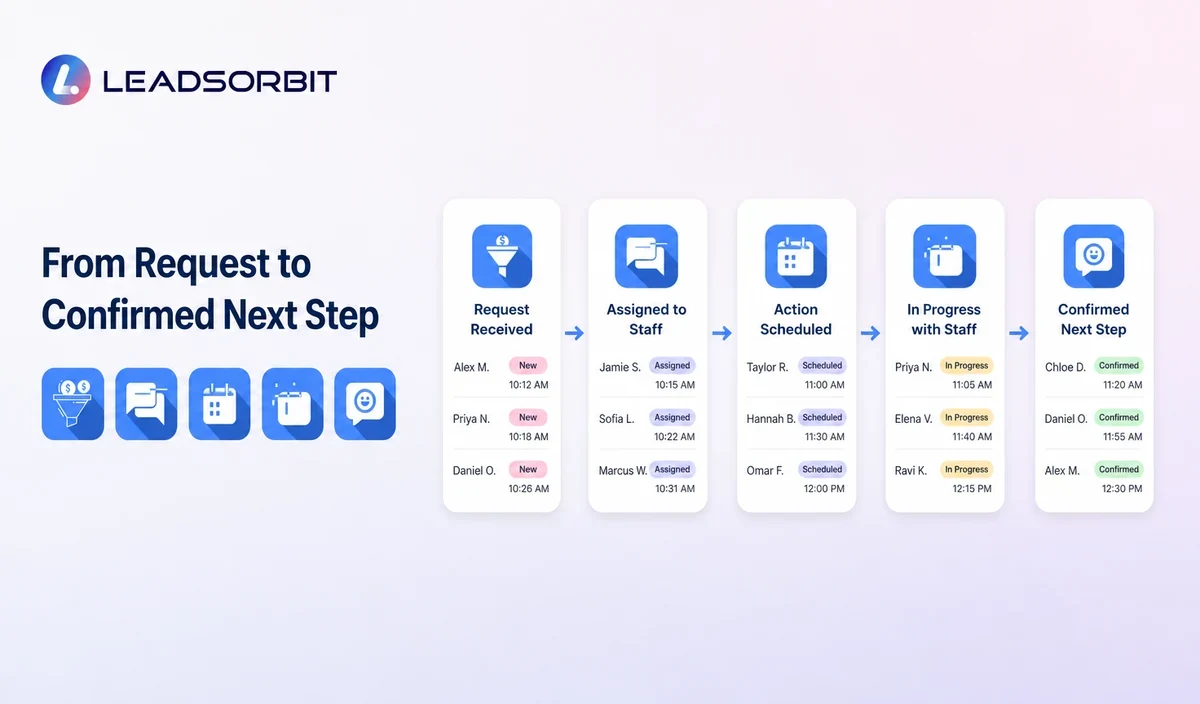
A complete workflow connects the conversation with the actual calendar.
- The customer requests an appointment through a call, message, chat, form, or booking page.
- The system identifies service, location, provider, or timing where appropriate.
- Approved intake questions collect needed information.
- Calendar rules return valid options.
- The customer selects a time or requests help.
- The CRM records the booking and conversation.
- Confirmation and reminder workflows begin.
- Rescheduling, cancellation, or no response creates the correct next action.
Connected appointment booking CRM workflows keep the record, conversation, booking, reminders, and follow up together.
AI Scheduling vs Online Booking
Many businesses benefit from both a booking page and conversational assistance.
| Online Booking | AI Appointment Scheduling |
|---|---|
| Customer selects from a page. | Customer can request booking through conversational channels. |
| Best when the customer knows the service. | Can clarify service, location, or intake first. |
| Follows fixed calendar rules. | Uses AI to interpret language, then applies rules. |
| Exceptions require separate contact. | Can identify exceptions and route to staff. |
Conversational scheduling should never bypass configured availability or booking rules.
Scheduling Rules the Business Must Define
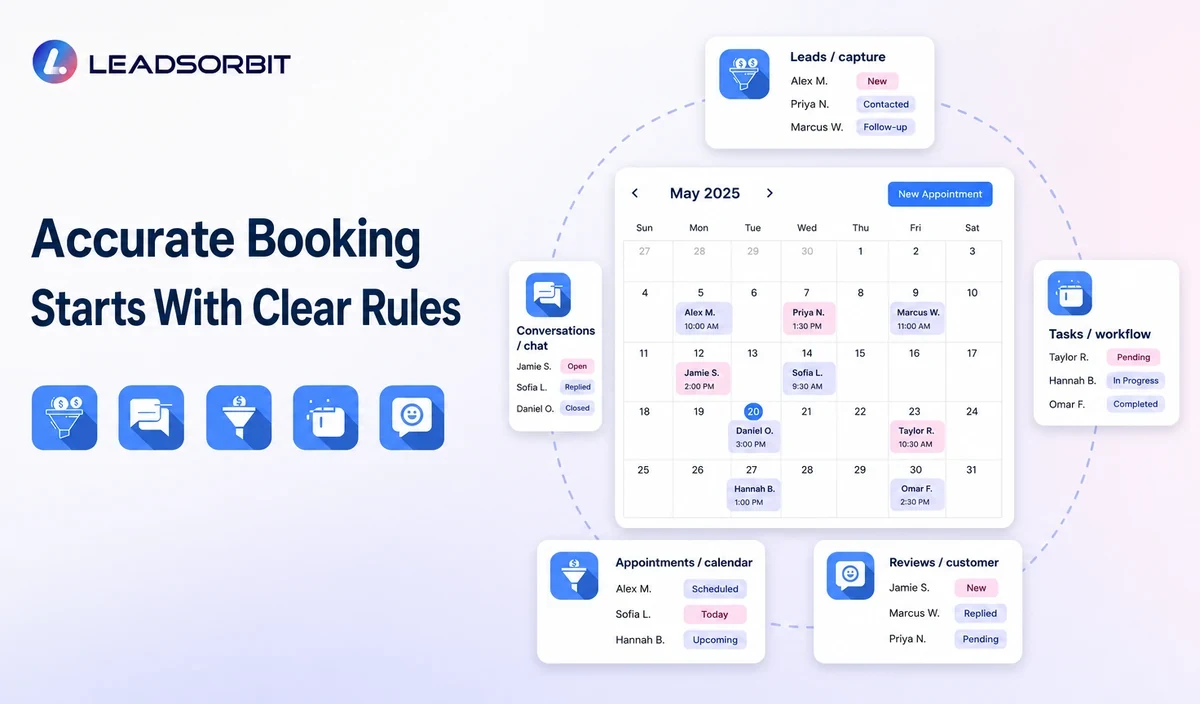
AI scheduling depends on accurate operational rules. The business remains responsible for deciding what can be booked and under which conditions.
- Hours and closures.
- Service duration and buffers.
- Staff, room, equipment, and location availability.
- Lead time and same day limits.
- Required intake information.
- Deposit or confirmation requirements.
- Cancellation and rescheduling rules.
- Services requiring staff review.
Where Human Handoffs Are Needed
Transfer or create a staff task when the request falls outside defined scheduling rules.
- Unclear service need.
- Sensitive, urgent, or complex issue.
- Requested time requires an exception.
- Multiple resources must be coordinated.
- Custom pricing or eligibility review.
- The customer asks for a person.
Confirmation and Reminder Automation
A booking is not complete until the customer knows what was scheduled and what happens next.
Confirmation should include accurate time, location, service, preparation, contact, and change instructions where appropriate.
Rescheduling and Cancellation
Customers should be able to change an appointment without starting over. The system should update the calendar, confirm the change, and stop reminders for the old time.
Communication and Consent Considerations
Confirmations and reminders may differ from promotional messages, but identity, consent, quiet hours, opt out, and channel preferences still require care.
- Store communication preferences.
- Use accurate business identity.
- Separate operational and promotional content where appropriate.
- Stop reminders after cancellation.
- Respect opt outs and applicable rules.
- Obtain appropriate advice for the location and use case.
Review applicable FCC guidance on calls and texts and the FTC CAN SPAM guide.
How to Evaluate AI Scheduling Software
Test the scheduling system with normal and exceptional requests.
- Show how it chooses the correct service and calendar.
- Confirm unavailable times cannot be promised.
- Test rescheduling and cancellation.
- Ask how double booking is prevented.
- Review intake fields and sensitive data controls.
- Transfer the conversation to staff.
- Check confirmation, reminder, and stop rules.
- Review logs, permissions, usage, integrations, and cost.
The demonstration should use the business’s real services, calendars, and rules.
Implementation Steps
Start with one appointment type.
- Clean calendars, services, staff, locations, hours, and rules.
- Choose one appointment type.
- Approve intake questions and information sources.
- Define exceptions and ownership.
- Test bookings, closures, time zones, rescheduling, cancellation, and no availability.
- Train staff to monitor bookings and handoffs.
- Launch with limited scope.
- Expand only after accuracy is stable.
AI cannot fix an inaccurate calendar or unclear service list.
What to Measure
Measure whether the booking process becomes easier and more accurate.
- Appointment requests and completed bookings.
- Time from request to confirmation.
- Rescheduling and cancellation completion.
- Double booking or availability errors.
- Handoff rate and reason.
- Reminder stops after changes.
- Customer questions and complaints.
- Staff corrections.
Review the measures by appointment type and channel.
How LEADSORBIT Supports AI Appointment Scheduling
LEADSORBIT connects appointment requests with customer records, conversations, calendars, confirmations, reminders, tasks, and follow up.
AI Appointment, Conversation AI, AI Receptionist, and Workflow AI support the connected booking journey.
Try LEADSORBIT free for 14 days
Frequently Asked Questions
It can support conversational booking through configured channels, approved information, and connected calendars.
Make Booking Easier Without Losing Control
AI scheduling can make the next step easier across calls, messages, forms, and booking pages. The business should control availability, intake, exceptions, communication, and handoffs.
Book a Demo to see how LEADSORBIT can connect AI assisted scheduling with customer conversations and CRM workflows.

Start Your Free 14 Day Trial
Try LEADSORBIT and see how it captures missed calls, follows up instantly, and turns leads into booked appointments for your business.