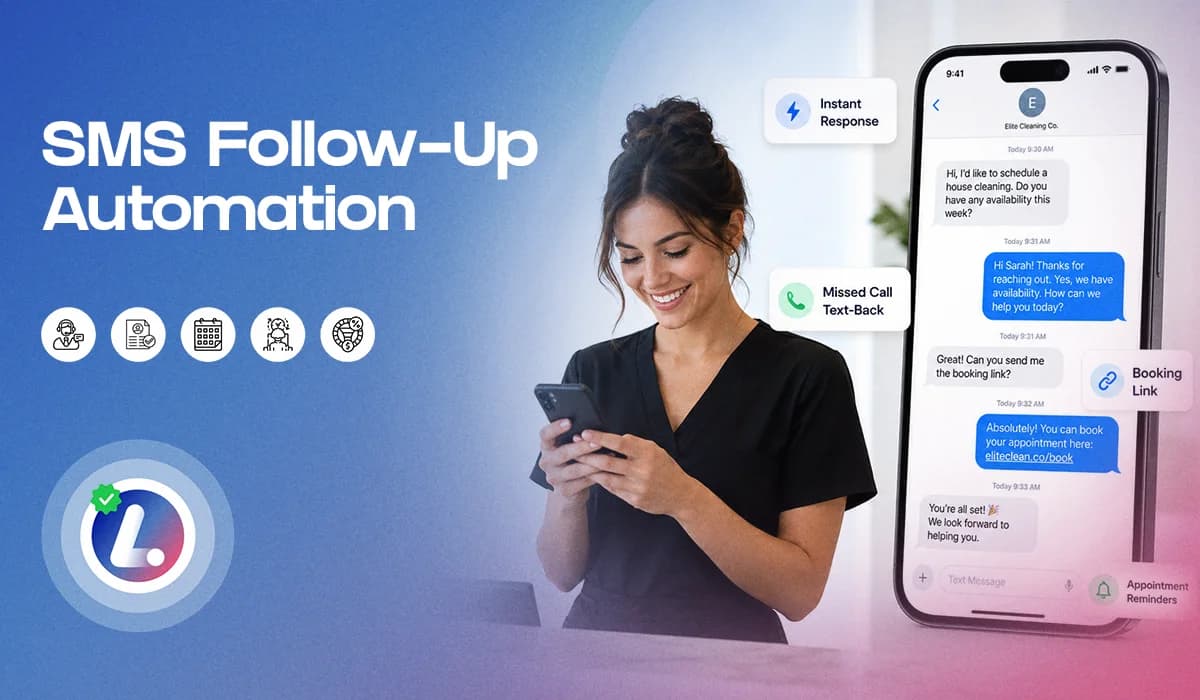

SMS follow up automation helps small businesses respond faster when a new lead reaches out, misses a call, asks a question, or needs help booking an appointment.
For many service businesses, text messaging is one of the easiest ways to restart a conversation. It is quick, direct, and simple for the lead to answer. But even then, teams still drop the ball.
A lead fills out a form and no one texts back. A missed call is not followed up. A booking link is sent too late. A lead does not respond once, so the team stops trying. That is where SMS automation helps.
It gives your business a simple way to send timely text messages, keep the follow up process moving, and support your team when they are busy.
This blog focuses only on SMS: when to use it, how to time it, what to say, when to escalate to a call, and how to avoid sounding robotic. For the complete follow up system, you can also read the main guide on Lead Follow Up Automation.
Why SMS Works Well For Lead Follow Up
SMS works because it keeps the next step simple. A lead does not need to open a long email, search your website again, or wait for someone to call back. They can reply quickly, ask a question, or click a booking link. This is especially useful when the lead has already shown interest.
For example, someone may submit a form, start a chat, call your office, or ask about appointment availability. At that moment, a short SMS can confirm that your business received the inquiry and is ready to help.
- The message does not need to be complicated.
- It just needs to be clear, timely, and easy to answer.
- That is the role of SMS inside a lead follow up strategy.
When SMS Should Be Used
SMS is best when the lead needs a quick response or a simple next step. It works well for new inquiries, missed calls, appointment booking links, no response follow ups, reschedule requests, and short reminders. A text message should feel like a helpful nudge, not a full sales pitch.
Use SMS when:
- The lead has just contacted your business.
- The lead missed your call or you missed theirs.
- You need to send a booking link.
- The lead has not responded to the first message.
- The appointment needs to be confirmed or rescheduled.
These are moments where a short text can keep the conversation alive.
However, SMS should not be used for everything. If the question is complex, sensitive, or requires detailed explanation, email or a phone call may be better. If the lead is asking multiple questions, your team may need to step in personally.
Good follow up best practices are not about choosing one channel for everything. They are about using the right channel at the right time.
Simple SMS Timing Rules
SMS follow up should be fast, but not overwhelming. The first text should go out as soon as the lead comes in. After that, timing should depend on whether the lead responds, books, or stays inactive.
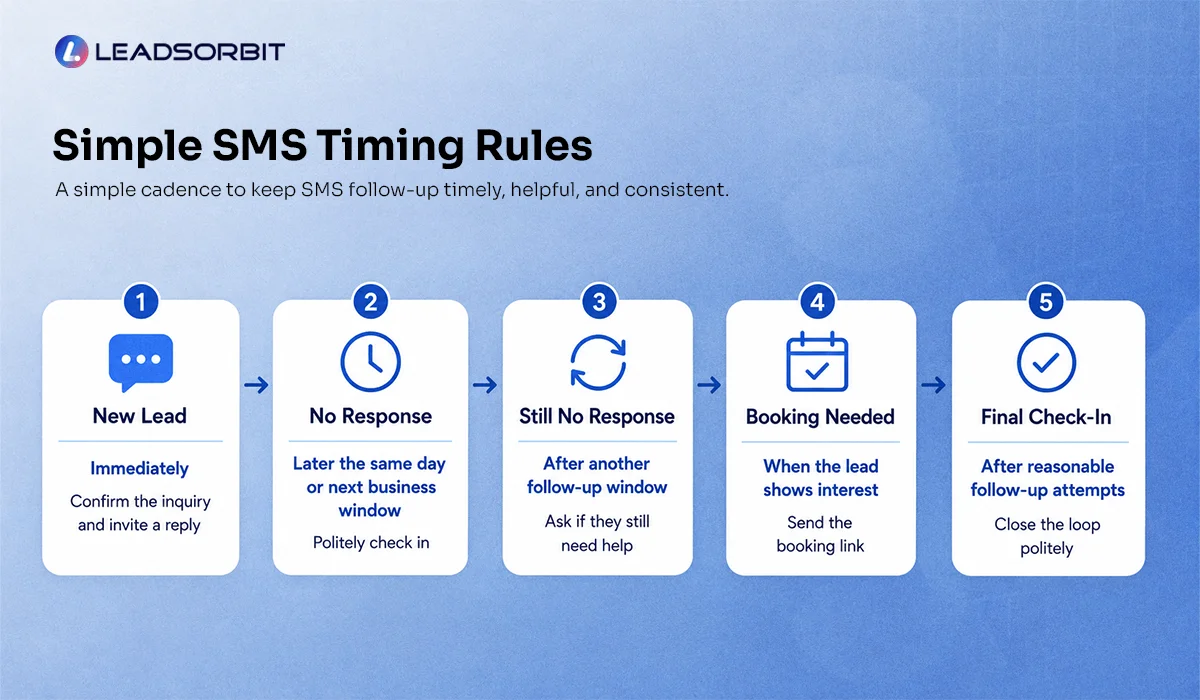
Here is a simple cadence you can use as a starting point:
| Stage | SMS Timing | Purpose |
|---|---|---|
| New lead | Immediately | Confirm the inquiry and invite a reply |
| No response | Later the same day or next business window | Politely check in |
| Still no response | After another follow up window | Ask if they still need help |
| Booking needed | When the lead shows interest | Send the booking link |
| Final check in | After reasonable follow up attempts | Close the loop politely |
This is not meant to be a rigid rule for every business. The main idea is simple: respond fast first, follow up politely, and stop or adjust when the lead takes action. With Workflow AI, these timing rules can be built into your CRM workflow so your team does not have to remember every step manually.
SMS Templates You Can Copy And Use
Templates are helpful when they sound natural. The goal is not to send long text messages. The goal is to make it easy for the lead to respond. Use these as starting points and adjust them to your business tone.
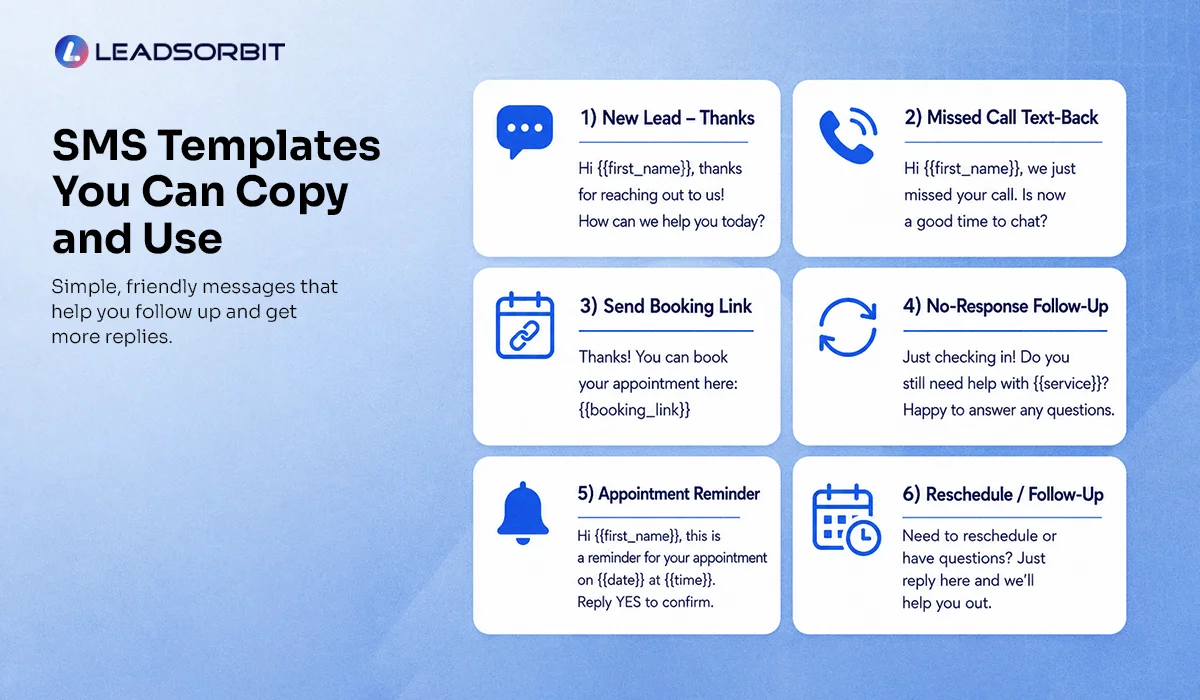
1. New Lead SMS

This works well when someone fills out a form, starts a chat, or asks for more information.
2. Missed Call SMS
This is one of the simplest ways to recover a missed call. If the person had real intent, this message gives them an easy way to continue.
3. No Response SMS
This message is short and polite.It does not pressure the lead, but it keeps the opportunity open.
4. Booking Link SMS
This is useful when the lead is ready to schedule but needs a quick next step.
5. Reschedule SMS
This keeps the reschedule process simple and reduces back and forth.
6. Final Check In SMS
This gives the lead a respectful close without sounding aggressive. It also helps your team keep the CRM clean.
7. After Hours Inquiry SMS
This is helpful when your team is not available but you still want the lead to feel acknowledged.
8. Appointment Confirmation SMS
This is not a sales follow up message, but it supports the same customer journey. Once a lead books, your SMS workflow should shift from sales follow up to appointment support.
Try LEADSORBIT free for 14 days
How To Keep SMS From Sounding Robotic
SMS automation can create a better experience, but only if the messages sound natural. The biggest mistake is writing texts that feel too long, too formal, or too generic. A good SMS should sound like a real person from your team wrote it. Keep the message short. Use the lead’s first name. Mention the business name when helpful. Give one clear next step.
Avoid sending too many links in one message. Avoid long explanations. Avoid repeating the same message again and again.
A simple text usually works better than a “perfect” scripted paragraph. With Conversation AI, your team can manage SMS conversations in one place, along with other lead messages. This makes it easier to see context before replying.
Escalation SOP: When To Call Instead Of Texting
SMS is useful, but it should not replace human follow up completely. Some leads need a call.
For example, if someone asks a detailed question, shows strong buying intent, or seems confused, your team should step in. If a lead clicks a booking link but does not finish scheduling, that may also be a good time to call.
A simple escalation rule can look like this:
- If the lead replies with a question, the team reviews the conversation.
- If the lead shows high intent, the team calls or personally follows up.
- If the lead does not respond after the SMS cadence, move them into nurture.
This keeps your SMS follow up automation helpful without making it feel disconnected. Automation handles speed and consistency. Your team handles judgment and relationship building.
Chiropractic And Dental Examples
SMS follow up is especially helpful for appointment based businesses where leads often need quick scheduling help.
For a chiropractic office, someone may reach out because they are in discomfort and want to know if they can be seen soon. A short SMS can confirm the inquiry and ask whether they want help booking an appointment.
For a dental practice, someone may ask about availability, a consultation, or a treatment question. SMS can quickly acknowledge the request and guide them to the next step.
LEADSORBIT supports follow up workflows for chiropractic businesses and dental practices, where SMS, appointments, reminders, and conversations all need to work together. The goal is not to replace your front desk. The goal is to make sure the first response does not get missed.
What To Track Without Overcomplicating It
You do not need a complex dashboard to know whether SMS follow up is working.
Start with a few simple checks:
- Are new leads receiving an instant SMS?
- Are people replying to the first or second text?
- Are booking links leading to scheduled appointments?
These simple checks help you improve your follow up timing and message quality over time. Once the basics are working, you can review deeper performance inside your marketing automation CRM.
How LEADSORBIT Helps With SMS Follow Up Automation
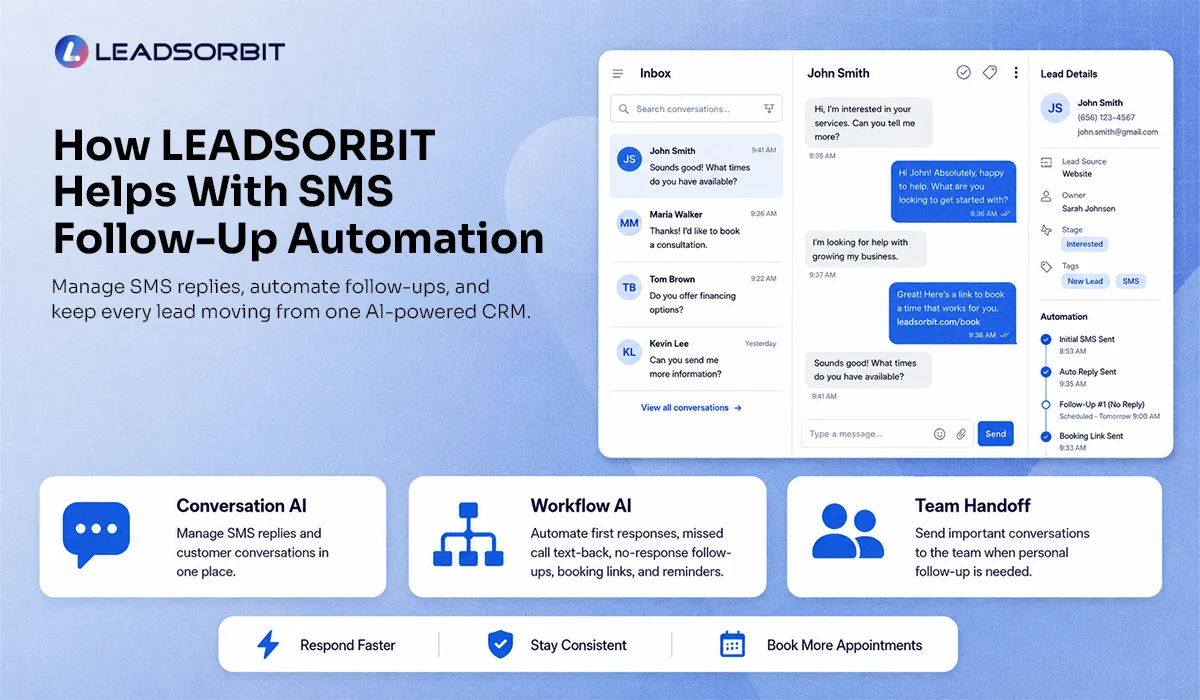
LEADSORBIT helps small businesses manage SMS follow up from one AI powered CRM.
- With Conversation AI, your team can manage SMS replies and customer conversations in one place, instead of switching between tools.
- With Workflow AI, your business can automate first responses, missed call text back, no response follow ups, booking links, reminders, and team notifications.
Together, these tools help your business:
- Respond faster when a lead reaches out
- Keep SMS follow up consistent
- Hand off important conversations to the team when needed
This creates a smoother experience for your leads and a clearer process for your staff.
FAQs
SMS follow up automation is the use of CRM workflows to send text messages automatically after a lead contacts your business, misses a call, requests an appointment, or does not respond.
Final Thoughts
Here are the main takeaways:
- SMS follow up automation is one of the simplest ways to improve lead response.
- It helps your business reply quickly, keep conversations moving, and reduce the chance of missing interested leads when your team is busy.
- Start with the basics: send an instant first text, use a simple no response message, share booking links clearly, know when to escalate to a call, and move quiet leads into nurture instead of chasing them endlessly.
- When SMS is used properly, it does not feel robotic. It feels helpful.
To see how LEADSORBIT can help your business automate SMS follow up, manage conversations, and support your team with better workflows:

Start Your Free 14 Day Trial
Try LEADSORBIT and see how it captures missed calls, follows up instantly, and turns leads into booked appointments for your business.
Personal Message from Faisal Zulfiqar
SMS follow up works best when it is simple, timely, and respectful.
Do not use automation to send more noise.
Use it to make sure every interested lead gets a helpful next step.