
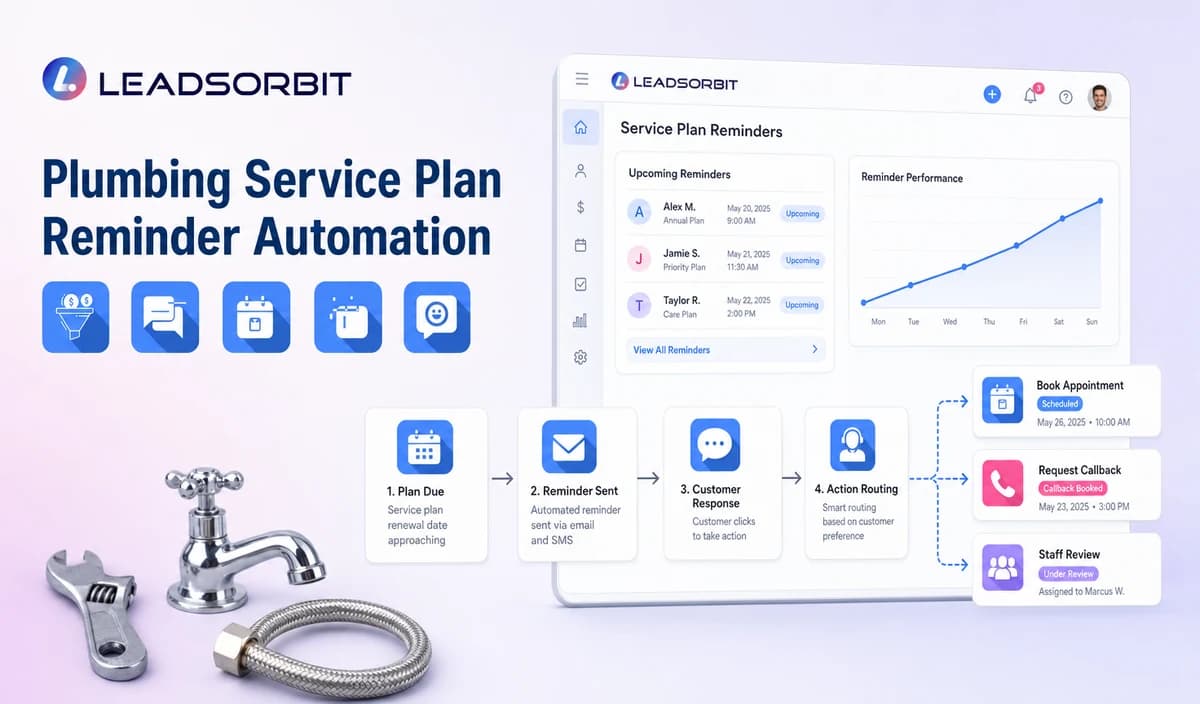

Service plan reminders can help a plumbing company stay connected with customers between completed jobs, maintenance needs, and renewal dates. But the reminder itself is only one part of the workflow. The process becomes reliable when the business knows which system is the source of truth for plan status, when a customer is due, what the plan actually includes, and whether the customer can be contacted through the selected channel.
Plumbing service plan reminder automation should therefore be treated as a communication and booking workflow unless contract creation, billing, warranty administration, or recurring visit generation has been specifically verified. A broader retention strategy can also include lead follow up automation.

Who This Guide Is For
This guide is intended for:
- Plumbing companies that offer service plans, maintenance agreements, or inspection reminders.
- Teams that maintain verified plan, warranty, or maintenance records.
- Office staff who handle recurring booking, renewal, and customer questions.
- Owners and managers who want better visibility into reminders, responses, tasks, and outcomes without treating a CRM as a replacement for contract or billing systems.
The workflow is especially useful when a plumbing business has enough recurring customers that manual reminder lists become difficult to maintain. The goal is not to automate every decision. The goal is to make routine communication consistent while giving staff a clear point to take over.
The Plan Source Controls the Workflow
The most important rule is simple: do not let the reminder workflow guess the customer's plan status.
A CRM tag such as "maintenance customer" may be useful for organization, but it should not automatically be treated as proof that a plan is active, current, renewable, or eligible for a particular benefit.
The plumbing company should define the authoritative source and determine how changes reach the CRM or workflow.
At minimum, the workflow may need to distinguish between:
- Active, expiring, paused, cancelled, and staff review status.
- The company's approved maintenance or inspection cadence.
- A verified next due or renewal date.
- Current included visits or plan benefits.
- The correct customer, property, service area, and responsible owner.
- The approved booking or staff callback path.
Example
A customer may have purchased a maintenance plan several months ago. The CRM still contains an "active plan" tag, but the source system shows that the plan was cancelled.
If the automation relies only on the old tag, the customer could receive a renewal reminder that no longer applies.
A better workflow checks the authoritative record first. If the status cannot be verified, the record goes to staff review instead of entering the reminder sequence.
A Practical Plumbing Service Plan Reminder Automation Workflow
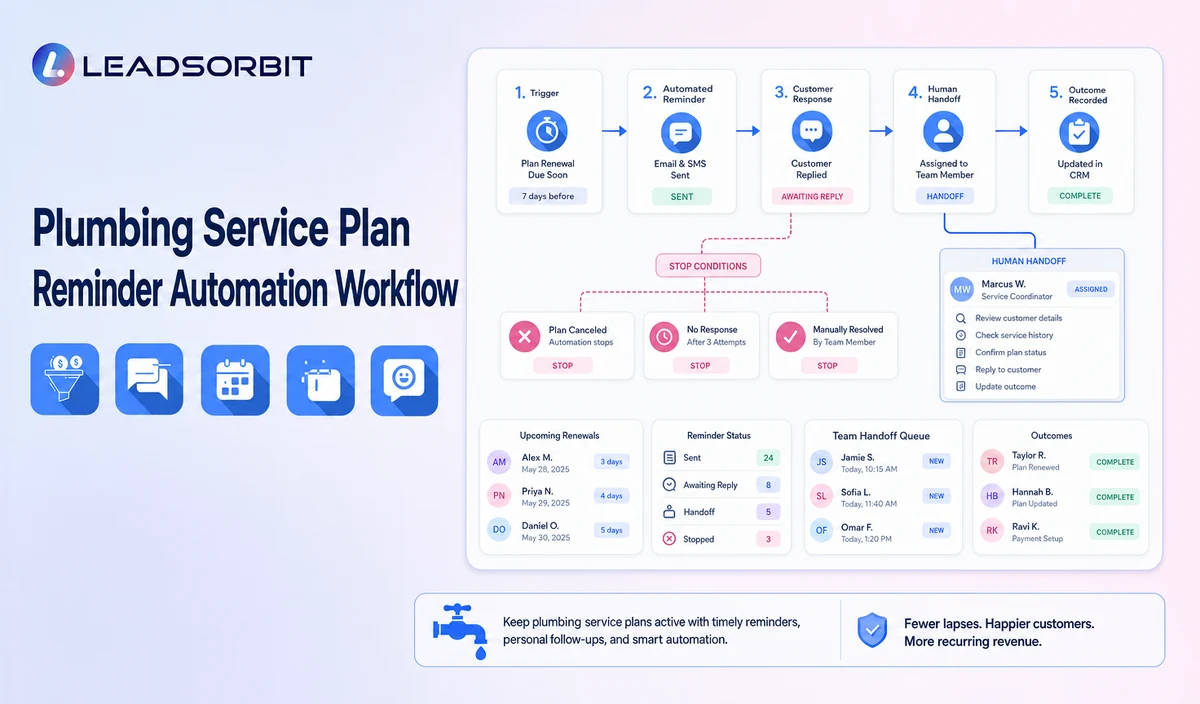
A useful workflow separates data verification, communication, customer response, and staff ownership.
| Stage | Workflow action | Staff responsibility | Stop or escalation rule |
|---|---|---|---|
| 1. Receive verified status | Bring the current plan or maintenance status into the approved workflow. | Review field mapping, sync problems, corrections, and failures. | Do not activate uncertain records. |
| 2. Apply exclusions | Exclude cancelled, opted out, disputed, duplicate, invalid, and open support records. | Review sensitive or unclear cases. | Do not send routine reminders to excluded records. |
| 3. Send reminder | Identify the company and explain the general plan or maintenance action. | Monitor delivery and incoming replies. | Stop after booking, renewal, cancellation, opt out, or staff takeover. |
| 4. Route replies | Recognize responses such as BOOK, RENEW, CALLBACK, QUESTION, LATER, CANCEL, or STOP. | Handle contract, coverage, billing, warranty, or policy questions. | Pause automation after complex replies. |
| 5. Booking or task | Provide the approved booking route or create a staff review task. | Confirm status and applicable service rules. | Do not claim automatic visit creation unless verified. |
| 6. Limited follow up | Send an approved reminder when the customer remains eligible. | Review continued eligibility. | Stop at the defined attempt limit. |
| 7. Outcome update | Record booked, renewed, later, cancelled, question, invalid, or closed. | Update the authoritative system when required. | Do not leave resolved records active. |
This separation matters because a reminder workflow should not become a hidden decision making system.
For example, receiving a reply such as "Can you tell me what my plan covers?" is different from receiving "BOOK." The first needs a person or an approved source of information. The second may be eligible for the configured booking path.
Plan Status and Capability Checks
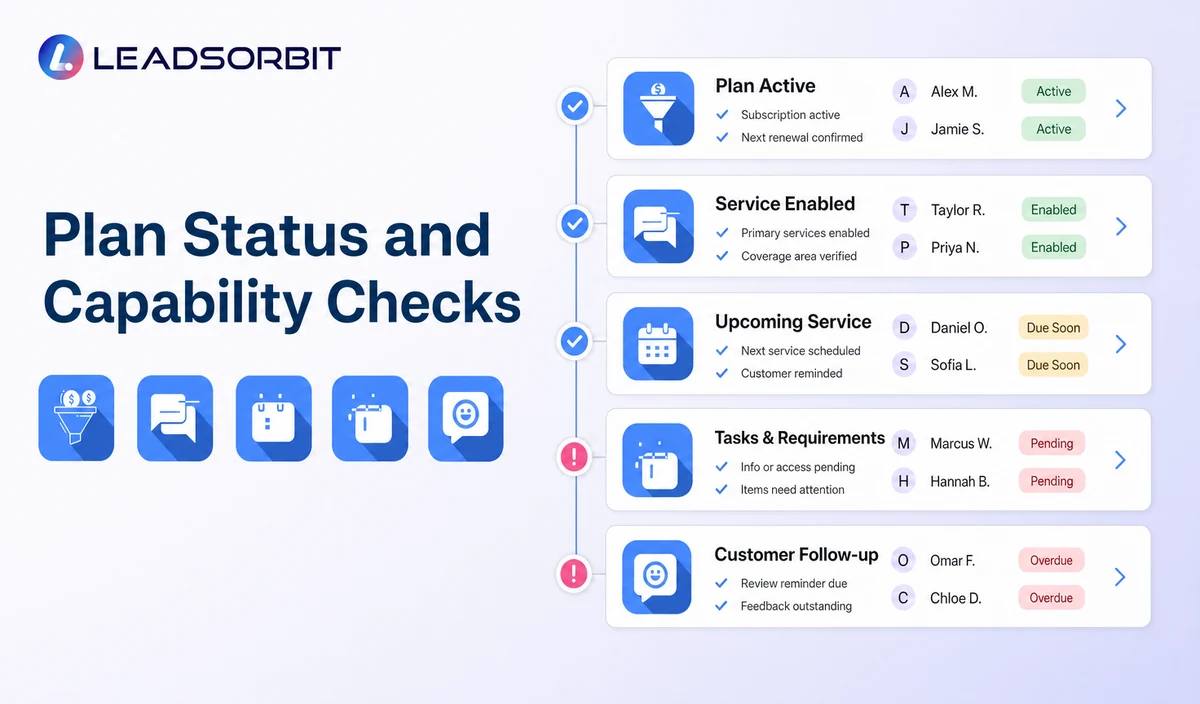
A plumbing service plan workflow should keep communication separate from functions such as contract management, billing, warranty administration, and field service operations.
| Plan status | Use only from a verified source. | Do not calculate from an unverified CRM tag. |
|---|---|---|
| Inspection or maintenance cadence | Use the company's approved rule. | Do not invent a safety or maintenance frequency. |
| Included visits | Mention only when the connected data is current and exact. | Otherwise route the question to staff. |
| Renewal date | Use a verified date. | Do not create artificial urgency. |
| Billing status | Use only when an approved payment event integration exists. | Do not imply native billing or payment recovery. |
| Warranty administration | Route to staff and the authoritative system. | Do not approve or deny coverage through automation. |
This distinction protects both the customer and the business.
For example, if a plan includes one maintenance visit but the CRM has an outdated benefit field showing two visits, the workflow should not rely on the outdated value. The customer should be routed to the appropriate team member or current source of truth.
Practical Scripts and Templates
Good reminder messages are short because customers generally need to understand the next action quickly. The message should also avoid making claims that the underlying data cannot support.
Maintenance Reminder
The phrase "may be time" is useful when the workflow is prompting a customer based on a verified due date but the business does not want the message to imply an unsupported repair or safety requirement.
Renewal Reminder
The message should only be used when the renewal status and timing are supported by the business's approved records.
Plan Question
This is an example of a deliberate human handoff. The automation does not need to answer every question. In many cases, creating the right task for the right person is more useful than giving an uncertain automated answer.
Final Reminder
A final message should make it clear that the reminder sequence is ending rather than creating pressure for the customer to respond.
Important Boundaries
A plumbing reminder workflow should have clear limits.
- Do not claim native service contract creation, billing, visit generation, benefit accounting, or warranty administration without verification.
- Do not invent maintenance or safety frequencies.
- Do not tell a customer that an inspection or repair is required unless the wording is supported by reliable information and the company's approved rules.
- Do not collect payment card information through routine text or AI conversations.
- Do not make automatic cancellation, refund, coverage, or contract decisions unless the exact capability and authorization have been verified.
- Move disputes, billing questions, warranty matters, and policy questions to qualified staff.
These boundaries are important because a customer communication system and a field service management system are not automatically the same thing.
Privacy, Consent, and Customer Data
A plumbing workflow may handle customer names, phone numbers, service addresses, appointment information, access notes, estimate status, conversation history, and service plan details. That information should be limited to what the workflow actually needs.
A practical implementation should review:
- What customer information is collected.
- Which employees can access it.
- Where consent and opt out status are stored.
- Which phone, SMS, email, calendar, CRM, AI, and other vendors receive the information.
- How long information is retained.
- What happens when information needs to be corrected or deleted.
For example, a reminder may need a customer's first name and phone number. It generally does not need to repeat a home access code, payment card information, or detailed private notes in the message.
For automated text communication, businesses should also review the applicable consent and revocation requirements for their audience and message type. The FCC consent and revocation order discusses reasonable methods for consumers to revoke consent in certain automated communications. The exact legal requirements depend on the communication, consent record, technology, and jurisdiction.
LEADSORBIT is positioned in this article as the communication, booking, follow up, CRM, review, and task layer. It should not be presented as a complete field service management, dispatch, route optimization, work order, estimating, invoicing, inventory, payroll, job costing, permit, price book, accounting, or technician tracking system.
Common Plumbing Workflow Mistakes
Most reminder problems are caused by workflow logic rather than the wording of the reminder.
Common mistakes include:
- Using an outdated CRM tag as the plan system of record.
- Sending a reminder after a plan has already been cancelled.
- Continuing reminders after a customer has renewed.
- Mentioning included visits or benefits without current data.
- Inventing a maintenance cadence.
- Automating warranty or contract decisions.
- Continuing the sequence after a customer asks for staff help.
Example
A customer replies, "I need someone to explain my coverage before I renew."
The appropriate next step is not another automated renewal message. The workflow should pause and create or assign a task to the person responsible for plan questions.
That small distinction can make the automation feel more like a useful office assistant and less like a sequence of repetitive messages.
Plumbing Workflow Setup Checklist
Before launching the workflow, confirm:
- The authoritative plan, warranty, and billing sources are identified.
- Field mapping and synchronization behavior have been reviewed.
- Active, due, expiring, renewed, cancelled, disputed, and closed statuses are defined.
- Reminder, renewal, question, later, cancellation, and final messages are approved.
- BOOK, RENEW, CALLBACK, QUESTION, LATER, CANCEL, and STOP responses have defined actions.
- A primary and backup staff owner are assigned.
- Contract, billing, included visit, warranty, and recurring visit capabilities have been validated separately.
A written workflow map is useful here because it lets the office team answer one practical question: What should happen when the customer does something unexpected?
See the Workflow With Your Company's Rules
Every plumbing business handles plans differently. One company may renew annually, another may use a maintenance agreement with a different cadence, and another may require staff approval before a customer can book a plan related appointment.
Start 14 days free trial to map the exact triggers, messages, service area rules, booking or callback paths, owners, data sources, permissions, and stop rules for your plumbing company inside LEADSORBIT.
What to Measure
The workflow should be measured as an operational process rather than judged only by how many reminders were sent.
Useful measurements include:
- Records received from the verified source.
- Records correctly excluded.
- Messages delivered or failed.
- Replies categorized as book, renew, callback, question, later, cancel, or opt out.
- Staff tasks created and resolved.
- Records that remained active after renewal or cancellation.
- Data source errors and customer complaints.
For example, if many records remain active after customers cancel their plans, the business has a data synchronization or status management problem. Increasing the number of reminders would not solve it.
The more useful question is whether the workflow keeps the right records active, sends the right message, and stops at the right time.
How LEADSORBIT Supports This Plumbing Workflow
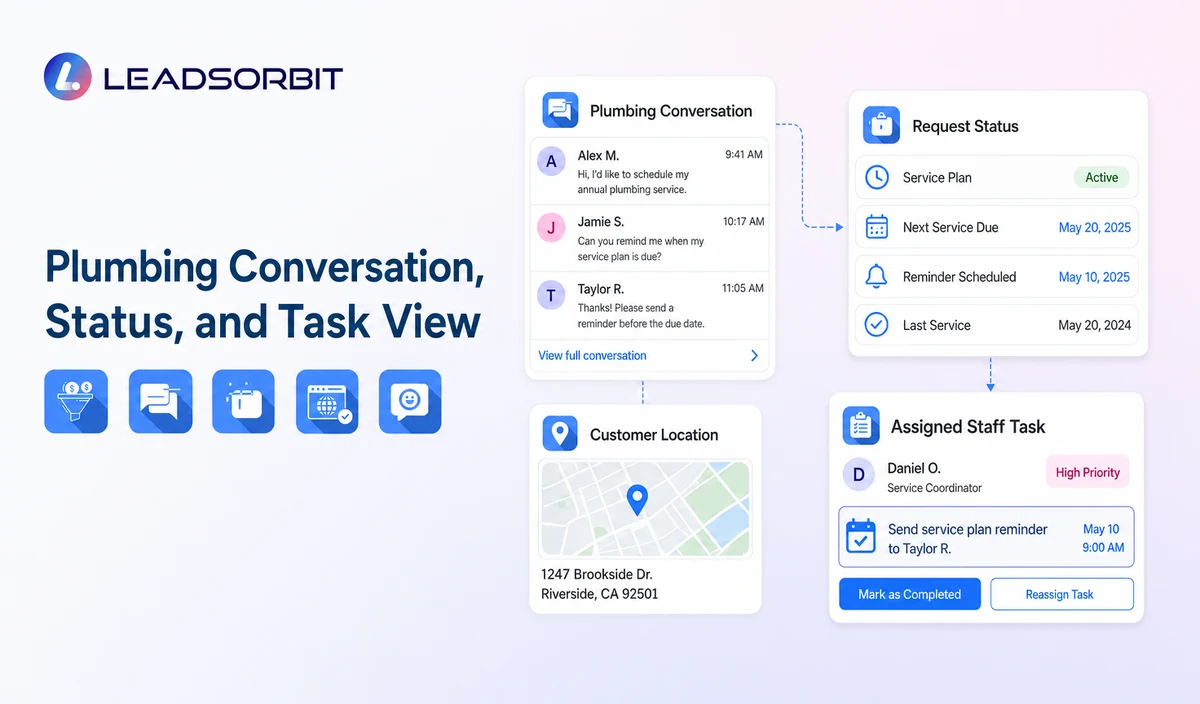
LEADSORBIT’s AI powered CRM can connect approved plumbing conversations, appointment activity, follow up, tasks, and operational statuses.
For this type of workflow, the CRM acts as the place where communication and follow up activity can be organized around defined business rules.
- Workflow AI: supports configurable triggers, conditions, messages, tasks, timing, and stop or switch logic.
- AI Appointment: supports appointment requests, calendar connections, confirmations, reminders, rescheduling, and cancellation where configured.
The exact channels, fields, scripts, calendars, service areas, appointment rules, estimate or plan data, permissions, retention settings, integrations, and account behavior require implementation validation.
LEADSORBIT is positioned as the communication, booking, follow up, CRM, review, and task layer. It should not be represented as a complete field service management platform or as a replacement for specialized dispatch, route, technician, accounting, payment, work order, estimating, or warranty systems.
Try LEADSORBIT free for 14 days
FAQs
It is a communication workflow that uses verified plan or maintenance status to send appropriate reminders, provide a booking or staff help path, and record the resulting customer outcome.
Final Thoughts
Plumbing service plan reminder automation works best when it is built around accurate data and clear ownership.
The workflow should know:
- Which system controls plan status.
- When a customer is eligible for a reminder.
- What information can safely be communicated.
- When a customer should be offered a booking path.
- When a staff member needs to take over.
- When the reminder sequence must stop.
The strongest implementation does not try to automate every part of a plumbing operation. It uses automation for repeatable communication and follow up while keeping contract, billing, warranty, service, and other business decisions with the appropriate systems and people.
Start 14 days free trial to see how LEADSORBIT can support this plumbing workflow with conversations, appointment requests, automation, tasks, and CRM visibility.

Start Your Free 14 Day Trial
Try LEADSORBIT and see how it captures missed calls, follows up instantly, and turns leads into booked appointments for your business.