
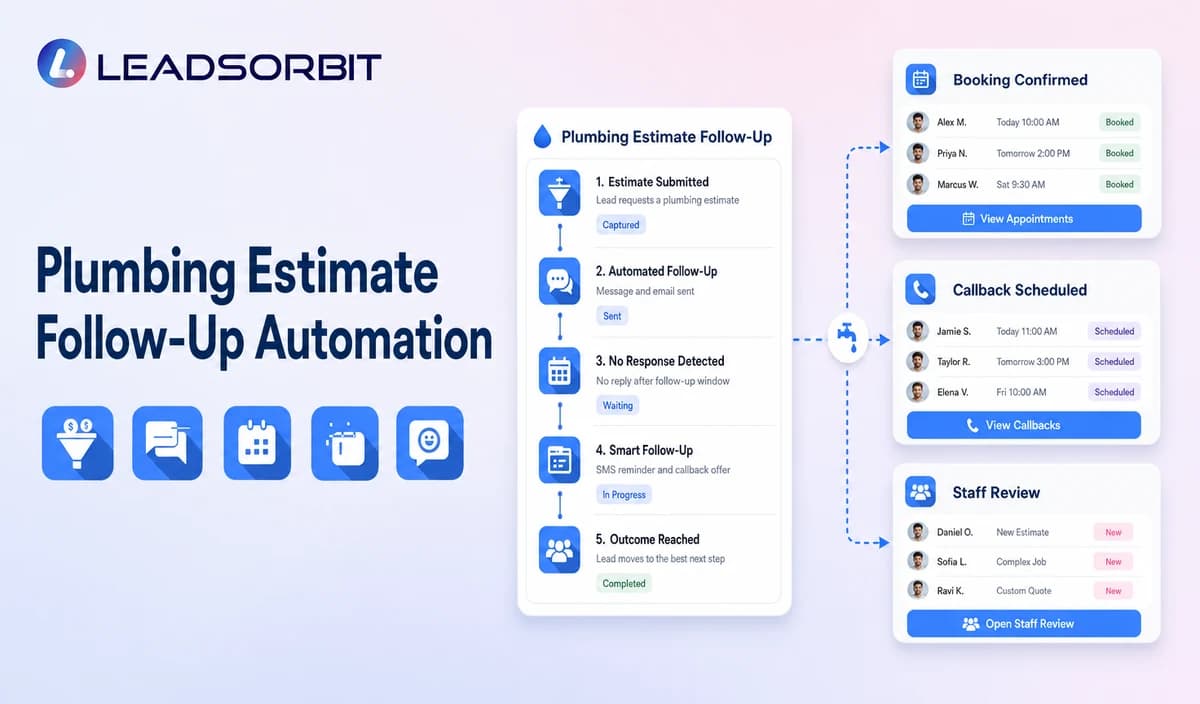

An estimate can remain open because the customer has questions, is comparing options, is waiting for another decision maker, or has simply lost track of the next step. Generic reminders do not show the office what the customer actually needs.
Plumbing estimate follow up automation should begin from a verified estimate sent status and remain separate from estimate creation. The broad communication foundation comes from lead follow up automation for small business.

Who This Guide Is For
- Plumbing companies following up on open residential or commercial estimates.
- Estimators and office teams who need consistent ownership.
- Managers who want estimate questions and outcomes visible in the CRM.
- Businesses using a separate estimating or field service system as the source of truth.
Estimate Follow Up Is Not Estimate Creation
LEADSORBIT should be positioned as the communication and task layer unless estimate creation, pricing, approval, signature, payment, and status integration are explicitly verified.
- Confirm the estimate was actually sent.
- Identify the estimate owner and customer contact.
- Provide a simple question or callback path.
- Use a limited cadence that stops after response.
- Record accepted, declined, hold, later, question, or no response status.
- Update the authoritative estimating system where required.
A Practical Plumbing Estimate Follow Up Automation Workflow
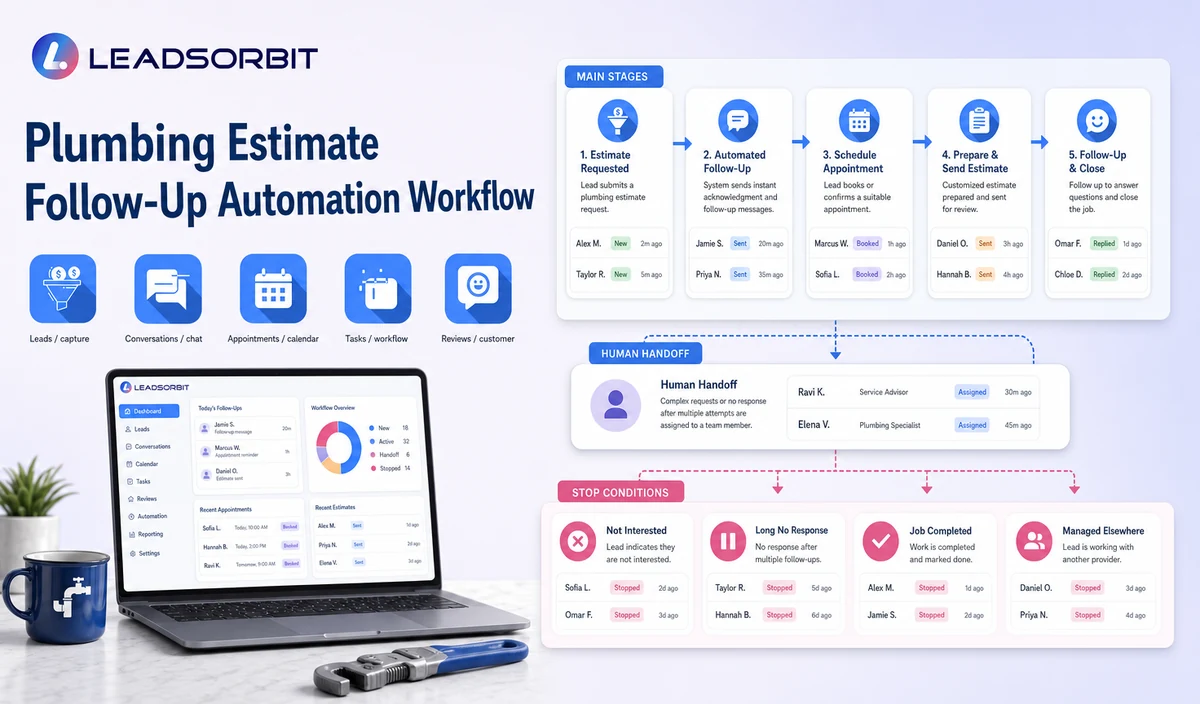
| Stage | Workflow action | Staff responsibility | Stop or escalation rule |
|---|---|---|---|
| 1. Verify estimate sent status | Receive the approved status from staff or a validated source. | Correct missing, duplicate, or uncertain records. | Do not start from an inferred status. |
| 2. Assign owner | Connect the estimator or office owner and backup. | Confirm contact information and exclusions. | Pause records without ownership. |
| 3. Send first message | Identify the estimate and offer question, callback, or next step options. | Monitor delivery and sensitive replies. | Stop after response, opt out, or staff takeover. |
| 4. Route replies | Handle QUESTION, CALLBACK, ACCEPT, HOLD, DECLINE, or STOP. | Qualified staff owns pricing, scope, terms, and technical questions. | Pause automation after any substantive reply. |
| 5. Limited reminder | Send one or more approved reminders. | Review whether the estimate remains active. | Stop at the attempt limit or status change. |
| 6. Outcome update | Record accepted, declined, hold, later, no response, or closed. | Update the authoritative source when required. | Do not keep resolved estimates active. |
| 7. Reporting review | Review open estimates, tasks, and data errors. | Correct source mapping and ownership. | Do not claim exact revenue attribution without evidence. |
Estimate Status and Ownership Guide
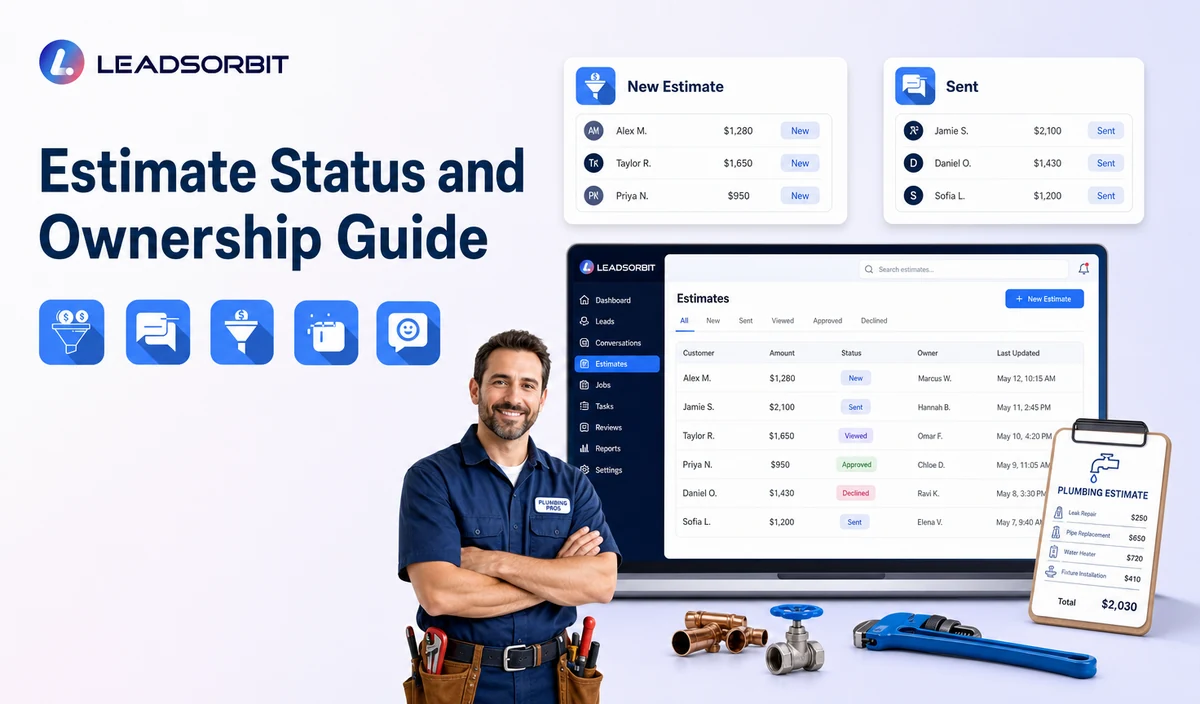
A small set of clear statuses makes follow up easier to understand and audit.
| Estimate Sent | The estimate was delivered through the approved source. | Start the approved follow up. |
|---|---|---|
| Customer Question | The customer needs staff help with scope, price, terms, or timing. | Pause automation and assign the estimator or office owner. |
| Accepted | The customer accepted through the authoritative process. | Stop estimate follow up and begin the next approved workflow. |
| Hold / Later | The customer asked to pause or revisit later. | Record the requested review date. |
| Declined | The customer declined the estimate. | Stop active follow up and record the reason where appropriate. |
| No Response / Closed | The approved sequence ended without response. | Close or move to an approved longer term status. |
Practical Scripts and Templates
Estimate Sent
Question Handoff
Limited Reminder
Final Message
Important Boundaries
- Do not claim LEADSORBIT creates, calculates, signs, approves, or stores estimates unless verified.
- Do not change scope, price, terms, warranty, or technical recommendations in automation.
- Do not collect payment card data by routine text or AI conversation.
- Do not claim exact acceptance, revenue, or close rate improvements.
- Do not continue reminders after accepted, declined, hold, question, opt out, or staff takeover.
- Keep the authoritative estimate status in the approved source system.
Privacy, Consent, and Customer Data
Customer names, phone numbers, service addresses, access notes, appointment details, estimate status, conversation history, and service plan information are personal business data. Collect only what the workflow needs, limit staff access, keep consent and opt out status visible, and review every form, calendar, phone or messaging provider, AI tool, integration, retention setting, and data destination separately.
LEADSORBIT is positioned in this article as the communication, booking, follow up, CRM, review, and task layer. Do not present it as a complete field service management, dispatch, route optimization, work order, estimating, invoicing, inventory, payroll, job costing, permit, price book, accounting, or technician tracking system.
The FCC consent and revocation order discusses consent and reasonable revocation methods for certain automated communications. The company should review its exact audience, message type, technology, consent record, and jurisdiction with qualified advisers.
Common Plumbing Workflow Mistakes
- Starting follow up from a guessed or manually stale estimate status.
- Sending the full estimate or sensitive pricing detail through an unapproved channel.
- Continuing generic reminders after a customer asks a question.
- Calling a reply ACCEPT an approved estimate without source validation.
- Leaving the estimator or office owner unclear.
- Failing to write the outcome back to the correct system.
Plumbing Workflow Setup Checklist
- Name the authoritative estimate source.
- Confirm sent, question, accepted, hold, declined, no response, and closed statuses.
- Assign the estimate owner and backup.
- Approve first, reminder, question handoff, hold, decline, and final messages.
- Define QUESTION, CALLBACK, ACCEPT, HOLD, DECLINE, and STOP handling.
- Validate any estimate link, approval, signature, or write back integration separately.
- Test incorrect status, duplicates, replies, and staff takeover.
See the Workflow With Your Company's Rules
Start 14 days free trial to map the exact triggers, messages, service area rules, booking or callback paths, owners, data sources, permissions, and stop rules for your plumbing company inside LEADSORBIT.
What to Measure
- Verified estimates entering the workflow.
- Messages delivered and failed.
- Replies by question, callback, accept, hold, decline, and opt out.
- Open estimates without an owner.
- Staff tasks created and resolved.
- Records active after acceptance, decline, or closure.
How LEADSORBIT Supports This Plumbing Workflow
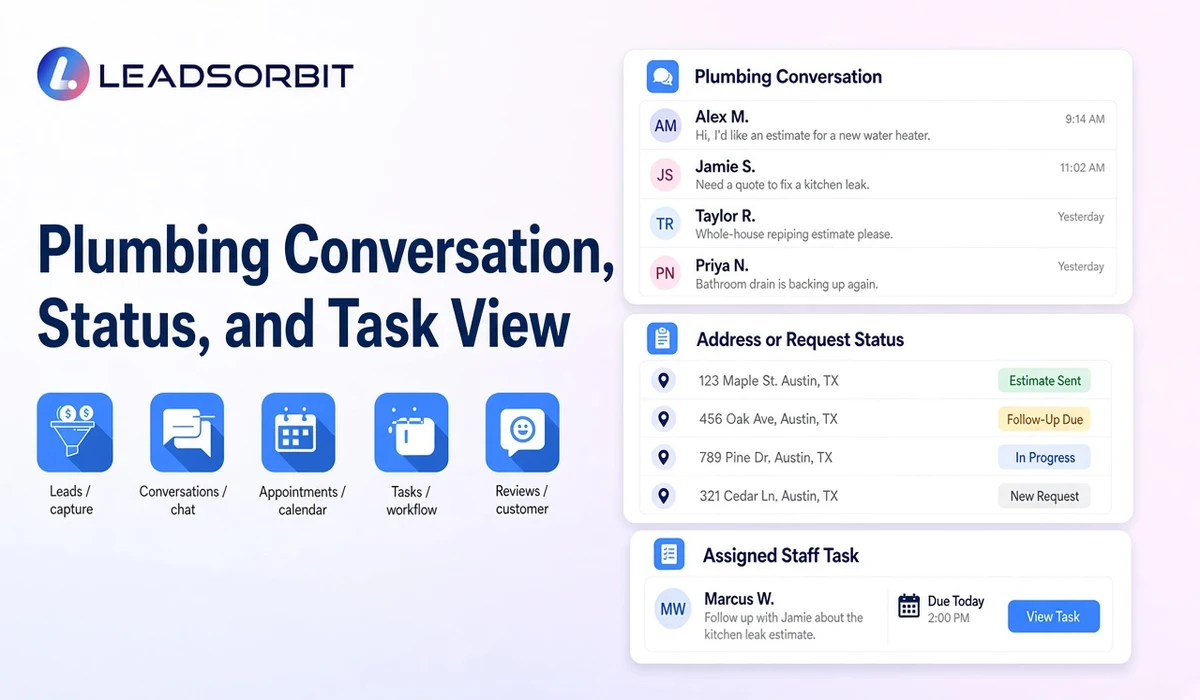
LEADSORBIT’s AI powered CRM can connect approved plumbing conversations, appointment activity, follow up, tasks, and operational statuses.
- Workflow AI: supports configurable triggers, conditions, messages, tasks, timing, and stop or switch logic.
- Conversation AI: supports configured channel conversation visibility, routing, staff takeover, and CRM synchronization.
Exact channels, fields, scripts, calendars, service areas, appointment rules, estimate or plan data, permissions, retention, integrations, and account behavior require implementation validation. LEADSORBIT is positioned in this article as the communication, booking, follow up, CRM, review, and task layer. Do not present it as a complete field service management, dispatch, route optimization, work order, estimating, invoicing, inventory, payroll, job costing, permit, price book, accounting, or technician tracking system.
Try LEADSORBIT free for 14 days
FAQs
It is a communication workflow that starts from a verified sent estimate, offers staff help, records customer status, and stops after a clear outcome.
Final Thoughts
Plumbing estimate follow up automation is a communication workflow that starts after a verified estimate is sent, provides a staff question or next step path, assigns ownership, records accepted, declined, hold, no response, or review status, and stops after a clear customer outcome. The strongest setup uses accurate source data, gives staff clear ownership, avoids technical promises, and stops automation at the right time.
Start 14 Days free trial to see how LEADSORBIT can support this plumbing workflow with conversations, appointment requests, automation, tasks, and CRM visibility.

Start Your Free 14 Day Trial
Try LEADSORBIT and see how it captures missed calls, follows up instantly, and turns leads into booked appointments for your business.