
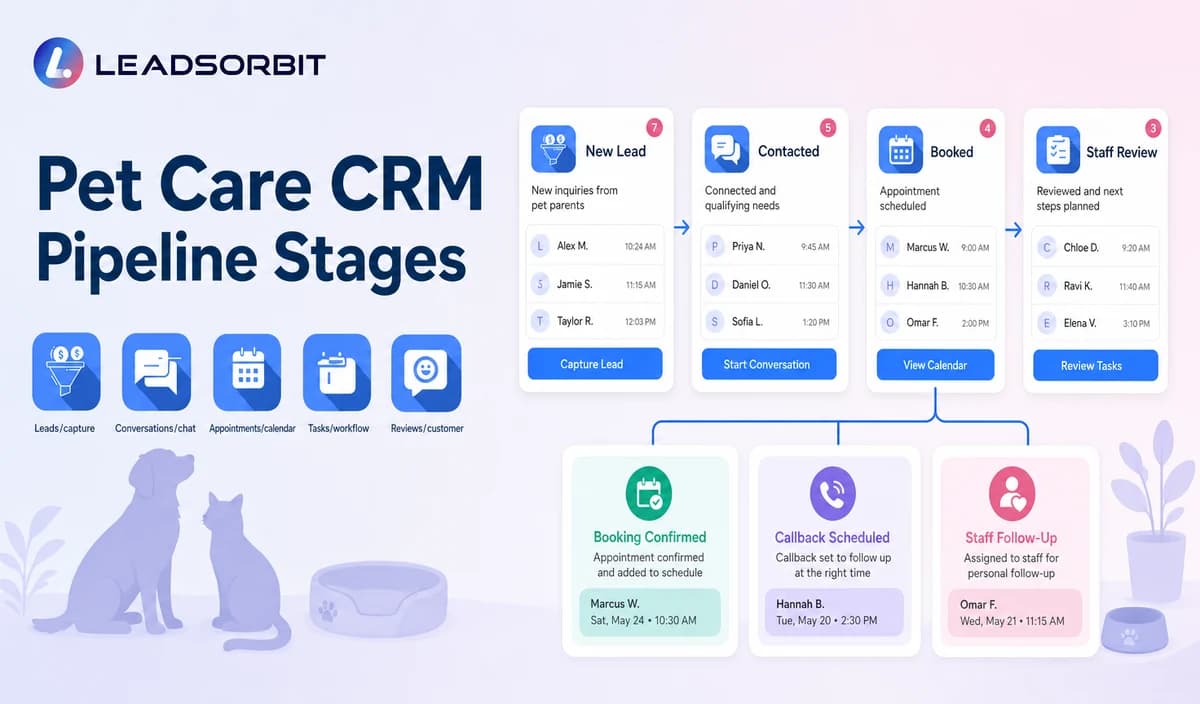

A pet care CRM pipeline should answer one practical question for every active record: what needs to happen next? Without clear stages, the team may not know whether a pet parent is waiting for service selection, a booking, a reservation confirmation, a callback, or later follow up.
Pet care CRM pipeline stages should organize communication and ownership without pretending to be kennel, route, staff scheduling, pet record, billing, or care log software. The broader framework is available in CRM pipeline stages for small business lead follow up.

Who This Guide Is For
- Pet care owners who need visibility across multiple services.
- Teams managing inquiries, bookings, reservations, reminders, reviews, and reactivation.
- Multi location businesses standardizing ownership and reporting.
- Businesses moving from spreadsheets or generic contact lists into a CRM.
What a Pet Care CRM Stage Should Do
A stage is an operational communication status. It should describe the client journey and trigger a clear owner or next action without replacing specialized pet care operations systems.
- Describe where the inquiry or client stands.
- Trigger a named owner and due task.
- Separate service selection, booking, completed service, reviews, and retention.
- Support consistent reporting and closure reasons.
- Have a clear entry and exit rule.
- Remain understandable across different pet care services.
A Practical Pet Care CRM Pipeline Stages Workflow
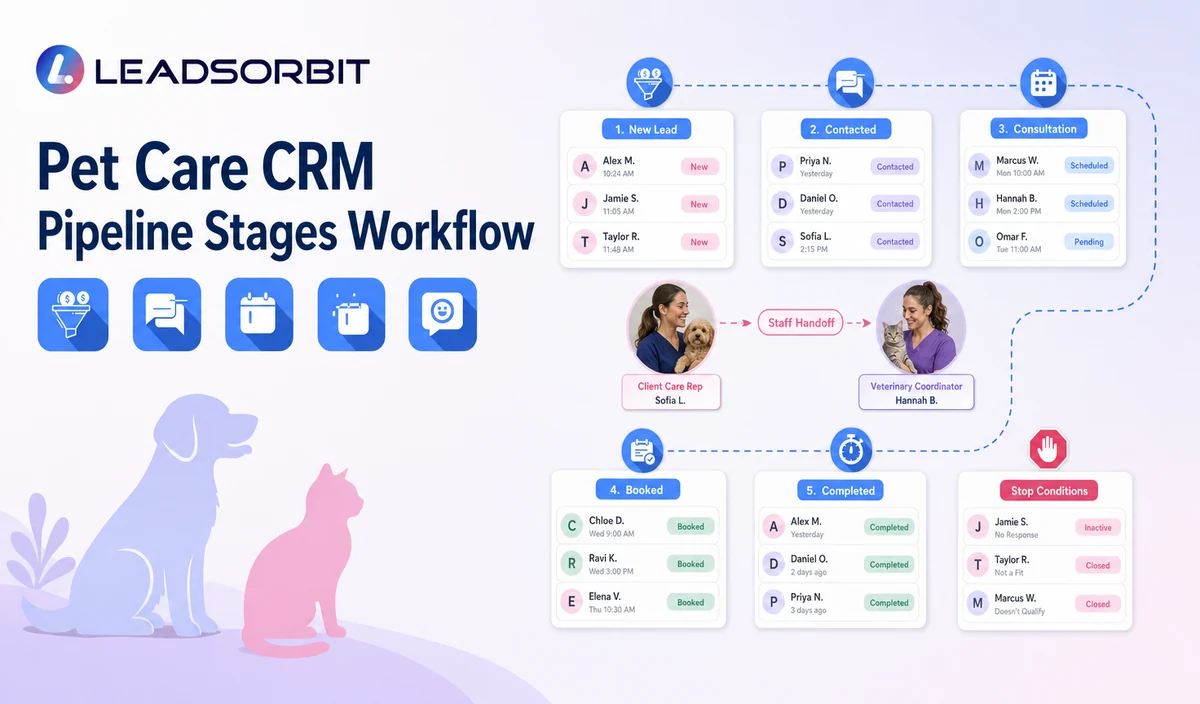
| Stage | Workflow action | Staff responsibility | Stop or escalation rule |
|---|---|---|---|
| 1. New Inquiry | A call, form, chat, social message, referral, or manual record enters. | Assign owner and first response. | Move after contact, invalidation, or opt out. |
| 2. Contacted | The business attempted or completed first contact. | Clarify service, location, pet, and next step. | Move to Service Selected, Nurture, or Closed. |
| 3. Service Selected | The client identified daycare, boarding, walking, sitting, training, grooming referral, or another service. | Apply the correct booking and owner rules. | Move to Booking Requested or Staff Review. |
| 4. Booking Requested | The client provided preferred timing or requested a reservation. | Validate the approved calendar or process. | Move to Booked, Needs Review, or Closed. |
| 5. Booked / Reserved | A valid appointment or reservation exists. | Start confirmation and reminders. | Move after completion, cancellation, or no show. |
| 6. Needs Staff Review | Health, behavior, vaccination, capacity, route, package, policy, or special care context needs a person. | Assign qualified staff and pause generic automation. | Move only after review. |
| 7. Cancelled / No Show | The approved status shows a cancellation or missed service. | Stop old reminders and offer respectful rebooking. | Move to Booked, Later, or Closed. |
| 8. Completed | The service is administratively complete. | Stop acquisition follow up and apply review or retention logic. | Move to Review, Recurring Due, Reactivation, or Closed. |
| 9. Review Request | The completed service qualifies for honest feedback outreach. | Monitor replies and response tasks. | Stop after completion, opt out, complaint, or attempt limit. |
| 10. Recurring Service Due | An approved business rule indicates a rebooking reminder. | Confirm service context and booking path. | Move to Booked, Later, or Closed. |
| 11. Reactivation | The client is in an approved lapsed segment. | Apply service specific permitted outreach. | Move to Booked, Later, or Closed. |
| 12. Closed | The inquiry is invalid, opted out, no longer active, or fully resolved. | Record a clear reason. | Reopen only after a new valid interaction. |
Keep CRM Stages Separate From Pet Care Operations
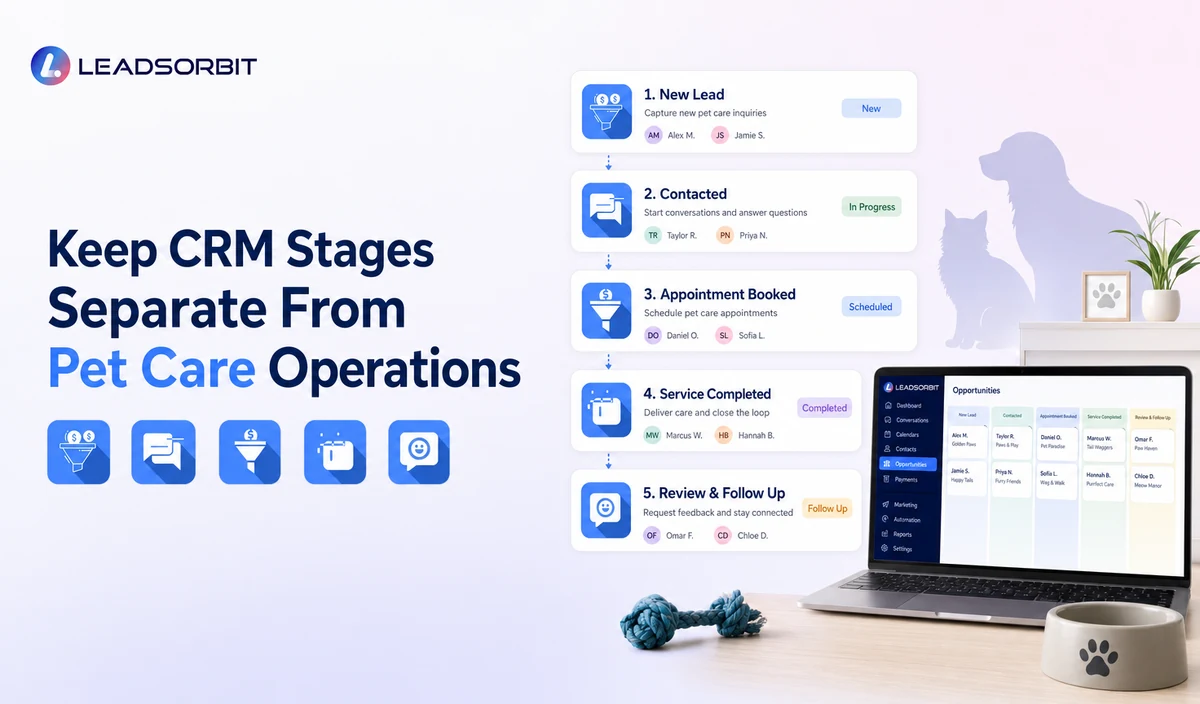
The CRM should organize communication and ownership, while specialized systems remain authoritative for operational details.
| Booking Requested | A preference or request exists. | Do not call it confirmed. |
|---|---|---|
| Booked / Reserved | A valid appointment or reservation exists. | Send confirmation and reminders. |
| Needs Staff Review | Capacity, health, behavior, vaccination, package, or service policy is unresolved. | Pause automation. |
| Completed | The approved source shows the service is complete. | Start review or retention workflows. |
| Pet care operations | Kennel assignments, care logs, GPS routes, staffing, feeding, medication, billing, and inventory. | Keep in specialized systems unless verified integration exists. |
| Pet Grooming owner | Grooming software, groomer utilization, and grooming operations intent. | Link or route to the Pet Grooming cluster rather than duplicating ownership. |
Practical Scripts and Templates
New Inquiry Task
Booking Review Task
Sensitive Review Task
Pipeline Correction Task
Important Boundaries
- Do not use the CRM pipeline as kennel, pet record, GPS route, staff scheduling, care log, billing, POS, inventory, payroll, or package accounting software.
- Do not treat Booking Requested as Booked.
- Do not infer service eligibility, pet health, behavior, vaccination, or capacity.
- Do not move records automatically without validated triggers and correction paths.
- Do not combine every service into one vague stage.
- Keep grooming software intent with the Pet Grooming owner.
Privacy, Consent, and Pet Parent Data
Pet parent names, phone numbers, pet names, service preferences, reservation details, location, access notes, membership or package status, conversation history, and prior service context are personal business data. Collect only what the workflow needs, keep consent and opt out status visible, limit staff access, and review every form, calendar, messaging provider, AI tool, integration, retention setting, and data destination separately.
LEADSORBIT is positioned here as the communication, booking, follow up, CRM, review, and task layer. Do not present it as a veterinary practice system, pet medical record system, kennel management platform, boarding capacity engine, dog walking GPS or route system, staff scheduler, care log platform, POS, invoicing, payroll, inventory, package accounting, membership billing, or specialized pet business operations system.
Common Pet Care Workflow Mistakes
- Using vague stages such as Hot, Warm, or Follow Up.
- Combining service selection, booking request, and confirmed reservation.
- Leaving active records without an owner or due task.
- Allowing completed services to remain in acquisition follow up.
- Using package, billing, route, kennel, staff, or pet record stages without verified source data.
- Comparing locations or services that use different stage definitions.
Pet Care Workflow Setup Checklist
- Choose the minimum stage set.
- Write one sentence entry and exit rules.
- Assign primary and backup owners by service.
- Separate Service Selected, Booking Requested, Booked, Needs Review, Cancelled/No Show, and Completed.
- Define review, recurring reminder, reactivation, and closure rules.
- Keep specialized operations outside the CRM pipeline.
- Audit stage accuracy during launch.
See the Workflow With Your Business Rules
Book a Demo to map the exact triggers, service categories, messages, booking or callback paths, owners, data sources, permissions, and stop rules for your pet care business inside LEADSORBIT.
What to Measure
- New inquiries without an owner.
- Contacted records without a next task.
- Service selected records waiting for booking.
- Booking requests waiting for review.
- Booked reservations without confirmation status.
- Completed services still in acquisition follow up.
- Recurring due or reactivation records needing review.
- Closed records without a reason.
How LEADSORBIT Supports This Pet Care Workflow
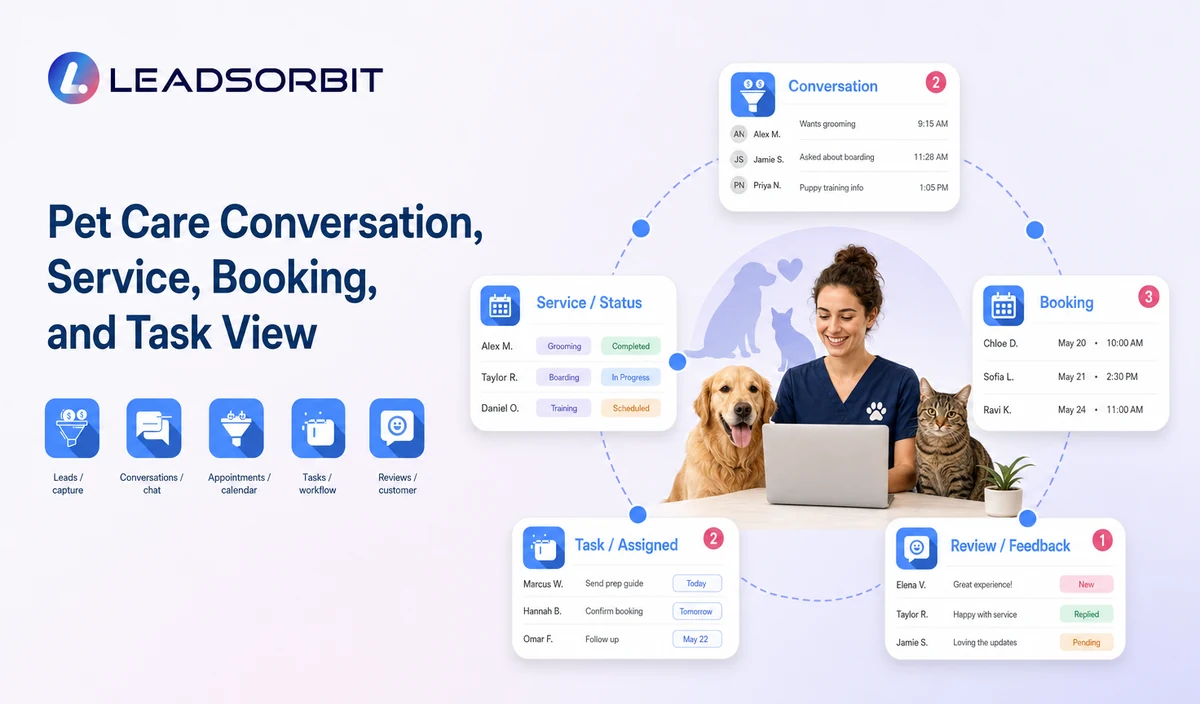
LEADSORBIT’s AI powered CRM can connect approved pet care conversations, booking activity, follow up, tasks, and communication statuses.
- Workflow AI: supports configurable triggers, conditions, messages, tasks, timing, and stop or switch logic.
- Conversation AI: supports configured channel conversation visibility, routing, staff takeover, and CRM synchronization.
- Reporting and Analytics: supports operational filters and reporting when fields, definitions, and permissions are configured.
Exact channels, fields, scripts, calendars, service rules, pet and client data, capacity or route sources, membership or package information, permissions, retention, integrations, and account behavior require implementation validation. LEADSORBIT is positioned here as the communication, booking, follow up, CRM, review, and task layer. Do not present it as a veterinary practice system, pet medical record system, kennel management platform, boarding capacity engine, dog walking GPS or route system, staff scheduler, care log platform, POS, invoicing, payroll, inventory, package accounting, membership billing, or specialized pet business operations system.
Try LEADSORBIT free for 14 days
FAQs
A practical set covers inquiry, contact, service selection, booking request, booked/reserved, staff review, cancelled/no show, completed, review, recurring due, reactivation, and closed.
Final Thoughts
Useful pet care CRM pipeline stages include New Inquiry, Contacted, Service Selected, Booking Requested, Booked or Reserved, Needs Staff Review, Cancelled or No Show, Completed, Review Request, Recurring Service Due, Reactivation, and Closed. The strongest setup uses accurate source data, gives staff clear ownership, avoids health or capacity promises, and stops automation at the right time.
Book a Demo to see how LEADSORBIT can support this pet care workflow with conversations, booking requests, automation, tasks, and CRM visibility.

Start Your Free 14 Day Trial
Try LEADSORBIT and see how it captures missed calls, follows up instantly, and turns leads into booked appointments for your business.