
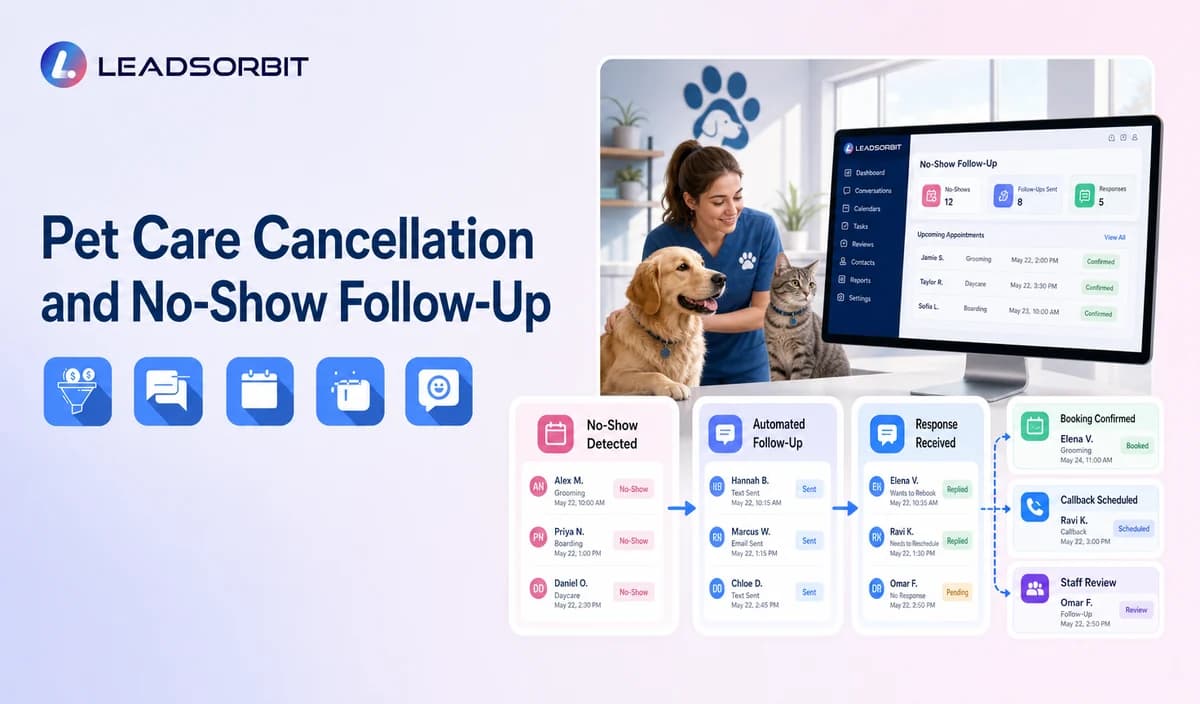

A cancelled or missed pet care booking affects the calendar, staffing plan, client communication, and future reminders. The old message sequence must stop before any recovery workflow begins.
Pet care no show follow up should use the verified booking status and a respectful rescheduling path. The broader booking foundation remains with appointment booking CRM for small business.

Who This Guide Is For
- Pet care businesses standardizing cancellation and no show workflows.
- Teams managing daycare, boarding, walking, sitting, training, or other missed services.
- Businesses with deposit, package, waitlist, or cancellation policies requiring staff review.
- Multi location businesses coordinating service specific ownership.
Recovery Starts After Status Verification
The system should not send a recovery message until the booking status is correctly marked and old reminders are suppressed.
- Confirm whether the service was cancelled, rescheduled, completed, missed, or marked incorrectly.
- Stop every reminder connected with the old booking.
- Separate client cancellation from business initiated change or failed access.
- Offer a new booking or callback path.
- Create staff ownership for deposit, package, waitlist, access, capacity, or complaint questions.
- Use service specific wording rather than one generic message.
A Practical Pet Care Cancellation and No Show Follow Up Workflow
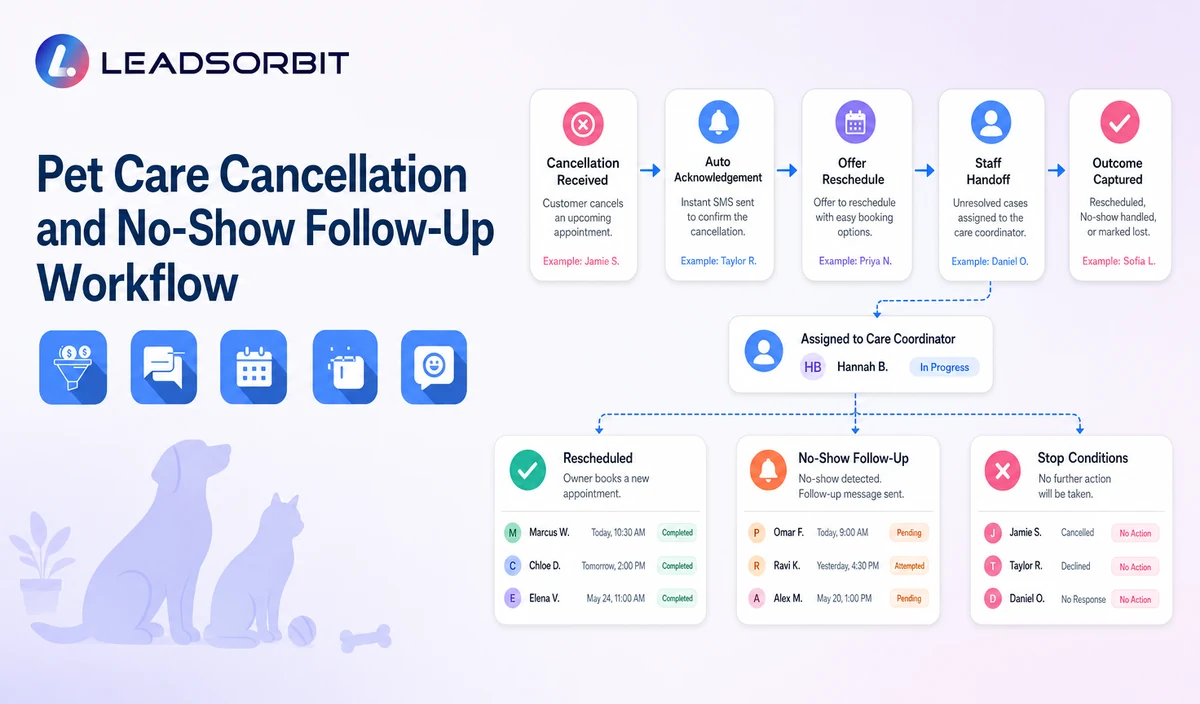
| Stage | Workflow action | Staff responsibility | Stop or escalation rule |
|---|---|---|---|
| 1. Validate status | Confirm the booking outcome in the approved source. | Correct calendar or CRM errors. | Do not recover from an uncertain status. |
| 2. Stop old messages | Suppress confirmations and reminders tied to the old booking. | Review duplicate workflows. | Stop obsolete sequences. |
| 3. Send recovery message | Use the correct cancelled, no show, or failed access wording. | Monitor delivery and complaints. | Stop after booking, reply, opt out, or takeover. |
| 4. Route replies | Handle BOOK, CALLBACK, LATER, HELP, or STOP. | Own deposit, package, waitlist, health, behavior, access, or policy questions. | Pause after non routine replies. |
| 5. Reschedule or task | Offer a valid booking path or create a named task. | Resolve service, capacity, route, staff, and policy exceptions. | Stop after a valid booking. |
| 6. Limited follow up | Send one approved reminder where appropriate. | Decide whether the client moves to later contact or closure. | Stop at the attempt limit. |
| 7. Outcome | Record rebooked, later, no response, invalid, complaint, opt out, or closed. | Audit unowned records. | Do not keep closed records active. |
Cancellation, No Show, and Failed Access Paths
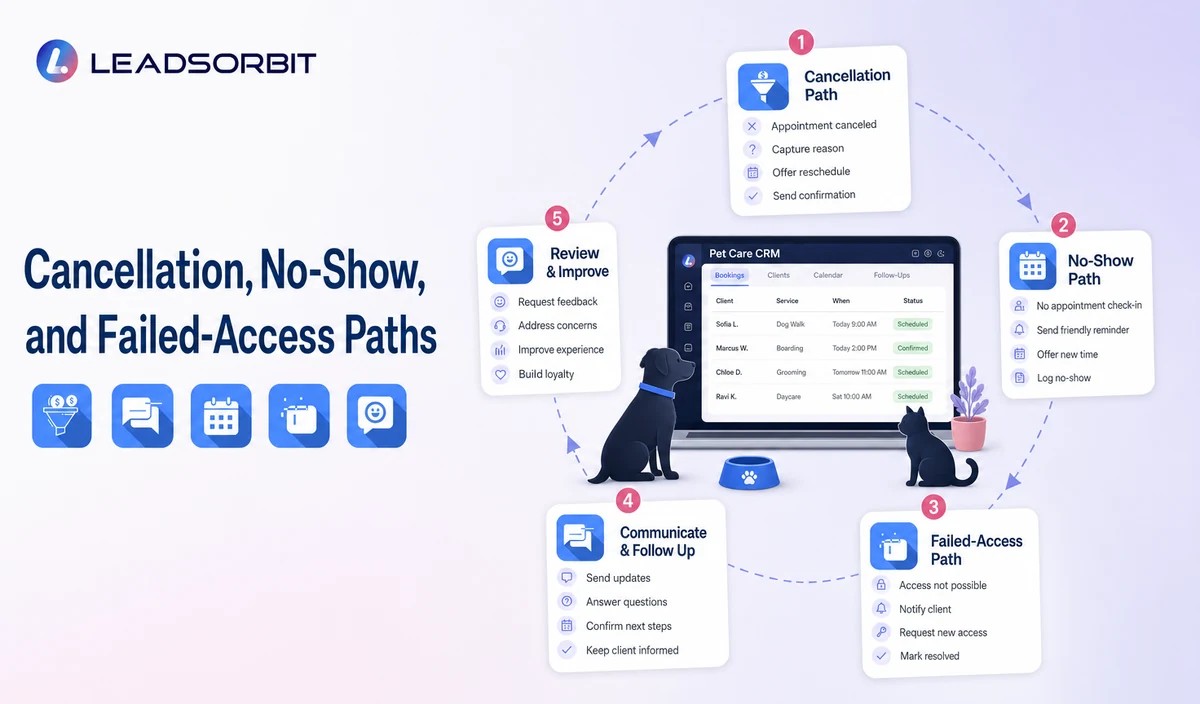
The message should reflect the verified reason without blame or unsupported policy statements.
| Client cancellation | Confirm status and offer a new booking or callback. | Policy questions go to staff. |
|---|---|---|
| No show or missed reservation | Use neutral wording and offer rebooking. | Do not shame the client. |
| Walking or sitting access issue | Ask for staff contact or a new service request. | Do not disclose keys, codes, addresses, or sensitive access details. |
| Business initiated change | Acknowledge the change and prioritize human ownership. | Do not blame the client. |
| Repeated changes | Move to staff review. | Do not increase automated pressure. |
Practical Scripts and Templates
Cancellation Confirmation
No Show Follow Up
Access Issue
Final Message
Important Boundaries
- Do not claim deposits, penalties, package deductions, waitlist movement, refunds, or balances without verified policy and data.
- Do not claim capacity, route, staff, room, or service availability.
- Do not disclose sensitive access, pet health, medication, vaccination, or payment information.
- Do not shame the client or use guilt based language.
- Do not provide animal health or behavior advice.
- Move complaints, disputes, special care, and operational exceptions to staff.
Privacy, Consent, and Pet Parent Data
Pet parent names, phone numbers, pet names, service preferences, reservation details, location, access notes, membership or package status, conversation history, and prior service context are personal business data. Collect only what the workflow needs, keep consent and opt out status visible, limit staff access, and review every form, calendar, messaging provider, AI tool, integration, retention setting, and data destination separately.
LEADSORBIT is positioned here as the communication, booking, follow up, CRM, review, and task layer. Do not present it as a veterinary practice system, pet medical record system, kennel management platform, boarding capacity engine, dog walking GPS or route system, staff scheduler, care log platform, POS, invoicing, payroll, inventory, package accounting, membership billing, or specialized pet business operations system.
The FCC consent and revocation order discusses consent and reasonable revocation methods for certain automated communications. The business should review its exact audience, message type, technology, consent record, and jurisdiction with qualified advisers.
Common Pet Care Workflow Mistakes
- Starting recovery before verifying the status.
- Continuing reminders for the old booking.
- Using blame based wording.
- Automatically stating fees, package deductions, or deposit consequences.
- Leaving access, health, behavior, or complaint replies unassigned.
- Sending unlimited recovery messages.
Pet Care Workflow Setup Checklist
- Define cancelled, no show, failed access, completed, rescheduled, and corrected statuses.
- Stop every old reminder.
- Approve service specific recovery messages and one limited follow up.
- Define BOOK, CALLBACK, LATER, HELP, and STOP paths.
- Assign primary and backup owners.
- Validate deposits, packages, balances, waitlists, refunds, and access handling separately.
- Test incorrect statuses, failed delivery, and staff takeover.
See the Workflow With Your Business Rules
Start 14 days free trial to map the exact triggers, service categories, messages, booking or callback paths, owners, data sources, permissions, and stop rules for your pet care business inside LEADSORBIT.
What to Measure
- Verified cancellations, no shows, failed access events, and reschedules.
- Old reminders suppressed.
- Replies by book, callback, later, help, or opt out.
- Valid rebooked services.
- Unresolved deposit, package, waitlist, access, or complaint tasks.
- Duplicate messages and incorrect statuses.
How LEADSORBIT Supports This Pet Care Workflow
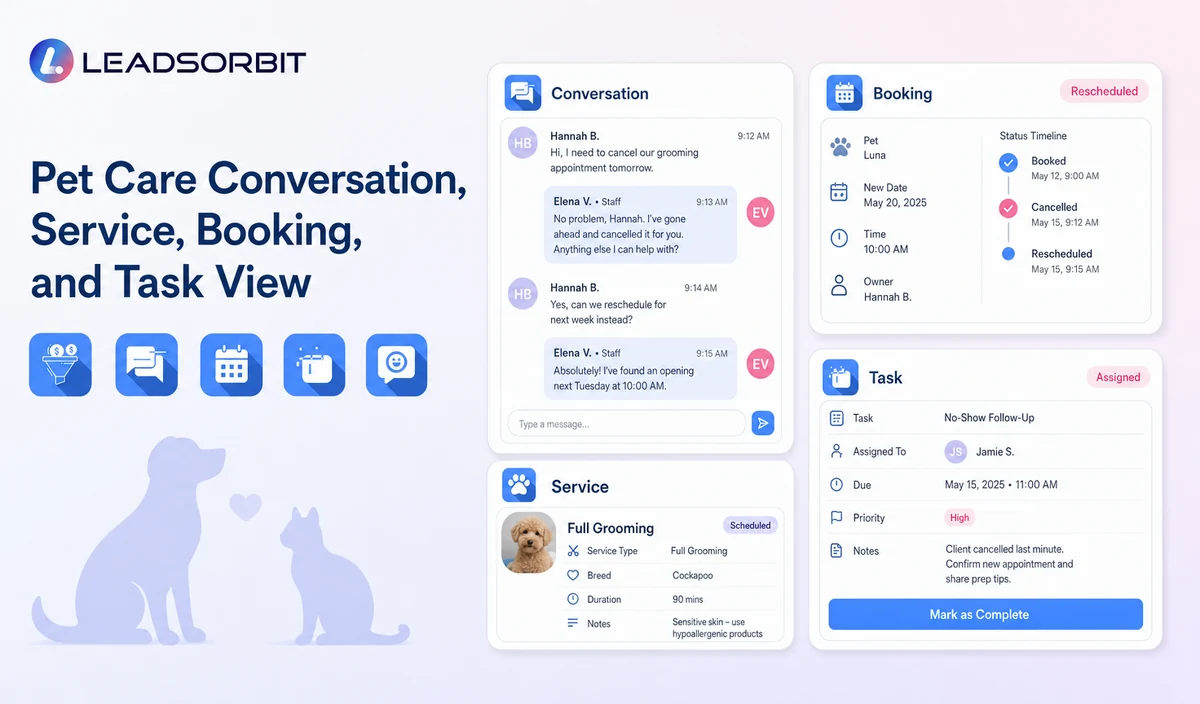
LEADSORBIT’s AI powered CRM can connect approved pet care conversations, booking activity, follow up, tasks, and communication statuses.
- AI Appointment: supports booking requests, calendar connections, confirmations, reminders, rescheduling, and cancellation where configured.
- Workflow AI: supports configurable triggers, conditions, messages, tasks, timing, and stop or switch logic.
- Conversation AI: supports configured channel conversation visibility, routing, staff takeover, and CRM synchronization.
Exact channels, fields, scripts, calendars, service rules, pet and client data, capacity or route sources, membership or package information, permissions, retention, integrations, and account behavior require implementation validation. LEADSORBIT is positioned here as the communication, booking, follow up, CRM, review, and task layer. Do not present it as a veterinary practice system, pet medical record system, kennel management platform, boarding capacity engine, dog walking GPS or route system, staff scheduler, care log platform, POS, invoicing, payroll, inventory, package accounting, membership billing, or specialized pet business operations system.
Try LEADSORBIT free for 14 days
FAQs
It is the recovery process used after a verified cancellation, missed service, or failed access event to offer rebooking or staff help.
Final Thoughts
Pet care no show follow up is an administrative recovery workflow that verifies the cancellation or missed booking status, stops obsolete reminders, offers rescheduling or staff help, assigns ownership, and closes after a defined outcome. The strongest setup uses accurate source data, gives staff clear ownership, avoids health or capacity promises, and stops automation at the right time.
Start 14 days free trial to see how LEADSORBIT can support this pet care workflow with conversations, booking requests, automation, tasks, and CRM visibility.

Start Your Free 14 Day Trial
Try LEADSORBIT and see how it captures missed calls, follows up instantly, and turns leads into booked appointments for your business.