
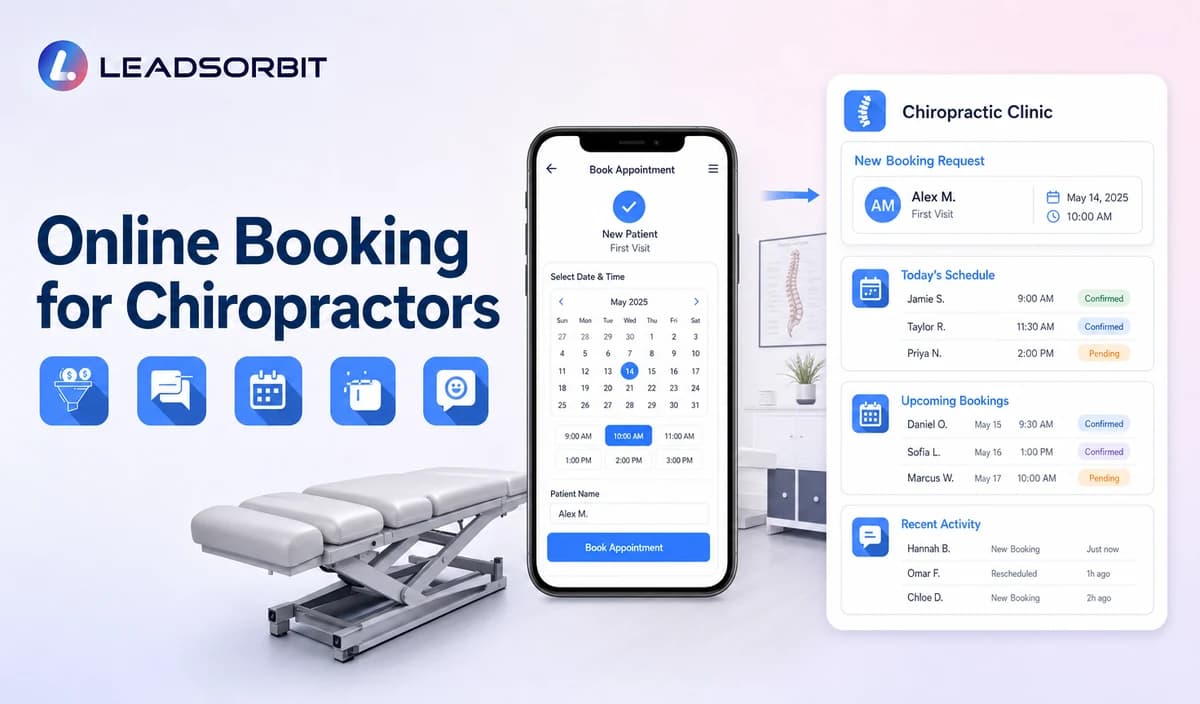

Online booking can make a chiropractic clinic easier to contact, especially when a new patient is researching after hours or the front desk is helping people in the office. The workflow still needs rules: which appointment types may be offered, which calendars are connected, what information is collected, when staff review is required, and how confirmations or changes are handled.
This guide focuses on the new-patient workflow rather than the broad chiropractic scheduling-software category. For the general framework, see automated appointment scheduling. The broad commercial owner remains LEADSORBIT for chiropractic clinics.

Who This Guide Is For
- Chiropractic clinics receiving appointment inquiries outside office hours.
- Front-desk teams that spend significant time exchanging availability messages.
- Clinics that want booking requests connected with CRM conversations and tasks.
- Practices with clear appointment types, calendars, and staff-review rules.
- Clinic owners who want self service convenience without implying EHR or practice-management replacement.
Online Booking Is a Workflow, Not Just a Calendar Link
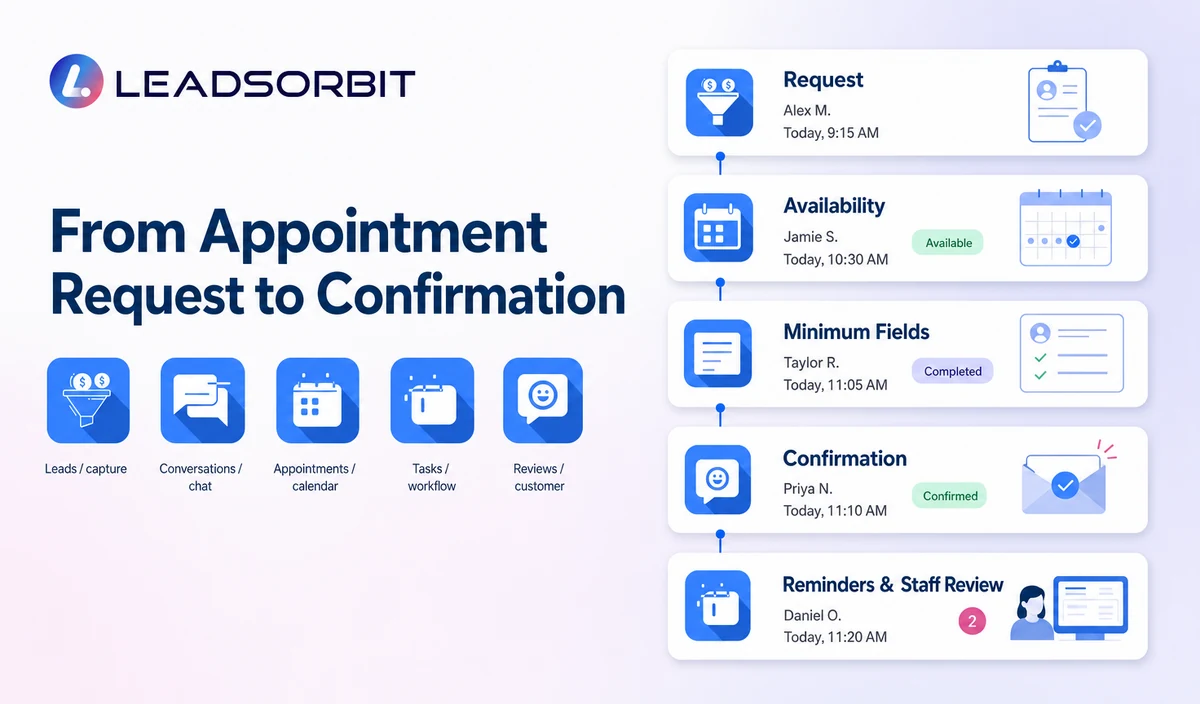
A link alone does not define what happens before and after the appointment is selected. The clinic needs a complete path from inquiry to confirmation and a reliable exception process.
- Which appointment types can a new patient request?
- Which providers or locations may appear?
- How is availability synchronized?
- What happens when the requested time is unavailable?
- Which fields are required and which should remain optional?
- When does a staff member review the request?
- How are confirmation, reminders, rescheduling, cancellation, and no-show recovery handled?
A Practical Online Booking Workflow for New Chiropractic Patients
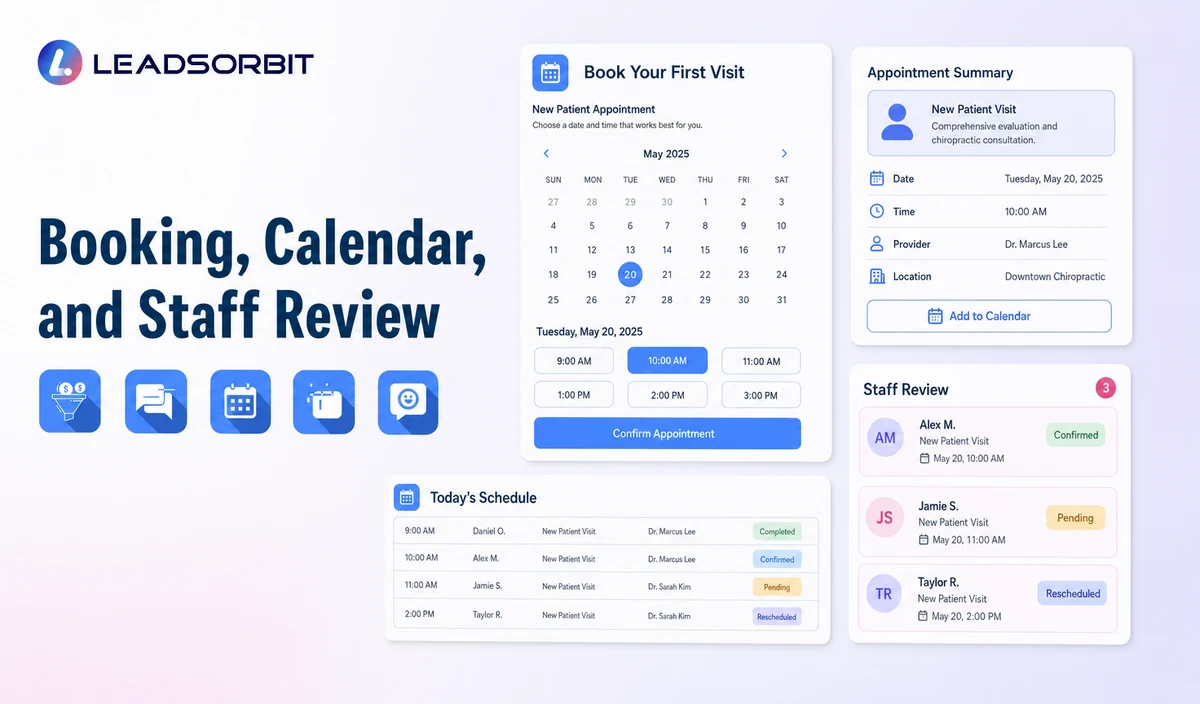
| Stage | Patient experience | System or staff action | Exception rule |
|---|---|---|---|
| 1. Entry point | The person reaches booking from the website, text, call, chat, or campaign. | Use the approved booking destination and preserve source where configured. | Route outdated links or invalid sources for correction. |
| 2. Appointment choice | The person selects an approved new-patient appointment or request type. | Show only permitted options and accurate duration/location details. | Send unsupported appointment types to staff review. |
| 3. Availability | The person sees approved times or submits preferences. | Use connected calendar availability or create a review task. | Do not promise a time until the booking is valid. |
| 4. Minimum information | The person enters contact and operational details needed for booking. | Create or update the CRM record and avoid unnecessary clinical fields. | Move sensitive or complex questions to staff. |
| 5. Confirmation | The person receives a clear confirmation or request-received message. | Record appointment status and next action. | Differentiate requested, booked, and staff-review statuses. |
| 6. Reminder and change path | The person receives approved reminders and can confirm, reschedule, or cancel. | Update the calendar, status, task, and communication history as configured. | Send exceptions to the assigned owner. |
| 7. Team oversight | Staff sees incomplete requests, exceptions, cancellations, and failed messages. | Review the work queue and resolve unowned items. | Escalate overdue or repeated failures. |
Booking Paths by Entry Source
New patients may reach the same booking workflow from different starting points. The clinic should preserve the source and offer a next step that matches the conversation already underway.
| Entry source | Recommended booking experience | Staff visibility needed |
|---|---|---|
| Website button | Open the approved new-patient appointment or request page. | Track failed loads, incomplete requests, and unsupported appointment types. |
| AI receptionist or phone follow-up | Continue from the caller's stated goal without repeating unnecessary questions. | Preserve the call context and create an exception task when booking cannot complete. |
| SMS or email link | Use a current booking destination tied to the correct clinic/location. | Monitor delivery, expiration, opt-out, and duplicate-booking risks. |
| Web chat | Offer the booking path after confirming the person wants an appointment. | Keep the chat history visible to the booking or callback owner. |
| Campaign or referral page | Use the approved appointment type and avoid making availability or outcome promises. | Preserve source reporting only when the attribution setup is verified. |
All entry points should converge on the same status definitions. The clinic should not report a booking until a valid appointment exists on the approved calendar.
Appointment Request, Booked, and Confirmed Are Different
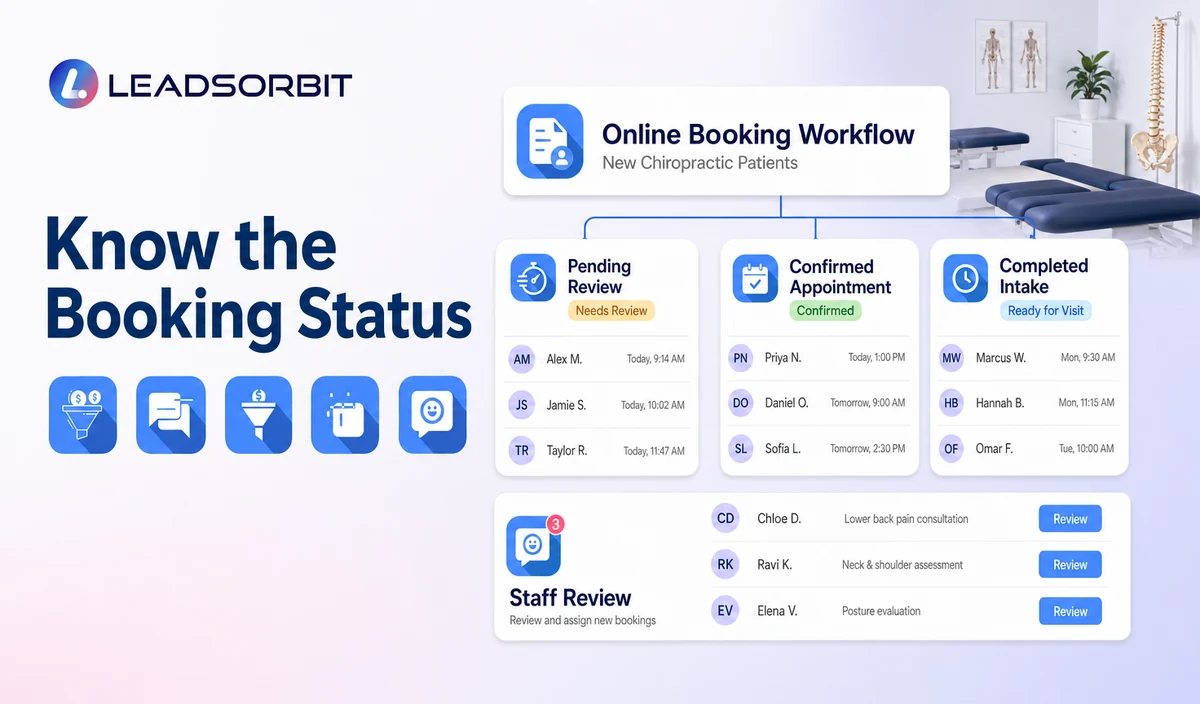
Clear status language prevents confusion. A request may still need staff approval. A booked appointment exists on the approved calendar. A confirmed appointment has completed the clinic’s confirmation step.
| Status | Meaning | Recommended communication |
|---|---|---|
| Appointment Requested | The person selected preferences or asked the team to schedule. | We received your request. Our team will review it during [office-hours expectation]. |
| Booked | A valid appointment exists on the approved calendar. | Your appointment is booked for [date/time/location]. |
| Confirmed | The person completed the clinic’s confirmation action. | Your appointment is confirmed. Here is the approved arrival information. |
| Needs Staff Review | The appointment type, time, provider, or exception requires a person. | A team member will review your request and contact you. |
| Cancelled / Reschedule Requested | The original time will not proceed as scheduled. | Use the approved cancellation or rescheduling path without assuming the new time is confirmed. |
What Information Should the Booking Form Collect?
Every field should have a purpose. A booking form should not become a detailed clinical intake form.
| Useful operational field | Purpose | Caution |
|---|---|---|
| Name and contact details | Create the booking record and communication path. | Identifiable information may be PHI in context. |
| New or existing patient status | Select the correct booking branch. | Do not infer clinical status. |
| Appointment type or request | Choose the approved calendar/workflow. | Use clinic-approved, non-clinical labels. |
| Preferred location/provider | Route where the clinic supports the choice. | Do not promise availability. |
| Preferred day/time | Support availability or staff review. | Avoid sensitive detail in shared calendars. |
| Communication preference | Support confirmation and changes. | Maintain consent and opt out status. |
| Referral source when approved | Support operational attribution. | Keep optional and avoid another patient’s private details. |
When Self-Scheduling Should Become a Staff Review
- The requested appointment type is not approved for direct booking.
- The person requests a provider, location, or time that is not available.
- The calendar connection returns an error or conflicting availability.
- The person is an existing patient with a request that belongs in another workflow.
- The conversation becomes sensitive, complex, or clinical.
- The caller asks for a person or needs accessibility assistance.
- A duplicate booking, repeated cancellation, or other exception requires review.
Confirmation, Reminder, Rescheduling, and Cancellation
AI Appointment supports booking, calendar connections, confirmations, reminders, rescheduling, and cancellation workflows when configured. The clinic should define one clear message for each status and stop duplicate sequences after a change.
- Confirmation should identify the clinic, date, time, location, and approved next step.
- Reminder timing should match the clinic’s operating model and consent process.
- Rescheduling should update the appointment and suppress obsolete reminders.
- Cancellation should record the status and offer an approved next step when appropriate.
- Failed messages and unconfirmed requests should create staff visibility.
HIPAA-Enabled Booking and Calendar Rules
LEADSORBIT supports HIPAA-compliant administrative workflows for eligible healthcare organizations through HIPAA-enabled HighLevel subaccounts. Compliant use depends on maintaining the active HIPAA package, applicable agreements, approved account configuration, user permissions, integrations, retention settings, and the healthcare organization’s own procedures.
Names, contact details, appointment requests, provider preferences, and calendar entries may be PHI depending on context. Use minimum contact and operational information and avoid detailed symptoms, diagnoses, treatment notes, or unnecessary clinical detail in appointment titles and shared calendar descriptions.
Review the HHS minimum necessary guidance with qualified advisers. A HIPAA-enabled subaccount does not automatically make every calendar, form, communications provider, AI tool, or data destination compliant; each integration requires separate review.
Common Online Booking Mistakes
- Using one generic appointment type for every new-patient situation.
- Showing times that are not synchronized with the approved calendar.
- Treating an appointment request as a confirmed booking.
- Collecting too much information before the person can choose a time.
- Putting detailed clinical information in appointment titles or notes.
- Failing to stop obsolete reminders after rescheduling or cancellation.
- Leaving exceptions without a named staff owner.
- Calling the workflow chiropractic scheduling software or EHR-level scheduling without verified product fit.
Online Booking Setup Checklist
- List approved new-patient appointment or request types.
- Confirm connected calendars, providers, locations, durations, and availability rules.
- Define Requested, Booked, Confirmed, Needs Review, Rescheduled, and Cancelled statuses.
- Use the minimum required contact and operational fields.
- Create staff-review rules for exceptions.
- Approve confirmation, reminder, rescheduling, and cancellation messages.
- Confirm consent, opt out, permissions, retention, and integration requirements.
- Test calendar conflicts, unavailable times, duplicate bookings, failed messages, and staff takeover.
- Check mobile usability and accessibility.
- Review booking data and staff feedback after launch.
See the Booking Workflow With Your Clinic’s Calendar Rules
Book a Demo to map your appointment types, calendars, booking statuses, confirmation messages, reminders, exceptions, and staff ownership inside LEADSORBIT.
What to Measure
- Booking-page visits and completed requests.
- Appointment requests waiting for staff review.
- Valid booked and confirmed appointments.
- Calendar conflicts or integration errors.
- Reschedules and cancellations with correct status updates.
- Failed confirmations or reminders.
- Requests without an assigned owner.
- Mobile completion issues and form abandonment points.
- Staff feedback about exceptions and duplicate work.
How LEADSORBIT Supports Online Booking for Chiropractors
LEADSORBIT’s AI powered CRM can connect appointment requests with conversations, tasks, calendars, and administrative statuses.
- AI Appointment: booking, connected calendars, confirmations, reminders, rescheduling, and cancellation.
- Workflow AI: conditions, follow up actions, tasks, timing, and stop rules.
- Conversation AI: conversation history, routing, staff takeover, and CRM synchronization.
- CRM records and task ownership: contact context, booking status, owner, next action, and exception visibility.
Exact calendar providers, appointment types, field mapping, availability, permissions, retention, and integration behavior must be verified during implementation.
Try LEADSORBIT free for 14 days
Frequently Asked Questions
It is an administrative workflow that lets a new patient request or select an approved appointment, records minimum contact and operational information, and supports confirmation, reminders, changes, and staff exceptions.
Final Thoughts
Online booking works best when the clinic defines exactly what may be booked, which information is needed, when a person should review the request, and how every change updates the calendar and communication workflow.
Book a Demo to see how LEADSORBIT can connect chiropractic appointment requests, calendars, confirmations, reminders, rescheduling, and staff tasks.

Start Your Free 14 Day Trial
Try LEADSORBIT and see how it captures missed calls, follows up instantly, and turns leads into booked appointments for your business.