
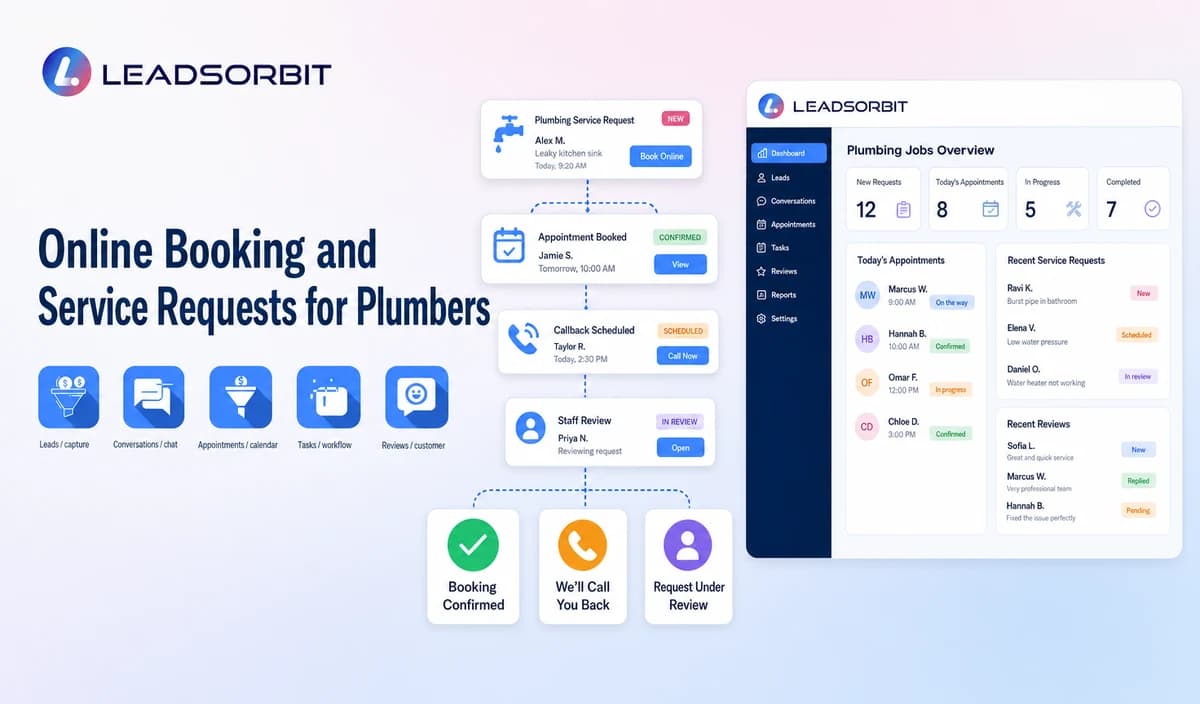

Online booking has become an important part of how customers connect with plumbing companies. Many homeowners prefer submitting a service request online because it allows them to contact a business outside regular office hours and provide basic information before speaking with the team.
However, an effective online booking system is not simply a calendar added to a website. A reliable plumbing booking workflow needs to collect the right information, apply business rules, and create a clear next step for both the customer and the office team.
For plumbing companies, the purpose of online booking is not only to receive more requests. It is to organize those requests properly, avoid inaccurate commitments, and ensure every customer receives the right response based on the actual situation.
A customer requesting plumbing service may only need a simple booking path, while another request may require additional review because of service area, previous work, warranty questions, request type, or business policies.
A strong workflow helps separate these situations and ensures automation supports the team instead of creating confusion.
This guide focuses on the customer facing booking and service request journey for plumbing companies. The broader foundation is covered in appointment booking CRM for small business.

Who This Guide Is For
This guide is designed for plumbing company owners, office managers, customer service teams, and businesses that want to improve how they handle online service requests.
It is especially useful for companies receiving customer inquiries through multiple channels, including website forms, online chat, phone calls, text messages, and marketing campaigns.
When requests come from different sources, the challenge is not only receiving the information. The challenge is knowing:
- Which requests are ready for scheduling.
- Which requests need additional information.
- Which requests require a team member.
- What action should happen next.
A structured online booking workflow helps plumbing companies create consistency while still allowing human review when a situation requires additional attention.
Online Booking Is More Than a Calendar Link
Many businesses consider online booking as a way for customers to select an available time. While scheduling is an important part of the process, a complete plumbing booking workflow involves much more than choosing a date.
Before customers move through the booking process, the company should define what information is needed, which requests can proceed automatically, and which situations require staff involvement.
For example, a customer requesting a standard plumbing service may provide basic information and move toward appointment scheduling. However, a request related to previous work, warranty information, commercial requirements, or unclear service details may need a person to review the request before confirming the next step.
A reliable booking process should answer important questions:
- Which plumbing services can customers request online?
- Which requests require office approval?
- How should service areas be validated?
- Which times are available booking options and which are only customer preferences?
- What information is required before confirming service?
- How should rescheduling and cancellation requests be handled?
The goal is not to automate every decision. The goal is to create a workflow where simple requests move efficiently and complex situations reach the right person.
Understanding Service Requests, Bookings, and Confirmations
One of the most important parts of online booking is understanding the difference between a customer request and an actual appointment.
A service request means the customer has submitted information and wants the plumbing company to respond. At this stage, the business may still need to review details before confirming availability.
For example, a homeowner may submit a request for plumbing service and choose a preferred appointment time. That does not always mean the appointment is already scheduled. The company may need to verify the service area, request category, or availability before confirming the booking.
A booked appointment means the company has accepted the request through its approved scheduling process. The appointment should contain accurate information, such as the correct customer details, service address, and approved timing.
A confirmed appointment means the required confirmation step has been completed between the business and the customer.
Clear status communication helps prevent customers from assuming that every online request automatically creates a scheduled service appointment.
Building a Reliable Online Booking Workflow for Plumbing Companies
A reliable booking workflow starts when a customer submits a request through an approved channel. This may include a website booking form, online chat, phone conversation, text message, or another customer communication source.
The first step is collecting the minimum information needed to understand the request. Most plumbing companies need basic details such as the customer's name, contact information, service address, general request category, and preferred timing.
The purpose of this information is not to diagnose the plumbing issue. The purpose is to understand the customer's request and determine the correct next action.
For example, if a customer selects a general category such as "water heater service" or "drain service," the workflow should use that information for routing and review. It should not attempt to determine the cause of the issue, provide repair instructions, or make technical decisions.
After collecting the request details, the company may need to review several factors before moving forward.
The company may need to review whether:
- The address is within the approved service area.
- The request category is supported.
- The timing matches available booking options.
- The customer has an existing appointment or previous service history.
- The request requires a team member.
These checks help prevent incorrect bookings and create a better experience for both customers and employees.
For example, an existing customer asking about previous work may require a different workflow than a new customer requesting a first appointment. Similarly, a request outside the company's service area should not move forward as a confirmed appointment without proper review.
Request Status Should Always Be Clear
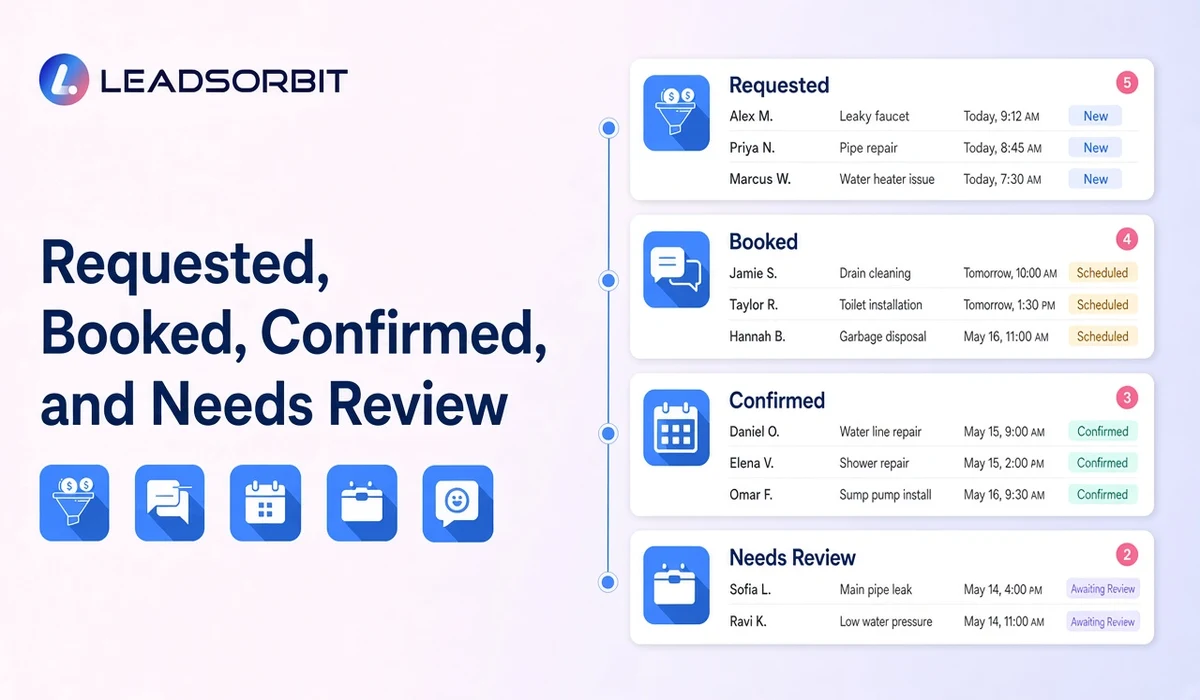
A strong booking workflow should provide clear status information so customers and employees understand what happens next.
Common booking statuses may include:
Requested: The customer has submitted information and is waiting for review or confirmation.
Booked: The business has created a valid appointment based on approved scheduling rules.
Confirmed: The customer and business have completed the confirmation step.
Needs Review: A team member needs to check additional information before moving forward.
Reschedule Requested: The customer has requested a change and the new time still needs confirmation.
Clear status management helps avoid situations where customers believe they have a confirmed appointment when the business has only received a request.
Practical Online Booking Workflow Stages for Plumbing Companies
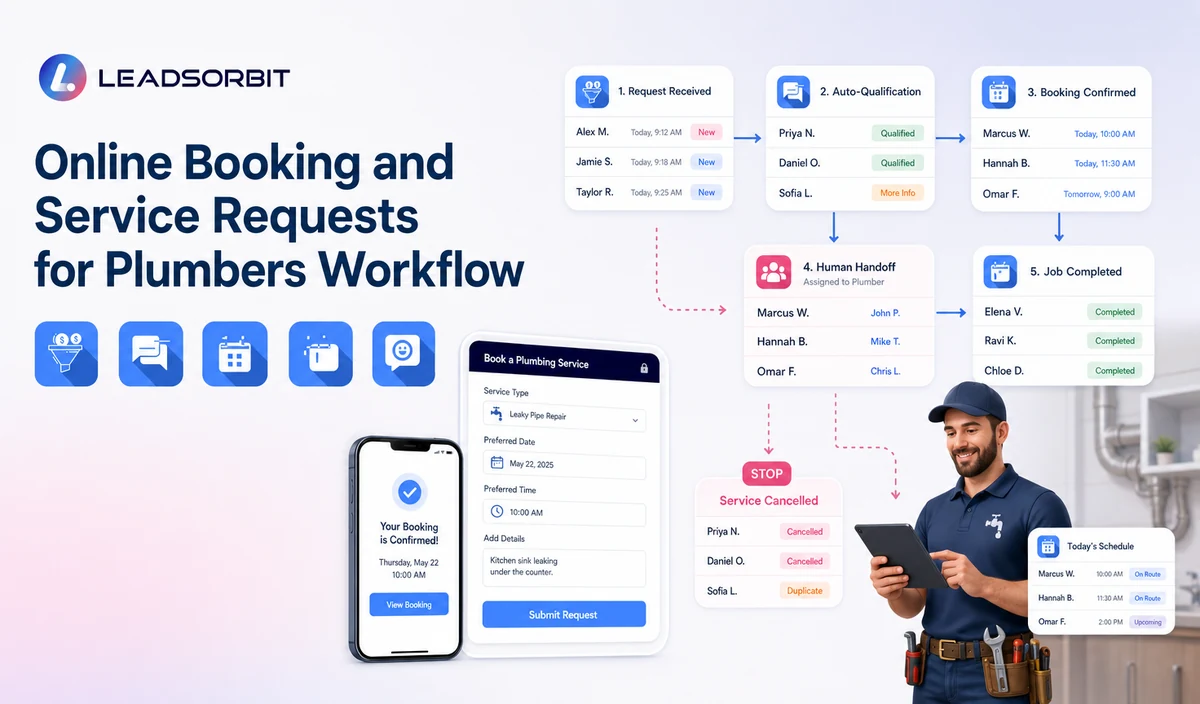
A reliable online booking workflow should not only collect customer information. It should guide every request toward the correct outcome while keeping the customer informed and giving the plumbing team clear ownership.
Each stage should have a specific purpose. The goal is to avoid unclear requests, duplicate communication, and incorrect appointment expectations.
Customer Request Submission
The workflow begins when a customer submits a request through an approved channel such as a website form, online chat, phone conversation, text message, or another communication source.
At this stage, the business should collect only the information needed to understand the request, such as:
- Customer name
- Contact information
- Service address
- General request category
- Preferred timing
The purpose is to create a clear starting point for the request, not to make technical decisions about the plumbing issue.
Service Area and Request Review
After receiving the request, the business should verify whether the request matches its approved service rules.
The company may review:
- Whether the address is within the service area.
- Whether the request category is supported.
- Whether the request requires additional information.
- Whether the customer has previous service history.
For example, a customer requesting a standard residential plumbing service may move forward through the normal booking process. However, a request involving a previous estimate, warranty question, or commercial property may require staff review.
Appointment Selection
Once the request meets the required rules, the customer can move toward appointment scheduling.
The workflow should clearly communicate whether the customer is:
- Selecting an available appointment option.
- Providing a preferred time.
- Waiting for office confirmation.
A preferred time should not automatically be presented as a guaranteed appointment unless the business has confirmed that availability.
This distinction protects customer expectations and helps the office maintain accurate scheduling information.
Confirmation Process
After the appointment is approved, the customer should receive confirmation with the information the business has verified.
A confirmation message may include:
- Company name
- Appointment date
- Approved service window
- Next steps
- Contact option for changes or questions
The confirmation should reflect the actual appointment status and should not include unsupported details.
Change and Follow Up Management
Customer situations can change after booking.
A complete workflow should support:
- Rescheduling requests
- Cancellation requests
- Customer questions
- Staff follow up
When an appointment changes, the previous workflow should no longer continue with outdated information.
The updated appointment status should become the source for future communication.
Real Plumbing Online Booking Scenarios
Understanding real situations helps businesses create better booking workflows.
Scenario 1: New Customer Service Request
A homeowner visits the website and submits a request for plumbing service.
The customer provides:
- Name
- Phone number
- Address
- General service category
- Preferred timing
The workflow reviews the information and creates the appropriate next step.
If the request meets booking rules, it can move toward appointment confirmation.
If additional information is needed, the request can move to staff review.
The important part is that the customer receives a clear status instead of an unclear submission message.
Scenario 2: Existing Customer Request
An existing customer contacts the company through an online booking form.
The request may relate to:
- Previous service
- Existing appointment
- Estimate question
- Service plan information
Instead of treating the customer as a new inquiry, the workflow should recognize that additional context may already exist.
The next step may require reviewing existing records and assigning the request to the appropriate team member.
Scenario 3: Request Requiring Staff Review
Some requests should not move directly to automated booking.
Examples include:
- Customer asks about previous work.
- Request involves policy information.
- Service details are unclear.
- The address requires verification.
- The request does not match standard booking rules.
In these situations, the best workflow is not forcing automation.
The best workflow is creating a clear path for a human team member to review and respond.
Practical Online Booking Message Examples
Request Received
A simple request confirmation helps customers understand that the business received their information.
Example:
Appointment Confirmation
Confirmation should only be sent after the appointment is approved.
Example:
Needs Review Message
Some requests require additional attention.
Example:
Reschedule Request
A customer requesting a change should receive confirmation that the request was received.
Example:
Important Boundaries for Online Booking Workflows
A reliable booking workflow should improve communication without making unsupported decisions.
The workflow should not:
- Diagnose plumbing problems from customer descriptions.
- Provide repair instructions through a booking form.
- Guarantee emergency response.
- Promise exact arrival times without verified information.
- Claim technician location without an approved source.
- Confirm service before required validation.
- Collect unnecessary personal or property information.
- Continue sending old appointment messages after a cancellation or reschedule.
Automation should support customer communication and workflow management. It should not replace professional judgment where the business requires human review.
Privacy, Consent, and Customer Data
Online booking workflows may collect customer names, phone numbers, service addresses, appointment details, access notes, conversation history, and other business information.
Businesses should collect only the information required for the workflow, maintain appropriate access controls, and review each connected form, calendar, phone or messaging provider, AI tool, integration, retention setting, and data destination separately.
Customer communication preferences and consent records should remain visible and properly managed, especially when different communication types are involved.
Operational messages, such as appointment confirmations and service updates, should remain separate from promotional communication.
LEADSORBIT is positioned in this article as the communication, booking, follow up, CRM, review, and task layer. It should not be presented as a complete field service management, dispatch, route optimization, work order, estimating, invoicing, inventory, payroll, job costing, permit, price book, accounting, or technician tracking system.
Common Plumbing Online Booking Mistakes
Many booking problems happen because businesses automate the wrong parts of the process.
Common mistakes include:
Treating every request as a confirmed appointment
A submitted form does not always mean a booking exists. The business should define when a request becomes an appointment.
Showing unavailable appointment options
Customers should only see valid booking options based on approved scheduling rules.
Collecting too much information too early
A booking workflow should request the information needed for the next step, not create unnecessary friction.
Ignoring staff review situations
Some requests require experience and judgment. A workflow should create an easy handoff path.
Using unclear customer communication
Customers should understand whether they submitted a request, received a booking, or have a confirmed appointment.
Plumbing Workflow Setup Checklist
Before launching an online booking workflow, plumbing companies should review:
- Approved service categories.
- Service area rules.
- Appointment availability rules.
- Customer information requirements.
- Request and booking statuses.
- Confirmation messages.
- Rescheduling and cancellation processes.
- Staff ownership for review requests.
- Privacy and communication preferences.
- Testing for incomplete requests and unusual situations.
A good workflow should be tested with different customer journeys, including new requests, existing customers, cancellations, reschedules, and requests requiring staff involvement.
See the Workflow With Your Company's Rules
A plumbing booking workflow should match the company's actual processes, communication channels, and customer journey.
Start 14 days free trial to see how LEADSORBIT can support plumbing workflows with appointment requests, conversations, automation, tasks, and CRM visibility.
What to Measure
Plumbing companies can review workflow performance by monitoring:
- Completed booking requests.
- Requests requiring staff review.
- Incomplete submissions.
- Appointment confirmation accuracy.
- Rescheduling and cancellation handling.
- Failed messages or communication issues.
- Duplicate or outdated appointment information.
These measurements help businesses improve workflow reliability instead of only focusing on the number of requests received.
How LEADSORBIT Supports This Plumbing Workflow
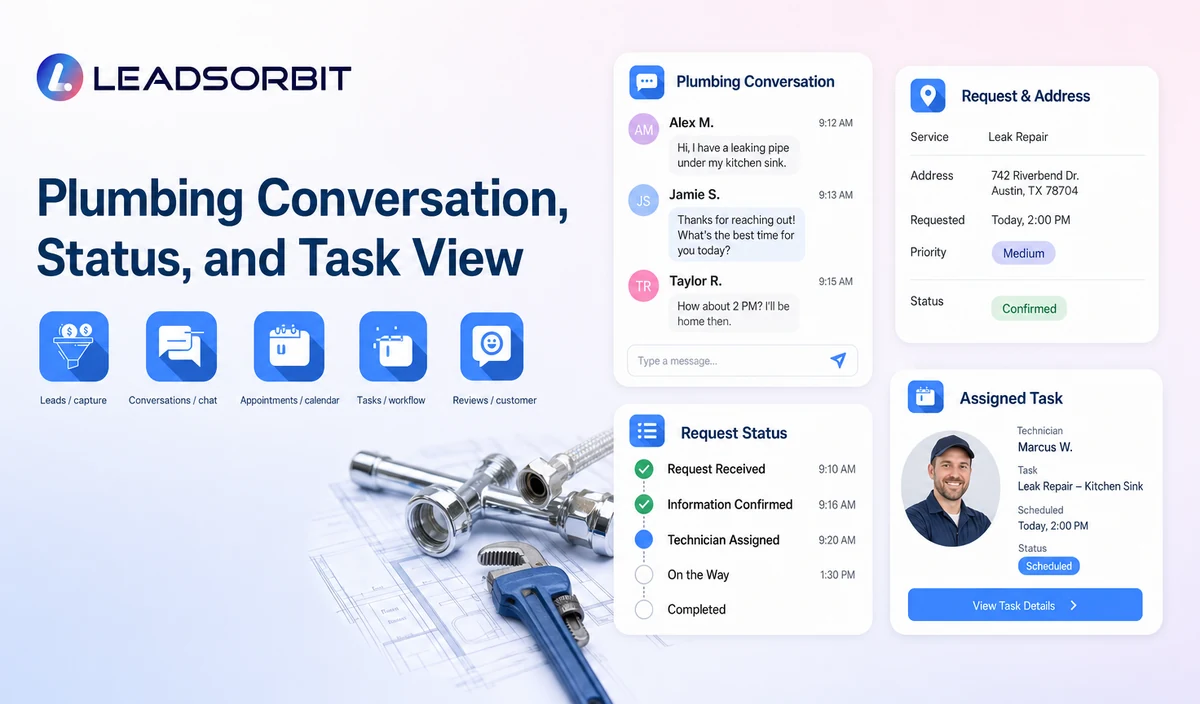
LEADSORBIT’s AI powered CRM helps plumbing businesses organize approved customer conversations, appointment activity, follow up actions, tasks, and workflow statuses through a connected communication and CRM process.
For an online booking workflow, LEADSORBIT can help businesses manage the journey from an initial customer request to the appropriate next step, such as appointment handling, follow up, staff review, or customer communication.
The workflow can support areas such as:
- Capturing approved customer conversations and requests.
- Organizing appointment related activities.
- Managing follow up tasks and workflow actions.
- Maintaining visibility into customer communication and status updates.
AI Appointment can support configured appointment workflows, including appointment requests, calendar connections, confirmations, reminders, rescheduling, and cancellation processes where the required setup is available.
For plumbing companies, this can help create a more organized appointment process by connecting customer requests with approved scheduling workflows and communication steps.
Conversation AI can support configured communication channels by providing conversation visibility, request routing, staff takeover options, and CRM synchronization where configured.
This helps businesses maintain better context around customer interactions, especially when requests require additional review, follow up, or human involvement.
The exact workflow depends on each company's requirements, including communication channels, fields, scripts, calendars, service areas, appointment rules, estimate or plan data, permissions, retention settings, integrations, and account configuration.
Try LEADSORBIT free for 14 days
FAQs
Online booking for plumbers is a customer facing workflow that allows customers to submit service information, including contact details, service address, request category, and timing preference. The business then determines whether the request becomes a booking, confirmation, or staff review.
Final Thoughts
Online booking for plumbers works best when it creates a clear connection between customer requests, business rules, appointment decisions, and team ownership.
A reliable workflow does not simply collect information. It helps customers understand what happens next while helping plumbing companies manage requests accurately.
The strongest booking systems use accurate information, clear statuses, appropriate human review, and well defined communication paths to create a better experience for both customers and office teams.
Start 14 days free trial to see how LEADSORBIT can support plumbing appointment workflows with conversations, booking requests, automation, tasks, and CRM visibility.

Start Your Free 14 Day Trial
Try LEADSORBIT and see how it captures missed calls, follows up instantly, and turns leads into booked appointments for your business.