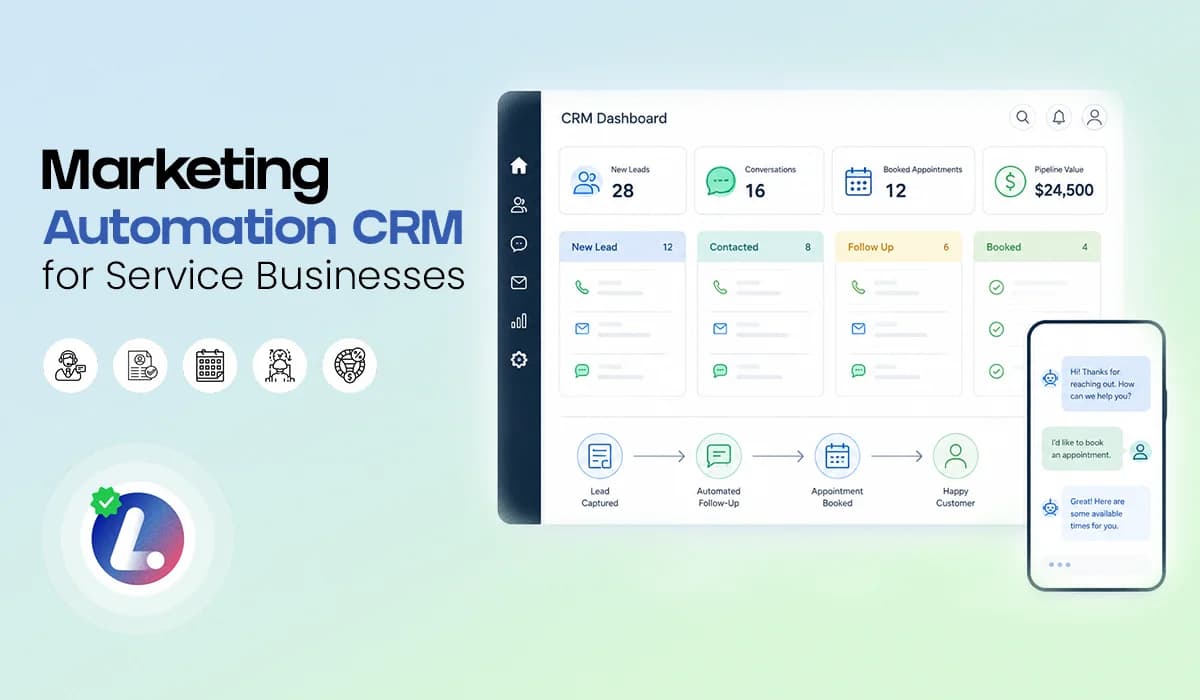

A marketing automation CRM should help service businesses do one simple thing better: Turn more inquiries into real conversations, appointments, and customers. But many small businesses are still managing leads across too many places.
One lead comes from a website form. Another comes from a missed call. Another starts as a chat message. Another comes from an ad. Then the team tries to track everything through inboxes, spreadsheets, sticky notes, and memory. That is where follow up starts to break.
A good marketing automation CRM brings your leads, conversations, workflows, and pipeline stages into one system. It helps your team respond faster, follow up consistently, and keep every opportunity visible.
This blog is not a full follow up sequence guide. For that bigger system, you can read the main pillar on Lead Follow Up Automation. Here, I want to keep it simple: what a marketing automation CRM should do, what to avoid, and what a practical starter setup looks like for service businesses.
Why Service Businesses Need More Than a Contact List
A basic contact list stores names, phone numbers, and emails. That is useful, but it is not enough. Service businesses need to know where each lead came from, what they asked for, who followed up, what stage they are in, and what needs to happen next. Without that visibility, your team may feel busy but still miss real opportunities.
A chiropractic office may get new patient inquiries from calls, forms, and website chat. A dental practice may receive appointment requests, treatment questions, and after hours inquiries. If those leads are not organized in one place, the team has to work harder just to stay updated.
A marketing automation CRM should reduce that manual pressure. It should not just store leads. It should help move them forward.
What a Marketing Automation CRM Should Do
A good CRM should support the full journey from first inquiry to booked appointment or closed opportunity. The minimum requirement is simple: capture the lead, start the conversation, guide the next step, and keep the team informed.
For service businesses, that usually means the CRM should help with:
- Lead capture from forms, calls, chat, ads, and manual entry
- SMS and email follow up automation
- CRM pipeline stages that show where each lead stands
- Team notifications and task reminders
- A centralized conversation view for customer communication
- Lead nurturing automation for people who are not ready yet
This does not mean you need to automate everything at once. It means the system should be capable of supporting your follow up process as your business grows.
For example, if a new lead enters the CRM, the system should be able to send a first response, create a task, and place that lead into the right pipeline stage. If the lead replies, the team should see the conversation. If the lead does not reply, the CRM should trigger the next follow up step.
That is how workflow automation for small businesses becomes practical. It gives your team structure without adding more manual work.
Minimum Requirements Checklist
Before choosing or setting up a marketing automation CRM, use this checklist.
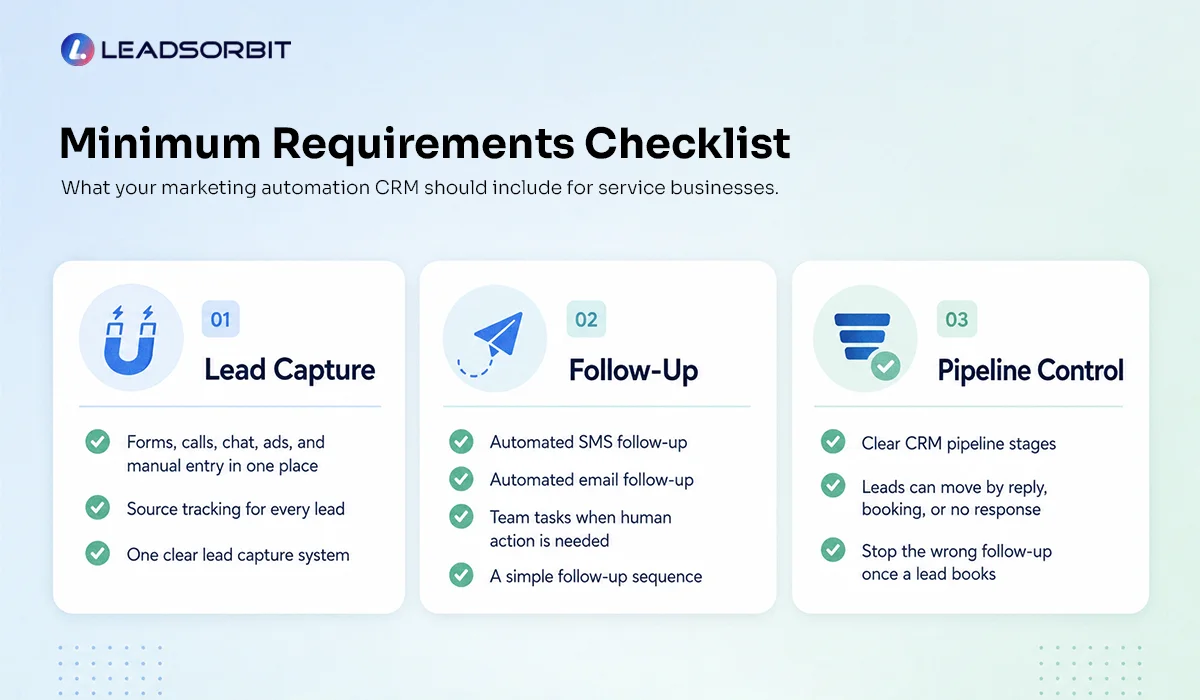
1. Lead Capture
- Can all lead sources connect to the CRM?
- Can forms, chat, calls, ads, and manual entries be tracked in one place?
- Can the CRM show where each lead came from?
2. Follow Up
- Can the CRM send automated SMS follow up?
- Can it send email follow up automation?
- Can it create team tasks when a lead needs human attention?
- Can it support a simple follow up sequence without becoming complicated?
3. Pipeline Control
- Can your team create clear CRM pipeline stages?
- Can leads move based on reply, booking, or no response?
- Can the system stop the wrong follow up once a lead books?
This checklist helps you avoid buying a tool that only stores contacts but does not support the real follow up process. The goal is not to collect more software. The goal is to create one clear system your team can actually use.
Try LEADSORBIT free for 14 days
What to Avoid When Setting Up Automation
Automation can help your business, but only if it is set up properly. The most common mistake is trying to automate too much too quickly. When every possible situation has its own workflow, the system becomes hard to manage. Your team may not understand what is happening, and leads may receive messages that do not match their situation.
Another mistake is writing messages that sound too robotic. Automation should help you respond faster, but the message should still feel human. A simple “Thanks for reaching out, how can we help?” often works better than a long automated paragraph filled with too many details.
You should also avoid building a CRM pipeline with too many stages. If your team does not know when to move a lead, the pipeline will become messy.
A practical setup should stay clean:
- Keep the first workflows simple.
- Keep the messages short.
- Keep the pipeline easy to understand.
Once your team is comfortable, you can improve the system step by step.
Simple Setup SOP for a Starter System
A service business does not need a huge automation build on day one. Start with the core system that protects your new leads.
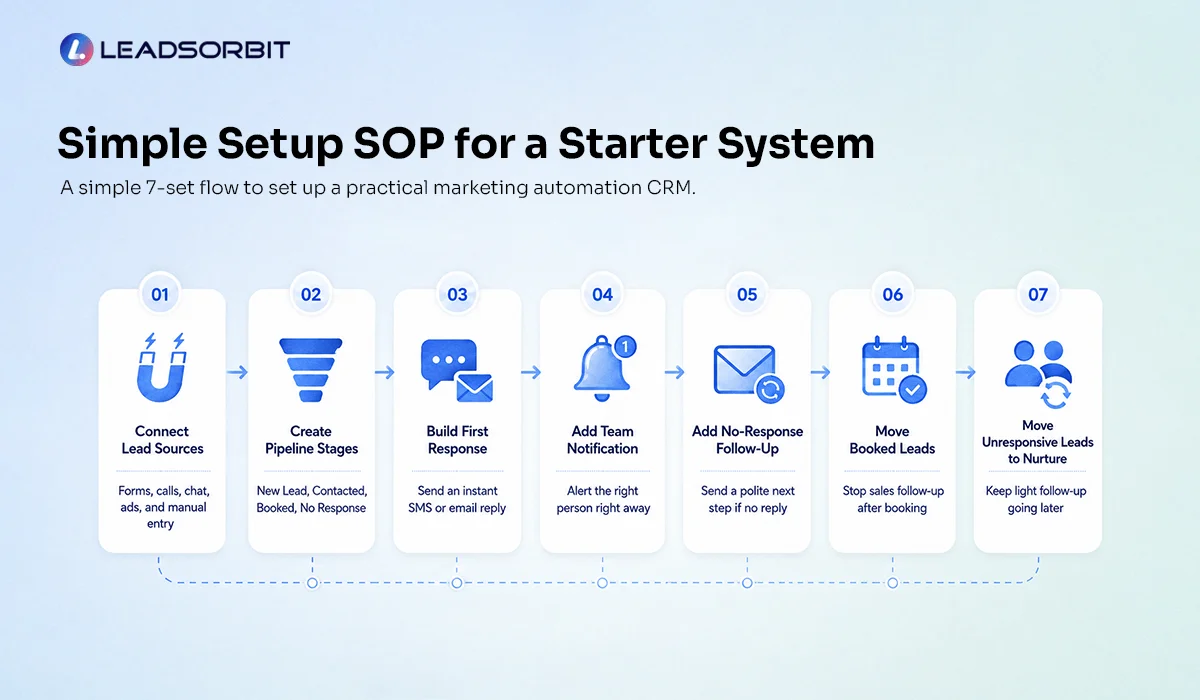
Step 1: Connect Your Main Lead Sources
Start with the places where most of your inquiries come from. This may include your website form, chat widget, missed calls, paid ads, or manual lead entry. The goal is to stop leads from living in separate places.
Step 2: Create Basic CRM Pipeline Stages
Keep the pipeline simple. Use stages like New Lead, Contacted, Engaged, Appointment Requested, Appointment Booked, No Response, Long Term Follow Up, and Not Interested.
These stages help your team understand what needs attention.
Step 3: Build an Instant First Response
Create one SMS or email that confirms the inquiry immediately. The message should be short, clear, and easy to answer.
Step 4: Add a Team Notification
When a new lead comes in, someone on the team should know. A notification or task helps make sure automation does not replace human accountability.
Step 5: Add a No Response Follow Up
If the lead does not reply, the CRM should send a polite follow up or remind your team to call. This prevents leads from being forgotten after one attempt.
Step 6: Move Booked Leads Into the Right Stage
Once a lead books, sales follow up should stop. The lead should move into Appointment Booked, and reminder automation can begin if needed.
Step 7: Move Unresponsive Leads Into Nurture
If someone does not respond after a few attempts, do not leave them stuck in the pipeline. Move them into lead nurturing automation so they can receive light, helpful follow up later.
This starter system is simple, but it solves the biggest issue most service businesses face: leads coming in without a clear next step. If you want to see how a setup like this looks inside LEADSORBIT, you can book a demo.
Chiropractic and Dental Examples
A marketing automation CRM becomes more useful when it matches the way your business actually receives leads. For a chiropractic office, new patient inquiries may come through calls, website forms, chat, or ad campaigns. The CRM should capture those inquiries, send a fast response, notify the team, and move the lead toward scheduling.
For a dental practice, leads may ask about appointments, treatment options, insurance, or consultation timing. The CRM should help the team keep those conversations organized while using automation to support follow up.
LEADSORBIT supports both chiropractic businesses and dental practices with workflows designed around appointment based lead handling. The important point is this: Your CRM should fit your real process, not force your team into a confusing system.
How LEADSORBIT Helps Service Businesses
LEADSORBIT helps service businesses manage lead follow up from one AI powered CRM.
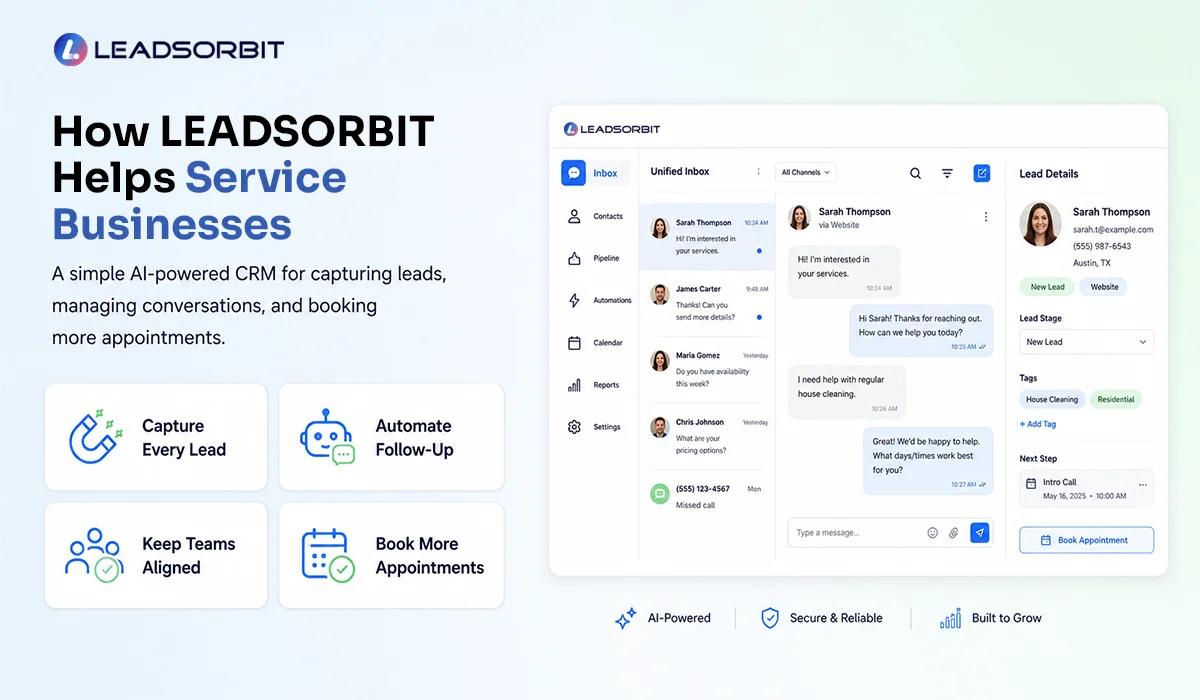
- With Workflow AI, you can automate first responses, follow up tasks, no response workflows, appointment reminders, lead nurturing, and internal notifications.
- With Conversation AI, your team can manage conversations across channels in one place. This helps reduce missed messages and gives your team a clearer view of what each lead needs.
Together, these tools help service businesses create a simple, repeatable lead follow up strategy. The benefit is not just automation. The benefit is clarity.
Your team knows where the lead came from, what happened, what stage they are in, and what should happen next.
What to Track Without Overcomplicating It
You do not need a large reporting system to know whether your CRM setup is helping.
Start with a few simple checks:
- Are new leads receiving a fast first response?
- Are leads moving through the right pipeline stages?
- Are no response leads being followed up or moved into nurture?
These checks help you see if the system is working at the process level. Once your foundation is clean, you can add deeper reporting later.
FAQs
A marketing automation CRM is a system that helps businesses manage leads, conversations, follow up workflows, pipeline stages, and customer communication from one place.
Final Thoughts
A marketing automation CRM should make follow up easier, not more complicated. For service businesses, the goal is simple: capture every lead, respond quickly, organize conversations, move leads through the right stages, and make sure no opportunity is forgotten.
- You do not need to automate everything on day one.
- Start with the basics: connect your lead sources, build a simple pipeline, send a fast first response, create team tasks, add no response follow up, and move unbooked leads into nurture.
- That foundation alone can make your follow up process much stronger.
To see how LEADSORBIT can help your business build a practical marketing automation CRM setup:

Start Your Free 14 Day Trial
Try LEADSORBIT and see how it captures missed calls, follows up instantly, and turns leads into booked appointments for your business.
Personal Message from Faisal Zulfiqar
The best CRM is not the one with the longest feature list. It is the one your team can actually use every day. Keep the system simple, clear, and focused on the next step for every lead.