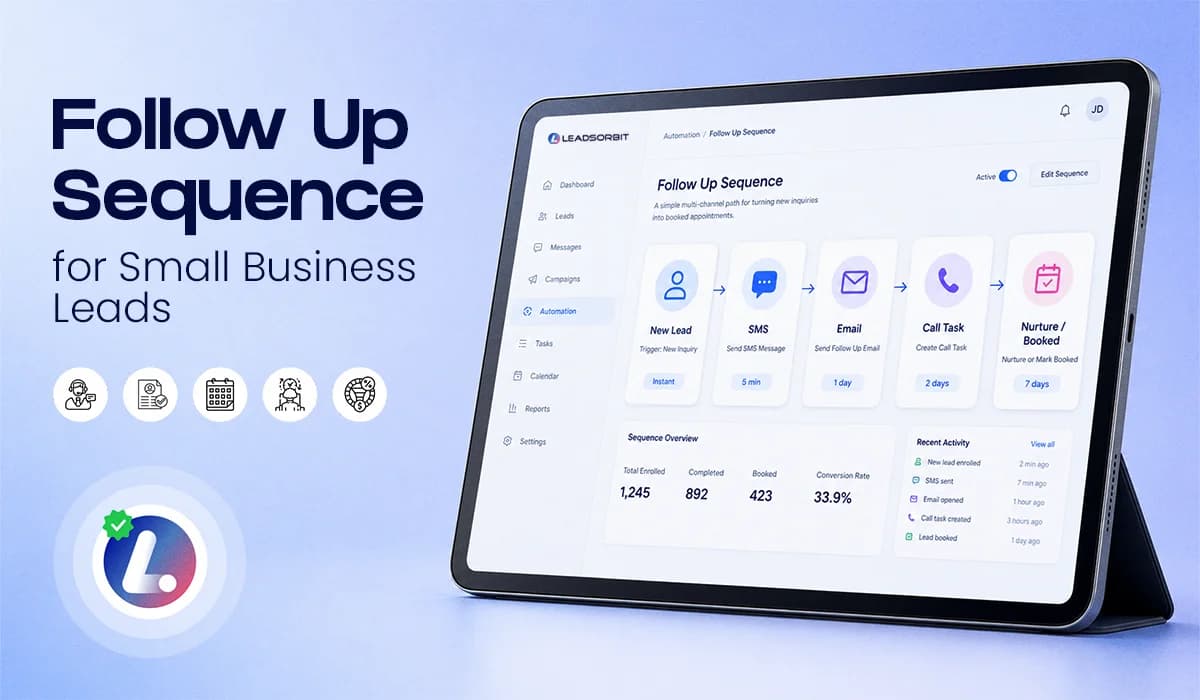

A good follow up sequence helps your business stay in touch with new leads without sounding pushy or disorganized. Most small businesses do some follow up. The problem is that it is often random. Someone sends one text. Someone else makes one call. Another person sends an email later. If the lead does not respond, the opportunity slowly disappears.
That is not a lead follow up strategy. That is a guessing game. A practical follow up sequence gives your team a clear path. It tells them what to send, when to send it, when to call, when to stop, and when to move the lead into nurture.
This blog is the multi channel playbook. It does not go deep into SMS basics or email basics because those deserve their own separate guides. Here, the focus is how SMS, email, call tasks, and CRM movement work together in one simple sequence. For the full foundation, you can also read the main guide on Lead Follow Up Automation.
Why One Follow Up Is Not Enough
One follow up is easy to miss. A lead may be busy. They may read your message and forget to reply. They may need to check their schedule. They may still be interested but not ready to book in that exact moment. That is why a multi touch sequence works better than a single message.
The goal is not to chase the lead. The goal is to create a respectful rhythm that keeps the conversation open and gives the lead more than one simple way to respond.
A good sequence should do three things:
- Respond quickly when the lead is most interested
- Use different channels for different purposes
- Stop or adjust when the lead replies, books, or says no
This is where lead follow up automation becomes useful. The CRM can handle the timing, reminders, and next steps while your team focuses on the real conversation.
The 7 Touch Follow Up Sequence
This 7 touch sequence is a practical starting point for small businesses.
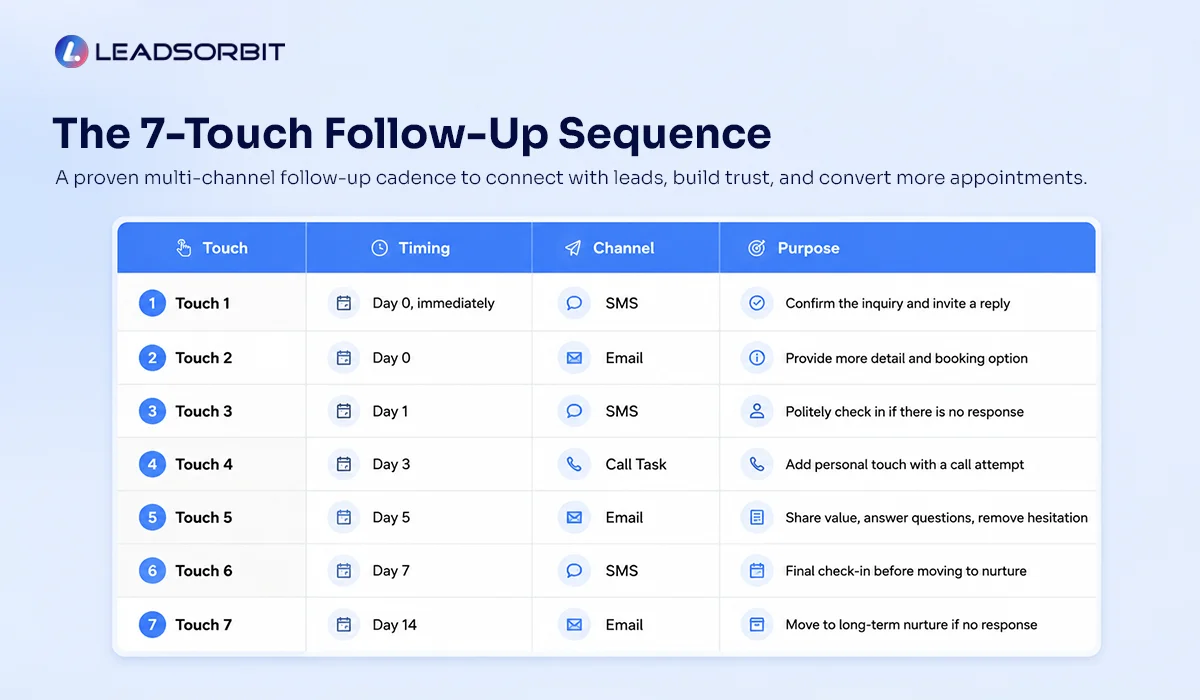
You can adjust the exact timing based on your business hours, industry, and lead quality. The main idea is to respond fast first, follow up politely, add human contact when needed, and move quiet leads into nurture instead of letting them sit forever.
| Touch | Timing | Channel | Purpose |
|---|---|---|---|
| Touch 1 | Day 0, immediately | SMS | Confirm the inquiry and invite a reply |
| Touch 2 | Day 0 | Provide more detail and booking option | |
| Touch 3 | Day 1 | SMS | Politely check in if there is no response |
| Touch 4 | Day 1 or Day 2 | Call task | Add human follow up |
| Touch 5 | Day 3 | Share helpful context and reduce hesitation | |
| Touch 6 | Day 5 | SMS | Ask if the lead still needs help |
| Touch 7 | Day 7 | CRM update or nurture message | Close the loop or move to nurture |
This is not meant to be aggressive. It gives the lead enough space while still making sure your business does not disappear after one attempt. With Workflow AI, this sequence can be built as a CRM workflow so your team does not have to manually remember every step.
Touch 1: Instant SMS
The first message should go out immediately after the lead reaches out. At this stage, the lead does not need a long explanation. They need to know that your business received the inquiry and is ready to help.
Template:

This message works because it is short, direct, and easy to answer.
It also supports speed to lead because the conversation starts while the lead is still interested.
Touch 2: Same Day Email
The email gives your business a little more room. Use it to confirm the request, share a booking link, and give the lead a clear next step.
Subject options:
- We received your request
- Thanks for reaching out to {{business_name}}
- Choose a time that works for you
Template:
Thank you for reaching out to {{business_name}}.
We received your request and our team will be happy to help. You can reply to this email with any questions, or use the link below to choose a time that works best for you.
{{booking_link}}
Thank you,
{{business_name}} Team
This email should not feel like a newsletter. It should feel like a helpful confirmation.
Touch 3: No Response SMS
If the lead does not reply, send a short check in.
This is not the time for a long message. The goal is simply to bring the conversation back.
Template:
This message is useful because it gives the lead a quick way to say yes, ask a question, or ignore it if they are no longer interested. Keep it simple.
Touch 4: Call Task Script
Some leads need a real call. If the lead is high intent, asked about availability, clicked a booking link, or has not responded to the first few messages, your team should have a call task.
Call task note for the team:
Simple call script:
If there is no answer, the voicemail should stay short.
Voicemail example:
The call task adds a human layer without making the whole process manual.
Touch 5: Helpful Email
This email is for leads who have not responded yet but may still be interested. The purpose is to reduce hesitation. Do not overexplain. Do not push too hard. Just make it easy for the lead to continue.
Subject options:
- Still need help with your request?
- A quick note before you book
- Following up on your appointment request
Template:
I wanted to follow up in case you are still considering your next step.
Many people reach out when they are comparing options, checking availability, or trying to understand what to expect before scheduling.
If that is where you are, no problem. Our team is happy to answer your questions and help you choose the right next step.
You can reply to this email, or book a time here:
{{booking_link}}
Thank you,
{{business_name}} Team
This email works well because it gives the lead permission to ask questions instead of forcing an immediate booking.
Touch 6: Final SMS Check In
This message should be respectful and short. You are not trying to pressure the lead. You are simply closing the loop before moving them out of active follow up.
Template:
This gives the lead a very simple choice.
Some people will respond because the message feels clear and low pressure.
Touch 7: Close Loop or Move to Nurture
If there is still no response, do not leave the lead sitting in an active stage forever. Move the lead into lead nurturing automation or close the loop based on your process.
Nurture move message:
After this, the CRM can move the lead to a long term nurture stage.
That does not mean the lead is useless. It simply means the active follow up sequence is complete.
Stop Rules for Follow Up Automation
A follow up sequence should never run blindly. It should pause, stop, or change when the lead takes action.
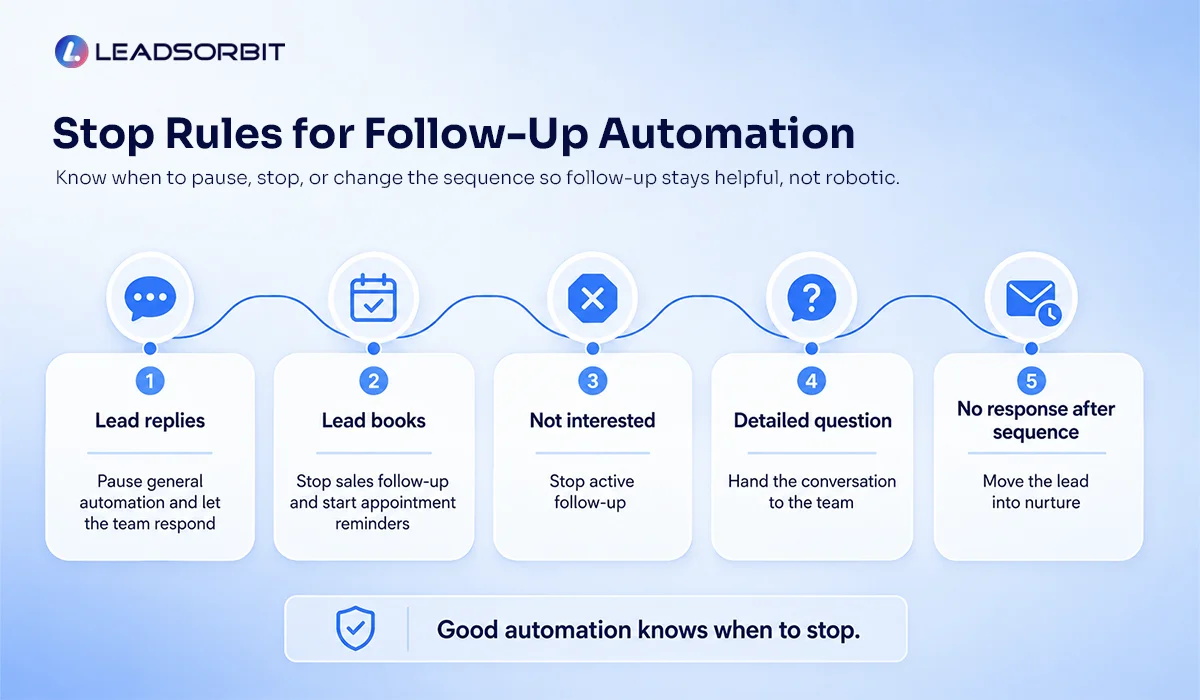
Use simple stop rules:
- If the lead replies, pause the general automation and let the team respond.
- If the lead books, stop sales follow up and start appointment reminders.
- If the lead says they are not interested, stop active follow up.
- If the lead asks a detailed question, hand the conversation to the team.
- If the sequence ends with no response, move the lead into nurture.
These rules protect the customer experience. They also keep your CRM clean. A sequence that does not stop at the right time can feel robotic. A sequence with clear stop rules feels more natural.
Escalation Rules: When to Call Instead of Keep Texting
Text and email are useful, but some moments need a phone call. A good follow up sequence should include clear escalation rules so your team knows when to step in.
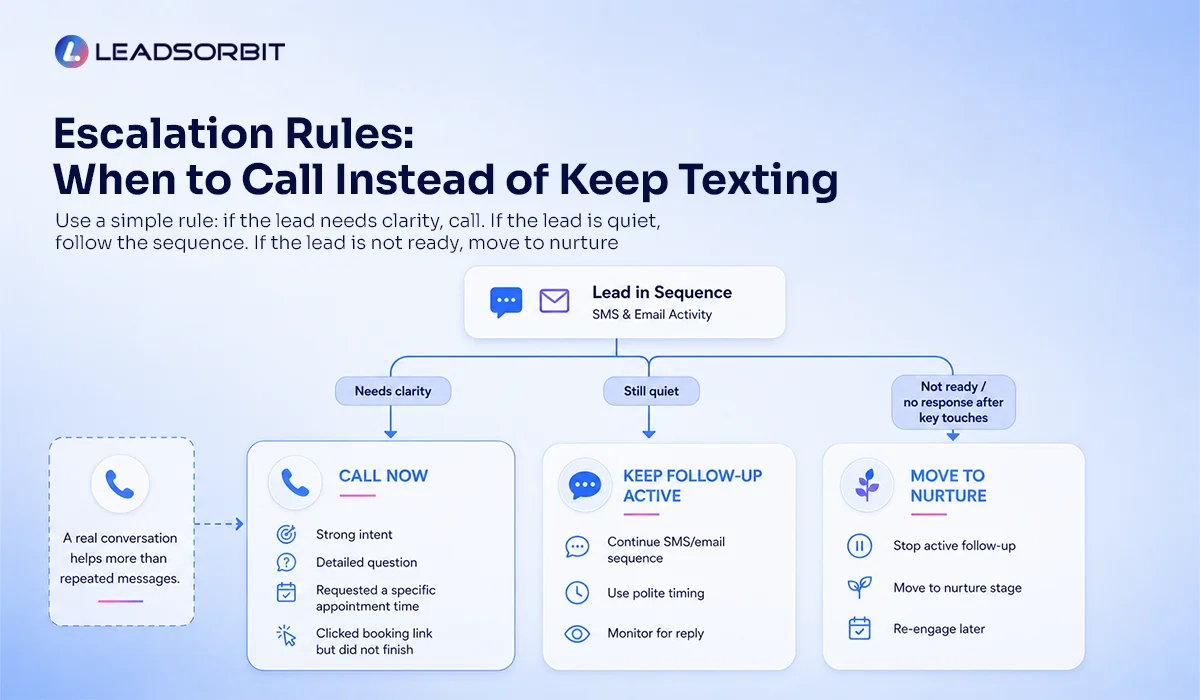
Call the lead when they show strong intent, ask a detailed question, request a specific appointment time, or click a booking link but do not finish. You can also call when the lead has not responded after the first few automated touches but still looks like a good opportunity. Do not keep sending repeated messages when a real conversation would help more.
A simple escalation rule is:
If the lead needs clarity, call. If the lead is quiet, follow the sequence. If the lead is not ready, move to nurture. That balance keeps your process helpful.
Chiropractic and Dental Mini Examples
A chiropractic clinic may receive a new patient inquiry from someone asking about back pain and availability. The first SMS confirms the inquiry. The email shares the booking link. If there is no reply, the team gets a call task because the lead may need personal help choosing a time.
A dental practice may receive a consultation request after hours. The instant SMS confirms that the request was received. The email shares what to do next. If the patient does not respond, the follow up sequence keeps the conversation open without overwhelming them.
LEADSORBIT supports follow up workflows for chiropractic businesses and dental practices, where appointment requests, reminders, and conversations need to stay organized. The goal is not to send more messages. The goal is to make sure the right next step happens at the right time.
How LEADSORBIT Supports the Follow Up Sequence
LEADSORBIT helps small businesses build and manage follow up sequences inside one AI powered CRM.
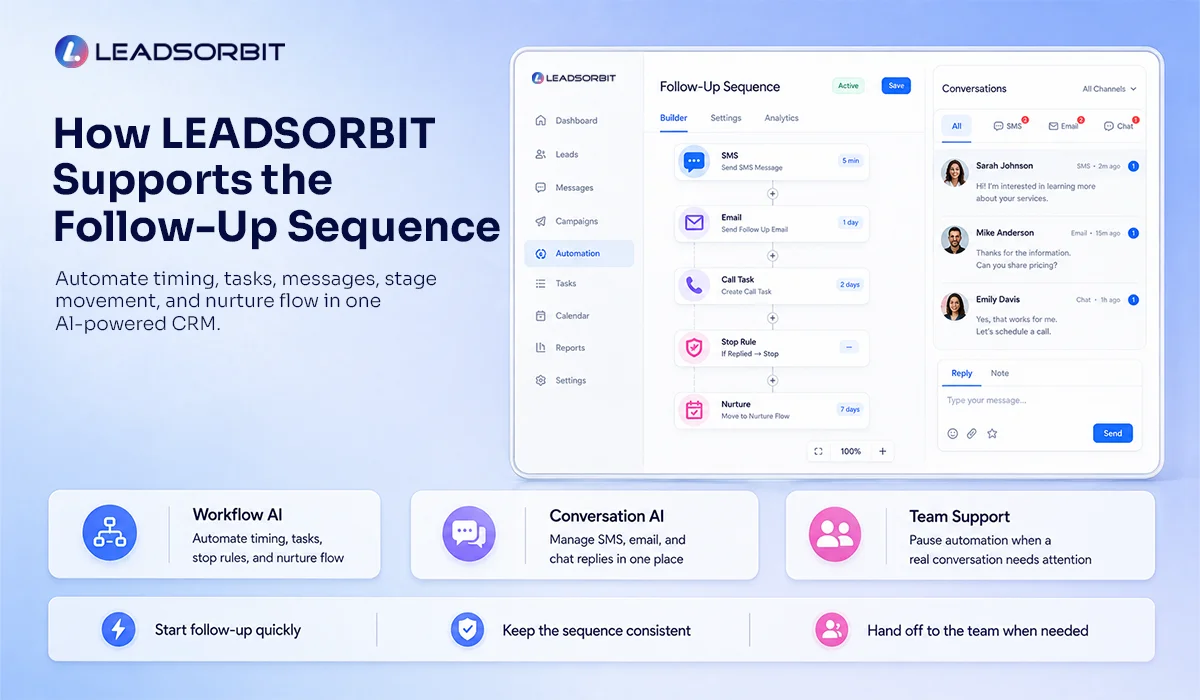
- With Workflow AI, your business can automate the timing, tasks, messages, stage movement, stop rules, and nurture flow.
- With Conversation AI, your team can manage replies from SMS, email, chat, and other channels in one place.
Together, these tools help your team:
- Start follow up quickly when a lead enters the CRM
- Keep the sequence consistent without manual reminders
- Pause automation when a real conversation needs attention
If you want to see how this follow up sequence can work inside LEADSORBIT, you can book a demo.
Try LEADSORBIT free for 14 days
FAQs
A follow up sequence is a planned series of messages, tasks, and actions used to contact a lead after they show interest. It can include SMS, email, phone calls, CRM updates, and lead nurturing steps.
Final Thoughts
A follow up sequence gives your team a clear plan. Instead of sending one message and hoping for the best, your business can respond quickly, follow up politely, add human contact when needed, and move quiet leads into nurture.
- The best sequence is not complicated. It is consistent.
- Start with an instant SMS, a same day email, a polite check in, a call task, one helpful email, a final SMS, and a clear nurture or close loop step.
- Then add stop rules so the automation adjusts when the lead replies, books, or says no.
To see how LEADSORBIT can help your business build automated follow up sequences with SMS, email, call tasks, and CRM workflows:

Start Your Free 14 Day Trial
Try LEADSORBIT and see how it captures missed calls, follows up instantly, and turns leads into booked appointments for your business.
Personal Message from Faisal Zulfiqar
Follow up should never feel like pressure. It should feel like support. When your sequence is clear, respectful, and connected to the lead’s next step, your team can follow up with more confidence.