
Email follow up automation helps small businesses stay in touch with leads after the first inquiry, especially when the conversation needs more detail than a quick text message. SMS is useful for speed. Calls are useful for personal connection. But email still has an important role in lead follow up.
Email gives your business space to explain the next step, answer common questions, share a booking link, send helpful information, and continue nurturing leads who are not ready to book right away.
The problem is that many businesses either send no follow up emails at all, or they send messages that feel too generic. A good email follow up process should feel simple, helpful, and timely.
In this guide, I’ll walk through when to use email, how to time your messages, what subject lines to use, and how to build practical templates your team can use inside your CRM. For the full lead follow up system, you can also read the main guide on Lead Follow Up Automation.
Why Email Still Matters In Lead Follow Up
Email works well when the lead needs more context. A text message is great for a quick reply, but email is better when you need to share details, explain a service, include a booking link, or send a more complete follow up.
For example, if someone asks about a dental consultation, your team may need to send appointment details, expectations, and a booking link. If someone contacts a chiropractic office, email can help explain the next step clearly without forcing everything into one short text.
Email also helps your business look organized. A simple confirmation email can reassure the lead that their request was received. A helpful follow up email can answer hesitation. A final check in can close the loop politely.
That is why email should be part of your lead follow up strategy, especially when your business depends on appointments, consultations, or service inquiries.
When Email Works Better Than SMS
Email and SMS should not compete with each other. They should support different parts of the customer journey. SMS is better when you need a short, fast response. Email is better when the message needs more explanation or a more professional tone.
Use email when:
- The lead needs service details or next step information.
- You want to send a booking link with context.
- The question may require a longer answer.
- The lead has not replied and needs a helpful reminder.
- You want to nurture the lead over time.
This does not mean every lead needs a long email sequence. Many leads only need a simple confirmation and one helpful follow up. The key is to use email where it adds clarity, not where it creates noise.
Simple Email Timing Rules
Good follow up timing matters. If your first email is too late, the lead may already be distracted. If you send too many emails too quickly, the follow up can feel heavy.
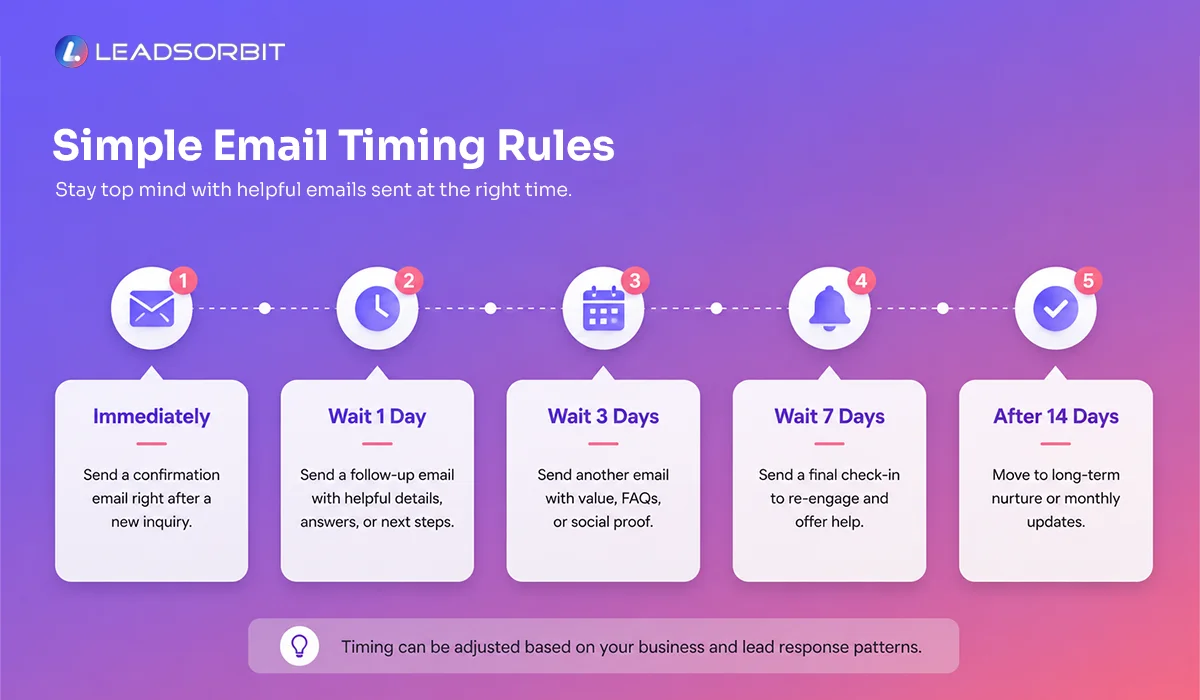
A simple email cadence is usually enough.
| Timing | Purpose | |
|---|---|---|
| New inquiry email | Immediately after the lead comes in | Confirm the request and share the next step |
| Follow up email | After the lead has not responded | Bring the conversation back politely |
| Value email | After initial follow up, if still unbooked | Answer hesitation or provide helpful context |
| Booking link email | When the lead shows interest | Make scheduling easy |
| Final check in email | After reasonable follow up attempts | Close the loop respectfully |
This timing guide is not meant to be rigid. It gives your team a starting structure. Your workflow can adjust based on the lead’s behavior, reply, or booking status.
With Workflow AI, these email steps can be automated inside your CRM while still allowing your team to step in when a lead replies.
Subject Lines That Feel Clear And Useful
Subject lines do not need to be clever. For small business follow up, clear usually works better than creative. A good subject line should tell the lead why you are emailing and make the message feel relevant.
Here are practical subject line options by email type.
1. New Inquiry Email
- We received your request
- Thanks for reaching out to {{business_name}}
- Your request has been received
2. Follow Up Email
- Just checking in
- Following up on your request
- Still need help scheduling?
3. Value Email
- A quick note before you book
- Helpful information about your request
- A few details that may help
4. Booking Link Email
- Here is your booking link
- Choose a time that works for you
- Ready to schedule?
5. Final Check In Email
- Should we keep your request open?
- Final follow up on your request
- Still interested?
The best subject line depends on the situation. If the lead is new, keep it direct. If the lead has not responded, keep it polite. If the lead is ready to book, make the booking step obvious.
Email Templates You Can Copy And Use
Templates save time, but they should still sound human. Use these as starting points. Adjust the words based on your business, offer, and customer type.
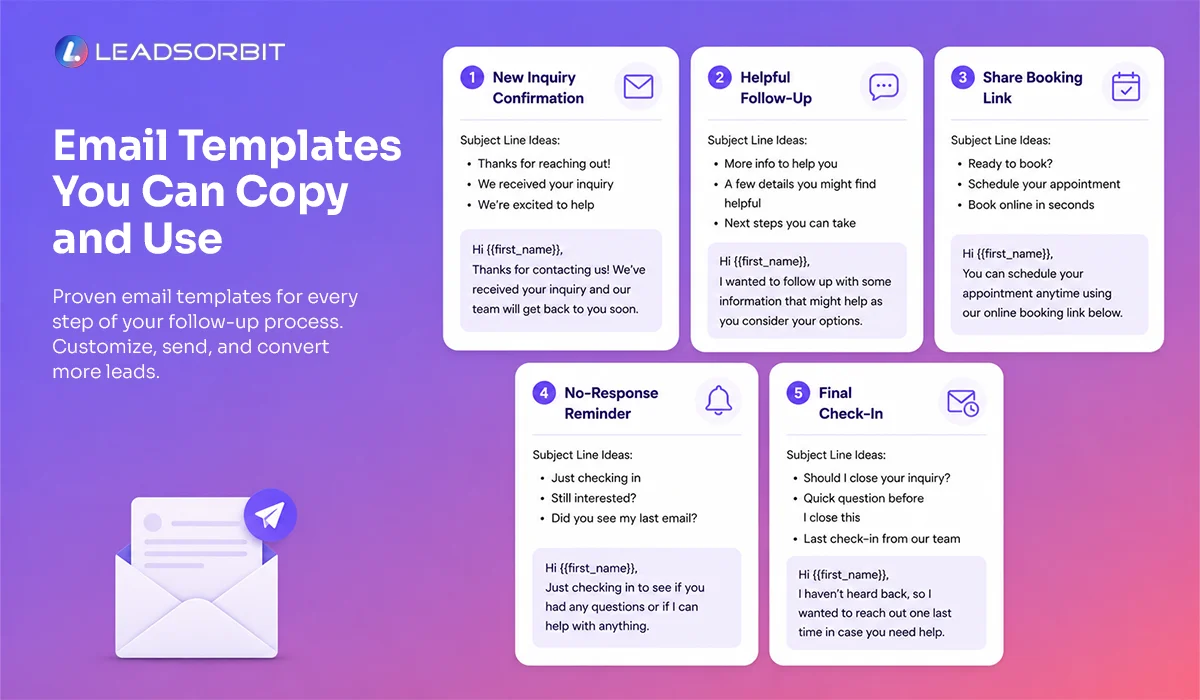
Template 1: New Inquiry Email
Subject line options:
- We received your request
- Thanks for reaching out to {{business_name}}
- Your request has been received
Email:

Thank you for reaching out to {{business_name}}.
We received your request and our team will be happy to help.
You can reply to this email with any questions, or use the link below to choose a time that works best for you.
{{booking_link}}
Thank you,
{{business_name}} Team
This email is simple on purpose. It confirms the inquiry, gives the lead a next step, and keeps the door open for questions.
Template 2: Follow Up Email
Subject line options:
- Just checking in
- Following up on your request
- Still need help scheduling?
Email:
I wanted to follow up on your recent request.
Are you still looking to schedule an appointment or speak with someone from our team?
You can reply here with your question, or use this link to book directly:
{{booking_link}}
Thank you,
{{business_name}} Team
This is useful when the lead has not responded after the first email or text.
It is polite, short, and gives a clear next step.
Template 3: Value Email
Subject line options:
- A quick note before you book
- Helpful information about your request
- A few details that may help
Email:
I wanted to share a quick note in case you are still considering your next step.
Many people reach out when they are comparing options, checking availability, or trying to understand what to expect before scheduling.
If that is where you are, no problem. Our team is happy to answer your questions and help you choose the right next step.
You can reply to this email, or book a time here:
{{booking_link}}
Thank you,
{{business_name}} Team
This email works well when a lead is interested but not ready to book immediately.
It supports lead nurturing automation without sounding pushy.
Template 4: Booking Link Email
Subject line options:
- Here is your booking link
- Choose a time that works for you
- Ready to schedule?
Email:
Here is the link to choose a time that works for you:
{{booking_link}}
If you need help selecting the right appointment type or have any questions before booking, just reply to this email and our team will help.
Thank you,
{{business_name}} Team
This email should be used when the lead is close to scheduling.
Do not hide the booking link inside a long paragraph. Make the action clear.
Template 5: Final Check In Email
Subject line options:
- Should we keep your request open?
- Final follow up on your request
- Still interested?
Email:
I wanted to check in one last time.
We have not heard back, so we will close your request for now. If you still need help, you can reply to this email anytime and our team will be happy to assist.
Thank you,
{{business_name}} Team
This final email helps close the loop respectfully.
It gives the lead an easy way to restart the conversation without making your team chase forever.
Simple Segmentation Rule For Email Follow Up
Not every lead should receive the same email. Segmentation does not need to be complicated. Start with three simple groups.
1. New Lead
This person just contacted your business. Send a short confirmation email and give one clear next step.
2. Pricing Or Service Inquiry
This person is asking for more detail. Send a helpful email that answers the question and offers a way to book or continue the conversation.
3. No Response Lead
This person has not replied after the first contact. Send a polite follow up or value email, then move them into nurture if they still do not respond.
This simple segmentation helps your email follow up feel more relevant. It also prevents your team from sending generic messages that do not match the lead’s intent. A marketing automation CRM should make this easier by organizing leads based on source, stage, reply status, and next action.
Chiropractic And Dental Examples
For a chiropractic office, email follow up can be useful when a new patient asks about availability, appointment types, or what to expect during the first visit. A short confirmation email followed by a booking link can help the lead move forward without needing multiple phone calls.
For a dental practice, email can support leads who are asking about consultations, treatment options, or scheduling. A helpful email can explain the next step and give the patient a simple way to book.
LEADSORBIT supports follow up workflows for chiropractic businesses and dental practices, where email, SMS, appointment reminders, and conversations all need to work together. The goal is not to send more email. The goal is to send the right email at the right moment.
What To Track Without Overcomplicating It
You do not need a complicated dashboard to improve email follow up.
Start with a few simple checks:
- Are new leads receiving the first email immediately?
- Are leads clicking or replying to booking related emails?
- Are no response leads being moved into nurture instead of being forgotten?
These checks help you understand whether your email follow up automation is supporting the lead journey. Once your process is consistent, you can review deeper performance by lead source, campaign, or pipeline stage.
How LEADSORBIT Helps With Email Follow Up Automation
LEADSORBIT helps small businesses automate email follow up while keeping conversations connected to the CRM.
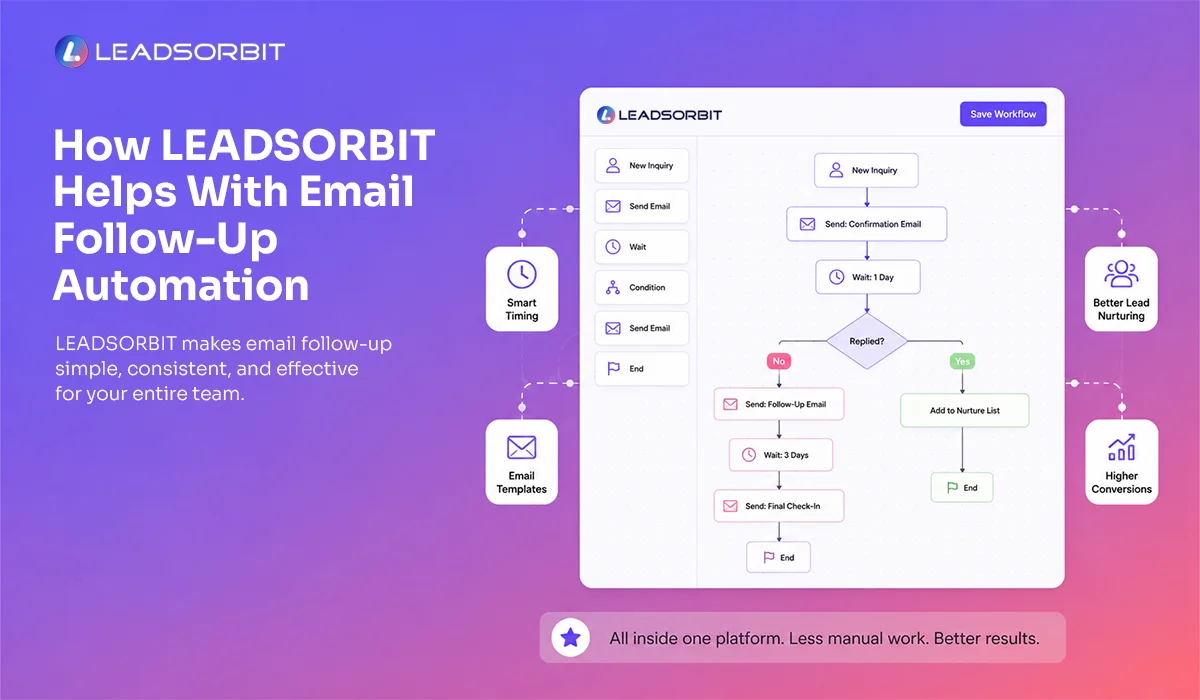
- With Workflow AI, your business can automate new inquiry emails, follow up emails, booking link emails, final check ins, team tasks, and lead nurturing workflows.
- With Conversation AI, your team can keep email replies connected with other conversations, including SMS, chat, and call related activity.
Together, these tools help your business:
- Send timely email follow ups without manual delay
- Keep lead communication organized in one place
- Support better handoff between automation and your team
This makes your follow up process easier to manage and more consistent for every lead. If you want to see how this can work inside LEADSORBIT, you can book a demo.
Try LEADSORBIT free for 14 days
FAQs About Email Follow Up Automation
Email follow up automation is the use of CRM workflows to send timely emails after a lead contacts your business, does not respond, requests a booking link, or needs nurturing.
Final Thoughts
Email follow up automation is not about sending more emails. It is about sending the right message at the right time. For small businesses, email can confirm inquiries, explain next steps, share booking links, answer hesitation, and support leads who are not ready to book immediately.
- Start simple: create a new inquiry email, add a polite follow up, use one value email, send a clear booking link, and close the loop with a final check in.
- Once this is working, your team can improve the messaging and timing over time.
To see how LEADSORBIT can help your business automate email follow up, manage conversations, and build better lead nurturing workflows:
Start Your Free 14 Day Trial
Try LEADSORBIT and see how it captures missed calls, follows up instantly, and turns leads into booked appointments for your business.
Personal Message from Faisal Zulfiqar
Email follow up should feel helpful, not heavy. When the message is clear, timely, and connected to the lead’s real question, it can support trust and move the conversation forward.