
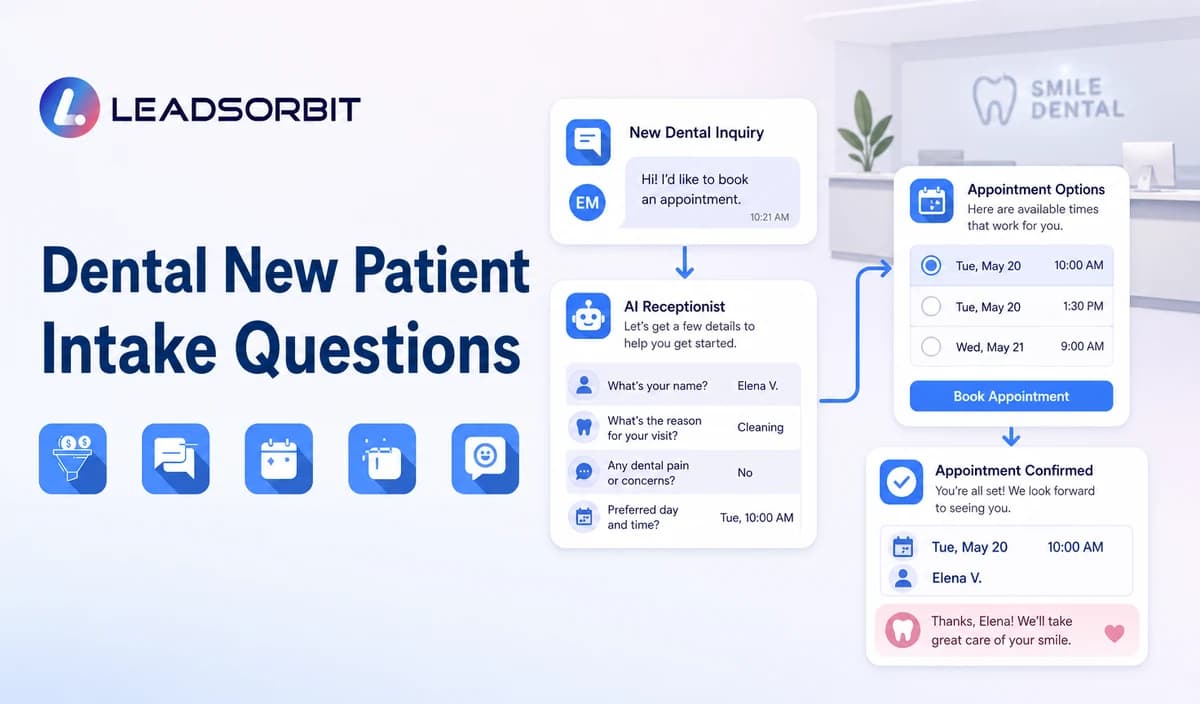

A dental new patient call should help the person reach the right appointment or staff member without turning the first conversation into a clinical interview. The best questions identify who is calling, whether the person is new or existing, what administrative help they need, and which next step the practice can support.
This guide provides practical dental new patient intake questions for phone and AI receptionist workflows. It is narrower than the general AI receptionist intake questions guide and does not replace a dental intake form, health history form, chart, treatment discussion, or practice management system.

Who This Guide Is For
- Dental practice owners defining a consistent new patient call process.
- Office managers training front desk staff or configuring an AI receptionist.
- Solo, group, and multi location practices that need clearer booking and callback rules.
- Teams receiving inquiries by phone, web chat, forms, or after hours messages.
- Healthcare organizations that want limited administrative intake connected with CRM tasks.
Every Intake Question Needs a Purpose
The first conversation is not the place to collect everything the practice may eventually need. Each question should change routing, booking, ownership, or the next approved message.
| Question purpose | What the answer changes | Example |
|---|---|---|
| Identify the caller | Contact record and callback path. | May I have your name and the best number to reach you? |
| Separate new and existing patients | Select the correct workflow branch. | Are you a new patient, or have you visited the practice before? |
| Understand administrative intent | Choose booking, appointment help, general office answer, or staff callback. | Are you calling to request an appointment, change an appointment, ask a general office question, or speak with the team? |
| Determine scheduling readiness | Offer the approved booking or appointment request path. | What day or time generally works best? |
| Apply location/provider rules | Route to the correct calendar or team. | Do you have a preferred location or provider, if applicable? |
| Capture attribution when approved | Update non clinical source reporting. | How did you hear about the practice? |
| Set the next action | Create booking, callback, or escalation ownership. | Would you like the booking link or a staff callback? |
The Core Dental New Patient Intake Question Set
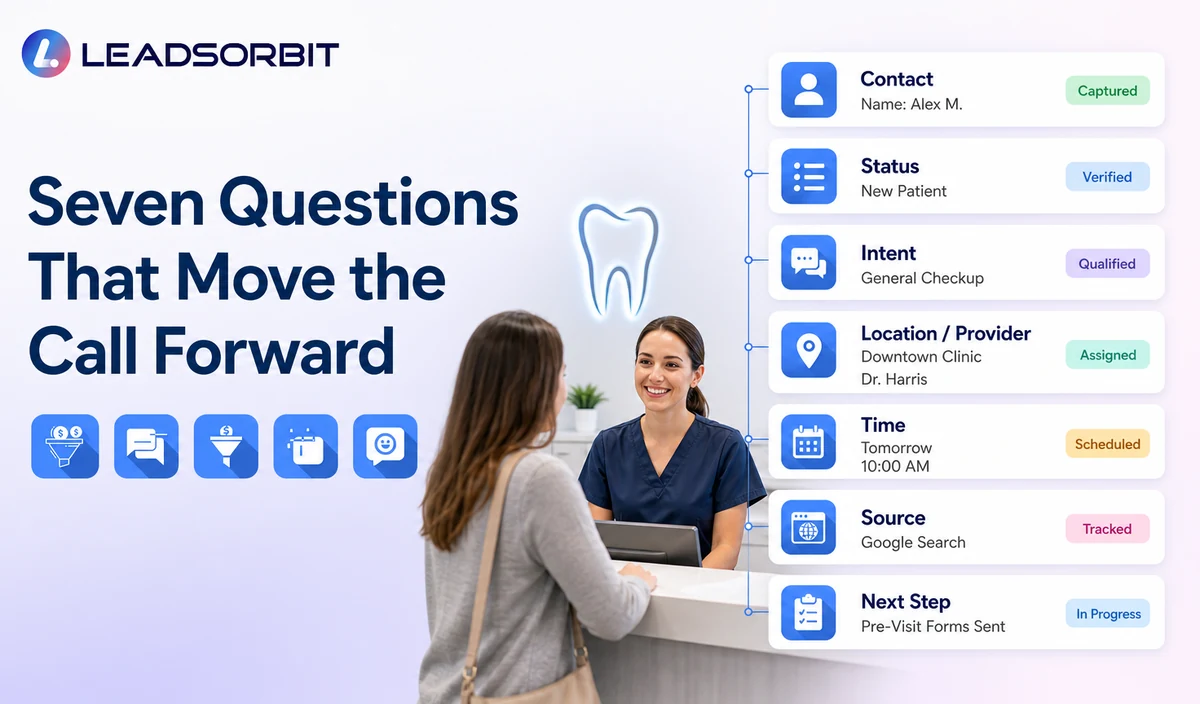
1. What Is Your Name and Best Callback Number?
Ask only when the information is not already available or confirmed. Explain that the details are needed for the appointment request or callback. Do not request identification documents, payment card information, or unnecessary personal data during routine first contact.
2. Are You a New or Existing Patient?
This answer determines the branch. A new patient may need an appointment request. An existing patient may need scheduling help, records contact, billing contact, insurance contact, or another staff callback. Do not continue the new patient sequence after the caller confirms an existing relationship.
3. What Would You Like Help With Today?
Use operational choices instead of asking for detailed symptoms. Appropriate options include requesting an appointment, changing an appointment, asking a general office question, or speaking with staff.
4. Which Location or Provider Do You Prefer?
Ask this only when the practice supports multiple approved locations or provider choices and the answer affects scheduling. Do not create an expectation that a provider is available or clinically appropriate.
5. What Day or Time Generally Works Best?
This question supports the appointment request or filters available options. It should not promise that the requested time is available. The system can offer approved times, provide a booking link, or create a staff review task.
6. How Did You Hear About the Practice?
Referral source may help the practice understand where inquiries begin. Keep it optional and use approved choices such as Google, referral, social media, location page, advertising, or other. Do not ask for unnecessary details about another patient.
7. Would You Prefer a Booking Link or a Staff Callback?
End with a clear next step. When the caller is ready and the practice’s rules allow it, offer the approved booking path. When the caller has a sensitive, clinical, policy, records, billing, insurance, accessibility, or scheduling exception, create a named staff task.
Recommended Question Order by Caller Type
| Caller type | Ask first | Then ask | Next step |
|---|---|---|---|
| New patient ready to book | Name, callback, and new patient confirmation. | Location/provider and preferred time where relevant. | Approved booking or appointment request path. |
| New patient with a general question | Name and the general administrative question. | Only the detail needed for the approved answer or route. | Answer or staff callback. |
| Existing patient | Name, callback, and existing patient confirmation. | Appointment change, office question, or staff contact category. | Existing patient branch; do not repeat new patient intake. |
| Parent or guardian | Caller identity, relationship where necessary, and general request. | Only approved information needed for routing. | Use the practice’s guardian/minor workflow. |
| Caller with a clinical question | Minimum callback details. | No routine symptom interview. | Qualified staff handoff. |
| Caller uses predefined escalation language | No extended intake. | Only the office’s approved escalation step. | Predefined message, transfer, or priority staff task. |
| Caller requests a person | Name and callback when needed. | Do not force remaining questions. | Transfer or create the correct callback task. |
Sample Dental Phone Intake Script
This is an administrative starting framework, not a clinical protocol. Replace placeholders and remove questions that do not change the next step.
Sample AI Receptionist Branching Logic
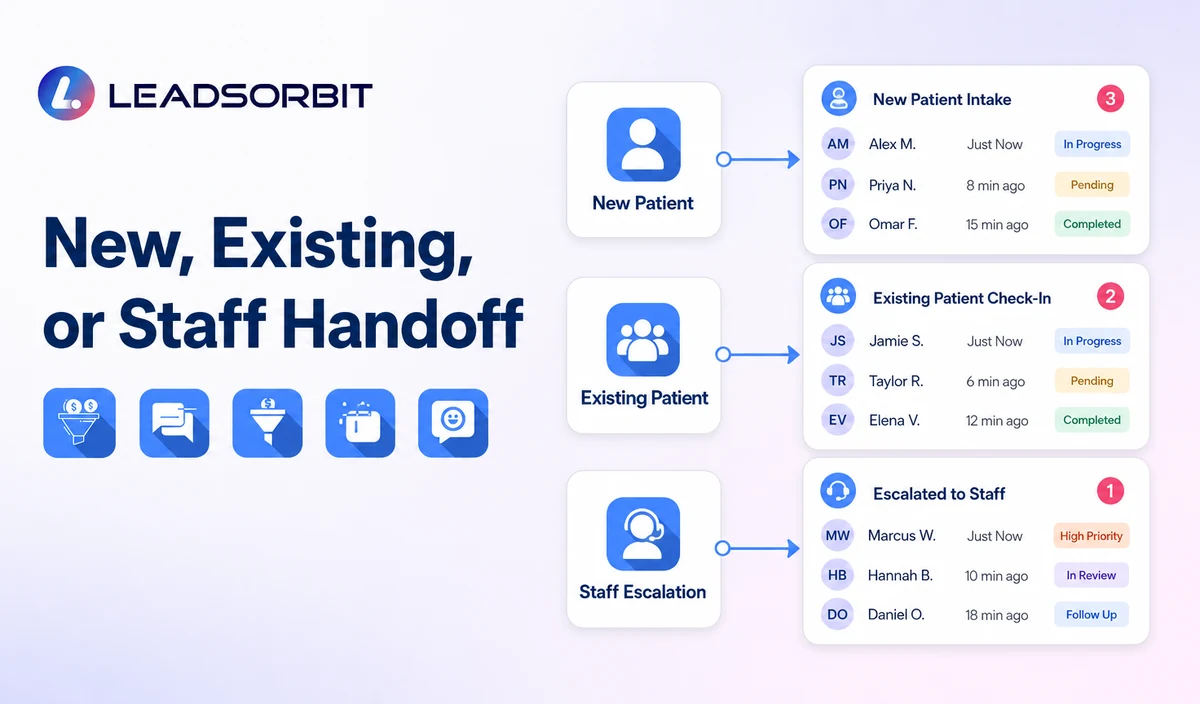
| Caller answer | Workflow branch | Permitted action | Human handoff |
|---|---|---|---|
| New patient + appointment request | New patient booking branch | Confirm minimum contact details, preferred location/provider where relevant, preferred time, and booking option. | Required for unsupported appointment types, unavailable times, or policy exceptions. |
| New patient + general question | Approved FAQ branch | Answer current office information or create a callback. | Required when the answer is not approved or current. |
| Existing patient | Existing patient branch | Confirm appointment related or general office request only. | Required for records, billing, insurance, complaints, or clinical questions. |
| Clinical or sensitive question | Staff escalation branch | Collect minimum callback information when appropriate. | Create the approved staff task without interpreting the issue. |
| Predefined escalation language | Escalation message branch | Stop routine intake and present the practice’s approved message or transfer path. | AI does not determine medical urgency. |
| Caller requests a person | Human takeover branch | Preserve the administrative context already collected. | Transfer or create a callback immediately. |
Questions an AI Receptionist Should Not Ask
- What diagnosis do you have?
- Describe all symptoms, pain levels, swelling, injuries, or medical history.
- Which dental treatment do you think you need?
- Upload X rays, records, insurance cards, identification, or clinical documents in a routine conversation.
- Provide claim, billing dispute, coverage, or payment card details.
- Share medication, pregnancy, surgical, or other sensitive health information.
- Confirm whether a procedure is suitable or medically necessary.
- Choose a treatment plan or accept a clinical recommendation.
- Explain whether the situation is an emergency.
How to Handle Clinical, Sensitive, or Escalation Replies
A caller may volunteer information even when the system did not ask for it. The workflow should avoid repeating, summarizing, or analyzing the detail and move the conversation toward the approved human process.
- Acknowledge that the request needs a qualified team member.
- Stop the routine intake sequence.
- Collect only minimum callback information when appropriate.
- Do not interpret symptoms, urgency, diagnosis, or treatment.
- Use the practice’s predefined escalation message or transfer path.
- Preserve only the administrative context staff need.
- Assign the correct owner and expected response path.
HIPAA Enabled Dental Intake Positioning
LEADSORBIT supports HIPAA compliant administrative workflows for eligible healthcare organizations through HIPAA enabled HighLevel subaccounts. Compliant use depends on maintaining the active HIPAA package, applicable agreements, approved account configuration, user permissions, integrations, retention settings, and the healthcare organization’s own procedures.
Names, callback details, appointment requests, provider preferences, forms, recordings, transcripts, summaries, and communication history may be PHI depending on context. Use minimum contact and operational information, review applicable agreements and settings, and keep detailed clinical intake in approved specialized systems.
The HHS Privacy Rule overview and minimum necessary guidance provide the official context. Every form, calendar, communication provider, AI tool, storage system, and data destination requires separate review.
How to Make Intake Questions Sound Human
| Avoid | Use instead | Why it works |
|---|---|---|
| State your patient classification. | Are you a new patient, or have you visited us before? | Natural wording and a clear branch. |
| Describe your dental condition. | Are you calling to request an appointment, ask a general office question, or speak with the team? | Keeps first contact administrative. |
| Select an appointment resource. | Do you have a preferred location or provider, if applicable? | Explains the actual choice. |
| Submit availability. | What day or time generally works best? | Friendly and does not promise availability. |
| Provide attribution data. | How did you hear about the practice? This is optional. | Explains the purpose and keeps it optional. |
| Your request requires escalation. | A team member should help with that. What is the best callback time? | Clear, human, and action oriented. |
Dental Intake Setup Checklist
- List the practice’s main new patient call reasons.
- Define the minimum information needed before booking or callback.
- Separate new patient, existing patient, guardian/minor, general question, and human handoff branches.
- Confirm approved locations, providers, appointment types, calendars, and booking rules.
- Remove diagnosis, symptoms, treatment, records, billing, insurance, claims, imaging, and payment questions.
- Write the practice’s predefined escalation and emergency language message.
- Assign owners and backup owners for callbacks and exceptions.
- Confirm whether recording, transcription, summaries, forms, and retention are enabled.
- Review HIPAA enabled subaccount status, agreements, permissions, and integrations.
- Test phone, after hours, web chat, incomplete answer, sensitive reply, and staff takeover scenarios.
See the Intake Workflow With Your Questions
Book a Demo to map your dental new patient questions, booking rules, callback owners, approved answers, escalation language, and healthcare data controls inside LEADSORBIT.
Five Test Scenarios Before Launch
Scenario 1: New Patient Ready to Book
The caller confirms new patient status, provides minimum contact details, selects an approved location/provider where relevant, and uses a valid booking path.
Scenario 2: Existing Patient Enters the New Patient Path
The caller says they have visited before. The system exits the new patient sequence and routes the appointment or office request correctly.
Scenario 3: Caller Asks Which Treatment They Need
The AI does not interpret the request. It explains that qualified staff must respond and creates the appropriate callback task.
Scenario 4: Caller Shares Sensitive Details Without Being Asked
The workflow does not analyze or repeat the details. It stops routine intake and moves to the approved human handoff.
Scenario 5: Caller Requests a Person
The system respects the request, preserves the operational context already collected, and transfers or creates a callback without forcing remaining questions.
How LEADSORBIT Supports Administrative Dental Intake
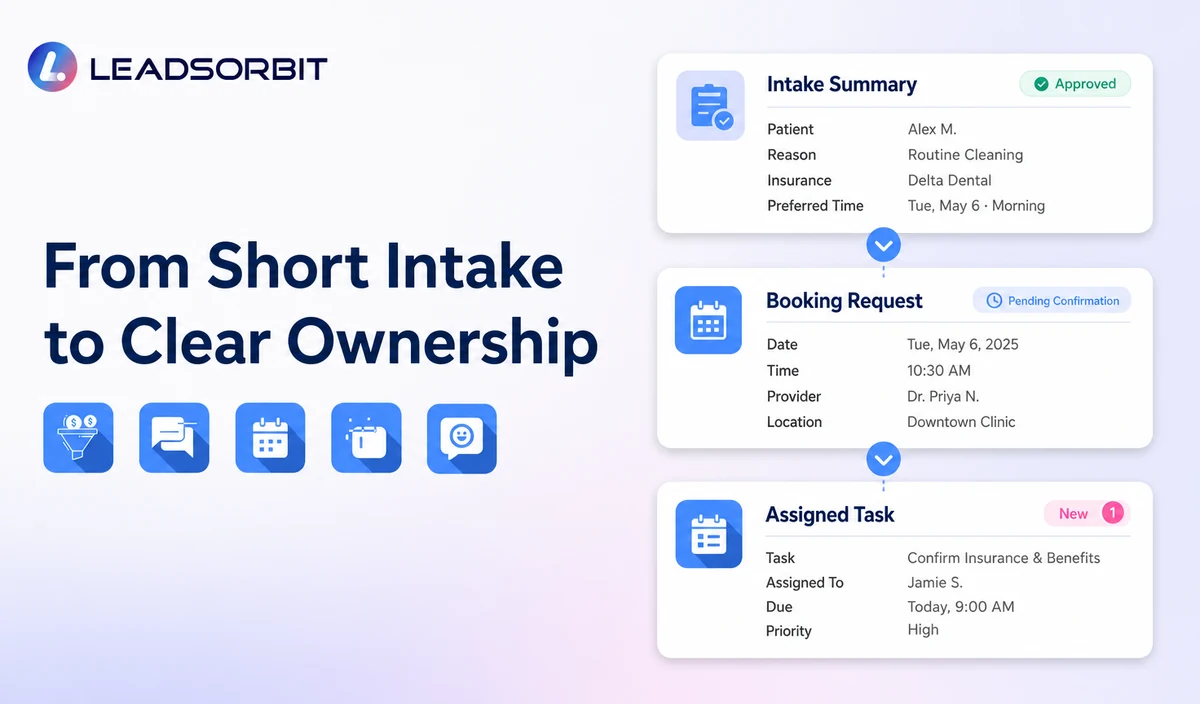
LEADSORBIT’s AI powered CRM can connect an approved first contact script with conversation history, booking options, tasks, and contact status.
- AI Receptionist: supports approved inbound questions, caller intent, routing, booking, and after hours workflows.
- Conversation AI: supports configured conversation history, routing, staff takeover, and CRM synchronization.
- AI Appointment: supports booking, connected calendars, confirmations, rescheduling, and cancellation.
- Workflow AI: supports conditions, follow up actions, reminders, tasks, and stop rules.
Exact fields, required/optional questions, recording/transcription, retention, appointment types, calendars, routing conditions, permissions, and integrations require implementation validation. LEADSORBIT is the administrative communication, booking, and CRM layer, not a dental intake form, charting, EHR, billing, claims, imaging, or treatment planning replacement.
Try LEADSORBIT free for 14 days
FAQs
Ask for the caller’s name, callback details, new patient status, general administrative reason, preferred location/provider where relevant, preferred time, optional referral source, and desired next step.
Final Thoughts
The strongest dental new patient intake questions are not the longest list. They identify the caller, select the correct administrative branch, support booking, and stop when a person should take over.
Book a Demo to see how LEADSORBIT can connect approved dental intake questions with booking, staff callbacks, conversation context, and workflow ownership.

Start Your Free 14 Day Trial
Try LEADSORBIT and see how it captures missed calls, follows up instantly, and turns leads into booked appointments for your business.