
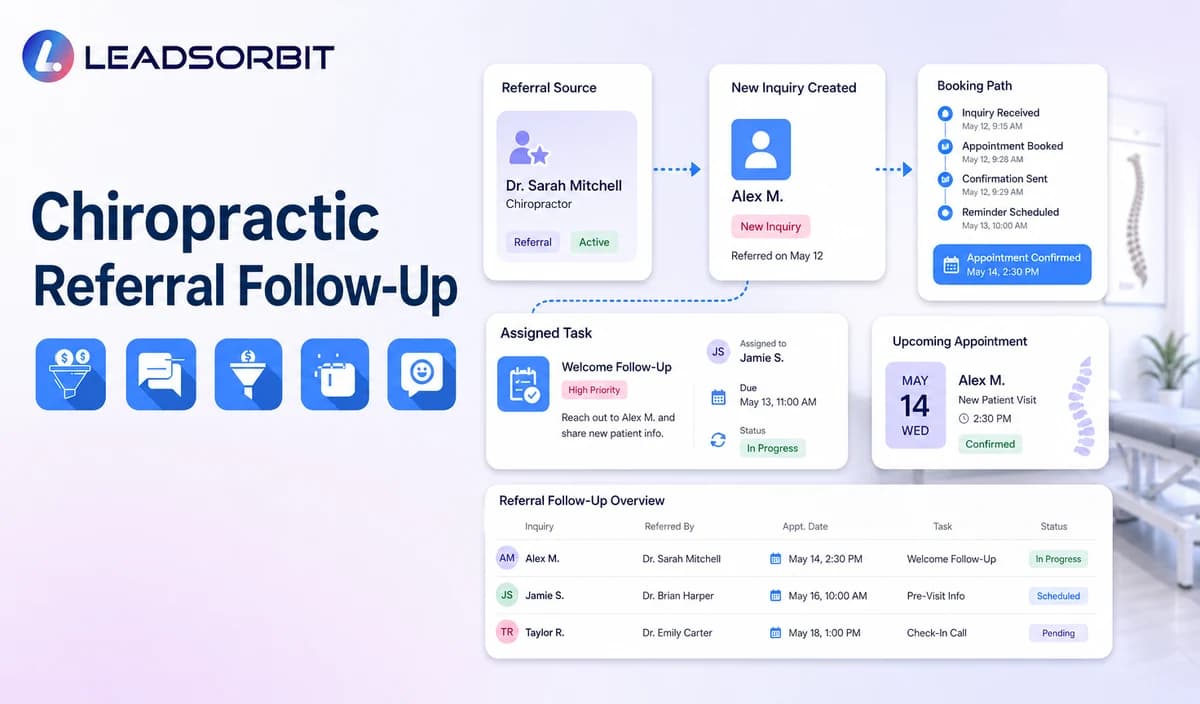

A referral can create two separate conversations: one with the person who recommends the clinic and another with the new person who contacts it. The clinic needs to thank the referrer appropriately without disclosing what the referred person does next, while giving the new inquiry the same clear booking and staff support process as any other contact.
This chiropractic referral follow up guide focuses on administrative patient to patient referral handling. It does not approve paid referral arrangements, professional referral fees, or incentives. The broad follow up framework remains with lead follow up automation for small business, while the commercial chiropractic owner remains LEADSORBIT for chiropractic clinics.

Who This Guide Is For
- Chiropractic clinics receiving patient to patient referrals by phone, form, text, email, or staff conversation.
- Front desk teams that need a consistent way to record referral sources and route new inquiries.
- Office managers who want thank you messages, booking, tasks, and outcomes visible in the CRM.
- Clinics that want to avoid disclosing whether a referred person booked, visited, or became a patient.
- Healthcare organizations that require compliance review before using referral incentives or professional referral arrangements.
Patient Referrals and Professional Referrals Are Different
This article addresses a patient or community member recommending the clinic to another person. A professional referral from another healthcare provider may involve additional clinical, contractual, records, and regulatory processes that should not be automated from this article.
| Referral type | Administrative workflow in scope | Outside this article |
|---|---|---|
| Patient to patient referral | Capture the source when volunteered, thank the referrer generally, route the new inquiry, track booking and staff tasks. | Clinical recommendations, treatment coordination, records transfer, or payments for referrals. |
| Community or partner mention | Record an approved source category and route the inquiry normally. | Contractual referral fees, co marketing arrangements, or inducements without legal review. |
| Healthcare professional referral | Create a staff reviewed source record and route the new inquiry through approved processes. | Clinical handoff, records, diagnosis, treatment, insurance, or provider to provider agreements. |
| Online word of mouth | Record the stated source when useful and permitted. | Assuming the identity of the referrer or linking records without permission. |
A Practical Chiropractic Referral Follow Up Workflow
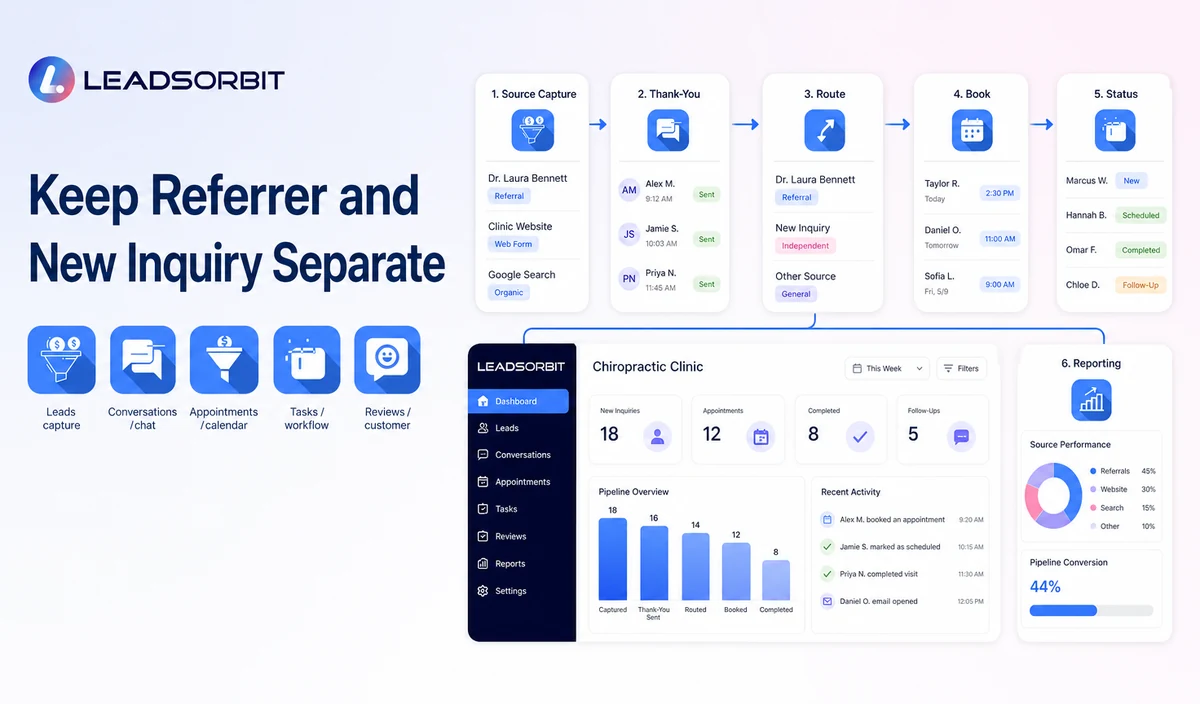
| Stage | Workflow action | Human responsibility | Stop or escalation rule |
|---|---|---|---|
| 1. Referral source captured | Record the source category or referrer information only when provided and approved. | Check accuracy, consent, duplicate records, and whether the field is necessary. | Do not infer or append a referrer without a reliable source. |
| 2. Referrer acknowledgment | Send a neutral thank you when the clinic has permission and a valid contact path. | Approve wording and handle sensitive replies. | Do not confirm whether the referred person contacted, booked, visited, or received care. |
| 3. Referred inquiry received | Create or update the new person’s record independently. | Confirm source, communication permission, and assigned owner. | Do not copy private information from the referrer’s record. |
| 4. First response | Acknowledge the new inquiry and offer booking, a general office answer, or staff callback. | Review complex, clinical, or sensitive requests. | Stop generic automation after staff takeover, booking, or opt out. |
| 5. Booking or callback | Offer the approved appointment path or create a named task. | Resolve calendar, provider, location, or relationship exceptions. | Stop after a valid booking or documented resolution. |
| 6. Status tracking | Record source, reply, appointment request, booking, no response, opt out, or closure. | Review data accuracy and unowned tasks. | Do not expose the referred person’s status to the referrer. |
| 7. Reporting | Review source categories and workflow completion using supported data. | Confirm attribution limitations and remove duplicates. | Do not claim perfect attribution or guaranteed referral growth. |
What Referral Information Should Be Stored?
Use the minimum information needed for administrative source tracking and follow up. More detail can create privacy risk without improving the workflow.
| Potential field | Use when appropriate | Caution |
|---|---|---|
| Referral source category | Patient referral, professional referral, community partner, online search, or other approved source. | Keep categories simple and avoid clinical labels. |
| Referrer name | Only when volunteered, necessary, and permitted. | Do not reveal the new person’s status or connect records more broadly than needed. |
| Referrer contact permission | Record whether a thank you message is permitted. | Do not assume consent because a name was mentioned. |
| New inquiry owner | Assign the staff member responsible for the next step. | Use a backup owner for absence or overdue tasks. |
| Referral follow up status | Acknowledged, inquiry received, contacted, booked, closed, or staff review. | Avoid clinical status, diagnosis, treatment, or outcome fields. |
| Location or provider preference | Use only when it changes routing or booking. | Do not promise availability or imply a clinical recommendation. |
Referral Thank You and Follow Up Templates
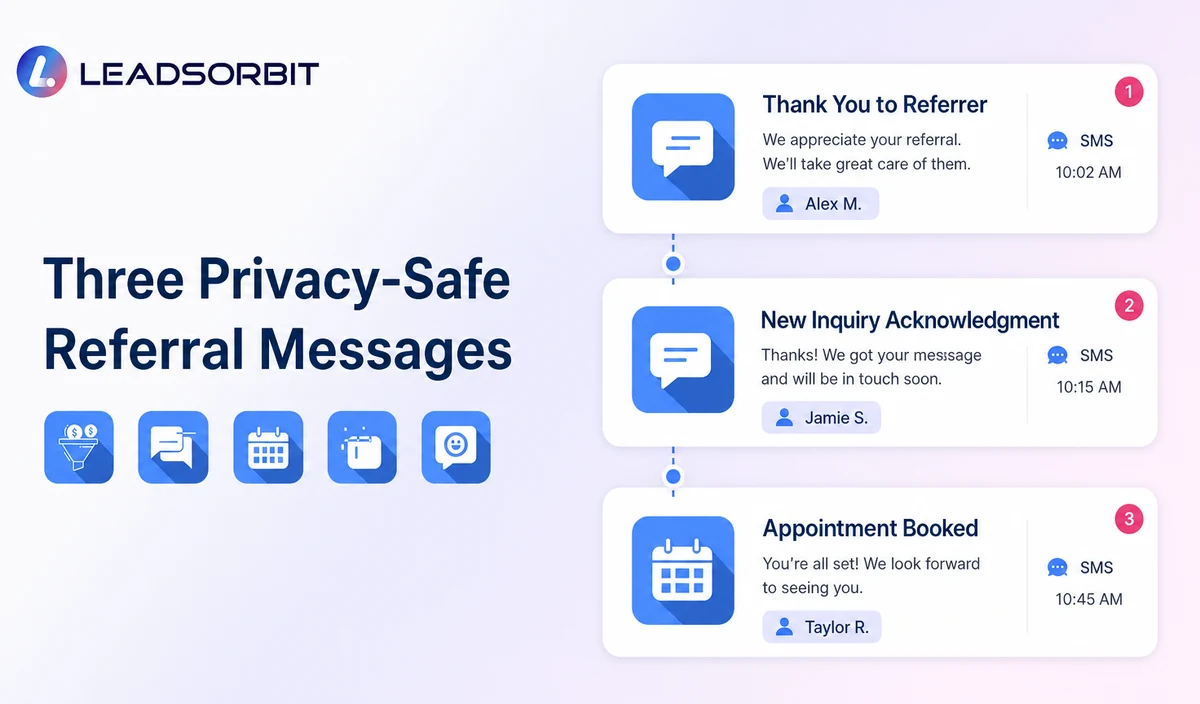
Template 1: Thank the Referrer
Template 2: New Referred Inquiry Acknowledgment
Template 3: Booking Path
Template 4: No Response Follow Up
Template 5: Internal Staff Task
Never Report the Referred Person’s Outcome to the Referrer
A general thank you is different from an outcome update. The clinic should not tell the referrer that the new person booked, attended, cancelled, received treatment, or became a patient unless a qualified adviser confirms a specific lawful basis and approved process.
- Do not send “your friend booked” or “your referral became a patient” messages.
- Do not disclose appointment dates, providers, services, treatment, or payment information.
- Do not use a public leaderboard naming patients who referred others.
- Do not connect patient records solely to prove a reward is due.
- Use aggregated, non identifying reporting where appropriate and supported.
- Move questions about another person’s status to the clinic’s approved privacy process.
Referral Incentives Require Legal and Compliance Review
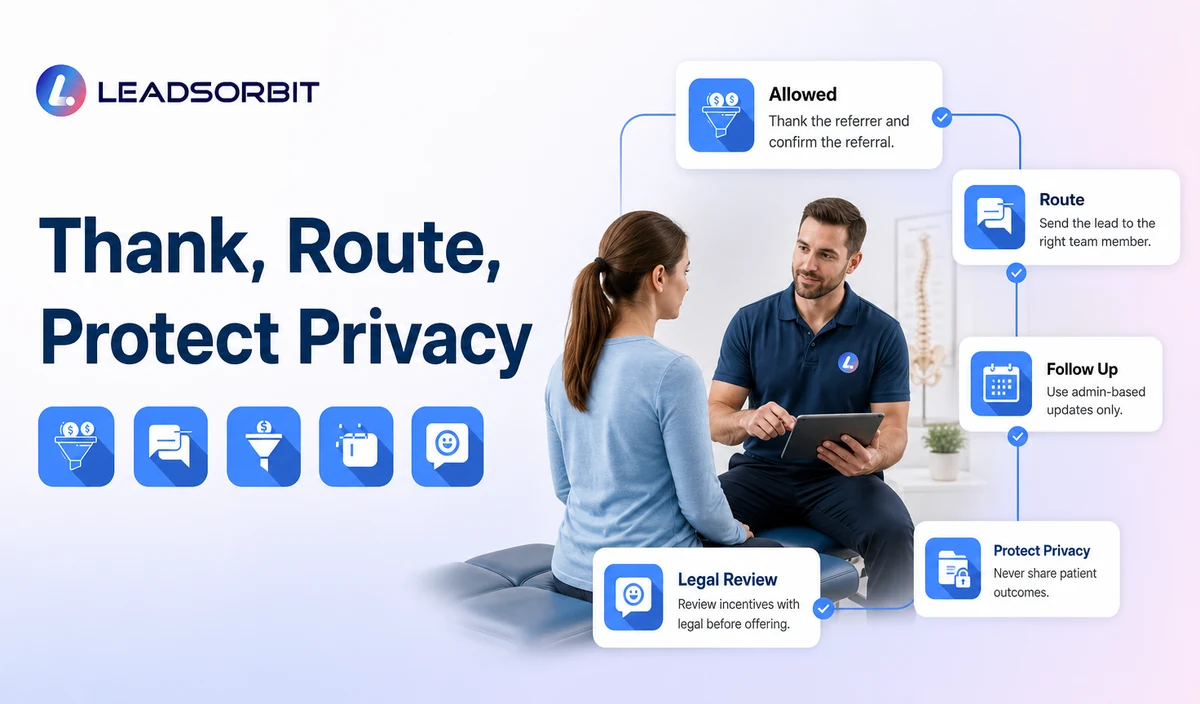
HHS OIG explains that federal fraud and abuse laws can prohibit remuneration intended to induce or reward referrals involving federal healthcare program business. See the official OIG fraud and abuse laws guidance and OIG fraud and abuse FAQ.
This article does not recommend cash, gift cards, discounts, free services, contests, credits, or other benefits for patient or professional referrals. Federal rules may not be the only concern; state professional, fee splitting, advertising, privacy, and consumer laws may also apply. Any incentive or referral arrangement needs qualified legal review before implementation.
Consent, Messaging, and Healthcare Data
The FCC’s TCPA guidance discusses consent and revocation requirements for certain automated calls and texts. Clinics should verify the audience, sender, message type, technology, consent record, opt out process, and jurisdiction.
LEADSORBIT supports HIPAA compliant administrative workflows for eligible healthcare organizations through HIPAA enabled HighLevel subaccounts. Compliant use depends on maintaining the active HIPAA package, applicable agreements, approved account configuration, user permissions, integrations, retention settings, and the healthcare organization’s own procedures.
Referral source, names, contact information, messages, appointment requests, and relationship data may be PHI depending on context. Use minimum contact and operational information, separate the referrer and referred person’s records appropriately, and review every form, messaging provider, calendar, AI tool, and data destination.
Common Referral Workflow Mistakes
- Treating the referrer and referred person as one conversation or one record.
- Thanking a referrer by confirming that the other person booked or visited.
- Using incentives before legal and compliance review.
- Assuming a referral source field proves exact attribution.
- Continuing generic follow up after a staff member takes ownership.
- Collecting clinical details when only a booking or callback is needed.
- Using the referrer’s contact permission as permission to contact the referred person.
- Publishing referral counts, revenue, or conversion claims without verified data.
Referral Follow Up Setup Checklist
- Define patient, community, and professional referral source categories.
- Decide when referrer information is necessary and permitted.
- Create separate records and ownership for the referrer and new inquiry.
- Approve the general thank you message and prohibit outcome disclosure.
- Confirm the new inquiry response, booking, callback, and no response paths.
- Define referral statuses and closure reasons without clinical fields.
- Exclude incentives unless qualified legal and compliance reviewers approve the exact arrangement.
- Confirm consent, opt outs, permissions, retention, and integrations.
- Test duplicates, incorrect sources, staff takeover, sensitive replies, and privacy questions.
- Review attribution limits and data quality before reporting.
See the Referral Workflow With Your Clinic’s Rules
Book a Demo to map your referral source fields, thank you messages, new inquiry routing, booking paths, staff tasks, privacy boundaries, and reporting inside LEADSORBIT.
What to Measure
Use operational measures and state attribution limitations. A referral source field can help organize the workflow, but it does not automatically prove causation.
- New inquiries with a valid referral source.
- Referral records missing an assigned owner.
- Thank you messages delivered, failed, or excluded.
- Referred inquiries that requested booking or staff help.
- Valid appointments connected with the stated source.
- Unresolved tasks and no response records.
- Opt outs, complaints, privacy questions, and incorrect source data.
- Duplicate or conflicting referral records corrected.
- Reports reviewed without identifying referrers or patients unnecessarily.
How LEADSORBIT Supports Chiropractic Referral Follow Up
LEADSORBIT’s AI powered CRM can support contact fields, source categories, conversations, booking paths, workflows, tasks, and operational status visibility.
- Workflow AI: supports configurable triggers, messages, conditions, tasks, timing, and stop logic.
- Conversation AI: supports supported channel conversation history, routing, staff takeover, and CRM synchronization.
- AI Appointment: supports approved booking, calendar connections, confirmations, rescheduling, and cancellation.
- CRM fields, tags, pipeline stages, and tasks: can support source capture, assignment, next action, and outcome tracking when configured.
Exact custom fields, attribution logic, referral record relationships, permissions, consent, reporting, and integration behavior require product and implementation validation. LEADSORBIT should not be described as a clinical referral, records transfer, or professional referral payment system.
Try LEADSORBIT free for 14 days
FAQs
It is an administrative workflow that records an approved referral source, thanks the referrer without disclosing outcomes, routes the new inquiry, assigns staff ownership, and tracks the next step.
Final Thoughts
A safe referral workflow keeps the referrer and new inquiry separate, protects the referred person’s status, uses no unreviewed incentive, and gives the clinic a clear booking and staff ownership process.
Book a Demo to see how LEADSORBIT can organize chiropractic referral sources, new inquiries, booking, staff tasks, and administrative follow up.

Start Your Free 14 Day Trial
Try LEADSORBIT and see how it captures missed calls, follows up instantly, and turns leads into booked appointments for your business.