
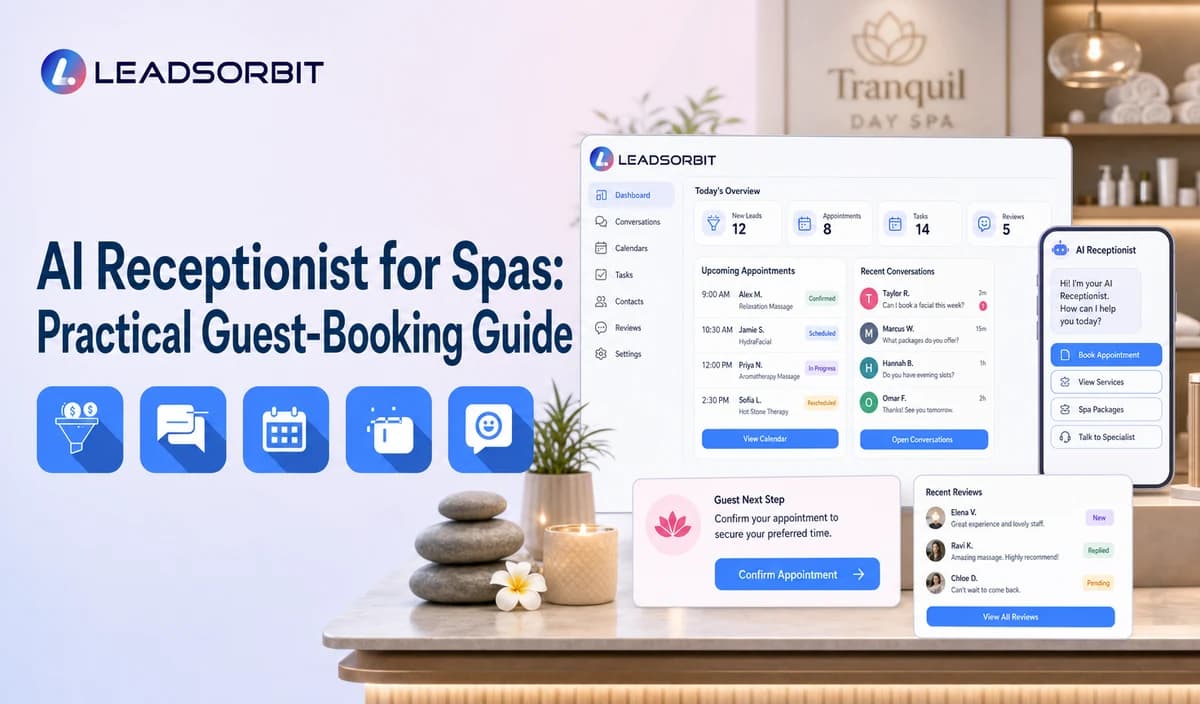

Spa front desks balance calls with check in, checkout, service preparation, therapist coordination, and in person guest care. A caller may be asking about massage options, facial availability, packages, gift cards, pricing, or an appointment while the team is already helping someone at the desk.
An AI receptionist for spas can handle approved routine questions and move the guest toward booking or a staff callback. This guide stays hospitality focused and links back to the broader AI receptionist for small business framework.

Who This Guide Is For
- Day spas and wellness spas with busy front desks.
- Multi location spas routing guests by office, therapist, or service category.
- Teams receiving after hours service, package, gift card, and booking questions.
- Owners who want call context, booking activity, and staff tasks visible in the CRM.
What a Spa AI Receptionist Should Handle
Start with a controlled list of routine guest service tasks. The AI should complete administrative steps and hand off anything that depends on staff judgment, changing service details, or a sensitive guest situation.
- Approved service menu, hours, location, parking, and arrival questions.
- General pricing ranges or package information supplied by the spa.
- New versus returning guest routing.
- Preferred service category, location, therapist where supported, and date or time.
- Booking, rescheduling, cancellation, or staff callback paths.
- After hours acknowledgment and next business period ownership.
A Practical AI Receptionist for Spas Workflow
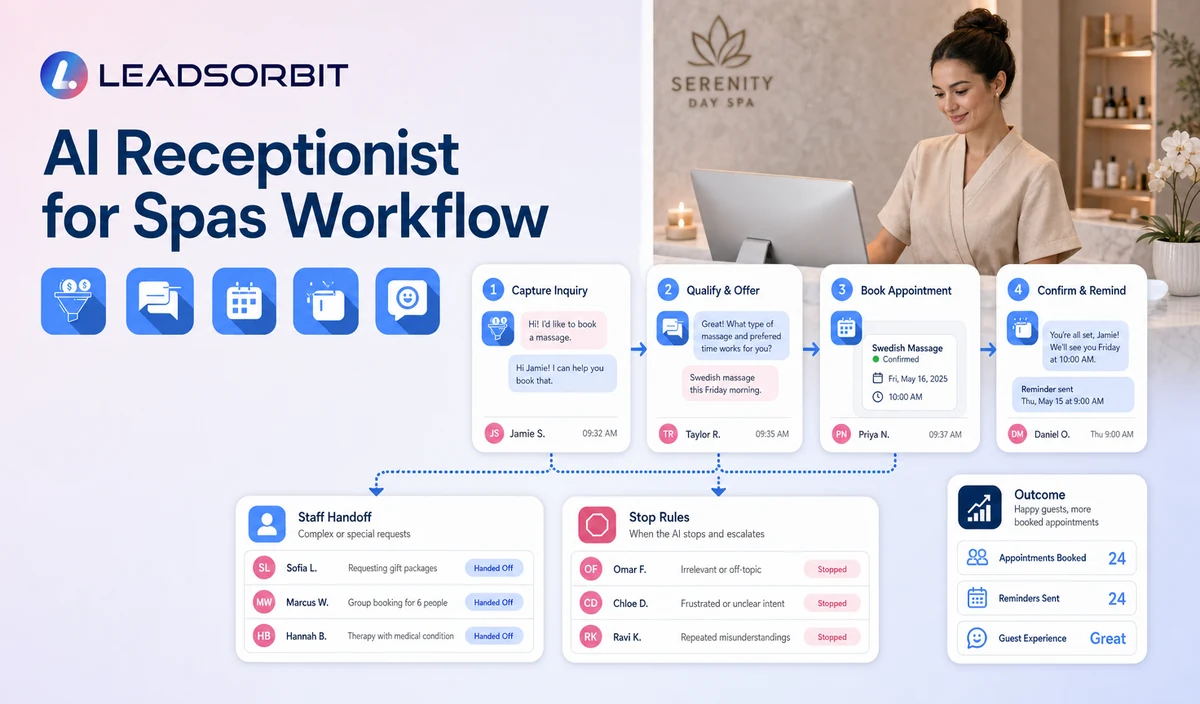
| Stage | Workflow action | Staff responsibility | Stop or escalation rule |
|---|---|---|---|
| 1. Greeting | Identify the spa and explain the available booking and general information help. | Keep scripts, hours, and service information current. | Transfer when the guest requests a person. |
| 2. Guest status | Ask whether the caller is new or returning. | Define the correct branch for each status. | Do not force returning guests through a full new guest flow. |
| 3. General intent | Offer service inquiry, booking, appointment change, package/gift card question, or callback. | Approve the menu and escalation categories. | Stop routine questions when the answer is unavailable or sensitive. |
| 4. Minimum preferences | Capture service category, location, therapist preference where supported, and preferred time. | Validate which fields truly affect the next step. | Do not collect health history or assess service suitability. |
| 5. Booking or task | Offer the approved calendar path or create a named staff task. | Handle room, resource, therapist, package, pricing, or policy exceptions. | Stop after valid booking or staff takeover. |
| 6. Confirmation | State the next step and realistic timing. | Monitor failed transfers and booking errors. | Do not promise availability the calendar has not confirmed. |
Guest Questions by Call Type
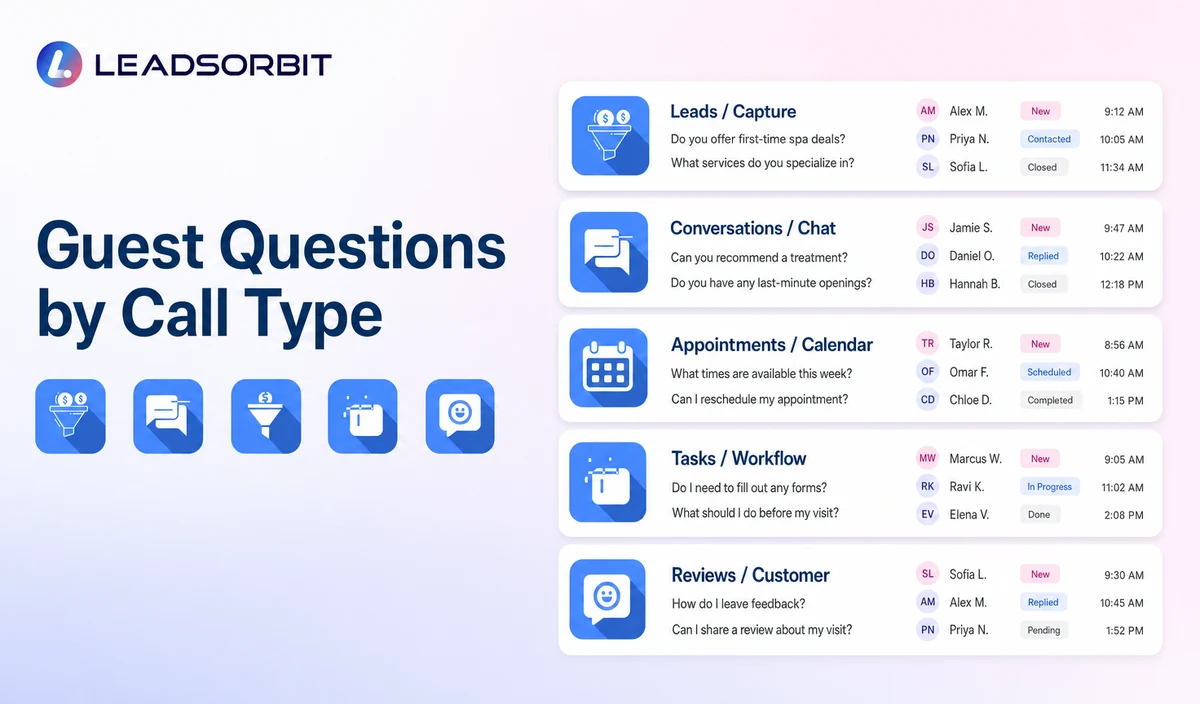
Different callers need different paths. The workflow should identify the administrative goal before asking more questions.
| New guest | Service category, location, preferred time, therapist preference where supported. | Booking or staff callback. |
|---|---|---|
| Returning guest | Appointment change, repeat booking, package or membership question. | Existing guest path or staff task. |
| Gift card caller | Purchaser or recipient status where available, general service interest, booking help. | Staff review if balance or redemption data is not verified. |
| Package inquiry | Approved package name and general booking request. | Staff review for balance, remaining visits, expiry, or policy questions. |
| After hours caller | General request and preferred callback period. | Booking path or next business period task. |
Practical Scripts and Templates
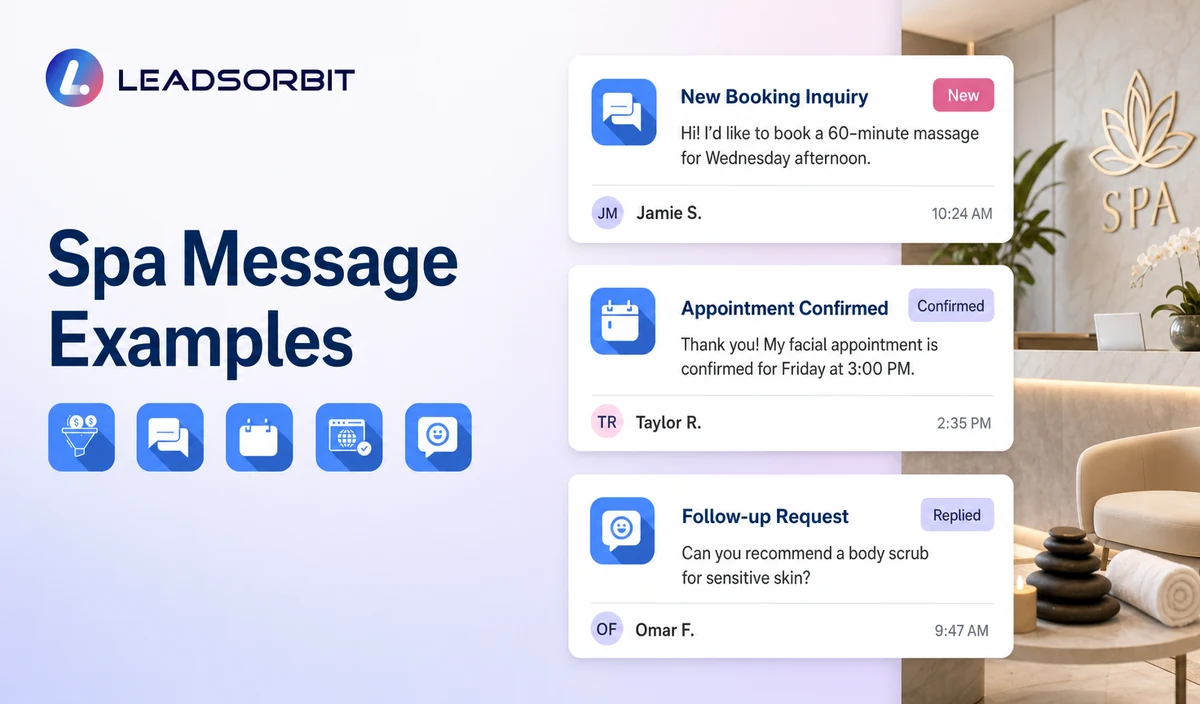
Opening Script
Booking Script
After Hours Script
Staff Handoff Script
Important Boundaries
- Do not recommend a massage, facial, or wellness service based on symptoms or health information.
- Do not collect medical history, contraindications, prescriptions, or clinical records.
- Do not promise therapist, room, resource, or service availability before the booking is valid.
- Do not claim universal pricing or package knowledge without current configuration.
- Move complaints, accessibility needs, unusual requests, and uncertain answers to staff.
Privacy, Consent, and Guest Data
Spa contact, booking, preference, membership, package, and gift card information is personal business data. Collect only what the workflow needs, keep consent and opt out status visible, limit staff access, and review every form, calendar, phone or messaging provider, AI tool, integration, retention setting, and data destination separately.
This is a hospitality and wellness workflow, not a Medical Spa or healthcare workflow. Do not introduce patient, HIPAA, diagnosis, clinical escalation, treatment suitability, contraindication, prescription, or medical record language.
Common Spa Workflow Mistakes
- Using one script for new guests, returning guests, package holders, and gift card callers.
- Asking too many questions before explaining the available next steps.
- Treating therapist preference as guaranteed availability.
- Allowing outdated prices, service descriptions, or hours to remain in the knowledge base.
- Collecting health information during routine service booking.
- Failing to create a named task when the call cannot be completed.
Spa Workflow Setup Checklist
- Approve the greeting, service categories, locations, hours, and general pricing information.
- Create separate new guest, returning guest, appointment change, package, gift card, and callback branches.
- Define the minimum booking fields.
- Confirm calendars, therapist/location choices, and exception rules.
- Assign primary and backup owners for unresolved calls.
- Review recording, transcription, retention, permissions, and integrations where enabled.
- Test after hours calls, failed transfers, unclear questions, and staff takeover.
See the Workflow With Your Spa's Rules
Start 14 Days Free Trial to map the exact triggers, messages, booking paths, staff owners, data sources, permissions, and stop rules for your spa inside LEADSORBIT.
What to Measure
- Calls answered and calls transferred.
- Booking requests completed or moved to staff review.
- General questions answered from approved content.
- Failed transfers and overdue callback tasks.
- Calls requiring pricing, package, accessibility, complaint, or policy review.
- Guest complaints, confusion, or opt outs.
How LEADSORBIT Supports This Spa Workflow
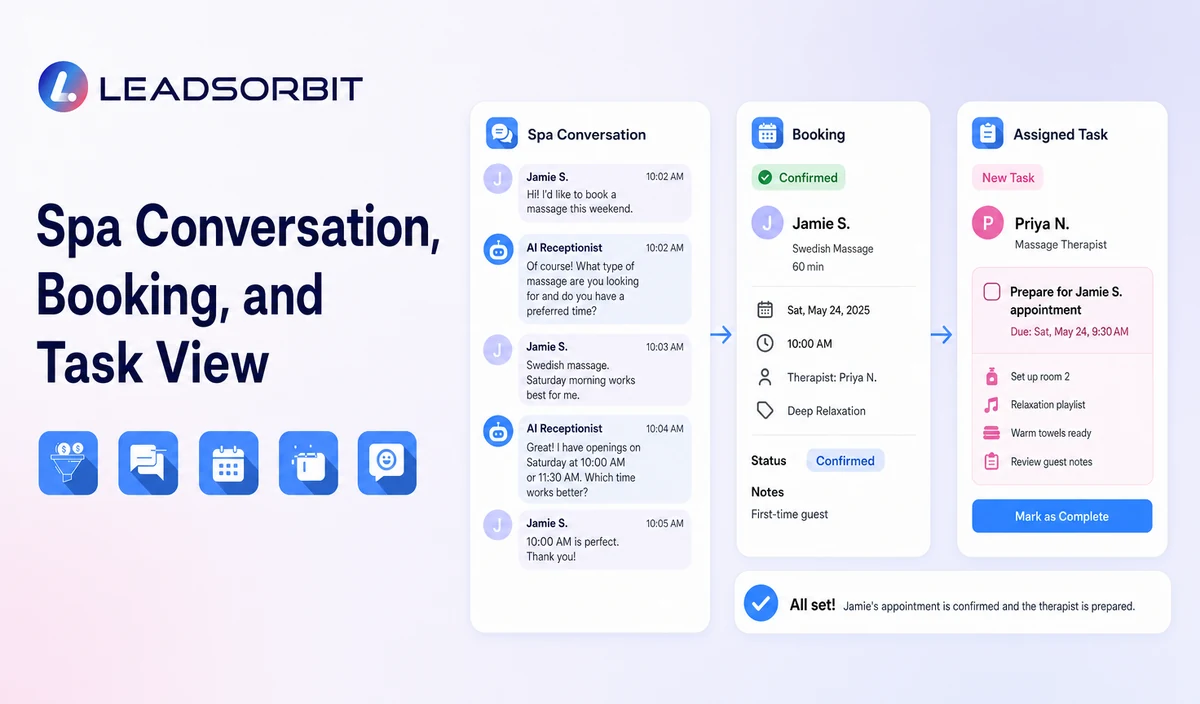
LEADSORBIT’s AI powered CRM can connect approved spa conversations, booking activity, workflows, tasks, and operational statuses.
- AI Receptionist: supports approved call answering, guest questions, contact capture, booking paths, and after hours handling.
- Conversation AI: supports configured channel conversation visibility, routing, staff takeover, and CRM synchronization.
- AI Appointment: supports booking, calendar connections, confirmations, reminders, rescheduling, and cancellation where configured.
Exact channels, fields, scripts, calendars, service rules, membership/package/gift card data, permissions, retention, integrations, and account behavior require implementation validation. LEADSORBIT is positioned here as the communication, booking, workflow, CRM, review, and task layer not as a complete spa POS, inventory, payroll, payment, room resource, or specialized management system.
Try LEADSORBIT free for 14 days
FAQs
It handles approved routine calls, captures booking preferences, offers appointment or callback paths, and routes non routine questions to staff.
Final Thoughts
An AI receptionist for spas can answer approved service menu and location questions, identify new or returning guests, capture minimum booking preferences, offer a valid appointment or callback path, support after hours inquiries, and transfer exceptions to spa staff. The strongest setup stays simple, uses accurate source data, gives staff clear ownership, and stops automation at the right time.
Start 14 Days Free Trial to see how LEADSORBIT can support this spa workflow with conversations, booking, automation, tasks, and CRM visibility.

Start Your Free 14 Day Trial
Try LEADSORBIT and see how it captures missed calls, follows up instantly, and turns leads into booked appointments for your business.