
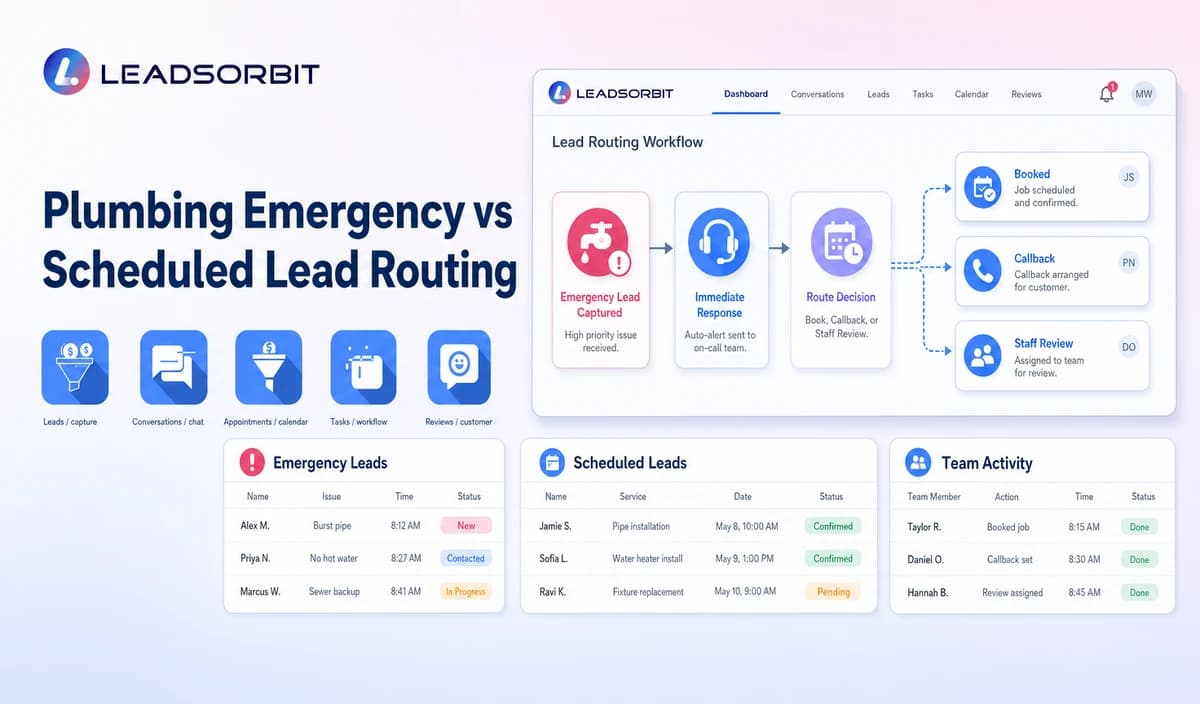

Plumbing companies often receive calls that customers describe as urgent. The routing system's role is to capture what the caller says and apply company-approved business-hours, service-area, and handoff rules—not determine technical severity or provide repair advice.
Plumbing emergency lead routing should separate administrative priority from diagnosis. The broader receptionist framework remains with AI receptionist for small business.

Who This Guide Is For
- Plumbing companies receiving after hours or urgent sounding calls.
- Businesses with an on call, overflow, or next business period process.
- Office teams that need consistent service area checks and callback ownership.
- Owners who want safer routing without making AI a technical decision maker.
Routing Priority Is Not Technical Diagnosis
An intake system may recognize approved phrases and apply business rules, but it must not decide what caused a problem or assess its technical severity. Qualified staff and emergency services remain responsible for real world judgment.
The administrative workflow should:
- Capture the service address and callback number.
- Record the customer's description in their own words.
- Check the configured business hours and service area.
- Apply approved urgent sounding phrase rules.
- Create a task for a named on call or priority review owner.
- Offer a non emergency booking or callback path when appropriate.
A Practical Plumbing Emergency vs Scheduled Lead Routing Workflow
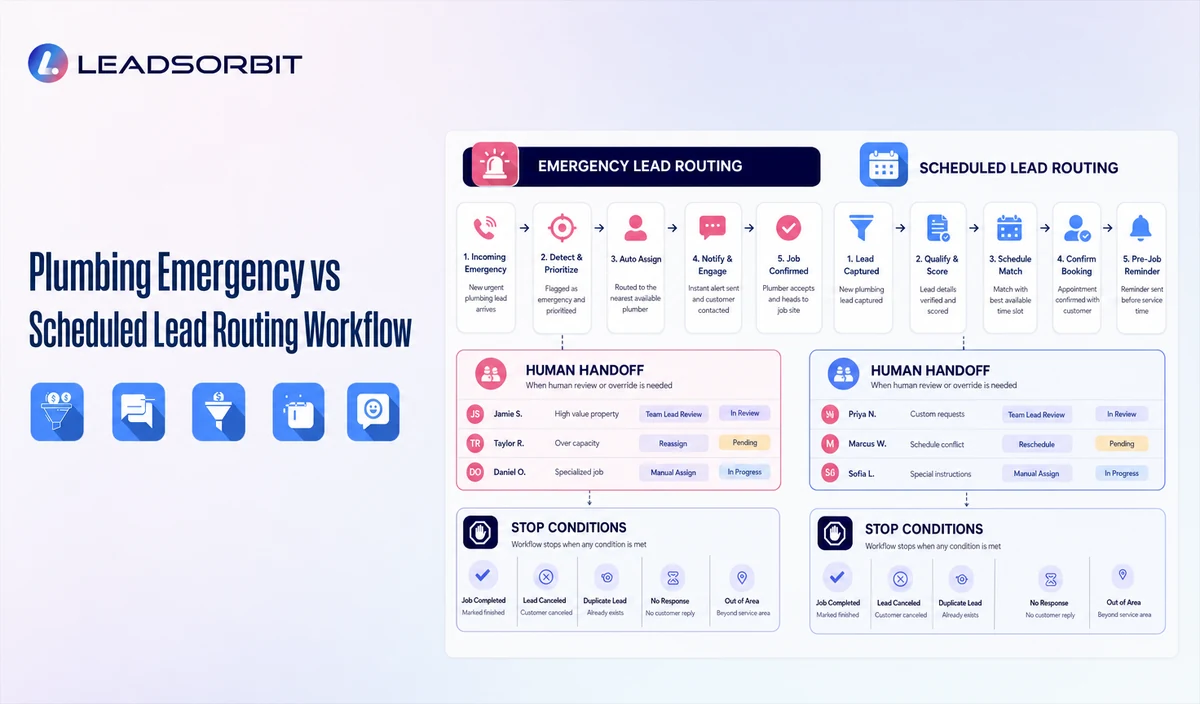
| Stage | Workflow action | Staff responsibility | Stop or escalation rule |
|---|---|---|---|
| 1. Greeting and disclaimer | Identify the company and explain that the system can record and route a request but cannot diagnose it. | Approve clear after hours and emergency wording. | Transfer or create an approved human callback task when the caller requests a person. |
| 2. Address and contact | Capture the service address and reliable callback information. | Check the service area and look for duplicate requests. | Do not promise service coverage before it is verified. |
| 3. Customer description | Record the caller's general words and choose an approved broad category only if it fits. | Review unclear or safety related language. | Do not infer cause, damage, severity, or safety. |
| 4. Business hours rule | Apply the configured open, closed, holiday, or overflow path. | Maintain the current schedule and exception rules. | Do not imply live on call capacity unless it has been verified. |
| 5. Predefined routing | Use approved phrases and the customer's stated request to route the inquiry. | Assign the on call or priority review owner and backup. | Do not guarantee a response, dispatch, or arrival. |
| 6. Scheduled path | Offer an appointment request or callback path for requests that fit the company's scheduled service process. | Confirm availability and resolve service area exceptions. | Do not downgrade a request based on an AI judgment. |
| 7. Confirmation and stop | State whether the request was sent for human review or recorded for scheduling. | Monitor failed transfers and unaccepted tasks. | Stop automation after human takeover. |
Emergency, Urgent Sounding, and Scheduled Paths
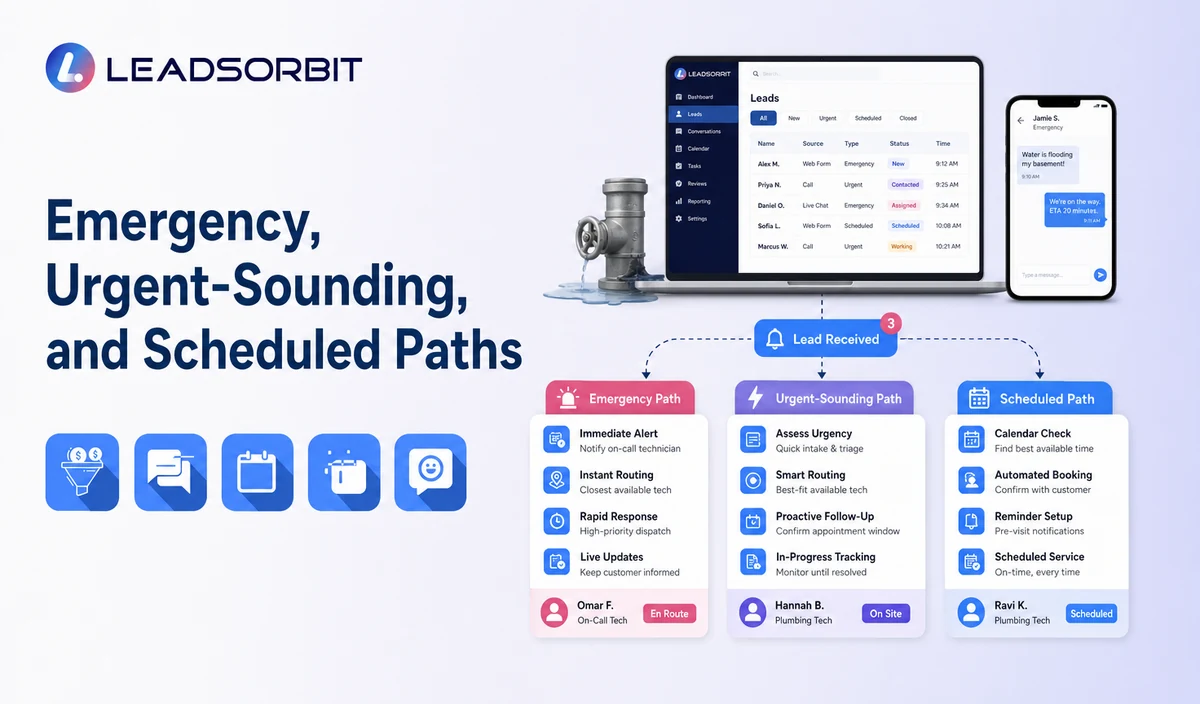
| Caller situation | Administrative route | Boundary |
|---|---|---|
| Caller says there is immediate danger | Stop ordinary intake and use company approved wording directing the caller to 911 or the appropriate local emergency service. The National 911 Program says to dial 911 immediately in an emergency. Notify the company's designated owner only under the approved process and without delaying the caller's emergency contact. | Do not decide whether the situation meets a technical definition. Do not provide repair or safety instructions. |
| Customer requests an emergency plumber | Capture the address, callback number, and general description; apply the approved priority review route. | Do not guarantee an emergency response, technician availability, dispatch, or arrival. |
| An approved urgent sounding phrase is detected | Create a priority human review task and retain the caller's wording. | Do not treat the phrase as a diagnosis or severity assessment. |
| After hours scheduled request | Offer a next business period callback or approved appointment request path. | State clearly whether the request was recorded or an appointment was confirmed. |
| Normal service request | Use the standard intake and appointment path. | Do not promise dispatch or an exact arrival time. |
| Out of area request | Record the information needed for an approved review or decline/referral process. | Do not imply that the company serves the address. |
For every route, document a primary owner, backup, transfer path, acceptance status, and the action for a failed transfer or unclaimed task. An internal review interval is not a customer response time promise. A useful handoff record includes the callback number, service address, caller's general description, broad request category, business hours context, service area status, requested next step, time received, transfer outcome, owner, and next action. Collect additional sensitive information only when needed and under the company's privacy process.
Practical Scripts and Templates
These scripts are administrative examples, not technical instructions. Have the plumbing workflow owner and an appropriate safety or compliance reviewer approve them before use.
Opening Disclaimer
See the National 911 Program's guidance; it addresses emergency calling and does not evaluate plumbing conditions.
Priority Handoff
After Hours Scheduled Path
Out of Area Message
Important Boundaries
- AI must not diagnose cause, severity, damage, or safety risk.
- Do not provide shutoff, gas, electrical, flooding, repair, or other technical instructions.
- Do not guarantee emergency response, technician availability, dispatch, coverage, or arrival.
- Do not claim live on call capacity unless it is verified.
- Do not use AI to downgrade or dismiss a caller's concern.
- Route urgent sounding, safety related, vulnerable customer, or unclear requests to a human.
Do not let an AI or intake script improvise instructions for a suspected gas or pipeline leak. PHMSA's pipeline leak guidance applies to suspected or detected pipeline leaks; it is not general plumbing diagnosis guidance. Confirm the page remains current before publication and do not diagnose a condition over the phone.
Privacy, Consent, and Customer Data
Customer names, phone numbers, service addresses, access notes, appointment details, estimate status, conversation history, and service plan information may be sensitive business data. Collect only what the workflow needs, limit staff access, and review each form, calendar, phone or messaging provider, AI tool, integration, retention setting, and data destination.
Keep operational updates distinct from promotional outreach. Make the company's approved consent and opt out process visible to staff who send messages. The FCC guide to unwanted calls and texts describes different rules for different call and text types. Review the specific message, technology, and applicable federal and state requirements with qualified counsel.
Common Plumbing Workflow Mistakes
- Asking AI to decide whether an issue is a real emergency.
- Using technical diagnostic questions that invite an AI system to assess or prescribe a repair.
- Treating an urgent sounding phrase as confirmation of a hazard.
- Promising a technician, response time, dispatch, or arrival.
- Failing to check the service area, business hours, or on call availability.
- Leaving priority tasks without a named owner and backup.
- Sending an unclear or urgent sounding request into routine follow up by default.
- Continuing automation after a human takes over.
Plumbing Workflow Setup Checklist
- Approve the disclaimer and caller facing emergency wording.
- Define service area, business hours, holiday, overflow, and on call rules.
- Choose broad request categories and phrase triggers; document that they do not determine severity.
- Assign primary and backup owners for priority review, callbacks, and booking requests.
- Define failed transfer, unaccepted task, and overdue task escalation.
- Separate priority human review from scheduled booking and confirmed appointments.
- Check consent, opt out, access, retention, and each messaging or integration path.
- Test immediate danger wording, out of area addresses, unclear requests, duplicates, and human takeover.
See the Workflow With Your Company's Rules
Start Your Free 14 Day Trial to map the exact triggers, messages, service area rules, booking or callback paths, owners, data sources, permissions, and stop rules for your plumbing company inside LEADSORBIT.
What to Measure
- Priority review requests created.
- Requests routed by business hours and service area.
- Failed transfers and unaccepted or overdue priority tasks.
- Scheduled requests submitted and appointments actually confirmed.
- Out of area requests sent for review or handled through the approved decline path.
- Quality review findings involving diagnosis, repair advice, consent, or response time promises.
Define measurement periods and owners internally. These are workflow checks, not promises of conversion, revenue, or response time.
How LEADSORBIT Supports This Plumbing Workflow
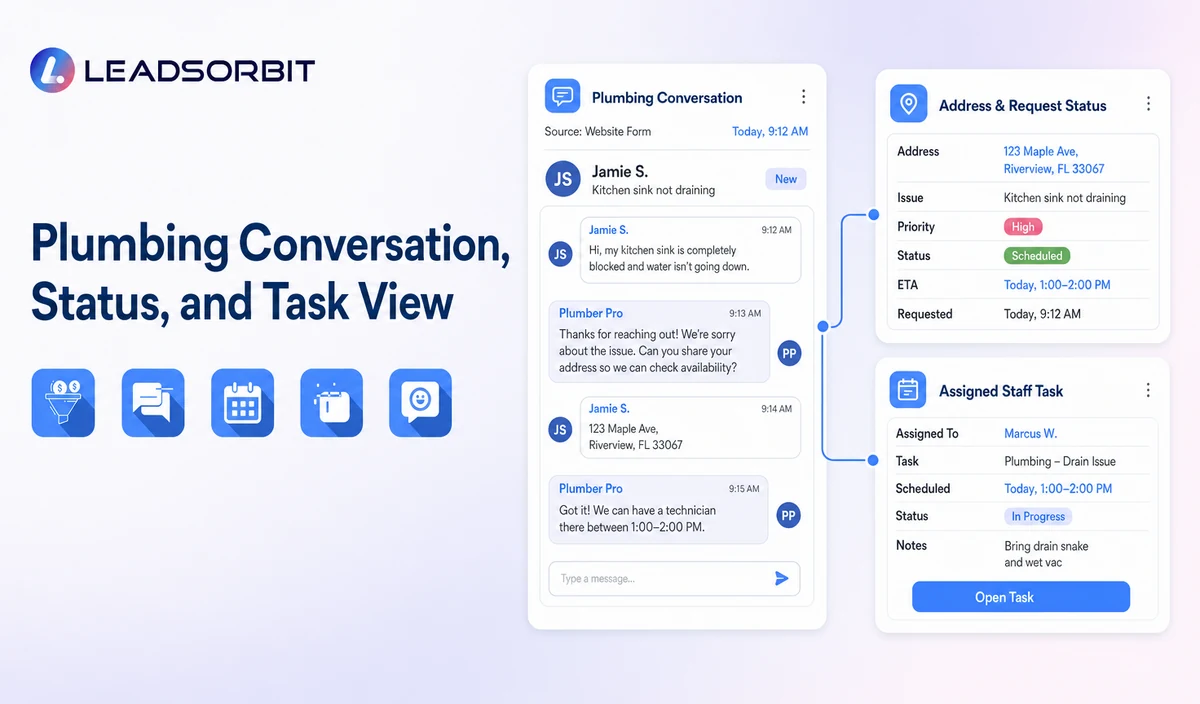
LEADSORBIT’s AI powered CRM can connect approved plumbing conversations, appointment activity, follow up, tasks, and operational statuses, subject to validation of the current product and account setup.
AI Receptionist: supports approved call answering, contact capture, booking paths, after hours handling, and human escalation.
Workflow AI: supports configurable triggers, conditions, messages, tasks, timing, and stop or switch logic.
Conversation AI: supports configured channel conversation visibility, routing, staff takeover, and CRM synchronization.
Try LEADSORBIT free for 14 days
FAQs
It is an administrative process that uses the caller's address, business hours, service area, general description, and approved rules to create a human handoff or scheduled service path.
Final Thoughts
Plumbing emergency lead routing is an administrative workflow that uses the caller's wording, service address, business hours, service area, broad request category, and approved on-call rules to create a human handoff or scheduled-service path—without diagnosing severity or guaranteeing a response. A strong setup gives staff clear ownership, uses accurate business rules, avoids technical promises, and stops automation when human judgment is needed.
Start Your Free 14 Day Trial to see how LEADSORBIT can support this plumbing workflow with conversations, appointment requests, automation, tasks, and CRM visibility.

Start Your Free 14 Day Trial
Try LEADSORBIT and see how it captures missed calls, follows up instantly, and turns leads into booked appointments for your business.